TR7500E_Manual_en_v28.pdf - 第64页
C h a p t e r 1 AO I S t a nd a r d P r o j ec t Cr ea t i on T R 7500 U S E R M A N U AL 57 ( 7) A f t e r a l l F O V s a r e t u n e d w e l l , p r e ss [ S a v e p r e . ] t o s a v e t h e c h a n g e d p r o j e c…
Chapter 1 AOI Standard Project Creation
TR7500 USER MANUAL
56
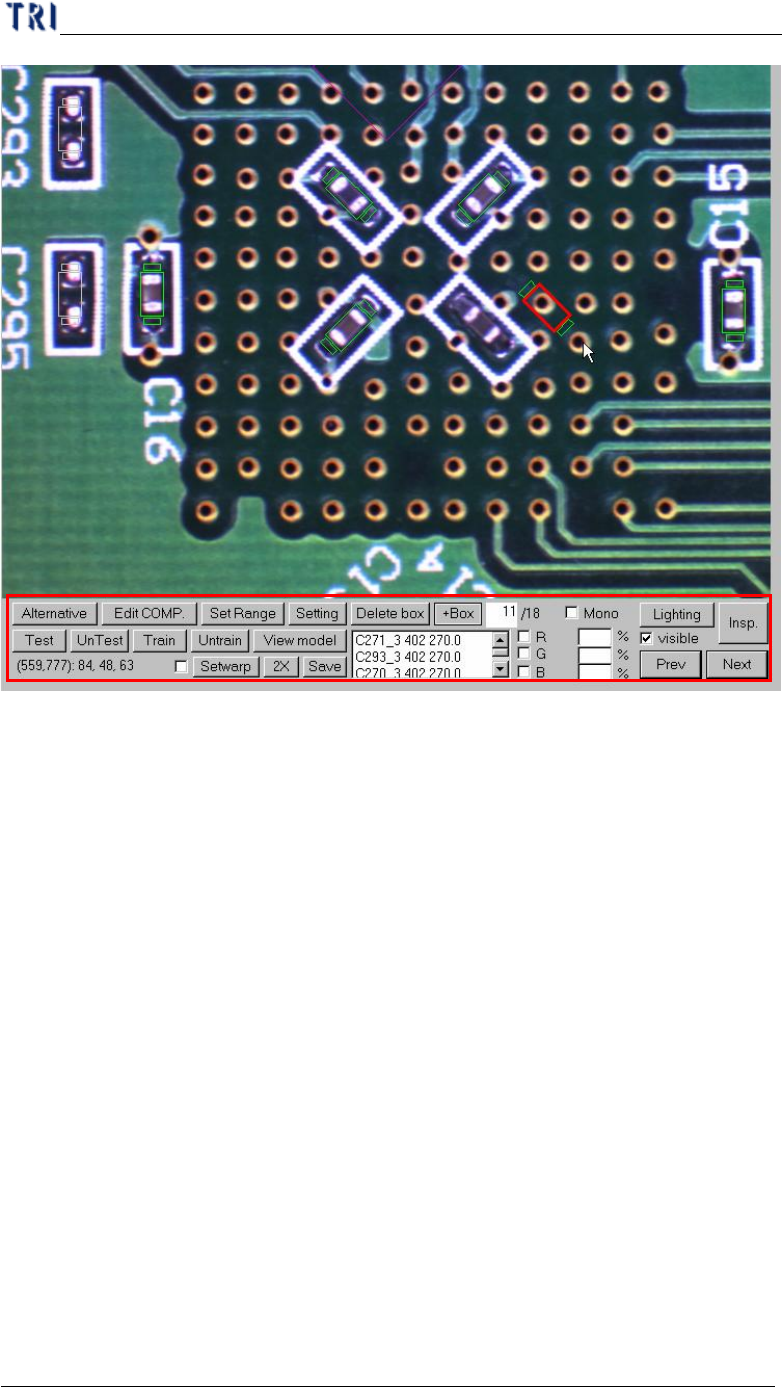
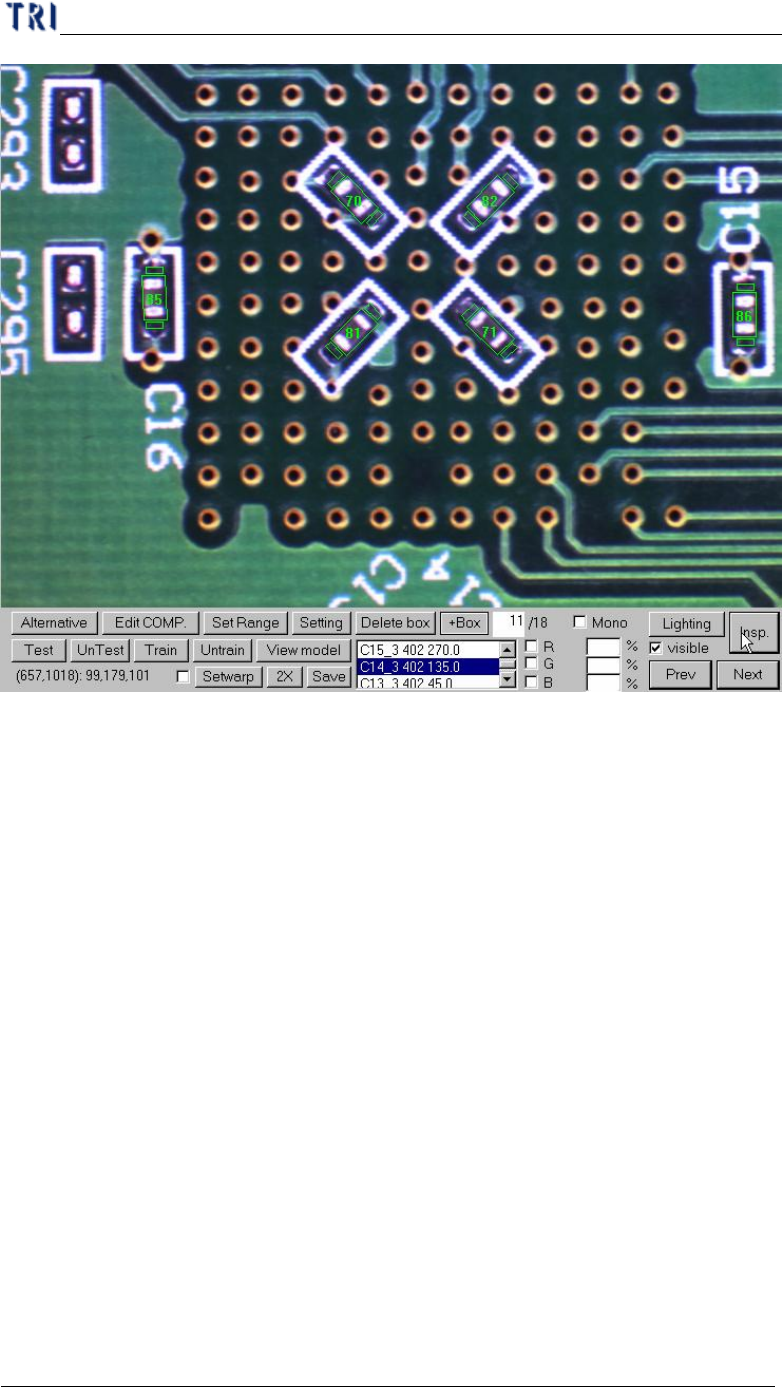
(6) Press [Insp.] to check the result of tuning.
Chapter 1 AOI Standard Project Creation
TR7500 USER MANUAL
57
(7) After all FOVs are tuned well, press [Save pre.] to save the changed project.
(8) Press [Close&Stop] to close the result dialog.
(9) Choose [Operation/Confirm Mode] and press [Inspect] to inspect whole board by
real time images. And tune the failed images.
(10) Do the above actions for several different golden boards as the case may be until
the project is stable.
(11) Start to inspect.
Chapter 2 Manual Bar introduce
TR7500 USER MANUAL
58
Chapter 2 Manual Bar introduce
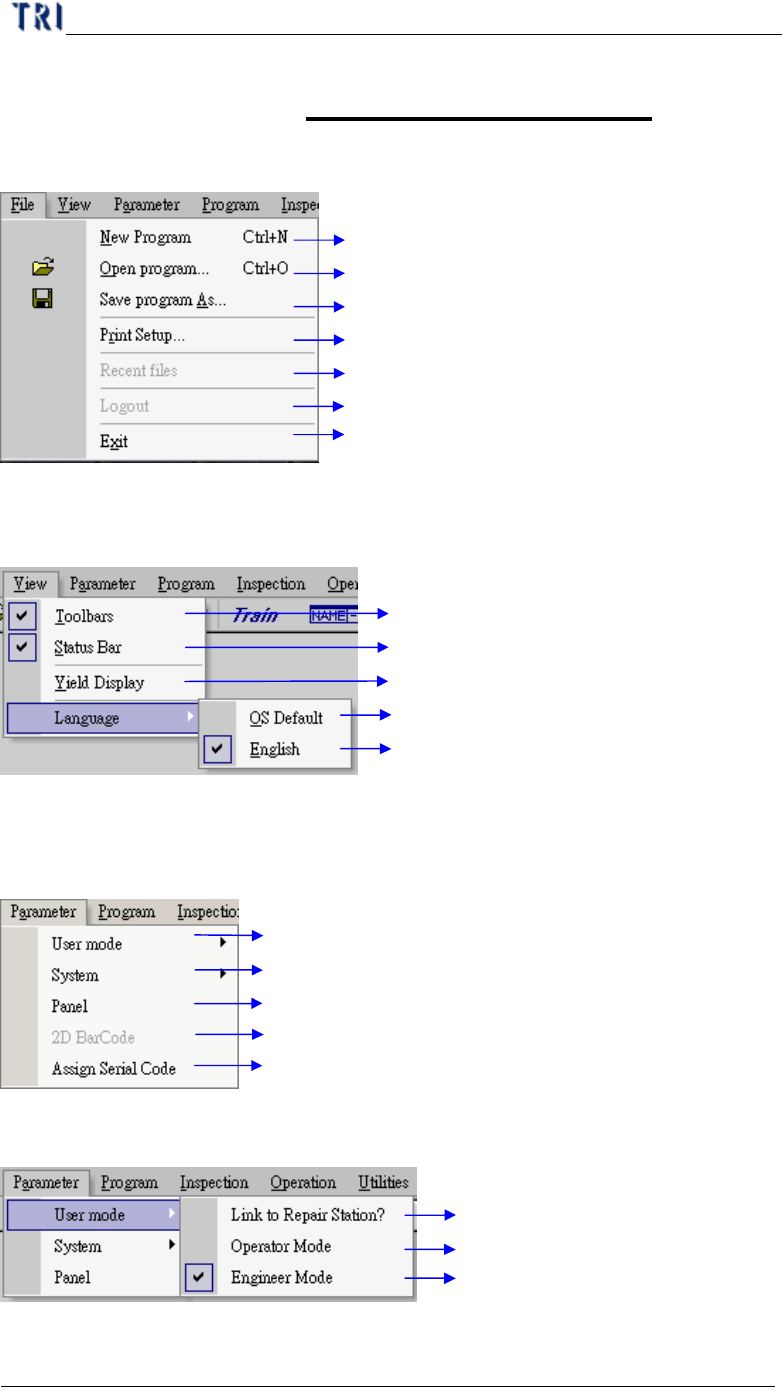
1. File
Create a new AOI Project file
Open AOI Project file
Save AOI Project file as another file name
Print format setting
Recent opening AOI file list
Log out the current user
Quit AOI inspection Program
2. View
Toolbars function display “ON” or “OFF”
Status Bar function “ON” or “OFF”
Inspection analysis for yield rate display
Display toolbars in operation system language
Display toolbars in English
3. Parameter
AOI on line link with repair station setting
System halt timing and fail signal output setting
Parameter setup for Panel
Reading 2D Barcode Function
Defines the serial code of the PCB
3.1. User mode
Transfer AOI data to Repair station
General operation mode for operator
Complete mode for engineer setting (Need
input Password)