TR7500E_Manual_en_v28.pdf - 第139页
C h a p t e r 3 A O I A T P G F u n c t i o n i n s t r u c t i on T R 7500 U S E R M A N U AL 1 32 n I n o r d e r t o f i n d t h e m a pp i ng o f c o m po n e n t s e a s il y , y ou c a n s e l ec t “ T i l e W i n …
Chapter 3 AOI ATPG Function instruction
TR7500 USER MANUAL
131
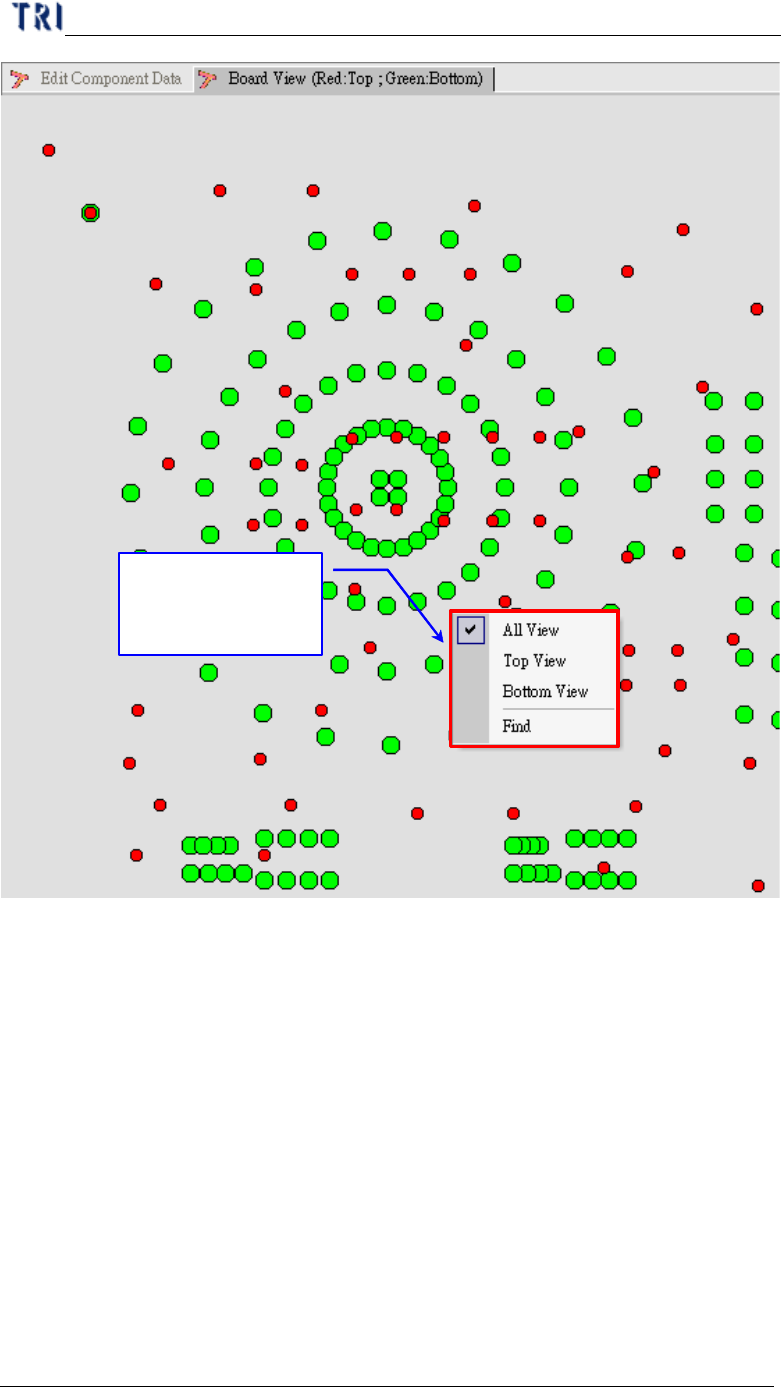
Click right button
of mouse to show
the toolbar
Chapter 3 AOI ATPG Function instruction
TR7500 USER MANUAL
132
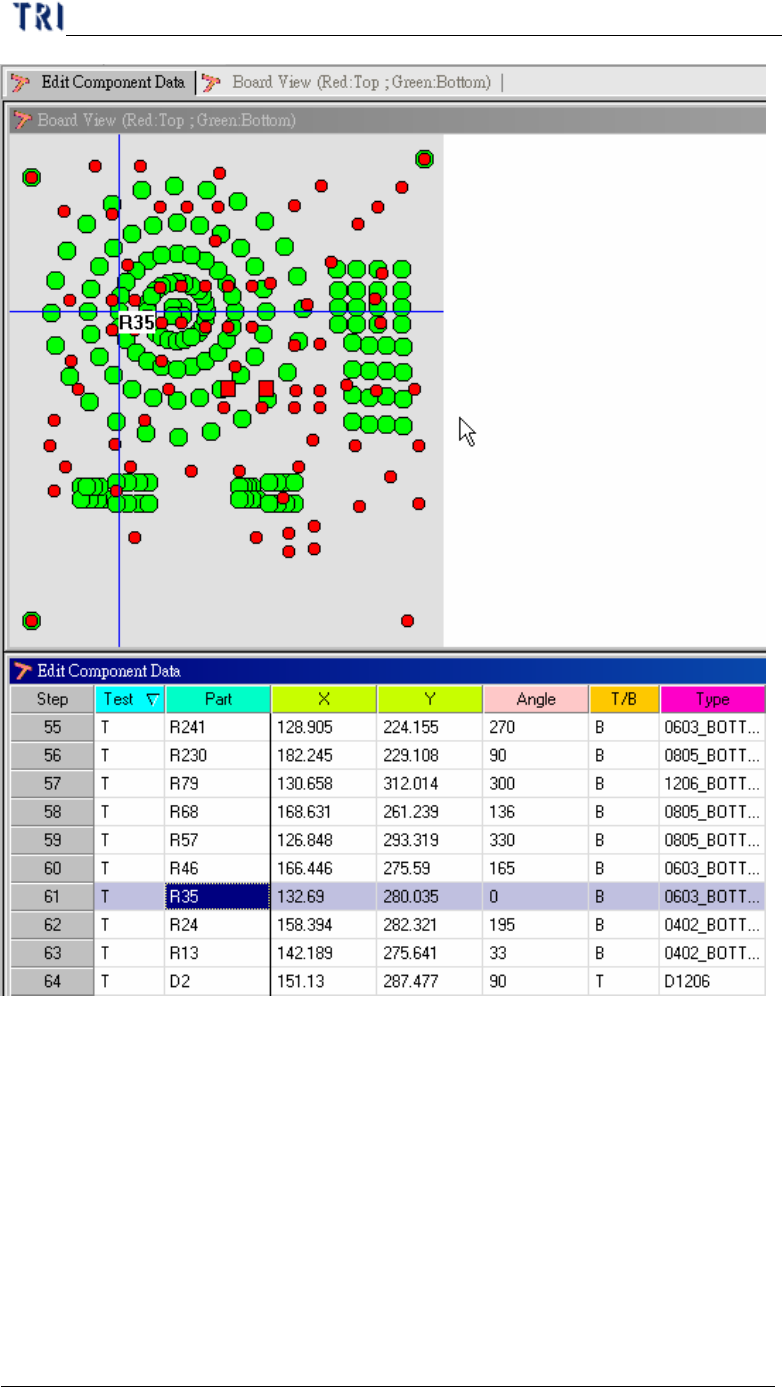
n In order to find the mapping of components easily, you can select “Tile
Window” on tool bar. The function put board view window and data list
window together. You can select a component on board view window to
show its information on corresponding component list window and vice
versa.
Chapter 3 AOI ATPG Function instruction
TR7500 USER MANUAL
133
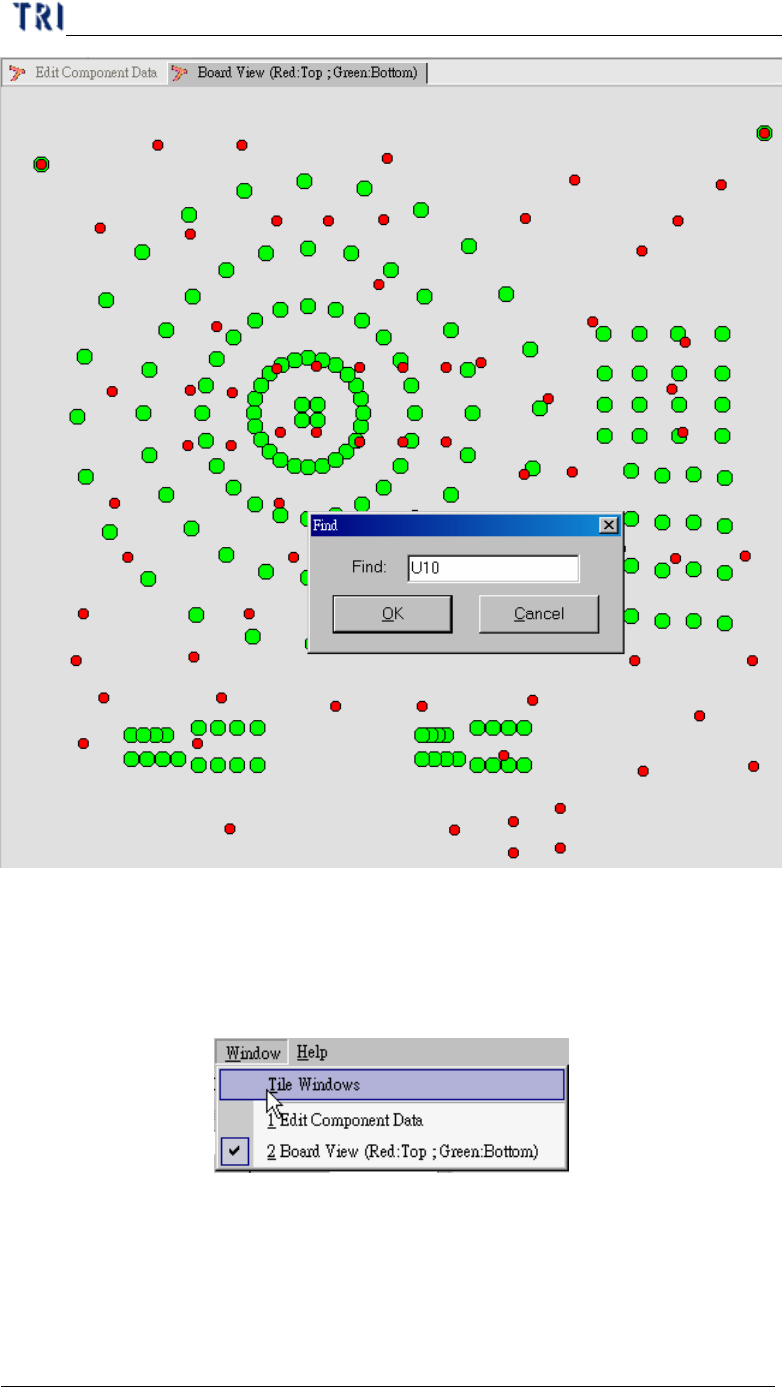
2.2. Find (Next F3)
l