TR7500E_Manual_en_v28.pdf - 第24页
C h a p t e r 1 AO I S t a nd a r d P r o j ec t Cr ea t i on T R 7500 U S E R M A N U AL 17 ( 1 2) D i s p l a y g e t X Y t a b l e c o o r d i n a t e . ( 1 3) F i n i s h t h e bo a r d r o t a ti o n a n g l e d e t…
Chapter 1 AOI Standard Project Creation
TR7500 USER MANUAL
16
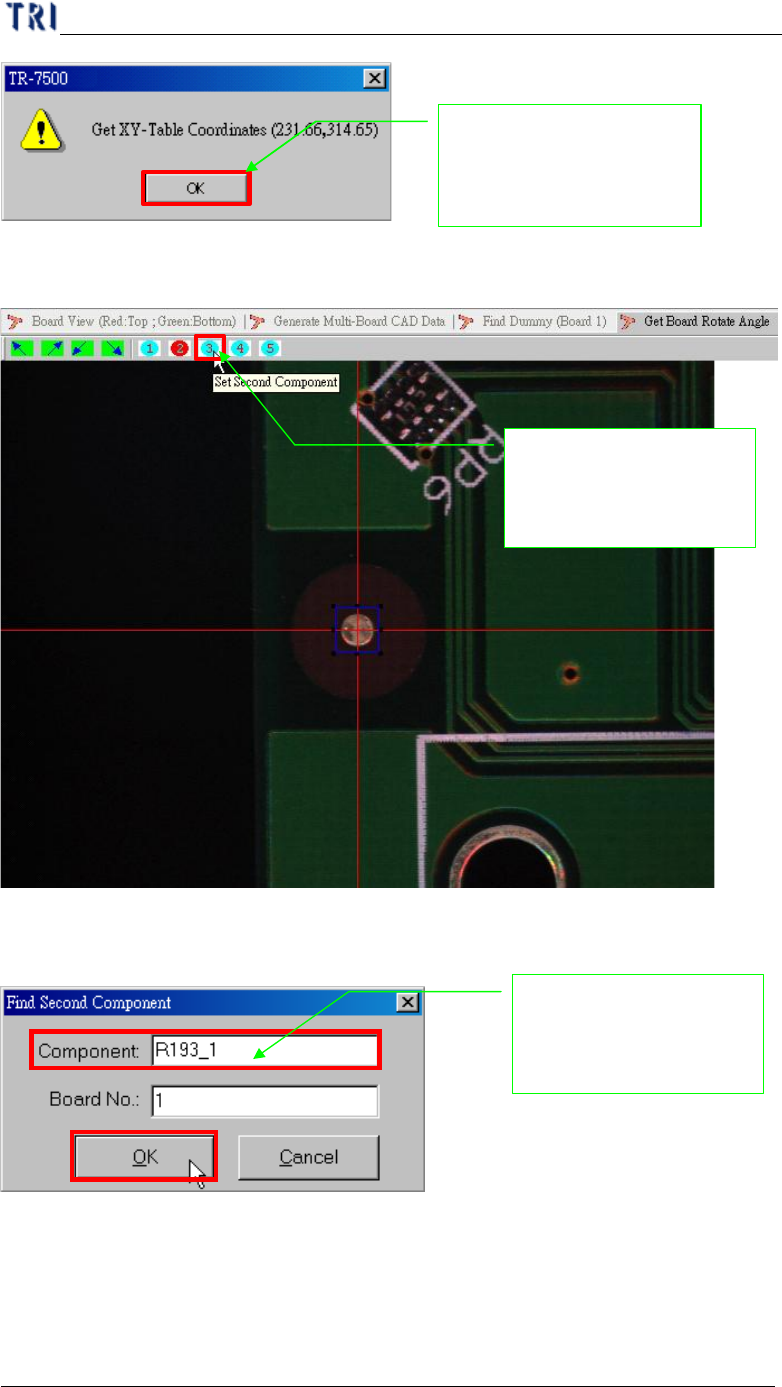
(9) Setting second component for angle detection.
(10) Input reference component name.
(11) Getting the component position in XY table.
System show the double
confirm message for
record the position
Inputs the board second
component name for
position find
Setting the board seco
nd
component position for
board angle detection
Chapter 1 AOI Standard Project Creation
TR7500 USER MANUAL
17
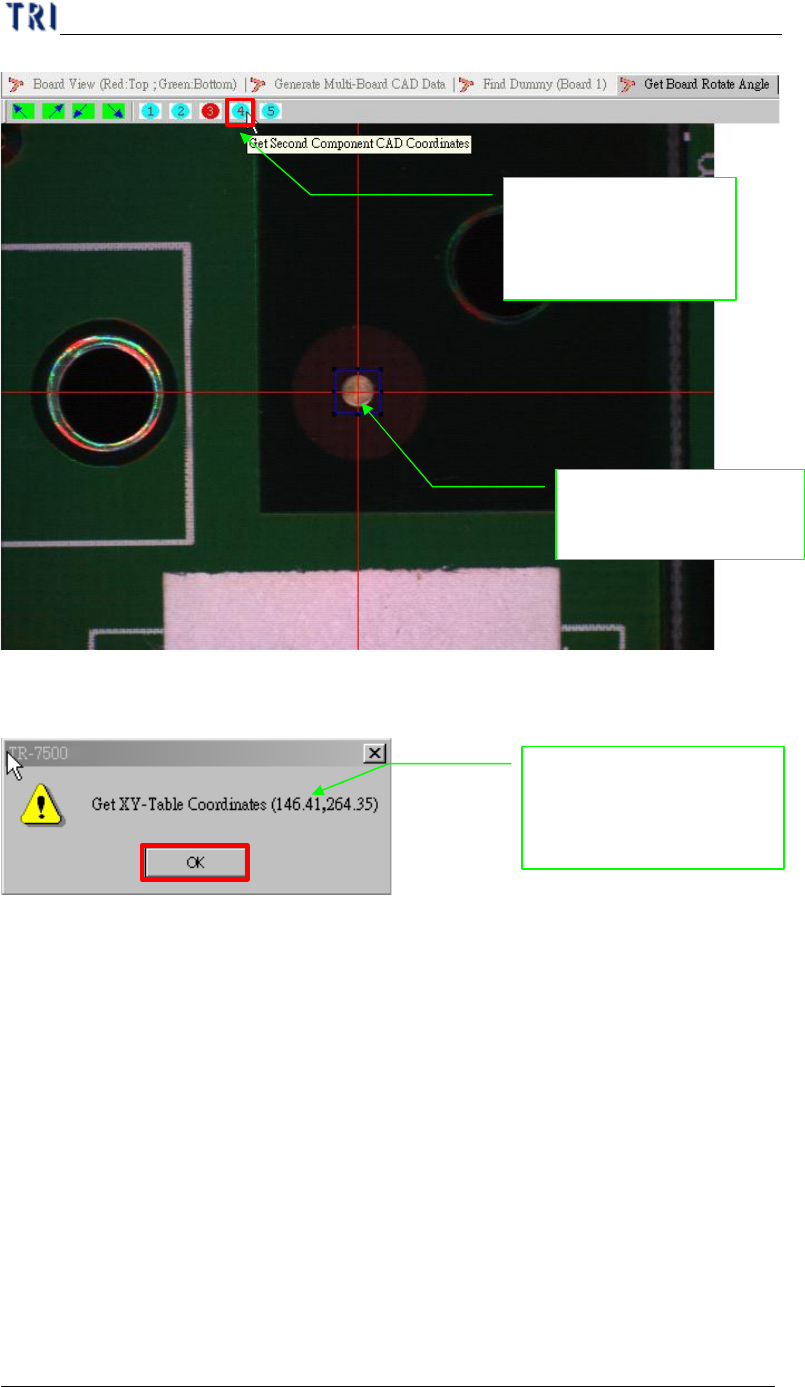
(12) Display get XY table coordinate.
(13) Finish the board rotation angle detection.
2. Moving camera to
center of the component
System show the double
confirm message for
record the position
1. Push the button and
record the component
position
Chapter 1 AOI Standard Project Creation
TR7500 USER MANUAL
18
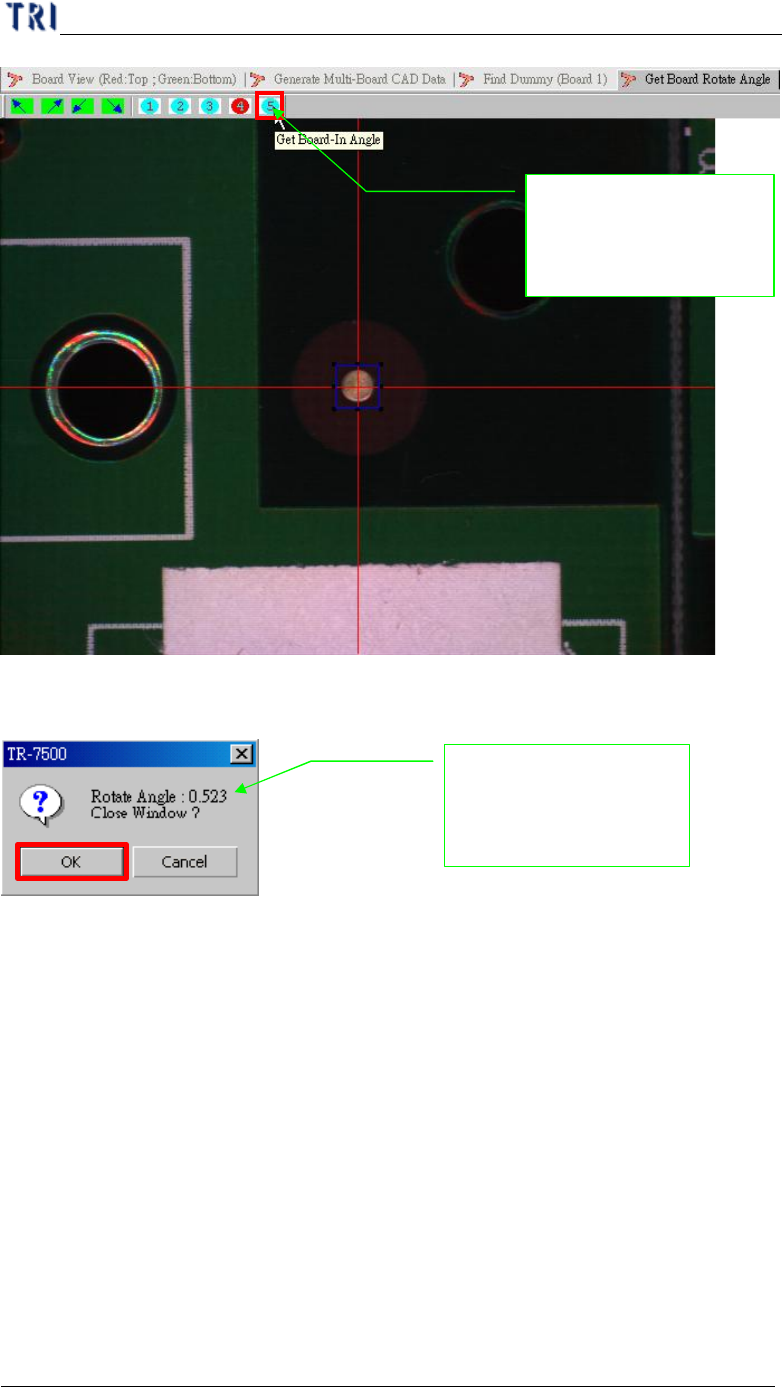
(14) Display detection rotation angle result.
4.4. Find Dummy Component Position
l Find the gap between board and board in the multi-board.
(1) Setting board 1 reference component position.
Display result for angle
calculation and
memorization the value
Push the button finish
and calculate the board
angle