TR7500E_Manual_en_v28.pdf - 第96页
C h a p t e r 2 M a nu a l B a r i n t r o d u ce T R 7500 U S E R M A N U AL 89 ( 5) F i n d C om po n e n t - Y ou ca n u s e t h e f u n c t i o n t o c r e a t e c o m po n e n t s w h i c h i s s i m i l a r w i t h…
Chapter 2 Manual Bar introduce
TR7500 USER MANUAL
88
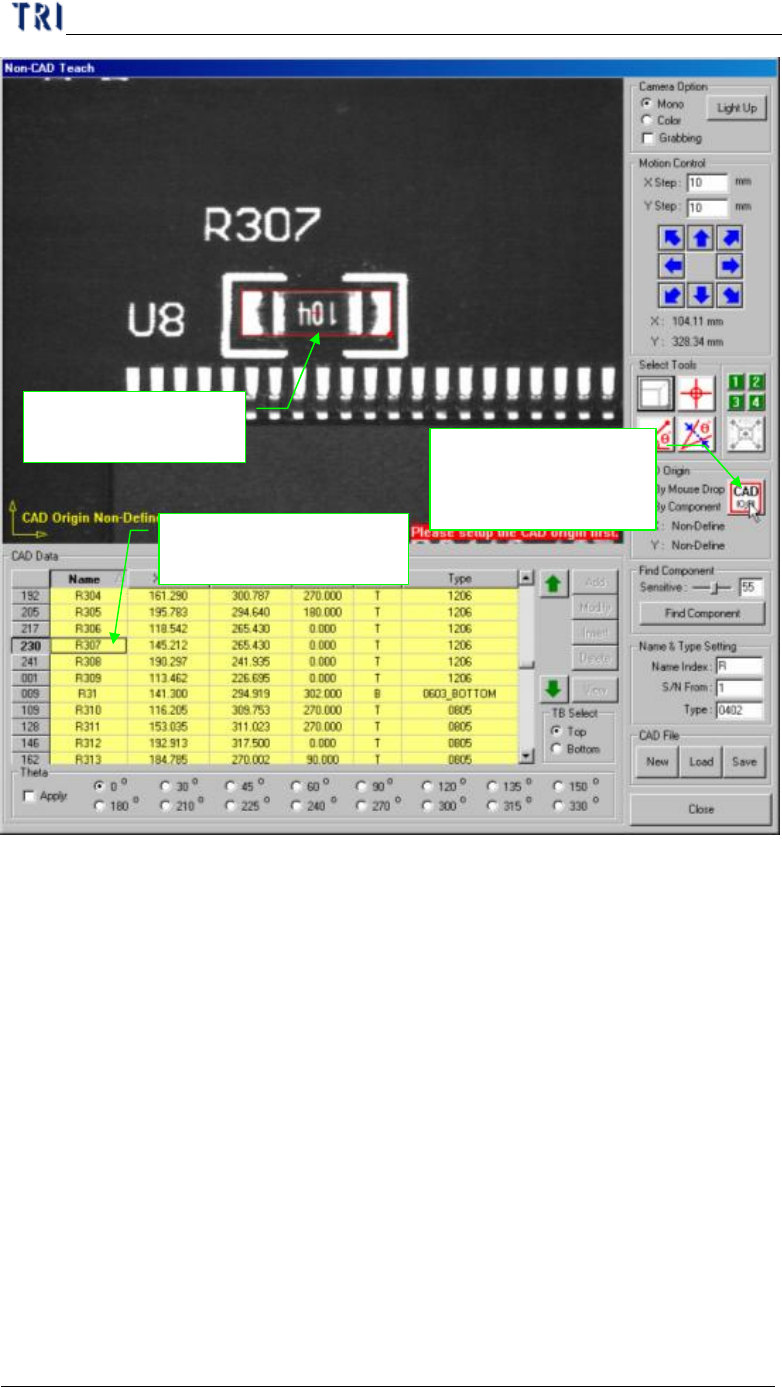
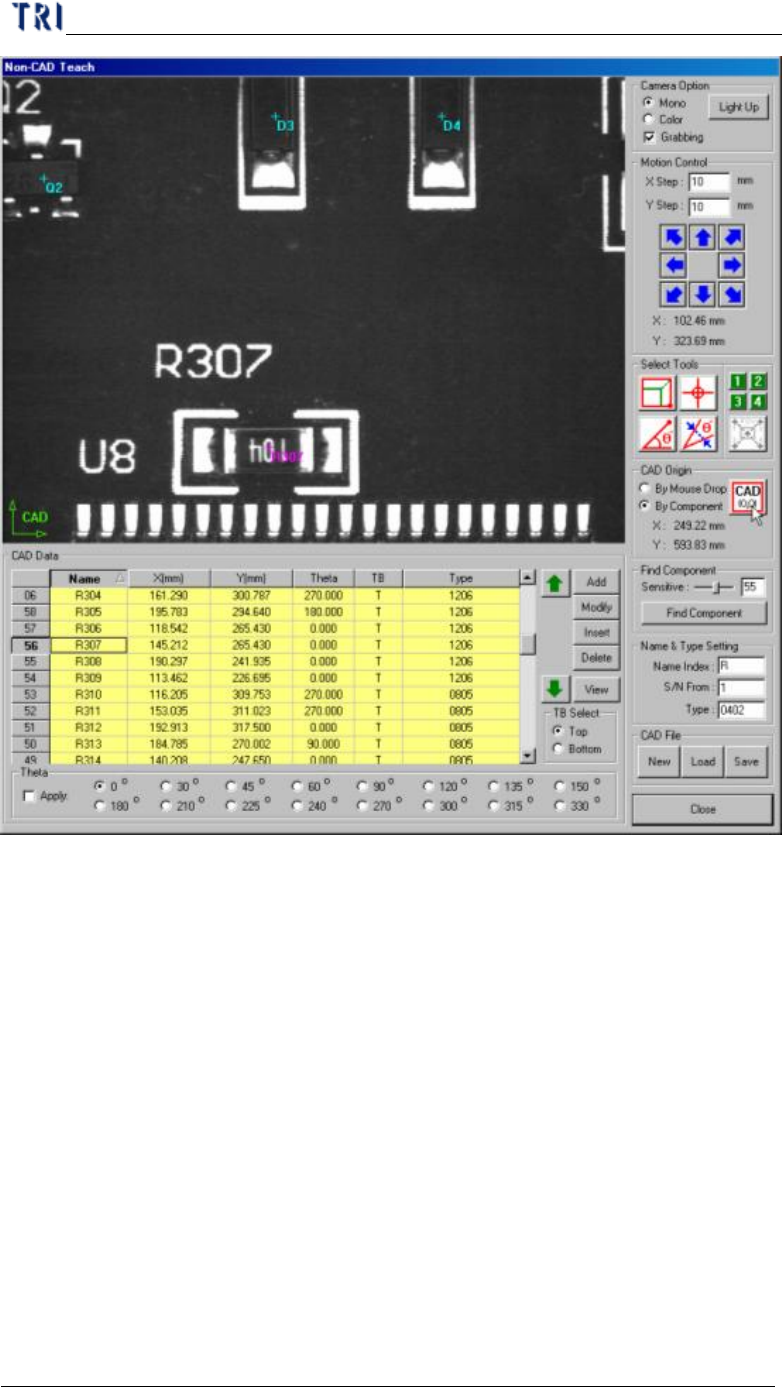
1. Use box tool to set
the component
3. Select [By
Component] then
press [CAD(0,0)]
2. Select the component
in the table
Chapter 2 Manual Bar introduce
TR7500 USER MANUAL
89
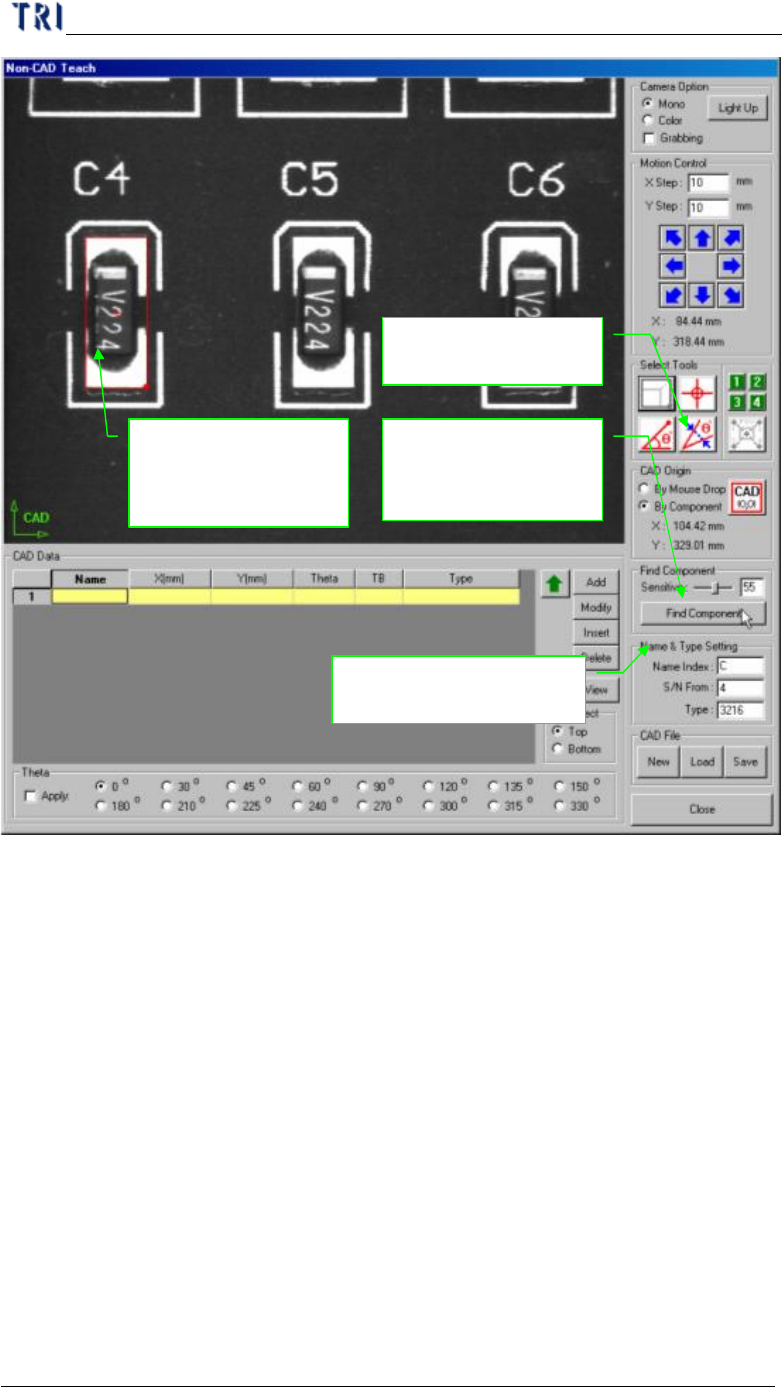
(5) Find Component - You can use the function to create components which is
similar with standard image.
Chapter 2 Manual Bar introduce
TR7500 USER MANUAL
90
1. Use box to cover
a component that
you want to add
4. Input [Sensitive]
and press [Find
Component]
3. Input the information
of component
2. Select [Theta
alignment] tool