FLEXLINE-CAD_INM.pdf - 第104页
A-7 5.2.2 Definin g the field Check whether the field position is correctly set . If it is wrong, s elect the line of the wrong field and click the "Delete Field" button to delete the field. After deletion, set…
A-6
5.2 Field definition screen
The PWB data of Tutorial.txt contains "PWB ID", "PWB outer dimensions", "PWB layout offset",
and "BOC mark coordinates." Try to define them in "Field."
5.2.1 Specifying the field position
Click and drag the mouse and define the field. In this example, there are nine fields.
Data
Section start line
Start column
End column
Flexline CAD Tutorial PCB
2
1
24
150000
3
5
10
100000
3
15
20
150000
4
5
10
000000
4
15
20
10000
5
6
10
10000
5
16
20
145000
5
25
30
95000
5
36
40
* "Line" and "Column" are data position information and values are entered automatically.
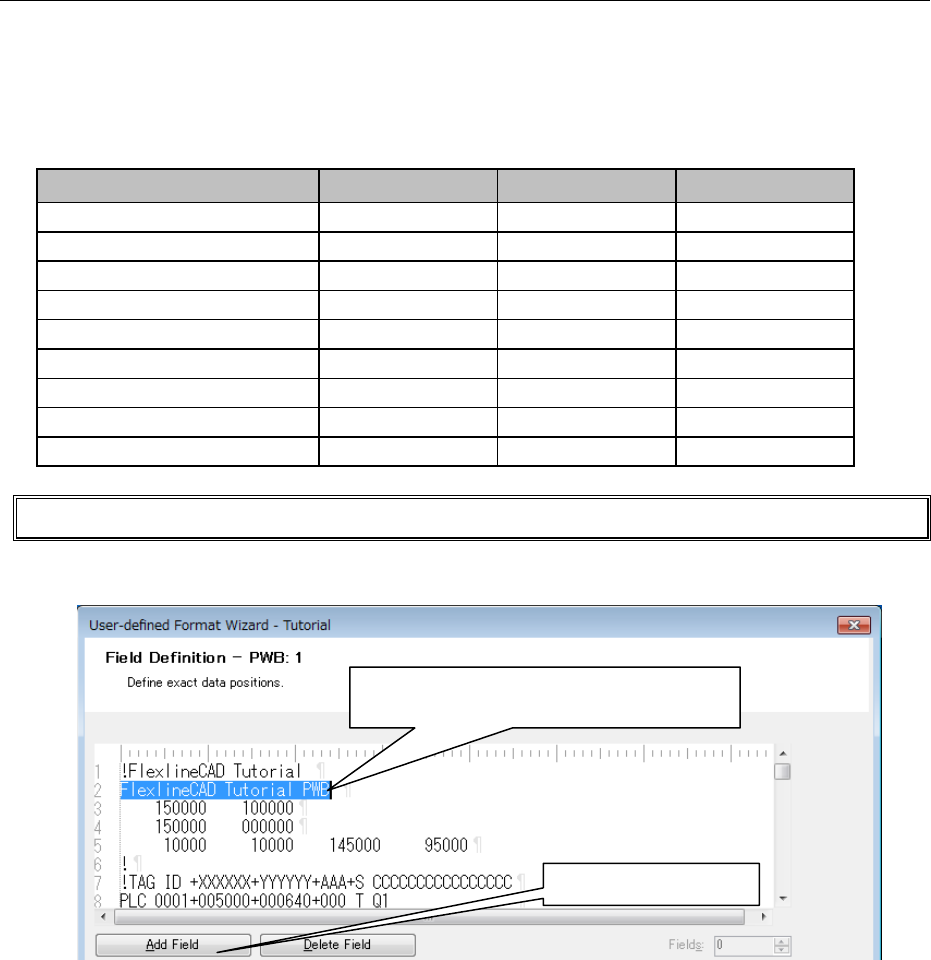
Try to define the first field. (Specify the position and define the contents on the next screen.)
Figure A-9 Field definition screen
Define the above nine fields according to the same procedure.
①
Click on the first character "F."
②
Drag it to "B" by clicking to select this line.
③
Click on "Add field."
A-7
5.2.2 Defining the field
Check whether the field position is correctly set. If it is wrong, select the line of the wrong field
and click the "Delete Field" button to delete the field. After deletion, set the correct field position
again.
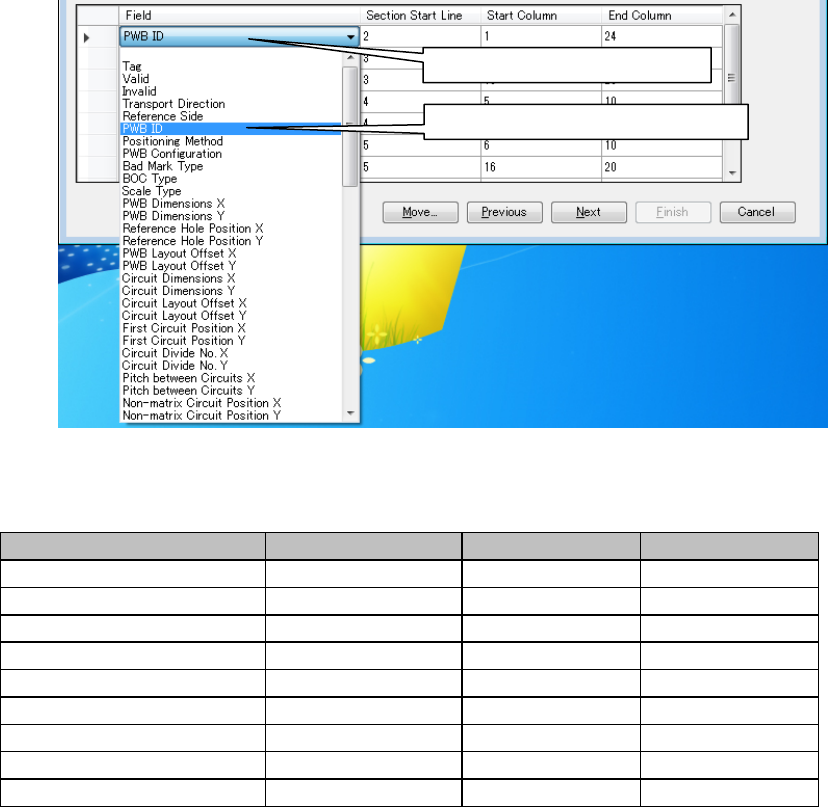
◊ Define the PWB ID field.
Figure A-10 PWB data field
Likewise, set each field as shown below:
Field name
Section start line
Start column
End column
PWB ID
2
1
24
PWB outer dimensions C
3
5
10
PWB outer dimensions Y
3
15
20
PWB layout offset X
4
5
10
PWB layout offset Y
4
15
20
BOC mark position No.1 X
5
6
10
BOC mark position No.1 Y
5
16
20
BOC mark position No.2 X
5
25
30
BOC mark position No.2 Y
5
36
40
After completing the definition, click the "Next" button.
① Click here to display the list.
② Select the PWB ID from the list.
A-8
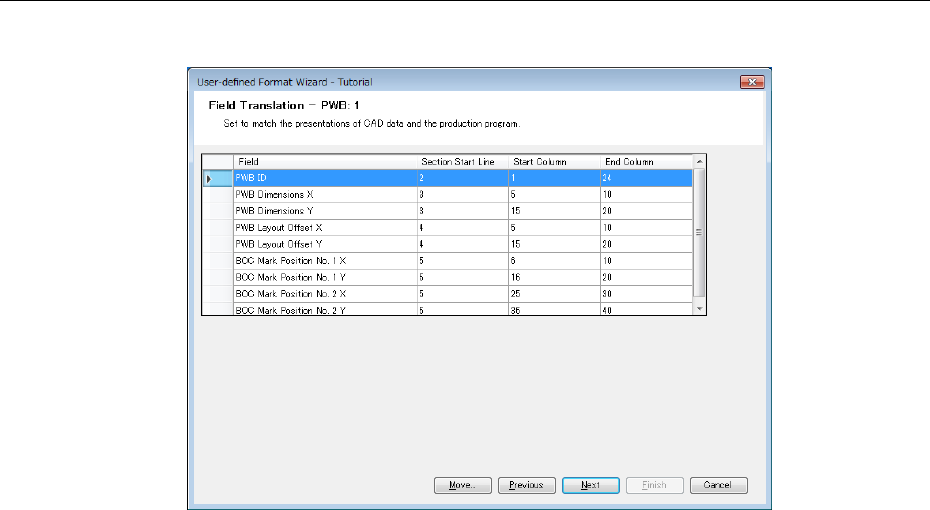
5.3 Field transformation screen
In this example, there is no item requiring transformation.
Figure A-11 PWB filed transformation screen
Click the "Next" button without performing any other operations.
* For the definition of multi-circuit non-matrix PWB, refer to the last part of Appendix A.