FLEXLINE-CAD_INM.pdf - 第54页
49 7.4.2 Section layout Select a specifying method to specify the por tion of PW B data, placement data, and c omponent data in the w hole CAD data. As specif ying methods, t he "Section," "T ag," and…
48
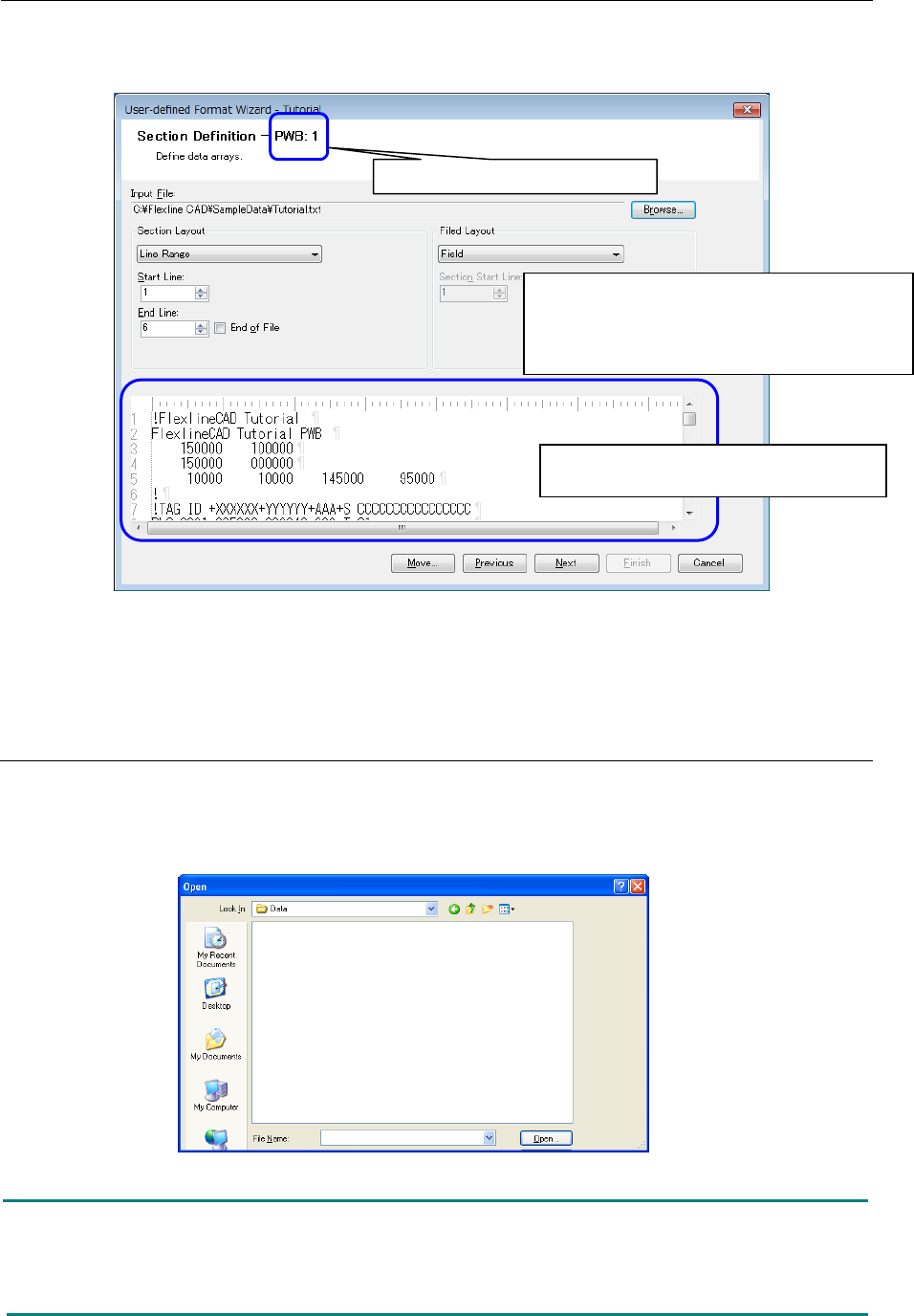
7.4 Section definition screen
Define each section data list of PWB, placement, and component defined in the "Global Setup"
screen.
Figure 7.4-1 Section Definition
* When multiple PWB sections are set, the "Section Definition" screens corresponding to the
set number are displayed.
7.4.1 Reading the file
First, select a data file of the format that is created.
On the above screen, click the "Browse" button to display the following dialog box. Select a file
and click the "Open" button. The selected file is read.
Figure 7.4.1-1 "Open file" dialog box
Note: In case the file includes Japanese characters, this file is acceptable only when the
following conditions are satisfied. (For Japanese version only)
- Japanese exists in the data field of the data file.
- The delimiter is a Japanese character.
The contents of the input file selected by
"Browse" are displayed.
<Setting order in the section definition screen>
①
Read the file ("Refer")
②
Specify the section layout.
③ Specify the field layout.
The section to be defined is displayed.
49
7.4.2 Section layout
Select a specifying method to specify the portion of PWB data, placement data, and component
data in the whole CAD data. As specifying methods, the "Section," "Tag," and "Line range" are
available.
In the following example, PWB data can be defined in the "Line range," placement data can be
defined in the "Tag," and component data can be defined in the "Section."
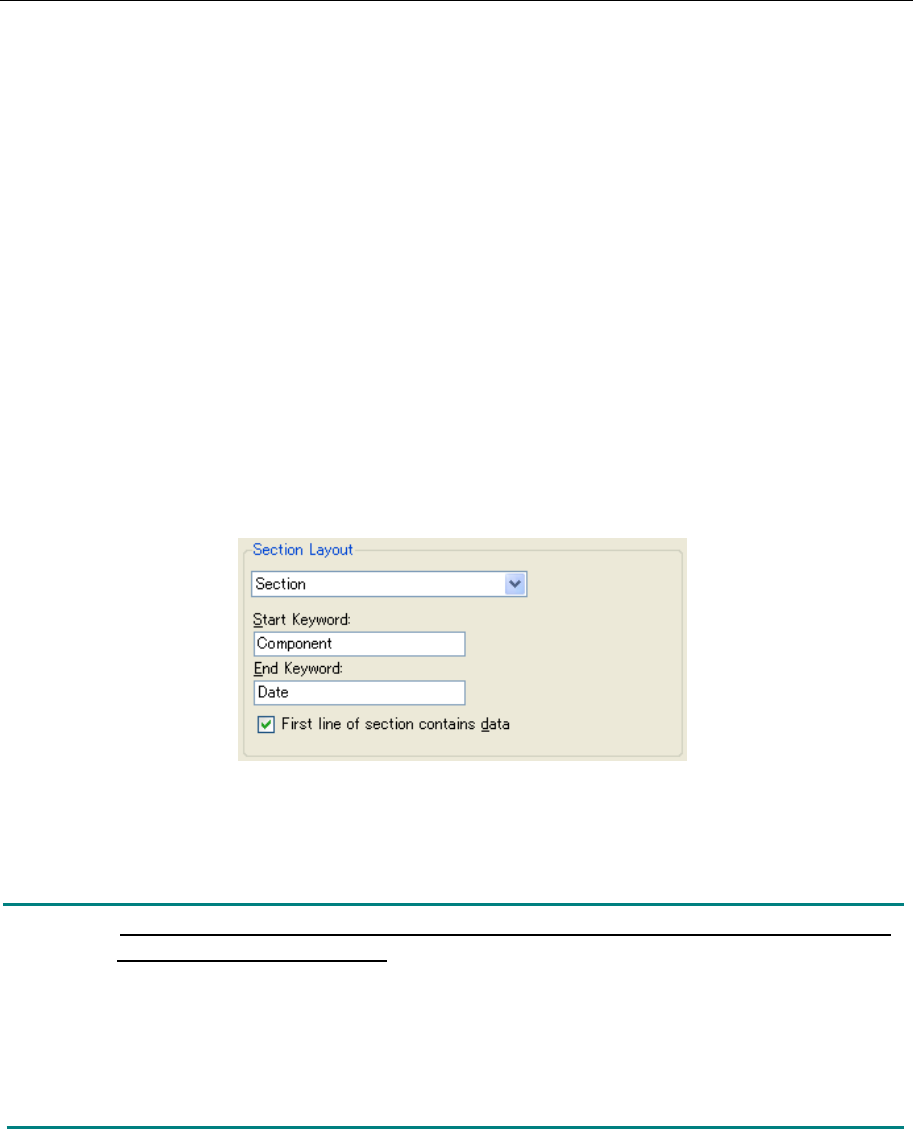
7.4.2.1. Section
When data exists between the start keyword and the end keyword, this section is used.
When the "Section" is selected from the pull-down menu, the keyword input screen is displayed.
◊ The portion defined in the "Section" is read even if there are multiple portions in the
production program. When the end keyword is blank, all the portions subsequent to the
start keyword are converted.
◊ Regarding the option of "Data exists in the first line of the section," it can be selected when
the section layout is the "Section" and the field layout is the "Fixed length" or "Delimited." If
this is option is checked off, this prevents unnecessary data from being written into the
output file when no data exists in the first line of the section.
Figure 7.4.2-1 Section Layout (Section)
In this example, all the lines between the "Component" and "Date" are specified as component
data. (Both start line and end line are included.)
Note: Regarding the keyword, there is a distinction between upper-case characters
and lower-case characters.
Do not use the symbol specified as a comment character for the keyword.
(For the definition of comment character, refer to "7.2.1 Format information.")
Enter specific characters for the keyword. In the above example, when "PLC" is entered as
the start keyword, the first "PLC" appearing from the top of the file is used as the start
keyword though "PLC" appears repeatedly in the file. The keyword can be recognized
regardless of its position.
50
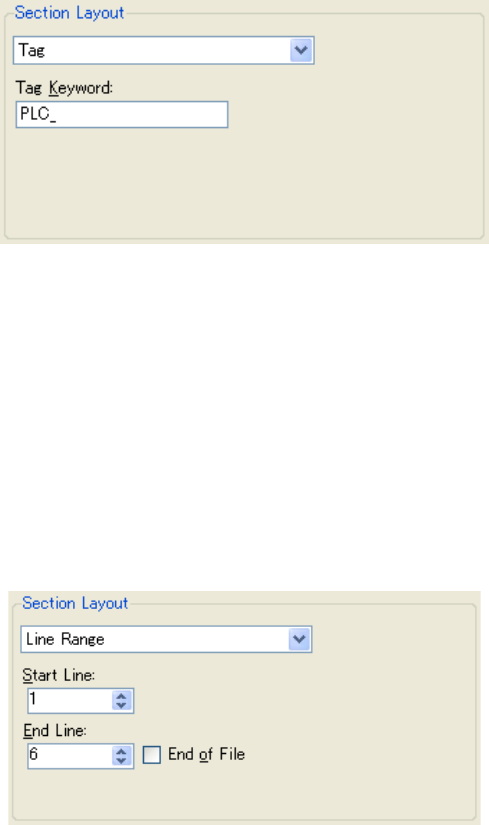
7.4.2.2. Tag
The tag is used when the same tag keyword exists in all the lines of data.
When the "Tag" is selected from the pull-down menu, the tag keyword input screen is displayed.
◊ All the lines containing the character entered by tag keyword are handled as data. The tag
keyword can be recognized regardless of its position.
Figure 7.4.2.2-1 Section Layout (Tag)
In the above example, all the lines containing the "PLC" are specified as placement data.
7.4.2.3. Line Range
This line range is used when the same keyword exists in all the lines of data.
When the "Line range" is selected from the pull-down menu, the start line/end line input screen
is displayed.
◊ The lines ranging from the "Start line" to "End line" are handled as data.
◊ When the "End of file" is checked off, the end line is automatically set.
Figure 7.4.2.3-1 Section Layout (Line Range)
In the above example, the section ranging from line 1 to line 6 is specified as PWB data.