FLEXLINE-CAD_INM.pdf - 第86页
81 Positio nin g M ethod The default positioning method for the output product ion program is set . Figur e 9.1.3 - 4 Positioni ng Method T ranspo rt D irection The default transport direc tion for the output product…
80
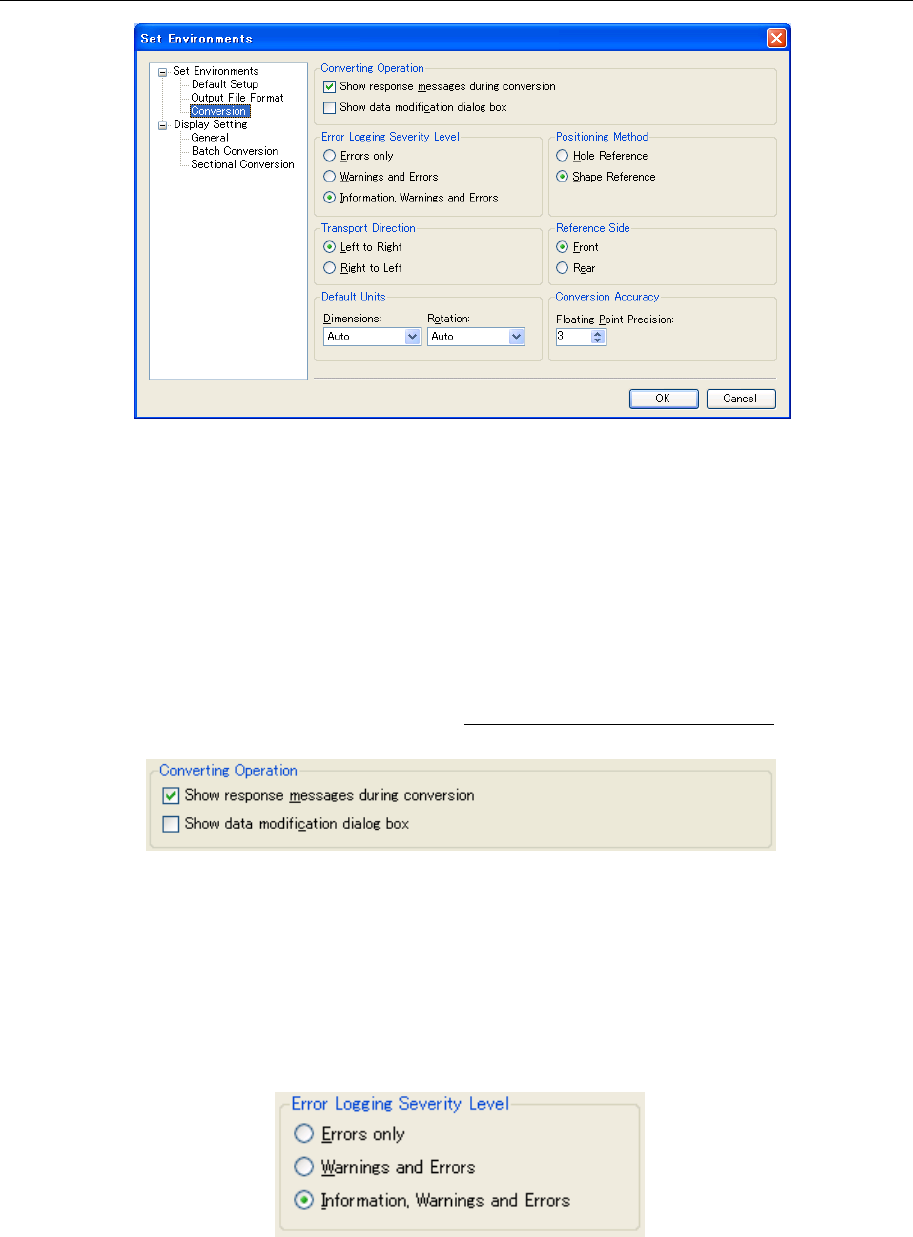
9.1.3 Conversion setting screen
Figure 9.1.3-1 "Set Environments" - "Conversion"
Operations for conversion
When the "Show response message during conversion" is checked off, unimportant
messages such as a file overwrite check message to be displayed during conversion and a
conversion completion message are not displayed.
Accordingly, if the "OK" button is clicked each time a message is displayed, file conversion
can be performed without any response from the user.
When the "Show data modification dialog box" is checked off, the data modification dialog
box is displayed during conversion.
For the data modification dialog box, refer to "8. Data modification dialog box."
Figure 9.1.3-2 Operations for Conversion
Error logging severity level
Set the level of the log to be output to the conversion log.
The conversion log is output to {Flexline CAD install folder}\Log\Convert.log.
Each time Flexline CAD is started, a new conversion log is created.
Even if any warning or information log is output, conversion is normally performed.
Figure 9.1.3-3 Error Logging Severity Level
81
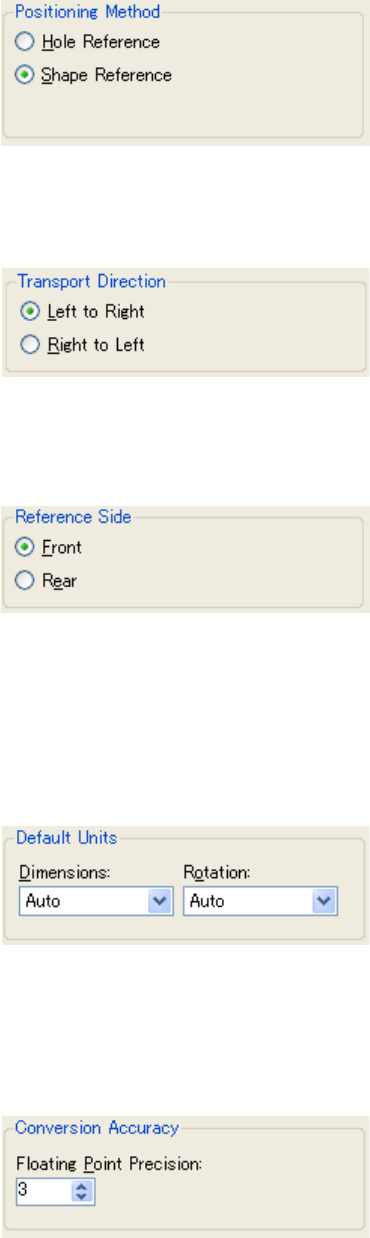
Positioning Method
The default positioning method for the output production program is set.
Figure 9.1.3-4 Positioning Method
Transport Direction
The default transport direction for the output production program is set.
Figure 9.1.3-5 Transport Direction
Reference Side
The default reference side for the output production program is set.
Figure 9.1.3-6 Reference Side
Default Units
The default units of the size and the rotation for the output production program are set.
When the format is newly created with the user definition wizard, the unit specified here is
displayed for the unit of reduced scale of the PWB and the placement. Moreover, the unit
specified here is selected for the unit of displaying the data change dialog box.
Figure 9.1.3-7 Default Units
Conversion Accuracy
The number of decimal point effective digits of the output production programs is set. The
number of decimal point effective digits specified here is displayed for the data displayed in
the data change dialog box.
Figure 9.1.3-8 Conversion Accuracy
82
9.2 Display setting screen *1
Set the items to be displayed on the Flexline CAD screen.
*1 The screen displayed with the Version 5.10 or earlier is different from that with the Version
6.00 or later.
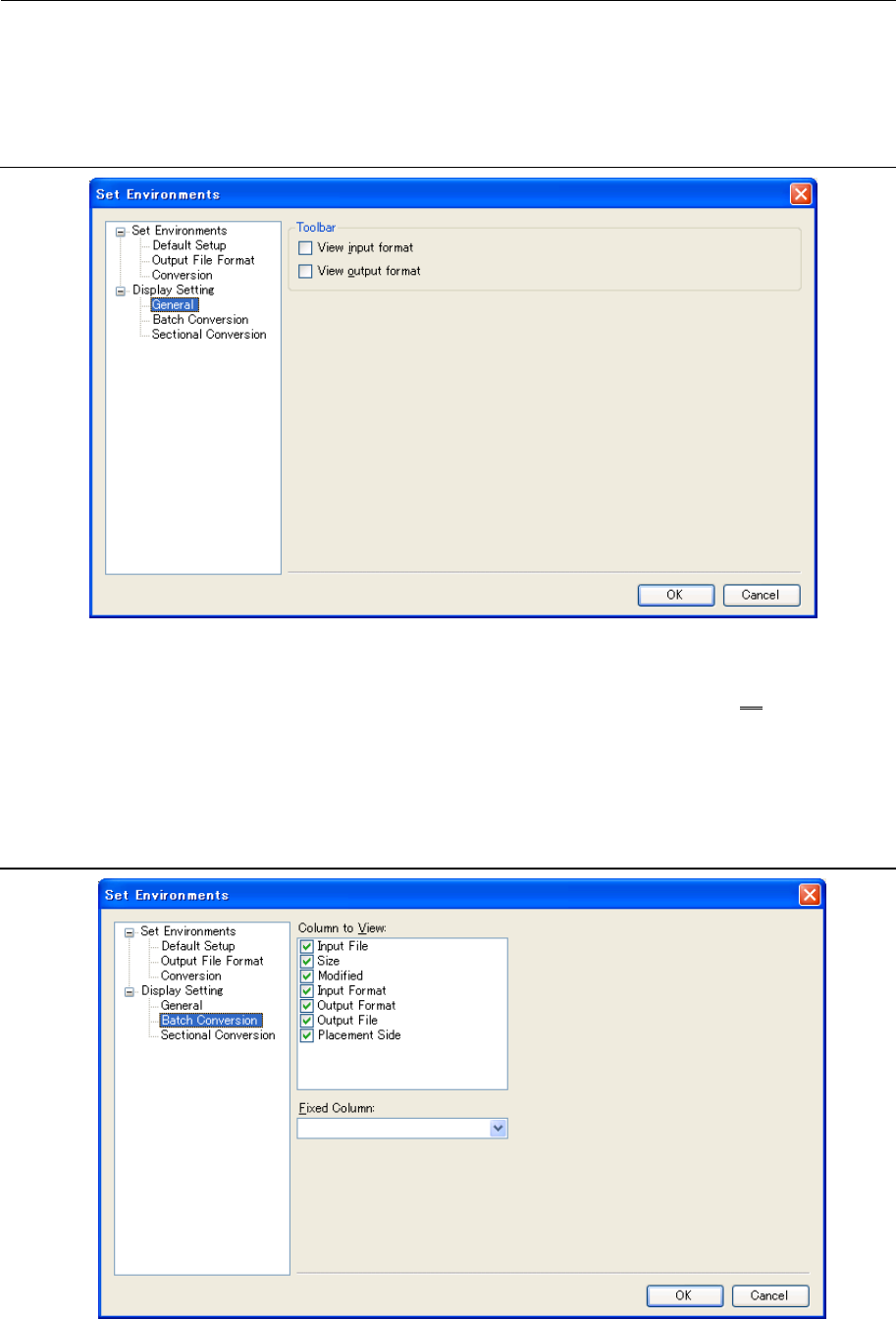
9.2.1 General Display Setting screen
Figure 9.2.1-1 “Display Setting”-“General”
Toolbar
Specify whether to display the “View Input Format” and “View Output Format” as on a toolbar,
which displays the list for selecting a format.
The list displayed on the toolbar is the same as the one used when specifying the "Default
Format" in Section 9.1.1 "Default Format/Folder setting screen".
9.2.2 Batch Conversion file table display setting screen
Figure 9.2.2-1 "Display Setting" - "Batch Conversion"