FLEXLINE-CAD_INM.pdf - 第88页
83 Column to V iew The columns checked in the li st are display ed and non - checked columns are not displayed. The "Input file" column must always be displayed. For this reason, the check mark is not removed…
82
9.2 Display setting screen *1
Set the items to be displayed on the Flexline CAD screen.
*1 The screen displayed with the Version 5.10 or earlier is different from that with the Version
6.00 or later.
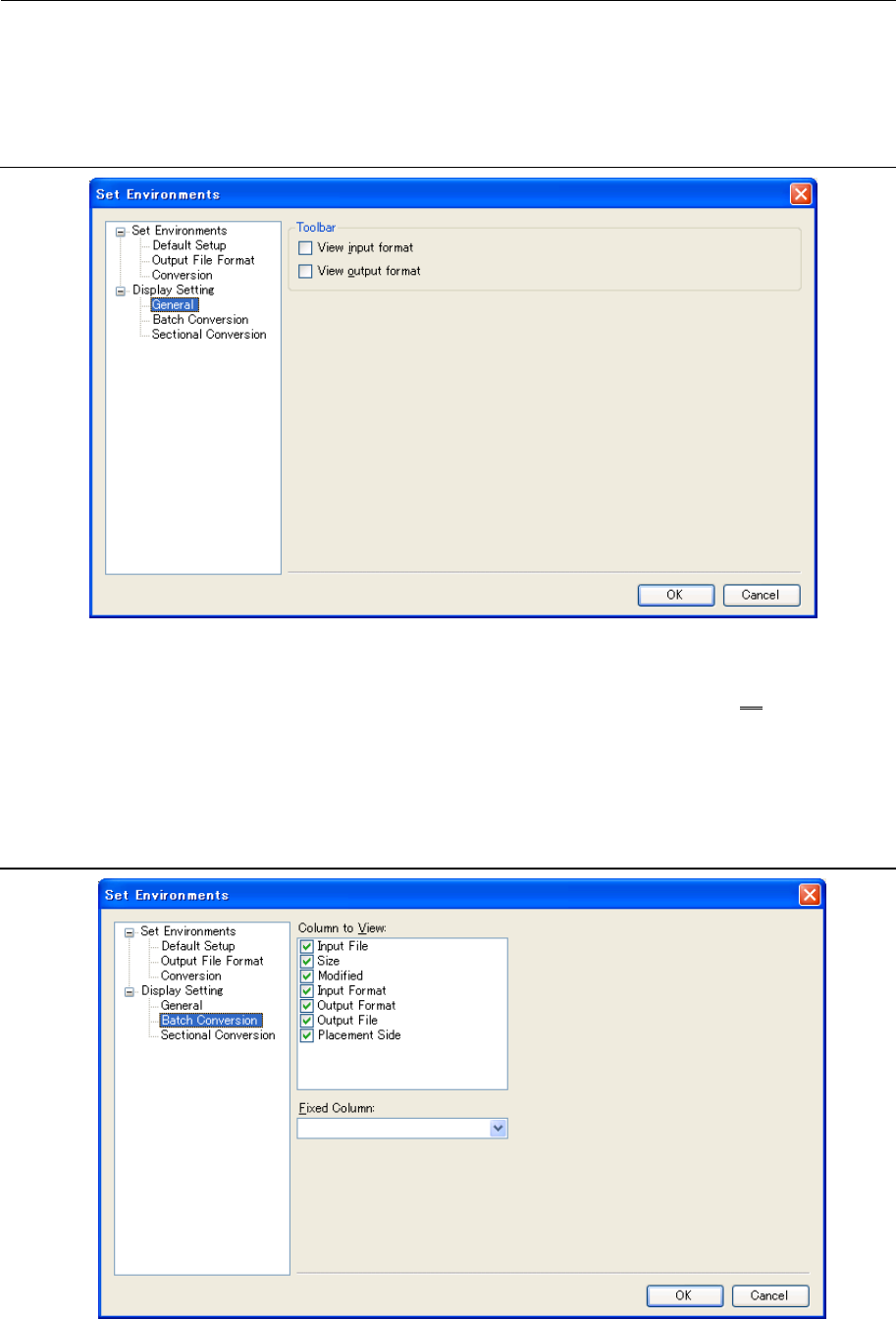
9.2.1 General Display Setting screen
Figure 9.2.1-1 “Display Setting”-“General”
Toolbar
Specify whether to display the “View Input Format” and “View Output Format” as on a toolbar,
which displays the list for selecting a format.
The list displayed on the toolbar is the same as the one used when specifying the "Default
Format" in Section 9.1.1 "Default Format/Folder setting screen".
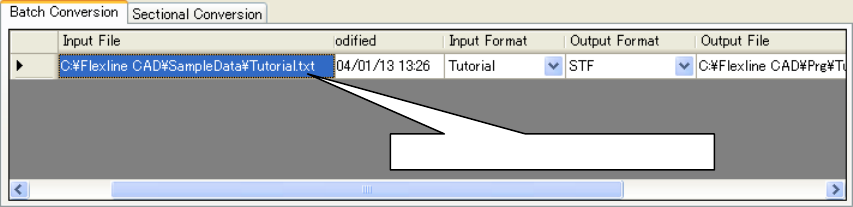
9.2.2 Batch Conversion file table display setting screen
Figure 9.2.2-1 "Display Setting" - "Batch Conversion"
83
Column to View
The columns checked in the list are displayed and non-checked columns are not displayed.
The "Input file" column must always be displayed. For this reason, the check mark is not
removed by clicking.
Fixed Column
On the batch conversion file table, a horizontal cross bar is displayed. Set the column that is
fixed by horizontal scrolling. At the default, no fixed column is set. Accordingly, all the columns
are scrolled by horizontal scrolling.
Figure 9.2.2-2 Batch Conversion file table (when the "Input column" is a fixed column)
The "Input file" column is not scrolled.
84
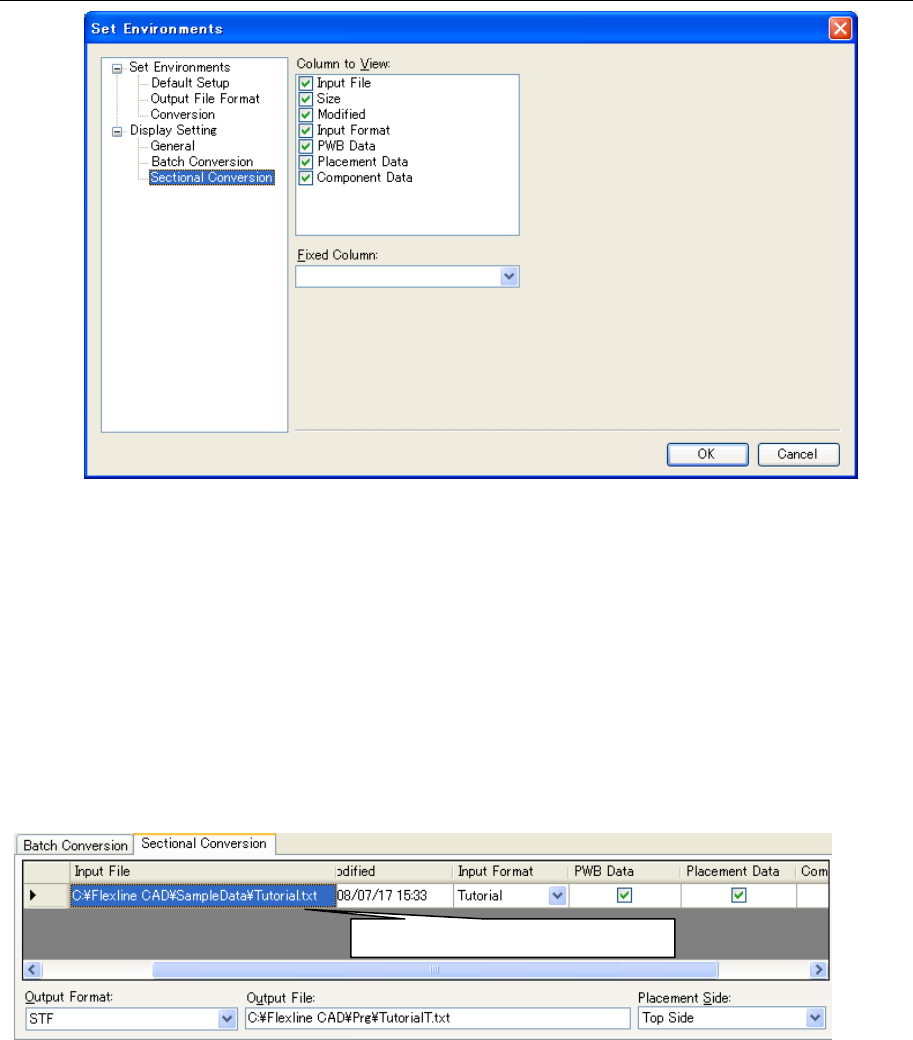
9.2.3 Sectional Conversion file table display setting screen
Figure 9.2.3-1 "Display Setting" - "Sectional Conversion"
Column to View
The columns checked in the list are displayed and non-checked columns are not displayed.
The "Input file" column must always be displayed. For this reason, the check mark is not
removed by clicking.
Fixed column
On the sectional conversion file table, a horizontal cross bar is displayed. Set the column
that is fixed by horizontal scrolling. At the default, no fixed column is set. Accordingly, all the
columns are scrolled by horizontal scrolling.
Figure 9.2.3-2 Sectional Conversion file table (when the "Input column" is a fixed
column)
The "Input file" column is not scrolled.