FLEXLINE-CAD_INM.pdf - 第74页
69 8.2.3 Dimen sion Setu p screen (M atrix Circu it) W hen the "Do not use" is selected in the "BO C type" in the basic sett ings, the BOC mark position is not displayed. W hen the format support s th…
68
8.2 PWB data screen
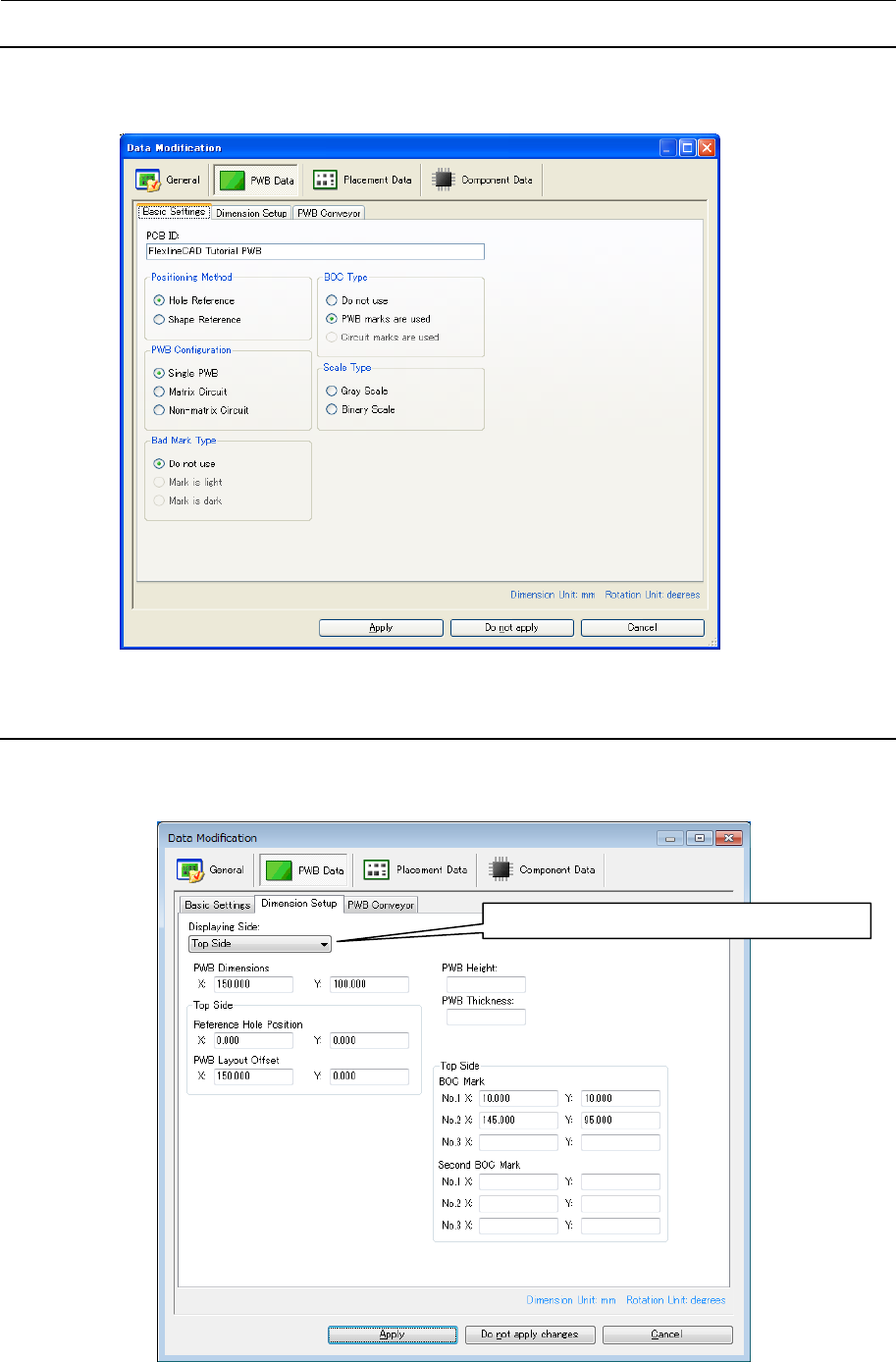
8.2.1 Basic settings screen
When "Single PWB" is selected in the "PWB Configuration," the " Mark is light" and "Mark is
dark" in the "Bad Mark type," and "Circuit marks are used" in the "BOC type" cannot be
selected.
Figure 8.2.1-1 Basic Settings of PWB data
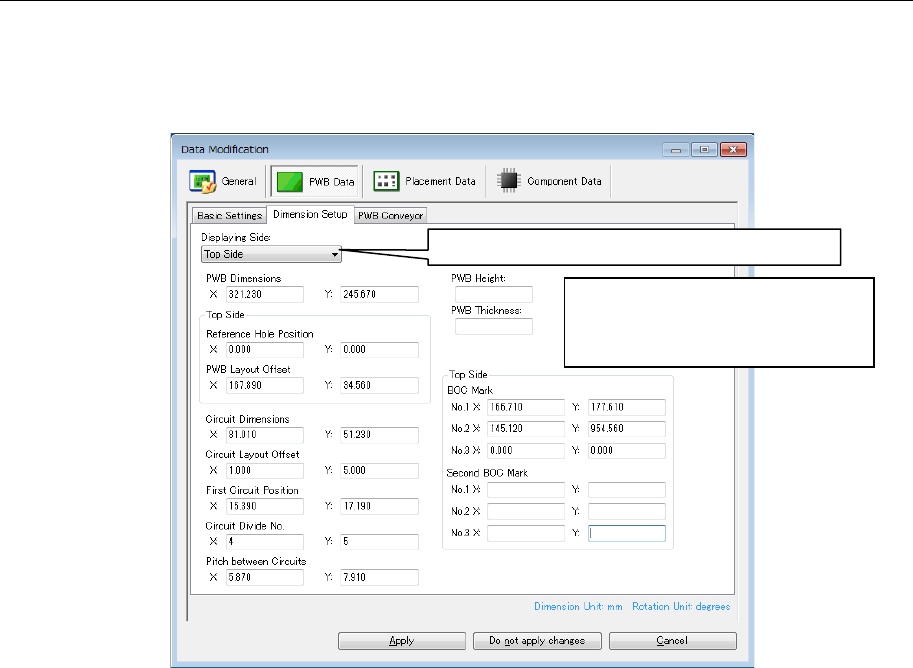
8.2.2 Dimension Setup screen (Single PWB)
When the "Do not use" is selected in the "BOC type" in the basic settings, the BOC mark
position is not displayed. When the format supports the second BOC mark, the BOC mark
position and the second BOC mark position are displayed.
Figure 8.2.2-1 Dimension setup of PWB data (Single )
The PWB top/bottom side display is switched.
69
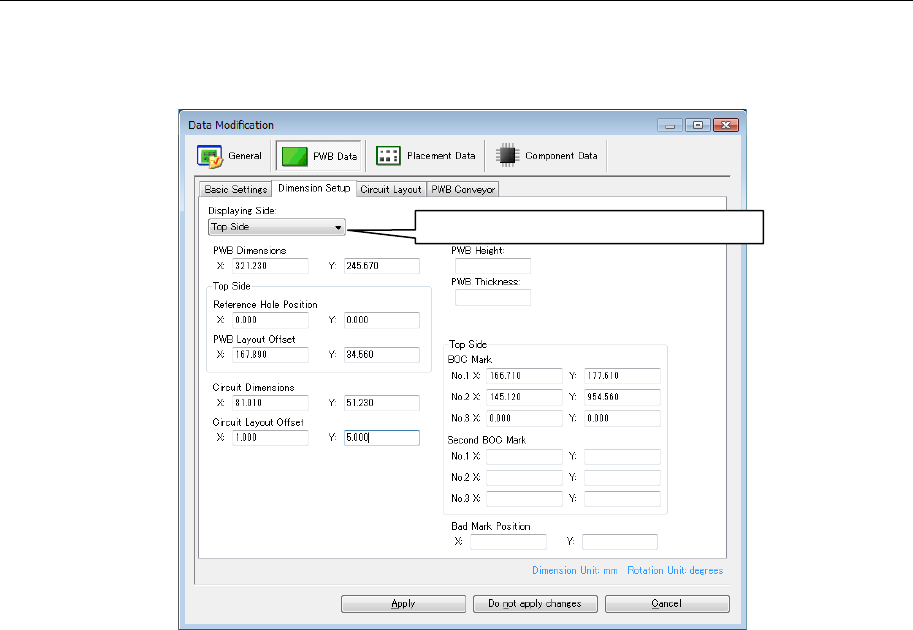
8.2.3 Dimension Setup screen (Matrix Circuit)
When the "Do not use" is selected in the "BOC type" in the basic settings, the BOC mark
position is not displayed. When the format supports the second BOC mark, the BOC mark
position and the second BOC mark position are displayed.When the "Do not use" is selected
in the "Bad Mark Type" in the basic settings, the bad mark position is not displayed.
Figure 8.2.3-1 Dimension Setup of PWB data (Matrix Circuit)
The PWB top/bottom side display is switched.
When the number of circuits
exceeds the upper limit on the
output format, the number of circuit
divisions is displayed in red.
70
8.2.4 Dimension Setup screen (Non-matrix Circuit)
When the "Do not use" is selected in the "BOC type" in the basic settings, the BOC mark
position is not displayed. When the format supports the second BOC mark, the BOC mark
position and the second BOC mark position are displayed. When the "Do not use" is selected
in the "Bad Mark Type" in the basic settings, the bad mark position is not displayed.
Figure 8.2.4-1 Dimension Setup of PWB data (Non-matrix Circuit)
The PWB top/bottom side display is switched.