FLEXLINE-CAD_INM.pdf - 第21页
16 3. Enter or confirm the customer information, and click the [Next] butt on. Fig. 3.4 . 6- 3 Entering the customer informa tion 4. Click the “ I nstall Now ” butt on as the setup ty pe. Fig. 3.4 . 6- 4 Setup t y pe
15
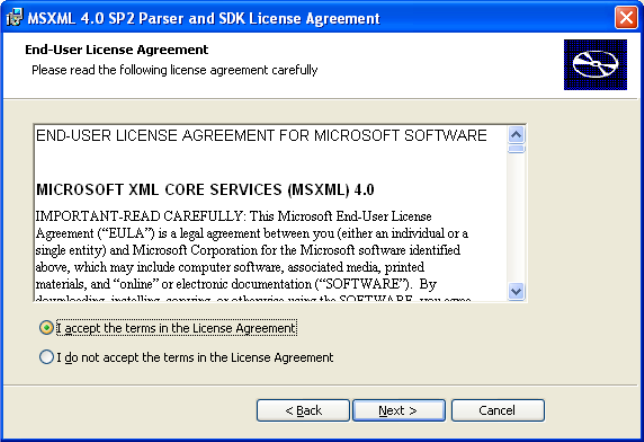
2. The License agreement is displayed. Check the check box for "I accept the terms of the
License Agreement" and then click the [Next] button.
Figure 3.4.6-2 License agreement
16
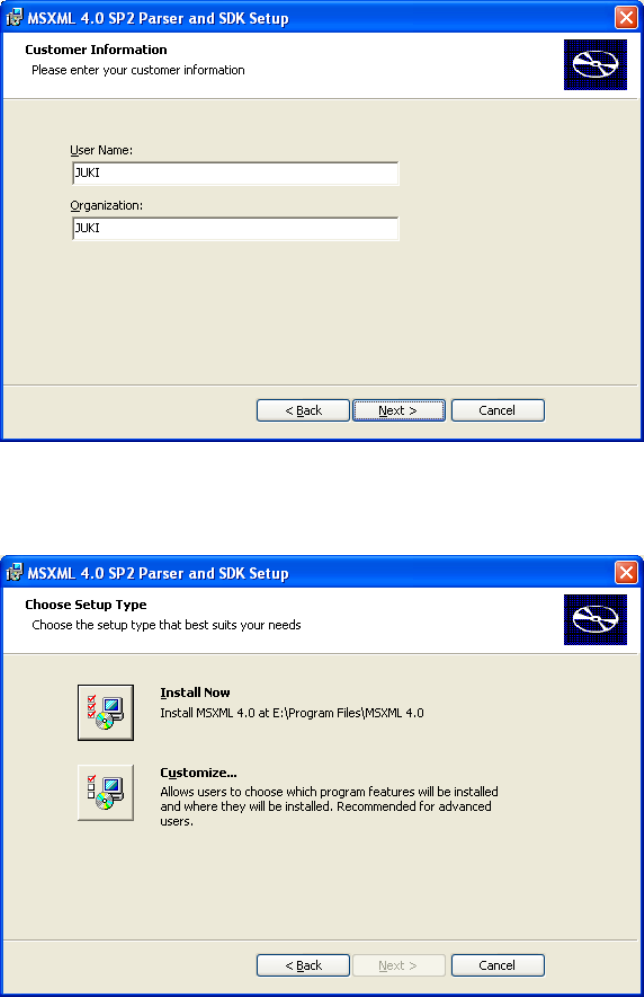
3. Enter or confirm the customer information, and click the [Next] button.
Fig. 3.4.6-3 Entering the customer information
4. Click the “Install Now” button as the setup type.
Fig. 3.4.6-4 Setup type
17
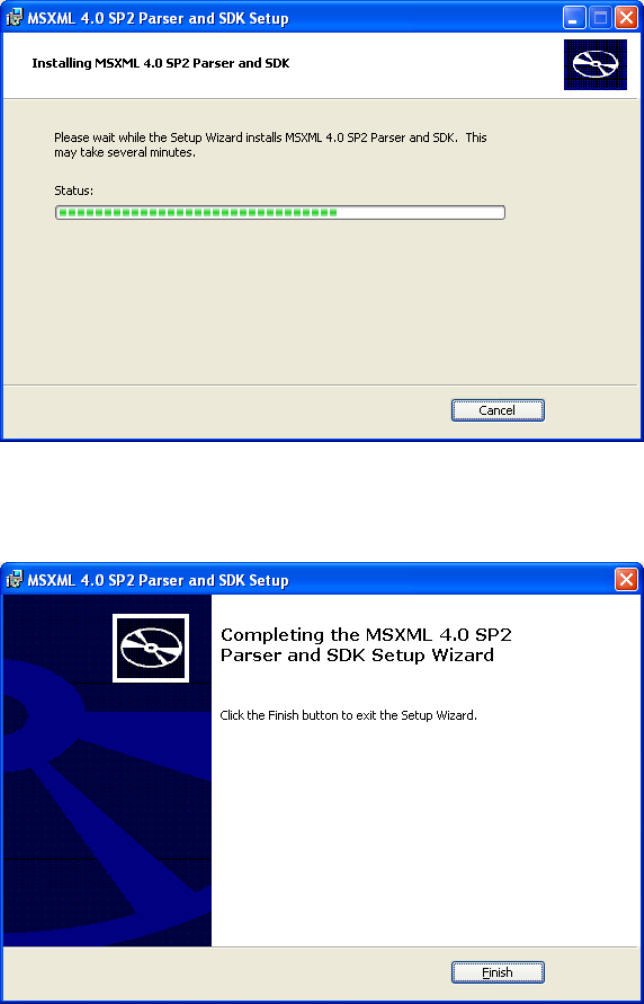
5. The progress of installation is displayed.
Figure 3.4.6-5 Progress of installation
6. Click the [Finish] button to complete the installation of MSXML4.0 SP2 Parser and SDK.
Figure 3.4.6-6 Completion of installation