YST15_Users_E.pdf - 第115页
2-87 2 Operation 3.9 T raceability In "TRA CERBILITY" screen, the history of loading/unloading about such as "P ackaging", "J ob orders", and "Items". 3.9.1 Packaging traceability …
2-86
2
Operation
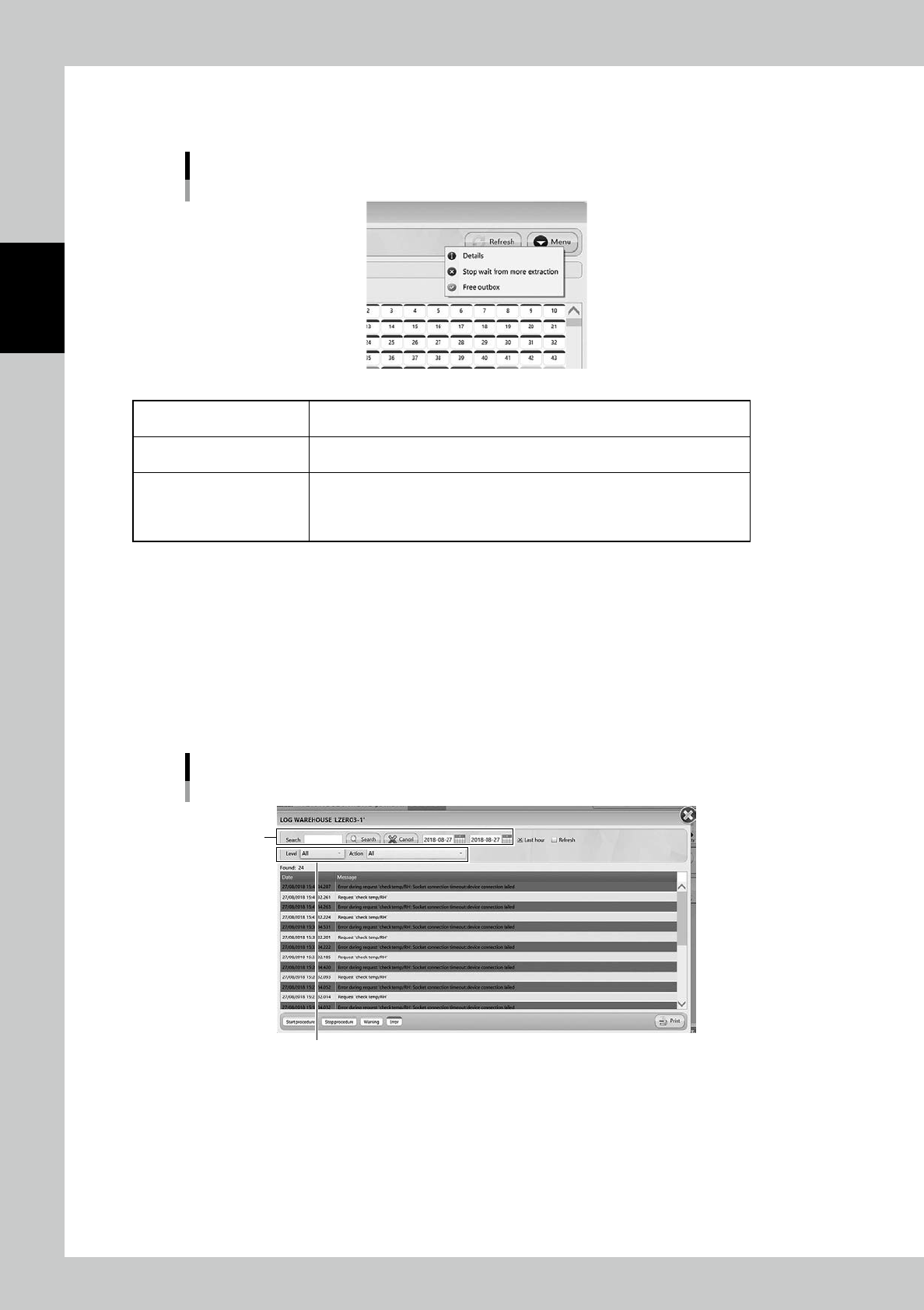
5. [Menu] button
Able to select each function.
[Menu] button
242A6-KMS-00
Details
Select a cell where a packaging is stored, and select this menu, then the details
of the packagings appear.
Stop wait from more extraction
Able to stop unloading packaging after the packaging which is being unloaded at
that time completes.
Free outbox
Able to unload a packaging in Outbox by clicking the Outbox cell and selecting
"Free outbox".
For example, this is used in the case the packagings are taken out from Outbox
manually without WMS.
6. [Initialize] button
Able to perform initialization.
7. [Extract Outbox] button
Able to return packagings in Outboxes if there are packaging in them.
For example, this is used in the case packagings are left in Outbox due to some errors.
8. [Log] button
Errors and operation logs are displayed.
Search menu can search for words and date period, and it can sort by Level (Standard/Warning/Error), and Action type.
"LOG WAREHOUSE" screen
Sort by Level and Action
Search menu
242A7-KMS-00
2-87
2
Operation
3.9 Traceability
In "TRACERBILITY" screen, the history of loading/unloading about such as "Packaging", "Job orders", and
"Items".
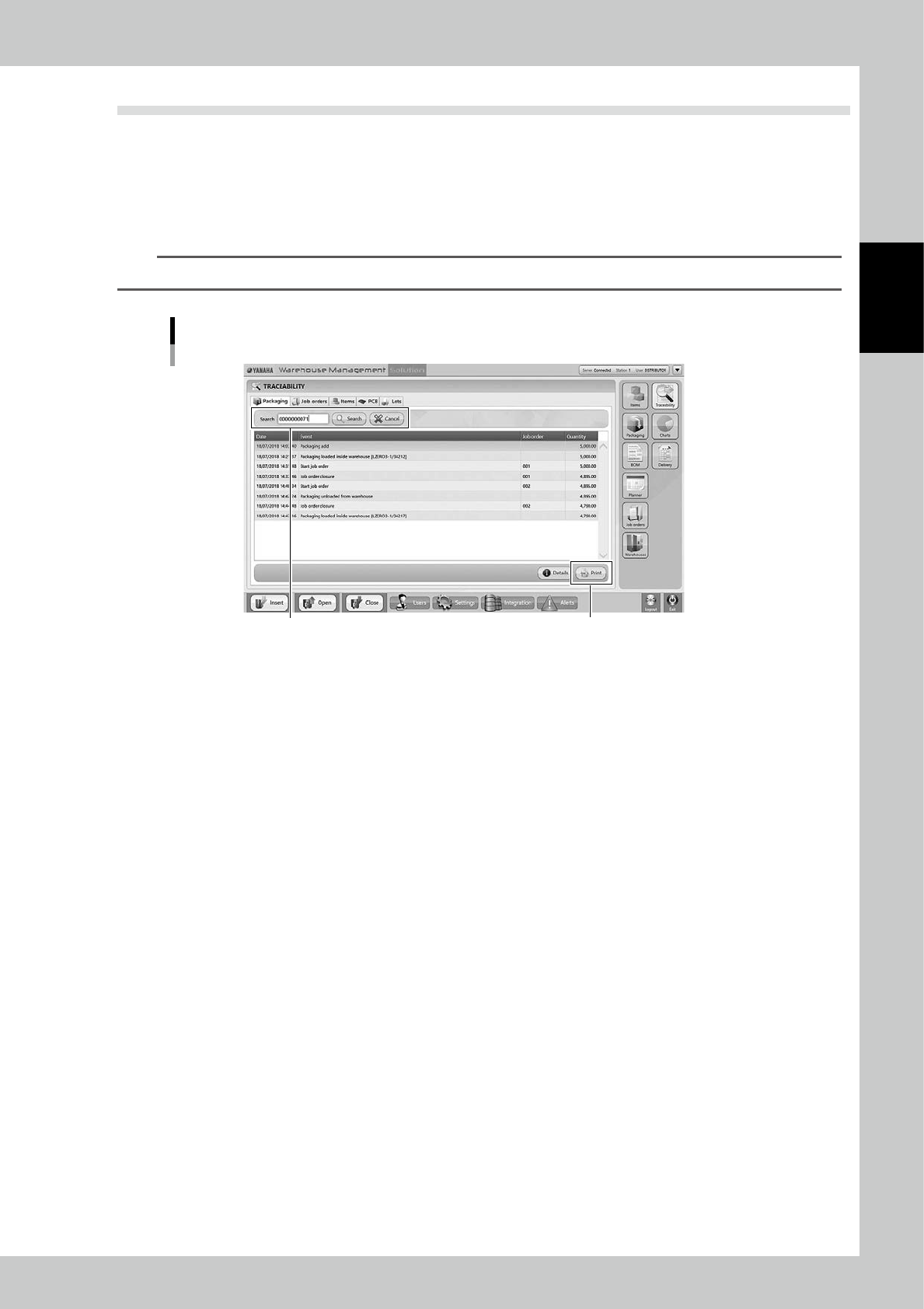
3.9.1 Packaging traceability
Input the packaging code and press [Search] button, then the history of loading/unloading the packaging in the
specified period is displayed.
TIP
[Print] button lists the history.
Packaging
[Print] button
Input the packaging code
242A9-KMS-00
2-88
2
Operation
3.9.2 Job Order traceability
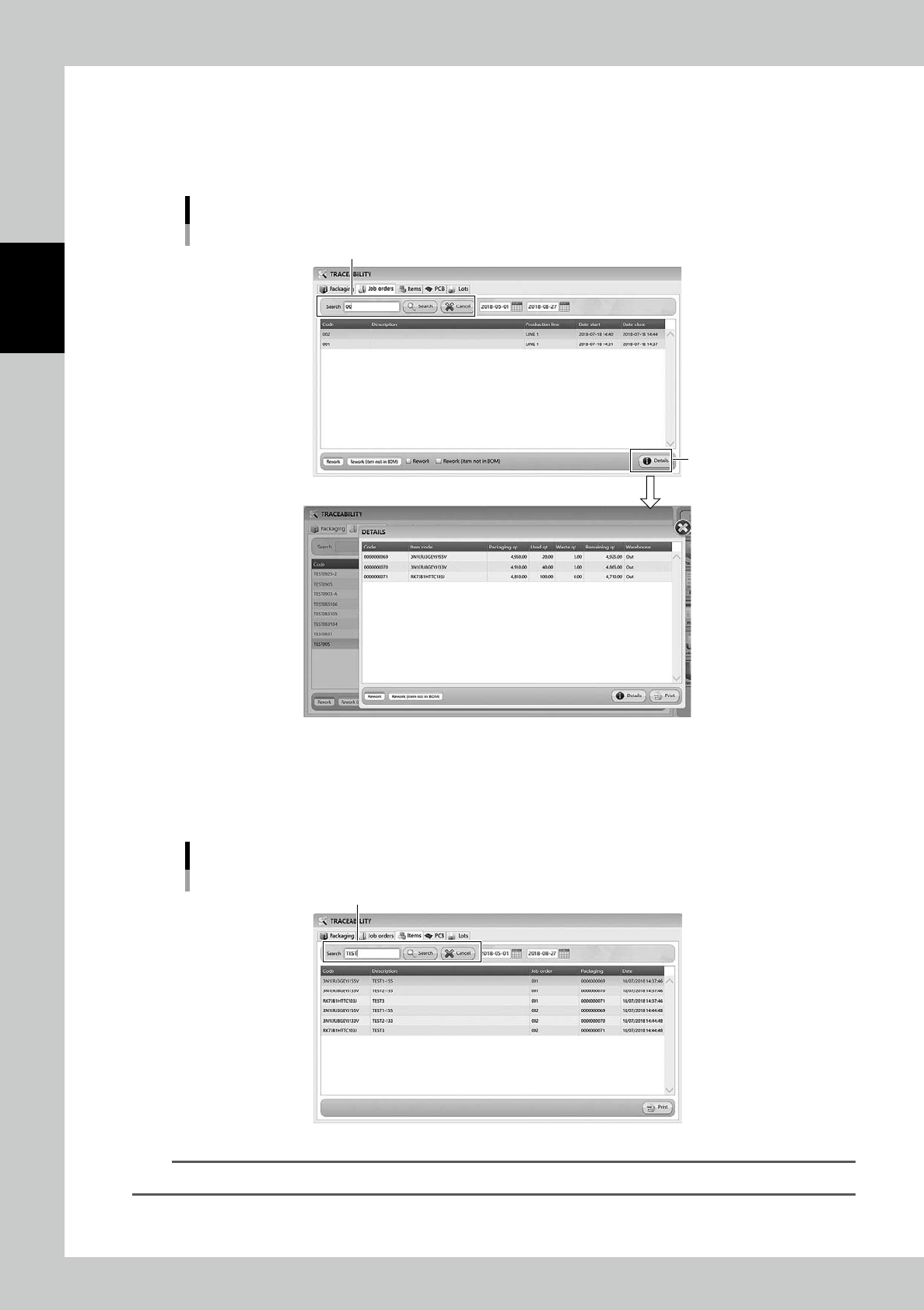
Input the closed job order code and press [Search] button, then the history of loading/unloading the packaging
in the specified period is displayed.
[Details] button shows the details of the selected packaging.
"Job Orders" tab
Details
[Detail] button
Input Job order code
242B0-KMS-00
3.9.3 Item traceability
Input Code or Description of an item to display the history of Item associated with the item in the specified
period.
"Item" tab
Input Code or Description.
242B1-KMS-00
TIP
[Print] button list the history.