YST15_Users_E.pdf - 第91页
2-63 2 Operation • The file format of txt or csv Line 1 JOB ORDER CODE Line 2 JOB ORDER DESCRIPTION Line 3 PRODCTION LINE Line 4 MANUF ACTURING Line 5 and later BOM CODE{SEP ARA TOR}QUANTITY{SEP ARA TOR} • The file forma…
2-62
2
Operation
3.6.3 Create a job order by import function
Registering a job order by import function.
n
NOTE
The import function for job orders can't register multiple joborders at once but can register only a job order one by
one.
1
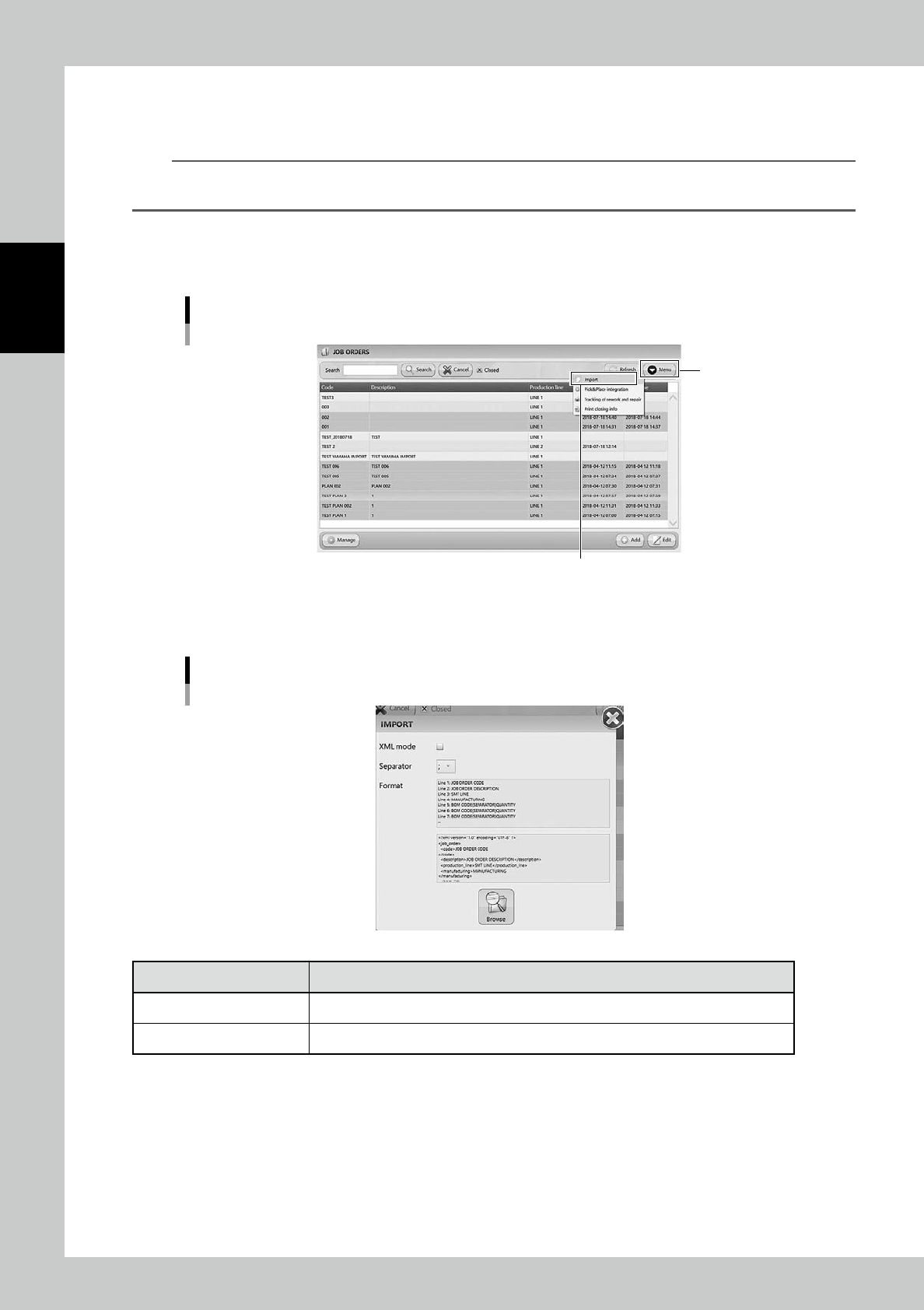
Open "IMPORT" screen.
Select "Import" in Menu, then "IMPORT" screen appears.
Import menu
“Import”
[Menu] button
24272-KMS-00
2
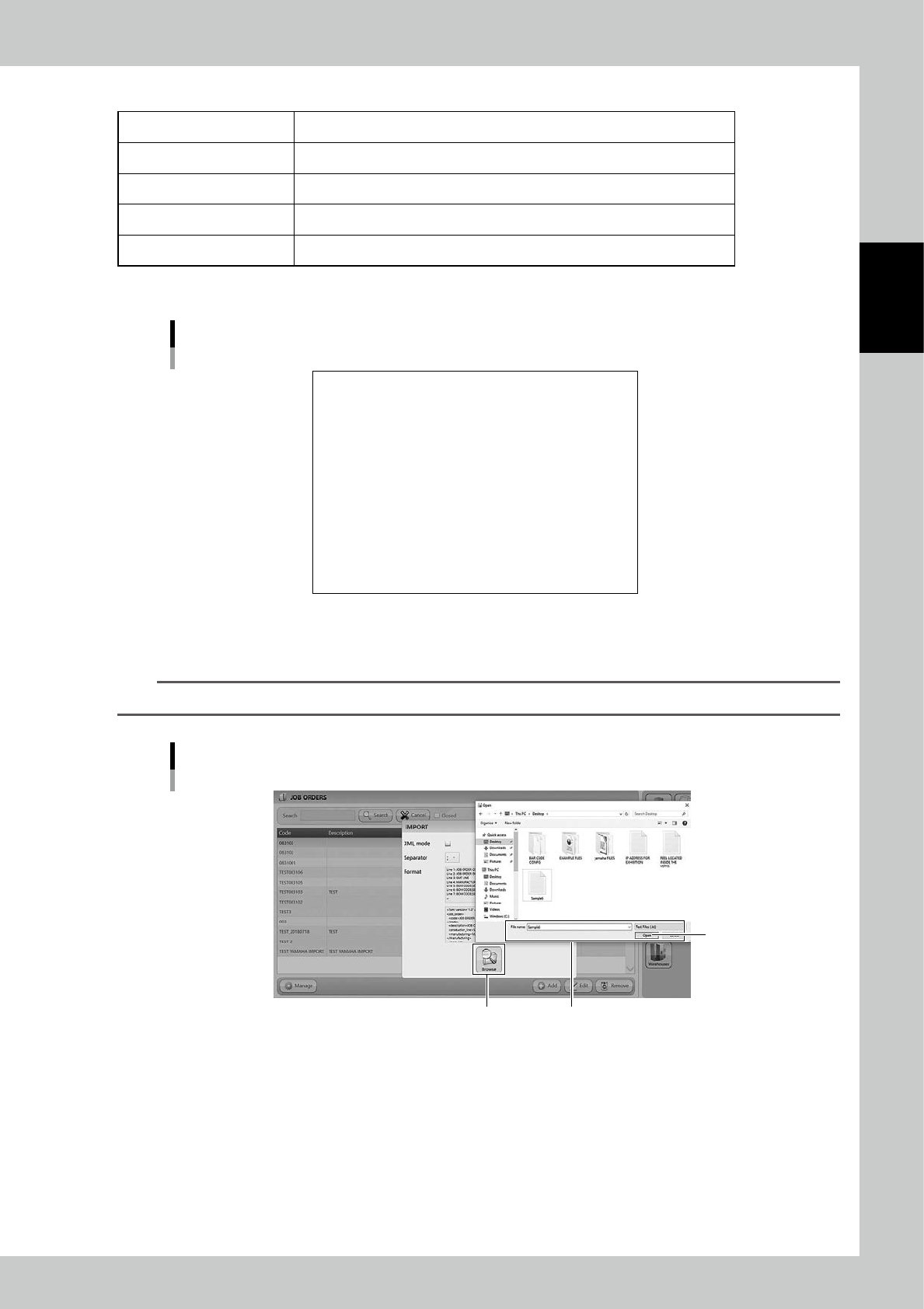
Select the file format in "IMPORT" screen.
"IMPORT" screen
24273-KMS-00
Contents Description
XML Mode Normally import files are txt or csv format. If the import file is xml format, tick this.
Separator Select the separator from " ; ", " : ", " , ", or " . ".
2-63
2
Operation
• The file format of txt or csv
Line 1 JOB ORDER CODE
Line 2 JOB ORDER DESCRIPTION
Line 3 PRODCTION LINE
Line 4 MANUFACTURING
Line 5 and later BOM CODE{SEPARATOR}QUANTITY{SEPARATOR}
• The file format of XML
<?xml version="1.0" encoding="UTF-8" ?>
<job_order>
<code>JOB ORDER CODE</code>
<description>JOB ORDER DESCRIPTION</description>
<production_line>PRODUCTION LINE</production_line>
<manufacturing>MANUFACTURING</manufacturing>
<bom_list>
<bom>
<code>BOM CODE</code>
<qty>QUANTITY</qty>
</bom>
...
</bom_list>
</job_order>
The file format of XML
23219-KMS-00
3
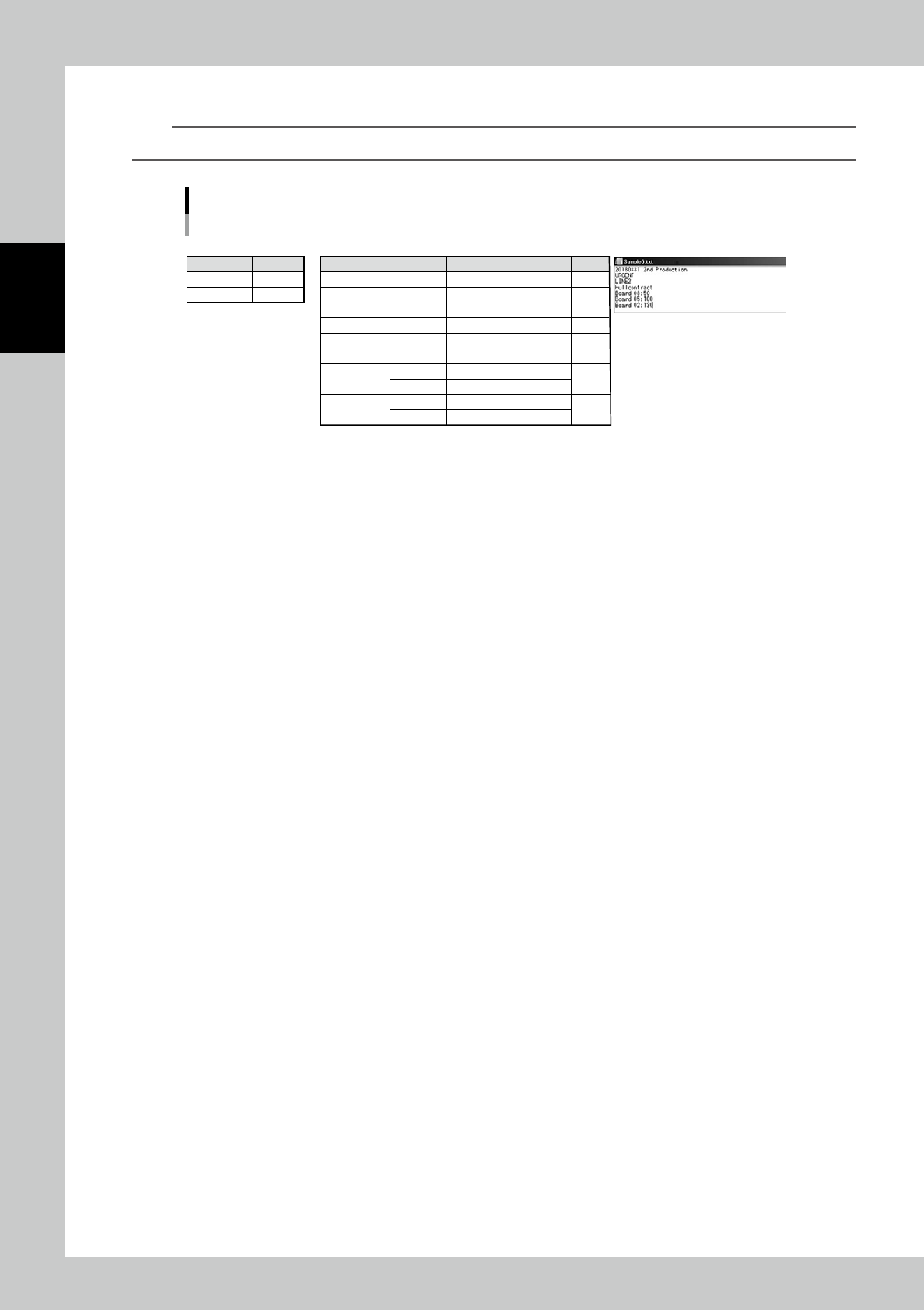
Press [Browse] button and select the import file.
n
NOTE
Select the file format from txt, csv or xml depending on the import file.
Select the file
Select the file
[Open] button
[Browse] button
24274-KMS-00
2-64
2
Operation
4
Press [Open] button to create the job order.
TIP
For example, a job order, which includes three types of BOMs, is registered by importing the following file.
e.g. Job order which includes three types of BOMs is registered by importing the following file.
• Setting in "IMPORT" screen
• Job order to be created • Import file in txt format
Contents
XML files
Separator
Contents
N/A
;
Contents
Code
DESCRIPTION
PRODCTION LINE
MANUFACTURING
"BOM
information1"
"BOM
information2"
"BOM
information3"
BOM Code
Quantity
BOM Code
Quantity
BOM Code
Quantity
Setting
20180831 2nd Production
URGENT
LINE2
Fullcontract
Board 08
50
Board 05
100
Board 02
130
Line
Line1
Line2
Line3
Line4
Line5
Line6
Line7
23220-KMS-00