YST15_Users_E.pdf - 第122页
2-94 2 Operation 3.12 Others T he functions of the buttons in lower area are described. Buttons in lower area 242B4-KMS-00 3.12.1 USERS It is possible to register new users and to change the pass word of users in this sc…
2-93
2
Operation
3.11.2 Delivery orders setting
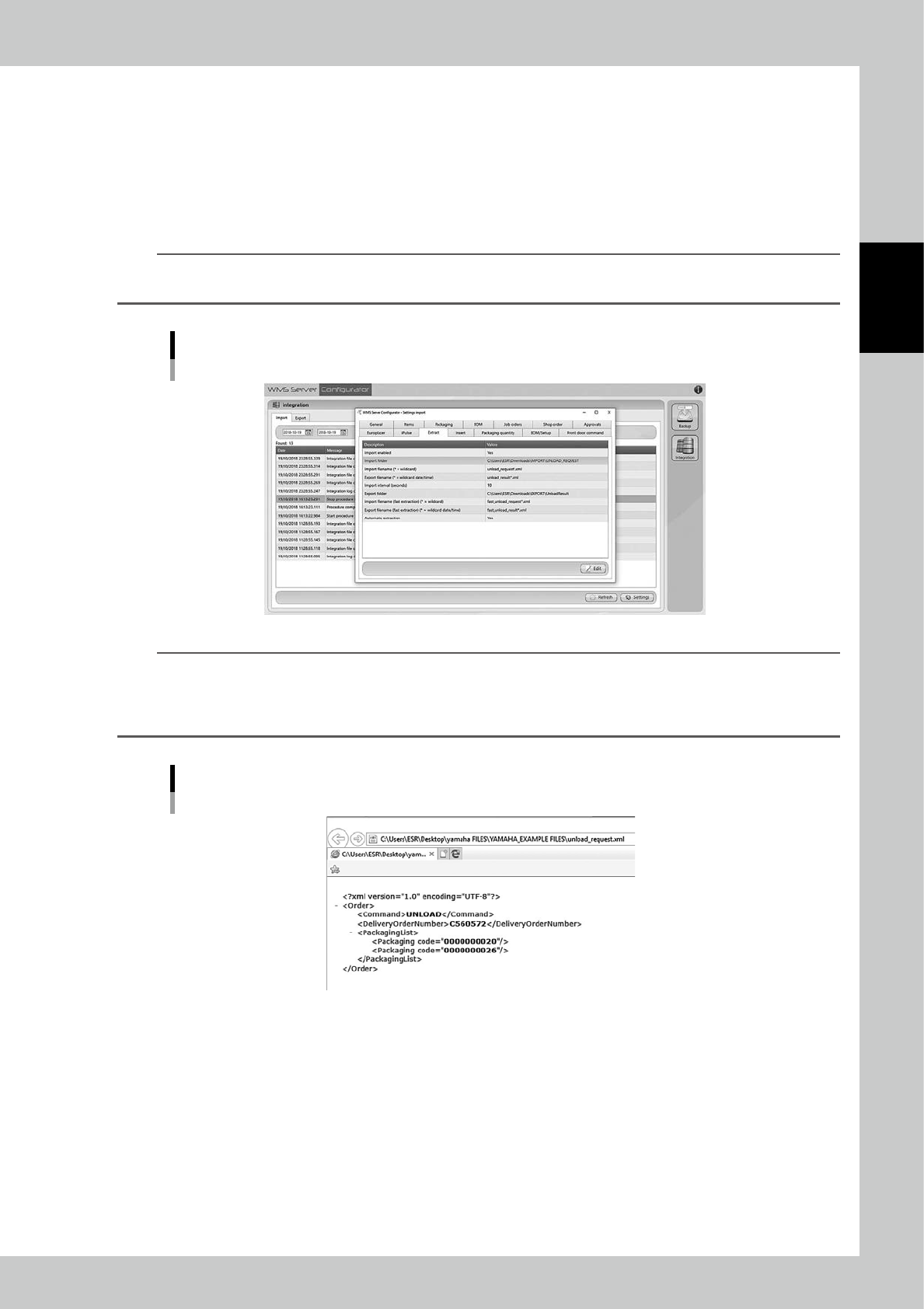
Delivery orders setting is configured by WMS
Server Configurator which is another application software
installed in YST15.
Import a file, whose name is "unload request*.xml" (any words can be in *) for delivery orders, into a certain
folder from the external system.
And then, YST15 automatically imports the file and starts unloading specified packagings.
YST15 checks the files every 10 seconds as the default setting.
n
NOTE
The delivery orders setting is configured by a serviceman during the machine installation.
If it is required to change the setting, contact the sales distributer.
WMS Server Configurator "Extract" setting screen
242C8-KMS-00
TIP
About a delivery order file "unload_request*.xml"
Delivery order files "unload_request*.xml" can be applied only in xml format.
For example, the following delivery order file "C560572" unloads packagings coded with "0000000020", and
"0000000026".
A delivery order file "unload_request*.xml": C560572
242C9-KMS-00
2-94
2
Operation
3.12 Others
The functions of the buttons in lower area are described.
Buttons in lower area
242B4-KMS-00
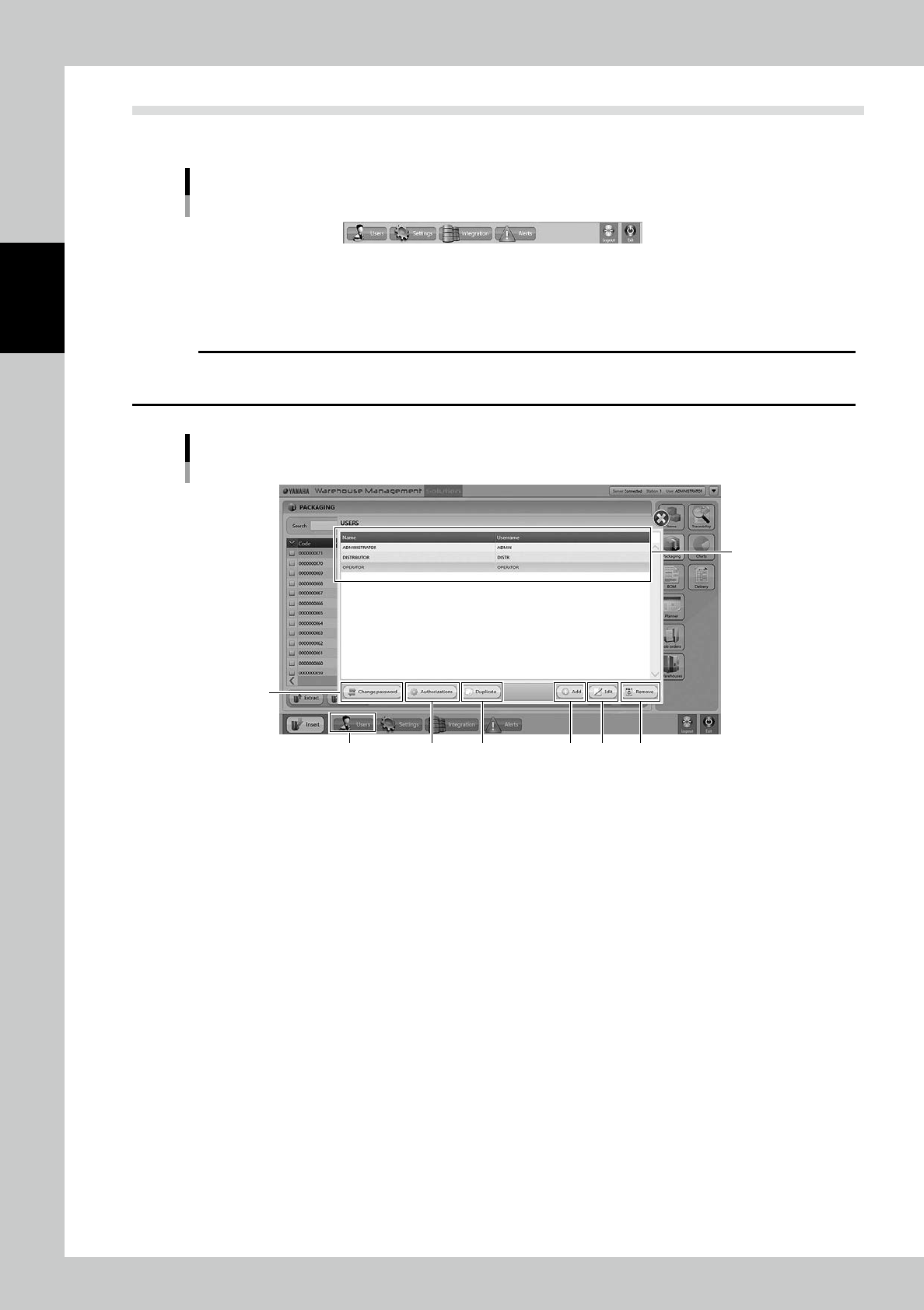
3.12.1 USERS
It is possible to register new users and to change the password of users in this screen.
c
CAUTION
DO NOT edit nor remove OPERATOR, ADMINISTRATOR, and DISTRIBUTOR which exist as default.
Register new users whose have another combination of authorities as required.
"USERS" screen
2
5
61 73
84
242B5-KMS-00
1. [Users] button
Able to open "USERS" screen
2. Users list
Registered users are listed.
OPERATOR, ADMINISTRATOR, and DISTRIBUTOR exist as default.
2-95
2
Operation
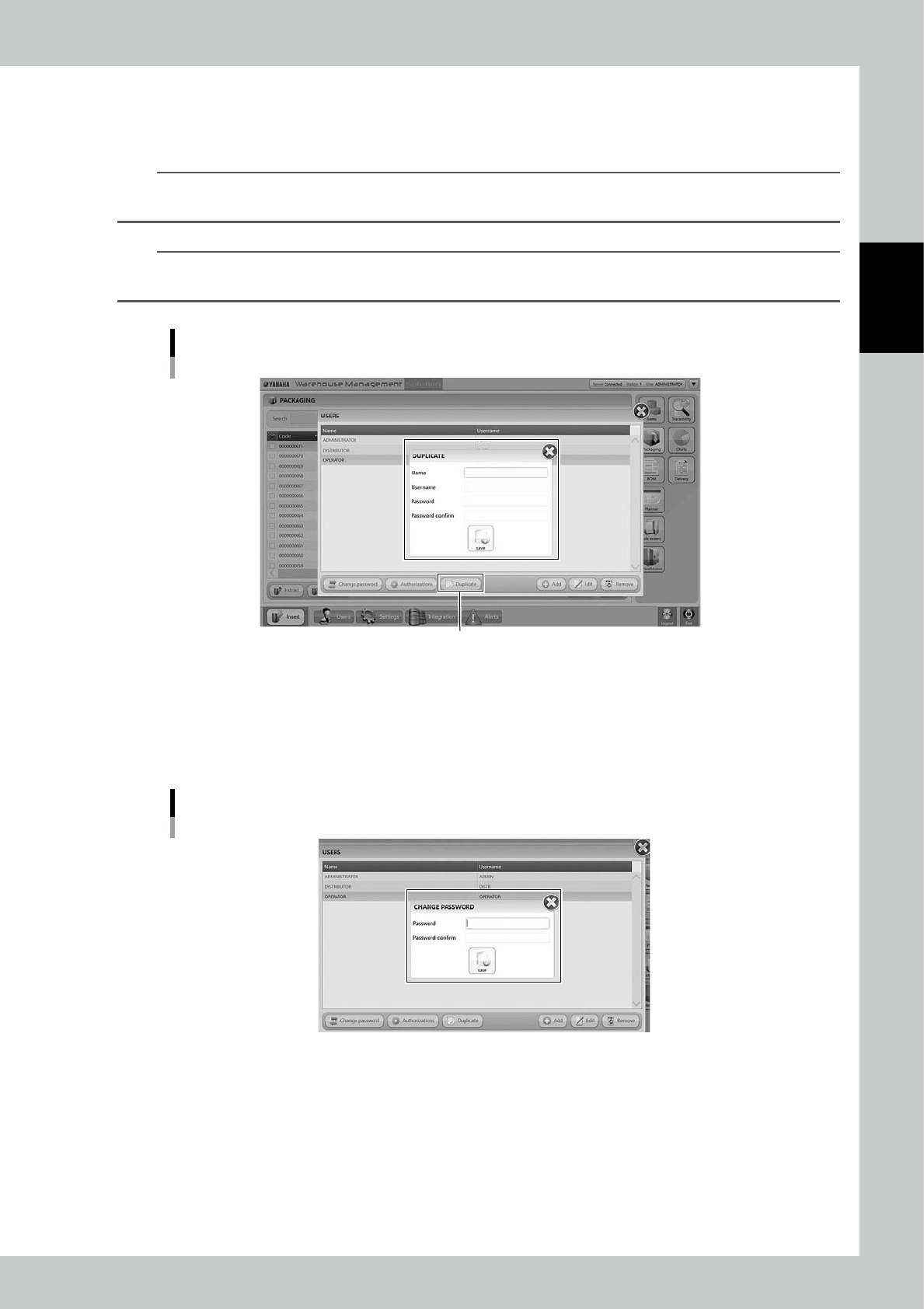
3. [Duplicate] button
Select a user from the users list and press this button, then the user who has same authorities is created.Set its name,
username, and password, then press [Save] button to register a new user.
n
NOTE
Use [Duplicate] button basically to create a new user so that it is possible to go through the settings of all authorization
without filling them.
n
NOTE
The ADMINISTRATOR authority is able to register and edit ADMINISTRATOR and OPERATOR.
The OPERATOR authority is able to register and edit only OPERATOR.
"DUPLICATE" screen
[Duplicate] button
242B6-KMS-00
4. [Add] button
Able to register new users. All authorization settings requires to be filled in.
5. [Change Password] button
Select a user and press [Change password] button, then "CHANGE PASSWORD" screen appears.
"CHANGE PASSWORD" screen
242B7-KMS-00