YST15_Users_E.pdf - 第161页
3-11 3 Y early maintenance items 5 Mo ve the handler to the other measurement cell. 1. Move the handler on Forward/Backward- axis to back most. 2. Support the handler softly not to let it move on Y-axis. 3. Move the hand…
3-10
3
Yearly maintenance items
2.4 Checking the horizontality of X-axis
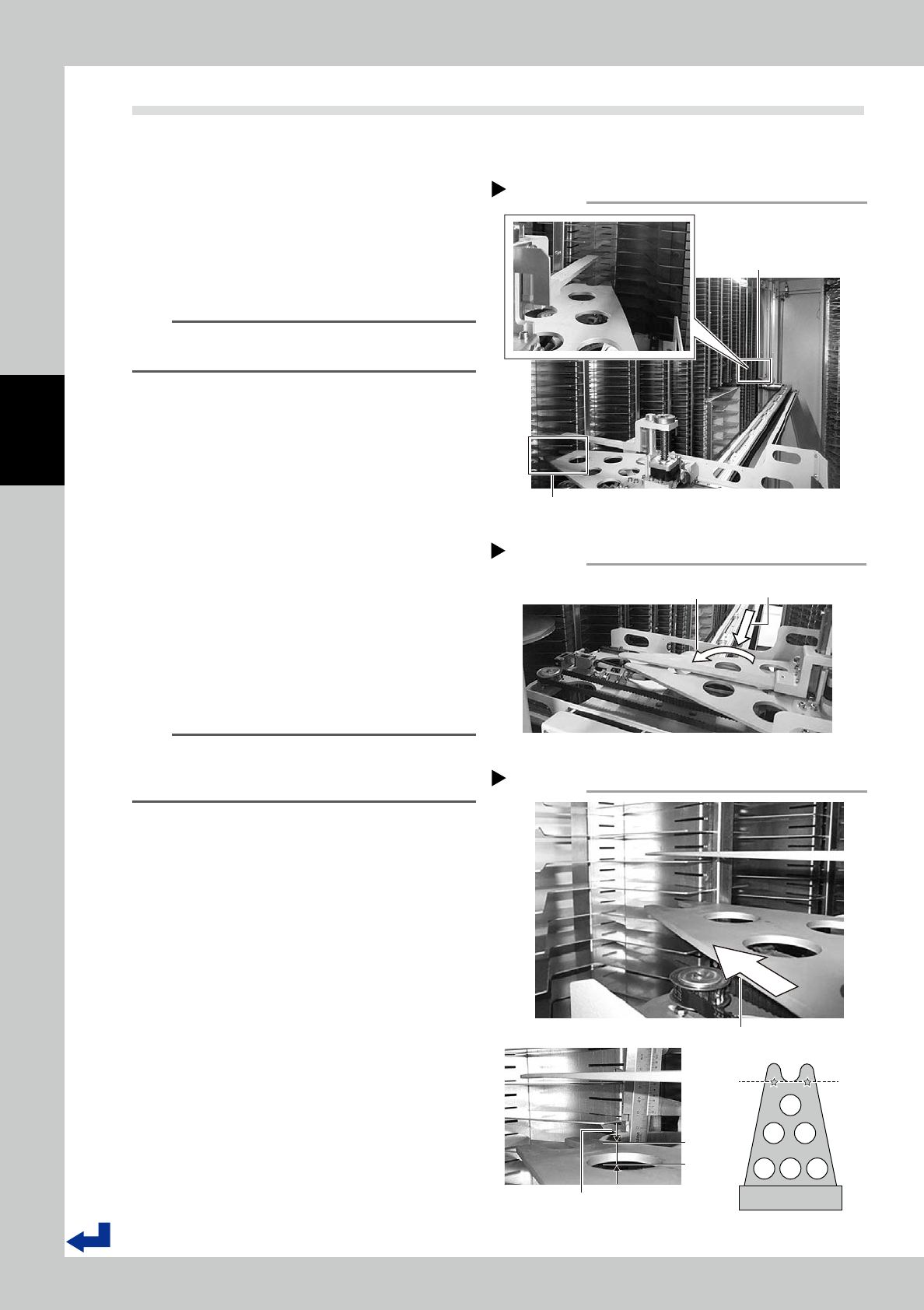
Check X-axis moves horizontally.Measure the distance between the handler and the shelves at both ends with
same high on X-axis to check the horizontality of X-axis.
1
Turn the machine off.
2
Select two cells for measurement.
Select cells in both ends with same high on
X-axis, which are around middle on Y-axis.
For example : cell "33352" and "33342"
n
NOTE
The cell number allocation depends on the machine
specification.
3
Move the handler to the
measurement cell.
1. Open a side door,then move the handler
to either cell selected in Step2 by hands.
2. Move the handler on Rotation-axis to
face it forward with perpendicular to
X-axis.
4
Measure the distance between the
cell and the handler.
1. Move the handler on Forward/Backward-
axis to the place where "
★
" position on
the handler can overlap the shelf plate.
2. Use a vernier caliper to measure the
distance between bottom surface plate
of the shelf and the handler.
n
NOTE
During measurement, do not push a vernier caliper
strongly to move the handler on Y-axis, or do not move
the handler on Y-axis.
Select which cell are measured
Step 2
cell ”33342”
cell ”33352”
53312-KMS-00
Move the handler to the measurement position.
Step 3
Move the handler to front
of the selected cell.
Move the handler
on Rotation-axis.
53313-KMS-00
Move the handler forward on Forward/Backward-axis.
Use a vernier caliper to measure the distance
between bottom surface of the shelf plate
and the handler.
Measurement point
Measure the distance between bottom
surface of the shelf plate and the handler.
Step 4
53314-KMS-00
3-11
3
Yearly maintenance items
5
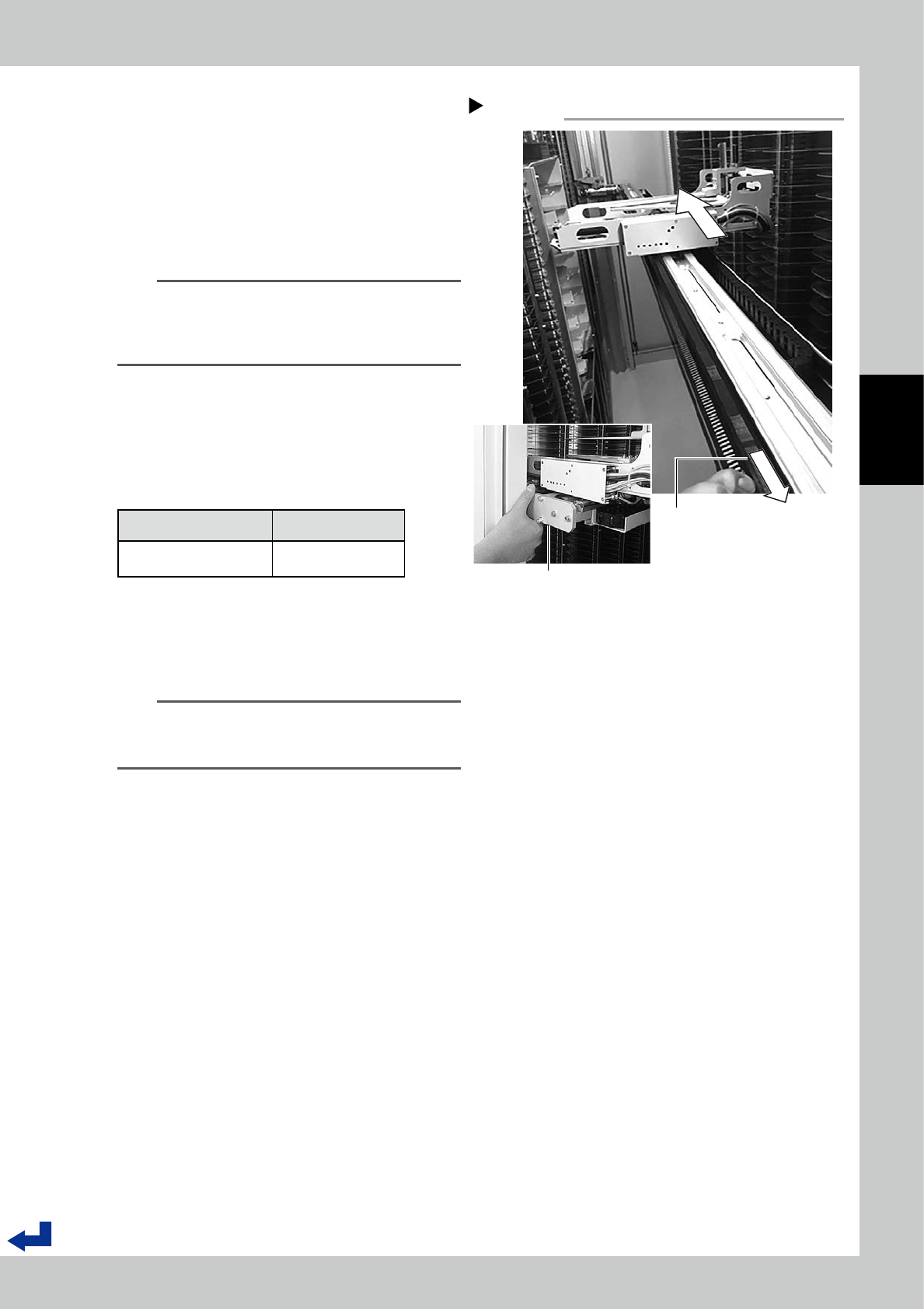
Move the handler to the other
measurement cell.
1. Move the handler on Forward/Backward-
axis to back most.
2. Support the handler softly not to let it
move on Y-axis.
3. Move the handler to the measurement
cell in the other side by hands on X-axis.
n
NOTE
It is possible to move the handler on X-axis by pulling
the timing belt of X-axis.
But, since pulling it strongly can cause tooth jump of the
belt, pull it slowly.
6
Repeat Step3 and Step4 to measure
the other cell.
7
Calculate the difference between
results on both ends, and check if it
meets the specification.
item Specification
Difference between
heights in both ends
1mm or less
8
Move the handler to Initialization
standby position.
Move the handler to Initialization standby
position by hands.
n
NOTE
If the result doesn't meet specification, X-axis requires to
be adjusted by a serviceman.
Contact Yamaha or distributer.
Move the handler to the cell in the other end
on X-axis.
Step 5
Pull X-axis timing belt slowly
Support the handler softly by hand
not to let it move on Y-axis.
53315-KMS-00
3-12
3
Yearly maintenance items
2.5 Checking the cables of X-axis motor
1
Turn the machine off.
2
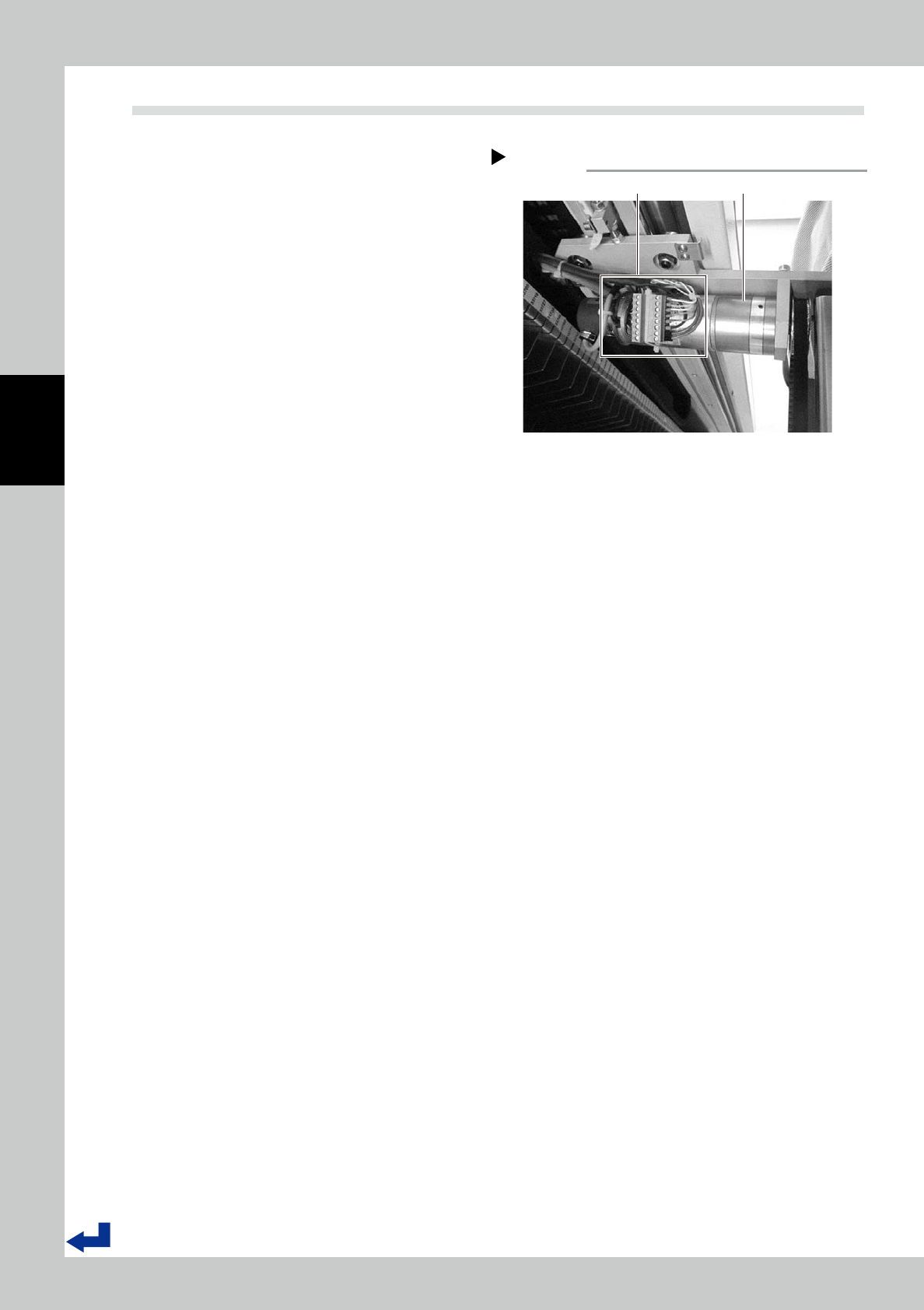
Move the handler on Y-axis to the
place where it is easy to check.
X-axis motor is attached at Y-axis slider in left
side viewed from the machine front.
Open a side door, then move the handler to
the place where it is easy to be checked on
Y-axis.
3
Check if cables are connected
properly.
The terminal block for cables is fasten on the
motor.
Check if the terminal block is fastened
securely and cables are connected prop-
erly.
X-axis motor
Step 2
Terminal block X-axis motor
53316-KMS-00