YST15_Users_E.pdf - 第47页
2-19 2 Operation 3.2.2 Register an item manually 1 Open "ITEM" screen. 2 Open the item registr ation screen. Press [Add] button at bottom right to open the item registration scr een. "ITEMS" screen [A…
2-18
2
Operation
5. [Add] button
Able to register items.
6. [Edit] button
Able to edit a registered item.
7. [Remove] button, which is displayed only for engineer authority.
Able to remove registered items, but items which are removed once are not able to be registered again, and the histories
of them are also removed in traceability.
c
CAUTION
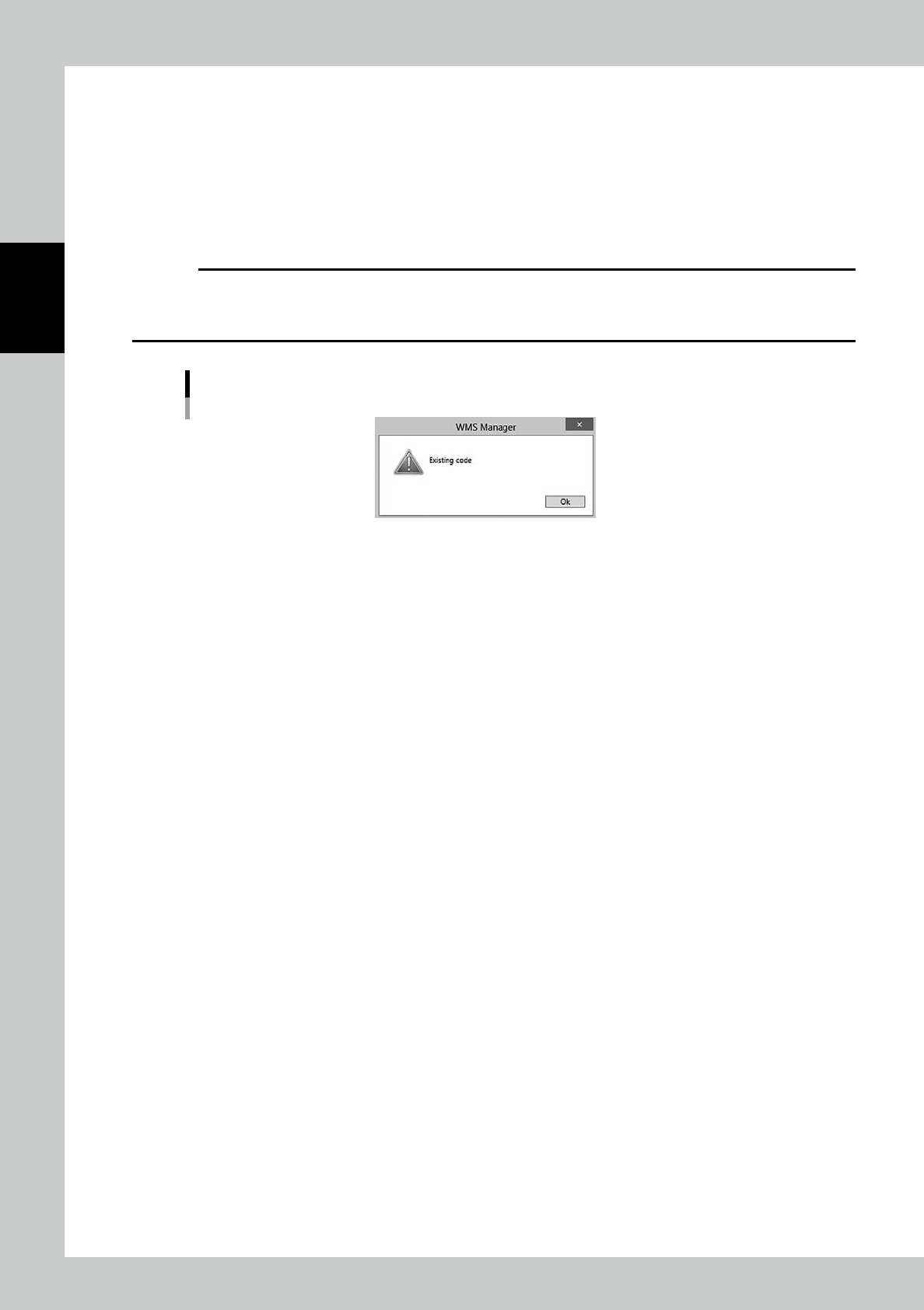
DO NOT remove any registered items basically. Once an item code is registered, it is recorded and remained in the
machine even if it's removed. Even if an operator tries to register the removed item code, the item is not able to be
registered with the following message. Use "Disable" in Menu for useless items.
Existing Code
24215-KMS-00
2-19
2
Operation
3.2.2 Register an item manually
1
Open "ITEM" screen.
2
Open the item registration screen.
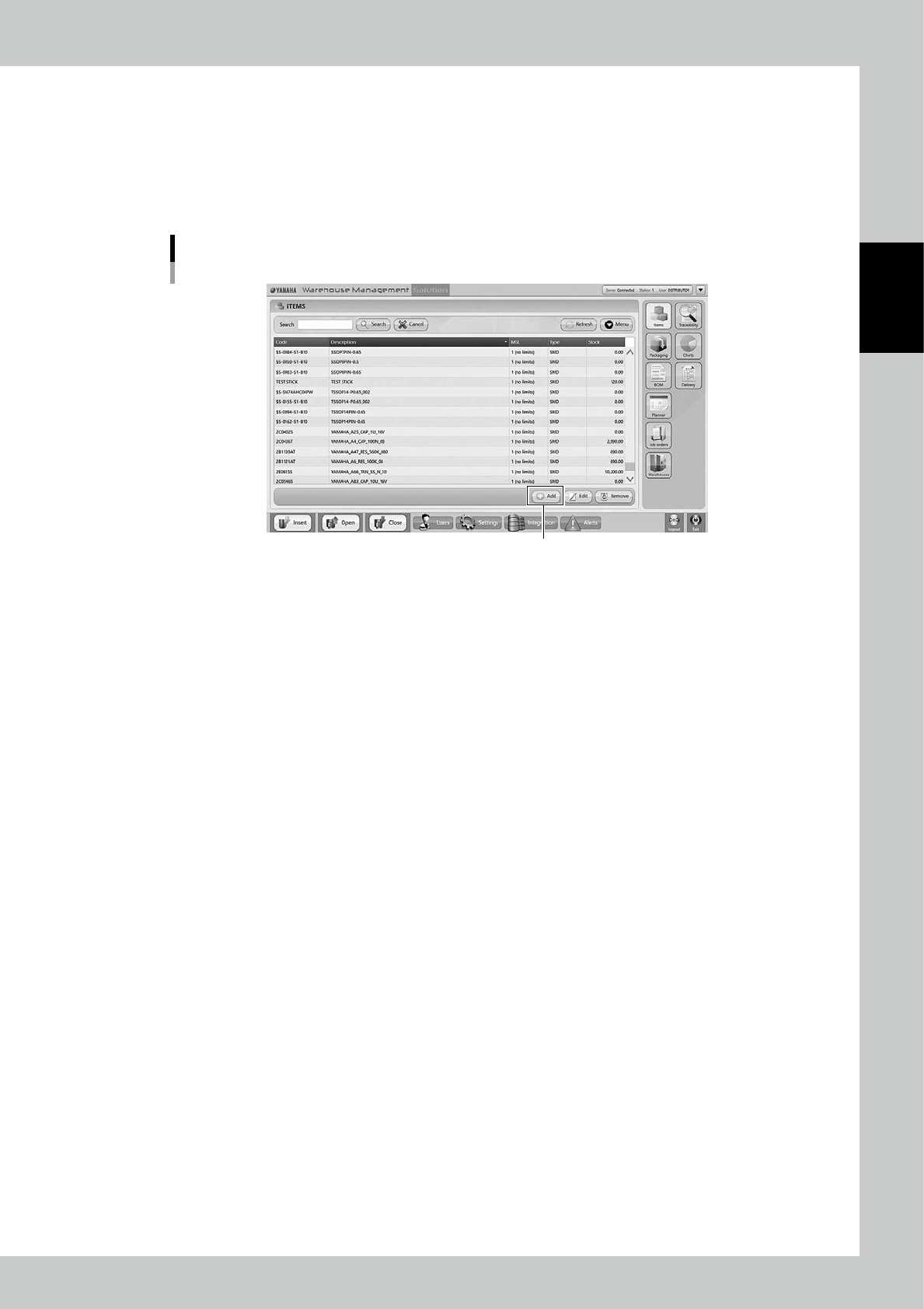
Press [Add] button at bottom right to open the item registration screen.
"ITEMS" screen
[Add] button
24216-KMS-00
2-20
2
Operation
3
Input necessary contents.
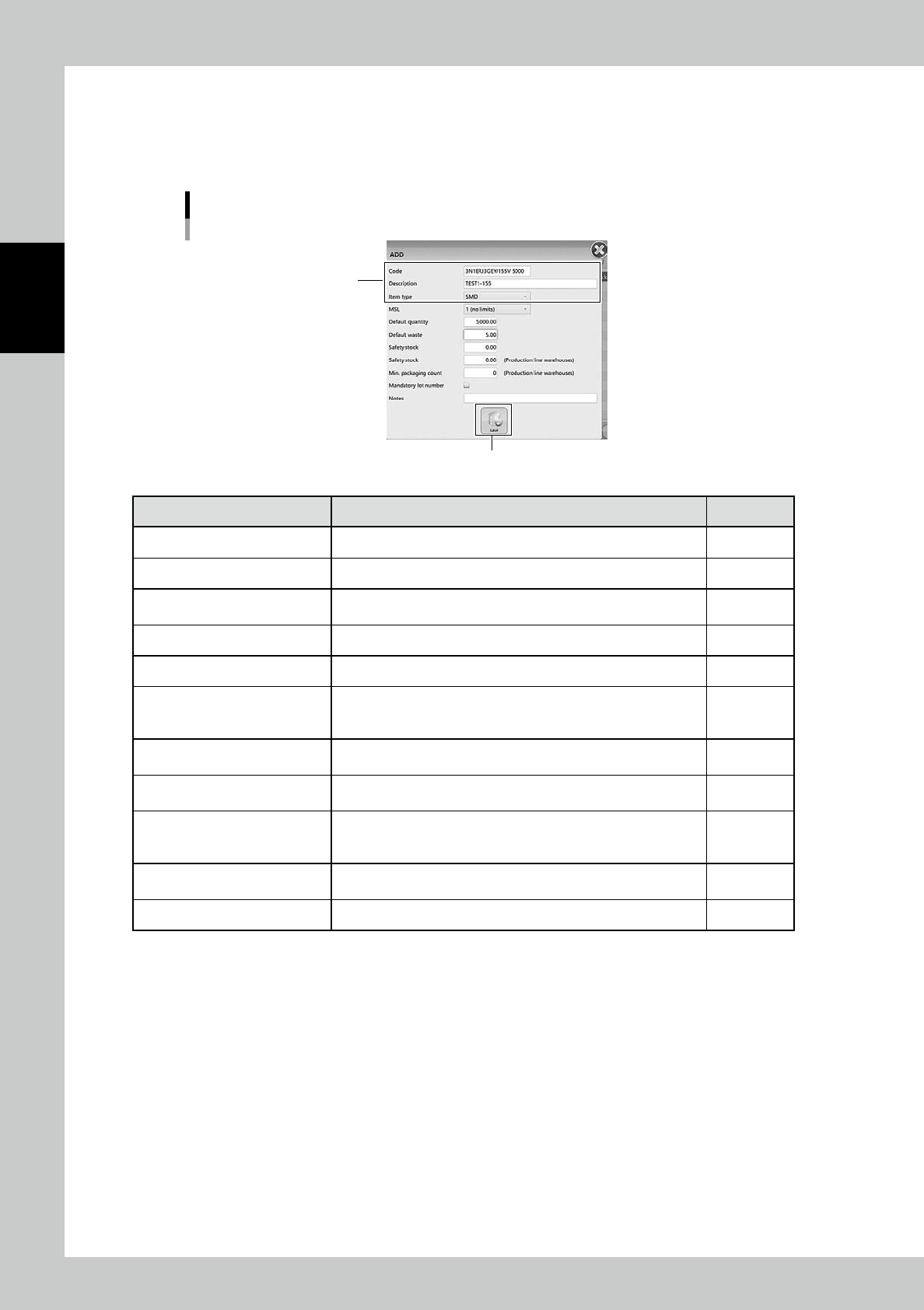
Input necessary contents. The mandatory contents are Code, Description, and Item type.
The contents filled here are automatically input for same contents based on each item code in the
other registration such as packaging.
ADD (Item registration) screen
[Save] button
Mandatory contents
24217-KMS-00
Content Detail Mandatory
Code Input its item name Yes
Description Input detailed explanation of it Yes
Item type
Select its item type
SMD (Surface mount device) or TH (Through hole part)
Yes
MSL Select its moisture sensitive level based on IPC/JEDEC’s J-STD-20 -
Default quantity Input the basic quantity as a packaging -
Default waste
Input the quantity of the items which are not used for production but
are wasted, such as the items which are disposed when a reel is set
on a feeder.
-
Safety stock
*1
Input the safety stock for the entire factory, including places other
than YST15.
-
Safety stock
(Production line warehouses)
*1
Input the safety stock in YST15. -
Min. packaging count (Production
line warehouses)
Input the minimum quantity of the required packaging for a
production line. (If the packaging stock is below this value, the
production can't keep on working.)
-
Mandatory lot number
Ticking this box allows operators to register only packagings which
have its lot number as a packaging.
-
Notes Note -
*1
"Safety stock" and "Min.packaging count" are used for operation with external software.