YST15_Users_E.pdf - 第34页
2-6 2 Operation n The case Handler is moved for some work like such as maintenance. If Handler is moved for maintenance, or the mac hine stops operation b y an error , confirm Handler is in Initialization standby positio…
2-5
2
Operation
1.2 Initialization
1
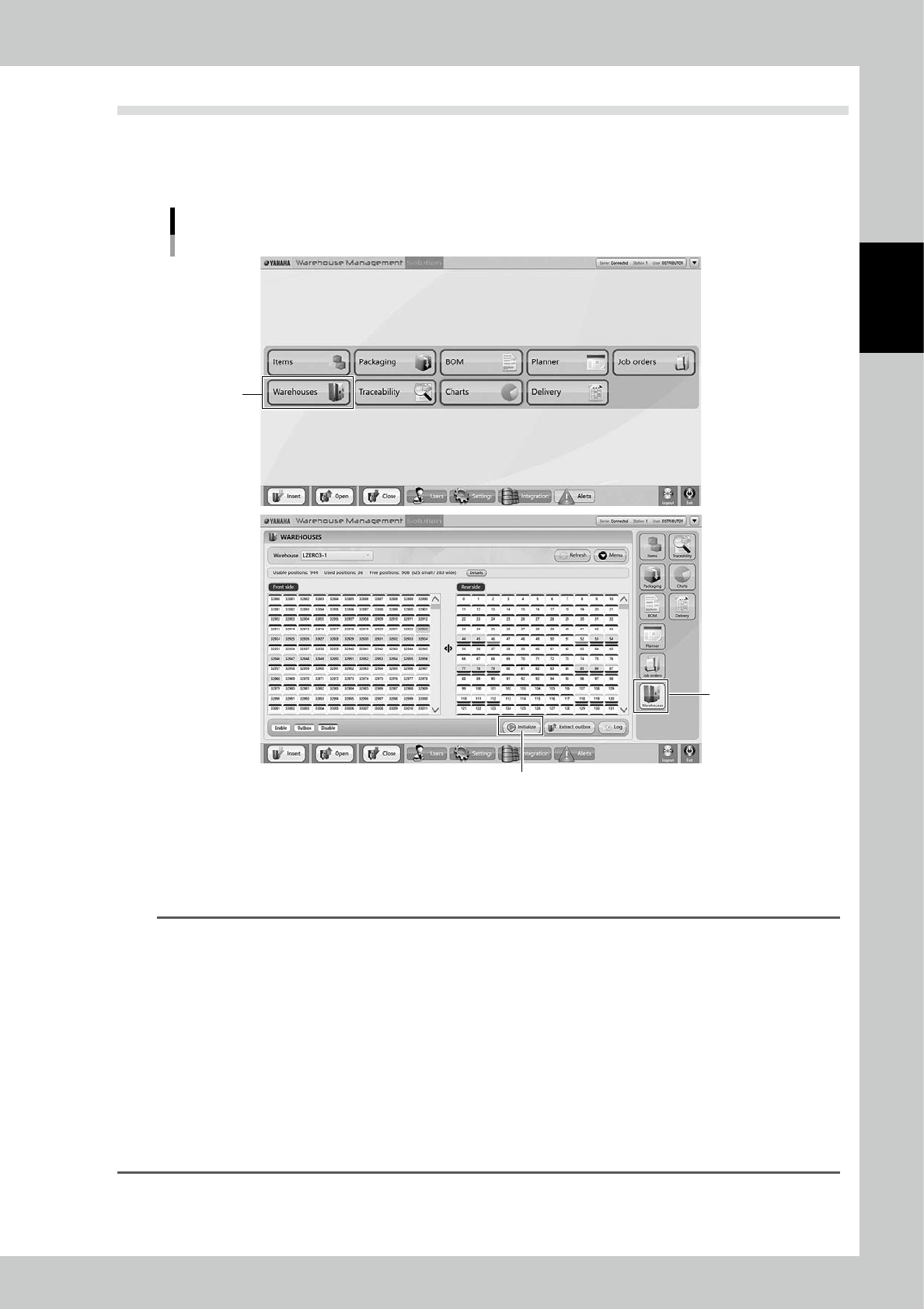
Open "WAREHOUSES" screen.
Press [Warehouses] button on right section to open "WAREHOUSES" screen.
Main screen
[Warehouses]
button
[Warehouses]
button
[Initialize] button
24203-KMS-00
2
Perform initialization.
Press [Initialize] on bottom of "WAREHOUSES" screen to start initialization.
Tower signal lights red during initialization.
Once initialization completes, Tower signal lights green.
TIP
Initialization
Initialization is the operation which moves Handler to detect each origin sensor on all axes.
The operation procedure is like the following.
1. Handler moves on Forward/Backward-axis to backward. After the origin sensor is detected, Handler moves to
back most which is the standby position..
2. Handler moves up on Y-axis to top most. After the origin sensor is detected, Handler moves to center of Y-axis
which is the standby position..
3. Handler moves on X-axis to left end. After the origin sensor is detected, Handler moves to center of X-axis which is
the standby position.
4. Handler rotates clockwise on Rotation(Delta)-axis, After the origin sensor is detected, Handler rotates to the stand
by position where it faces forward.
5. Handler closes on Open/Close-axis. After the origin sensor is detected, Handler opens fully which is the standby
position.
After initialization, Handler goes to around Loading/Unloading area.
2-6
2
Operation
n
The case Handler is moved for some work like such as maintenance.
If Handler is moved for maintenance, or the machine stops operation by an error, confirm Handler is in Initialization
standby position.Confirm WMS MANAGER is on.
1
Check the machine status.
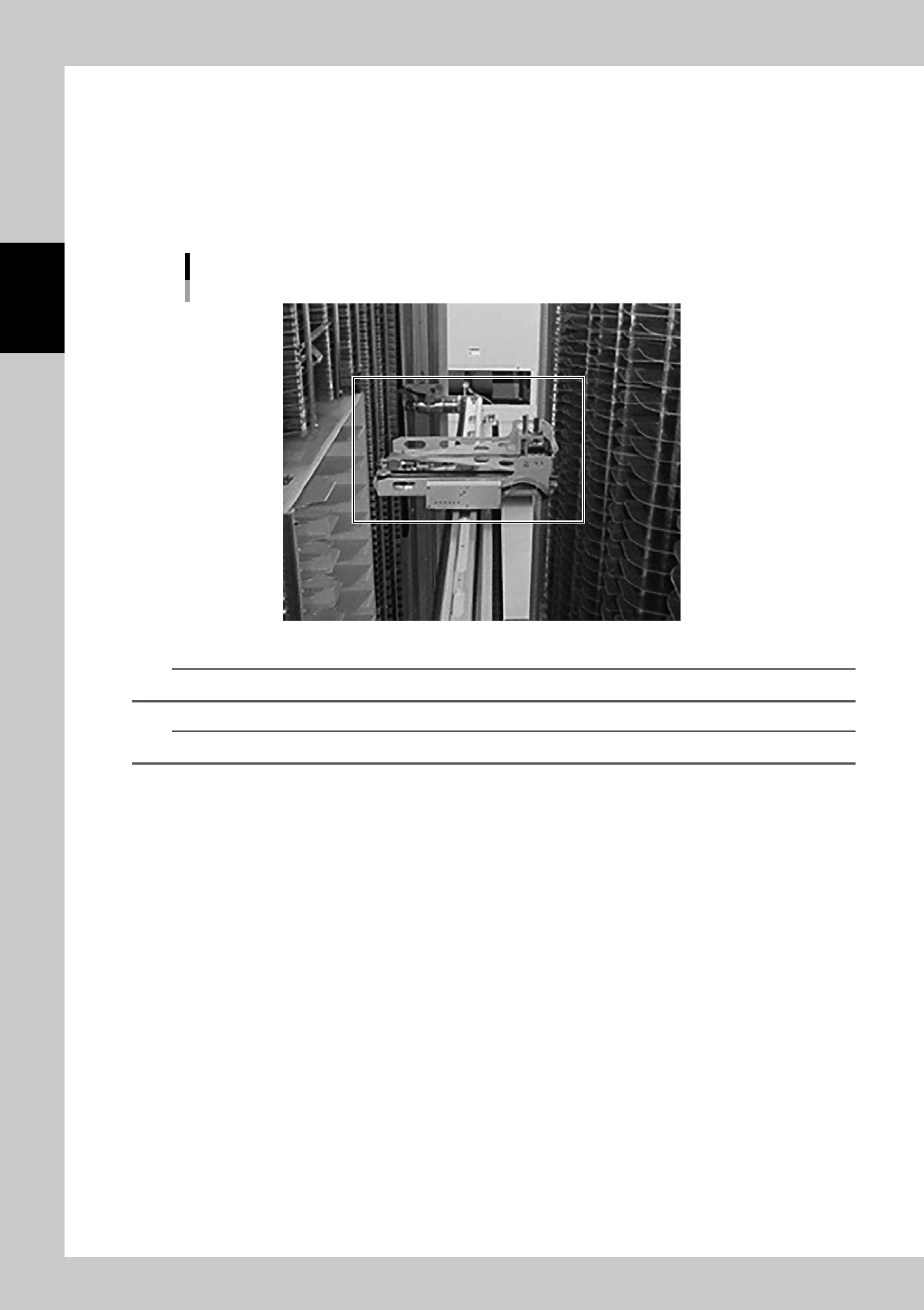
Open the side door, check Handler position inside the machine.
Confirm Handler is around center of X-axis and Y-axis, and it faces forward.
Initialization standby position
23204-KMS-00
n
NOTE
It is fine Handler is located around center. It must not be at either end of X-axis or Y-axis.
n
NOTE
This position is called Initialization standby position.
2
Turn Operation switch on.
Turn Operation switch left and turn it right.
Once boards are powered on, Operation indicator lights green.
3
Perform initialization.
See "1.2 Initialization" to perform initialization.
2-7
2
Operation
1.3 Turning off the machine.
1
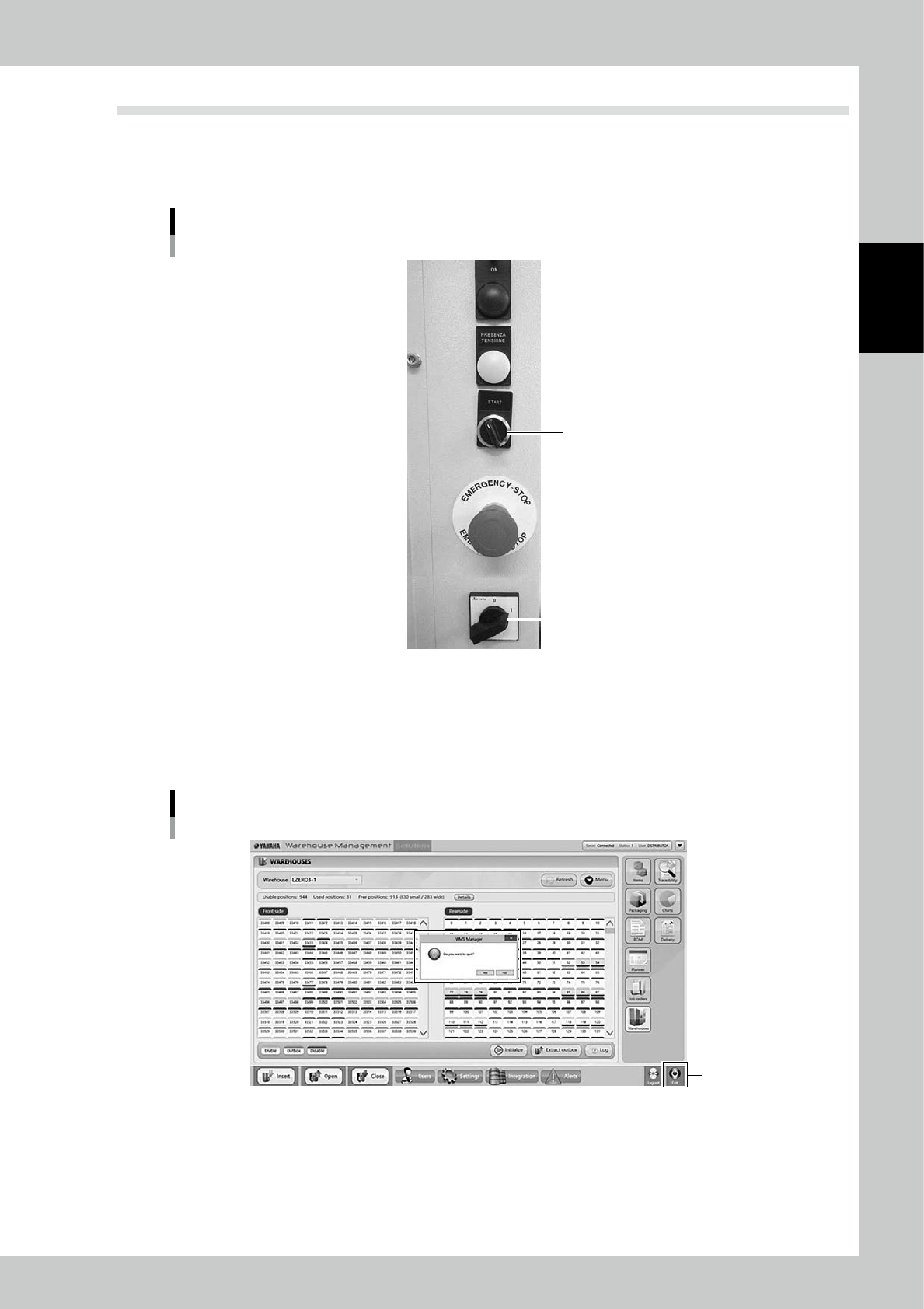
Turn Operation switch off.
Turn Operation switch left to turn it off.
Operation buttons
Operation switch
Main switch
23205-KMS-00
2
Press [EXIT] button at bottom right in the screen.
3
Close the application.
The message "Do you want to quit ?" appears. Select [YES].
Close "WMS MANAGER"
[Exit] button
24204-KMS-00