YST15_Users_E.pdf - 第76页
2-48 2 Operation 3.5.2 Register a BOM manually Registering a BOM is described. 1 Open "BOM" screen. 2 Open the BOM registr ation screen. Press [Add] button at bottom right to open the BOM registration scr een. …

2-47
2
Operation
5. [Add] button
Able to register a new BOM.
6. [Edit] button
Able to edit a registered BOM.
7. [Remove] button, which is displayed only for engineer authority.
Able to remove registered BOMs, but BOMs which are removed once are not able to be registered again, and the
histories of them are also removed in traceability.
c
CAUTION
DO NOT remove any registered BOMs basically. Use "Disable" in Menu for useless BOMs.
8. [Pick & Place Setting] button
Able to display [Pick & Place] button which is used for operation with external system.
2-48
2
Operation
3.5.2 Register a BOM manually
Registering a BOM is described.
1
Open "BOM" screen.
2
Open the BOM registration screen.
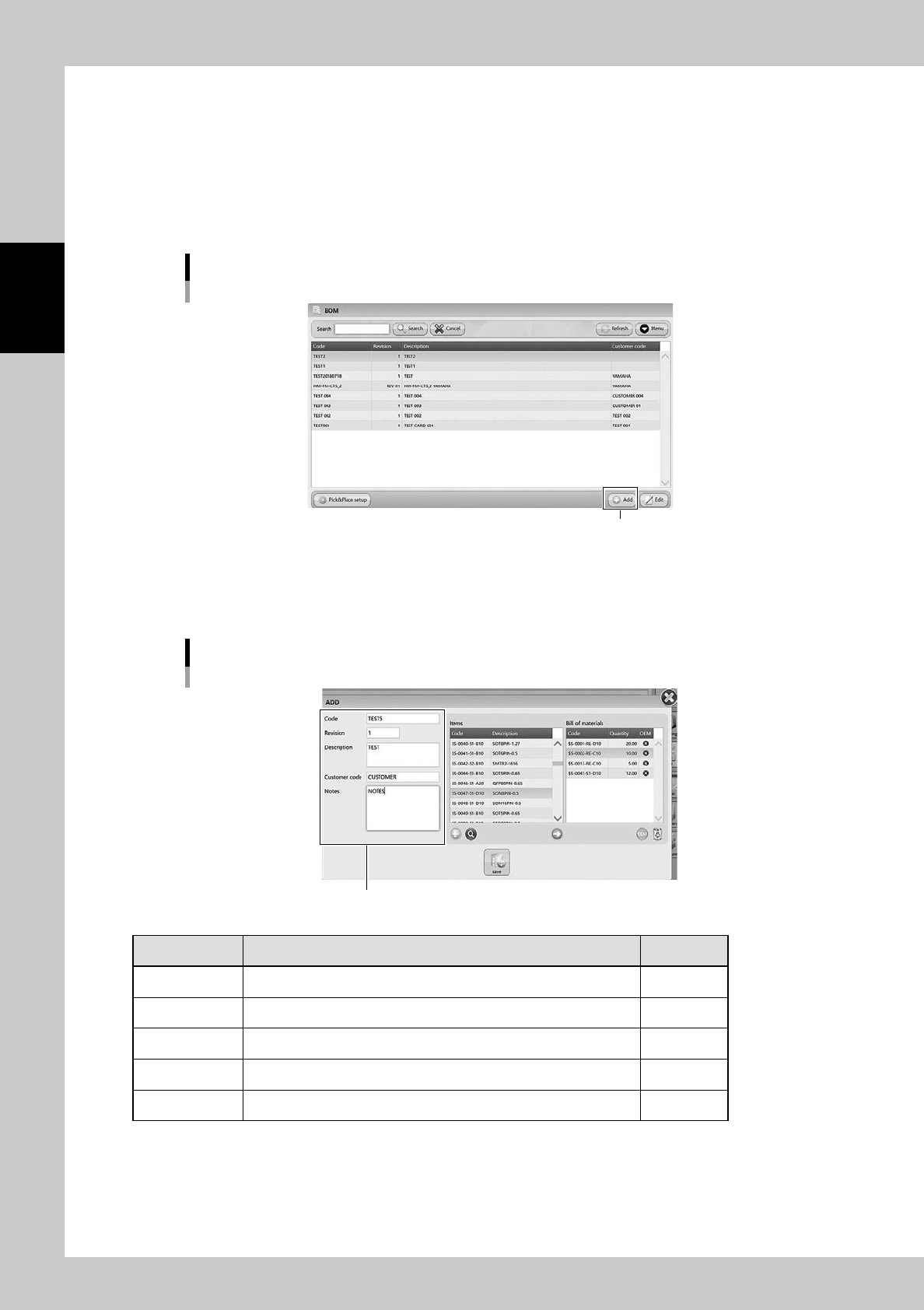
Press [Add] button at bottom right to open the BOM registration screen.
"BOM" screen
[Add] button
24251-KMS-00
3
Input necessary contents.
Input necessary contents in left side. The mandatory content is Code.
BOM registration screen
Input contents
24252-KMS-00
Content Description Mandatory
Code Input the BOM name, normally its product board name. Yes
Revision If the BOM is revised, input the information about it. -
Description Input the detail of the BOM. -
Customer code Input the customer code or information about the product. -
Notes Note. -
2-49
2
Operation
4
Select the items for the BOM.
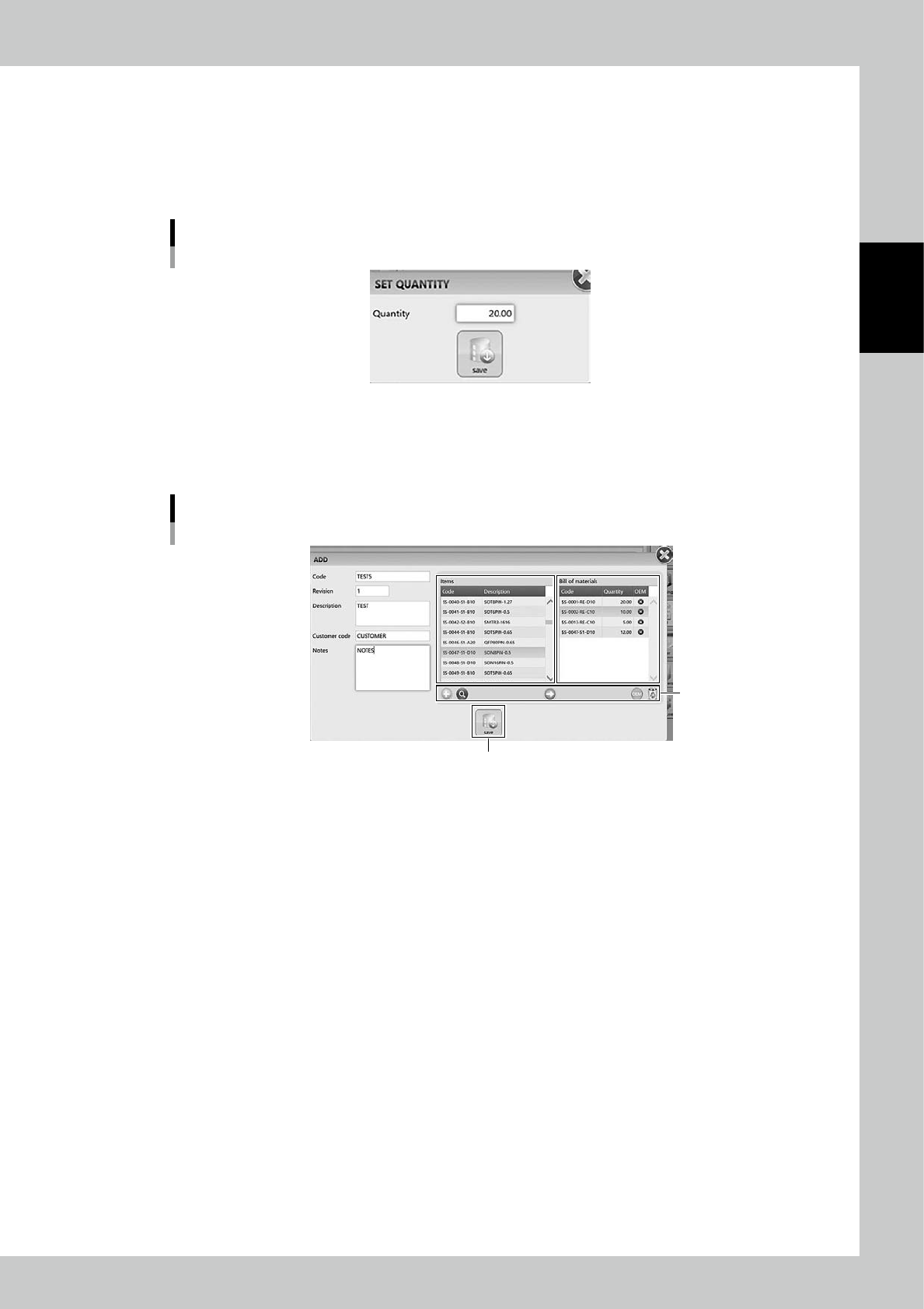
1. Select the item, which are required for the product, in Items table in middle of the screen, then press
[Arrow] button.
2. "SET QUANTITY" screen appears, then input the quantity of the item required for one board of the
product.
"SET QUANTITY" screen
24253-KMS-00
3. Press [Save] button, then the selected item and its quantity are registered in "Bill of materials" table in
right of the screen.
4. Repeat 1 to 3 to register all the items required for the product.
BOM registration screen 2
[Save] button
Buttons
24254-KMS-00
5
Press [Save] to register the BOM.