YST15_Users_E.pdf - 第49页
2-21 2 Operation TIP Moisture Sensitive Level "IPC/JEDEC’s J-STD-20" defines the life time of items when they are stored in air . If a packaging has this level, input it. Level Expiration hours Note 1 no Limit N…
2-20
2
Operation
3
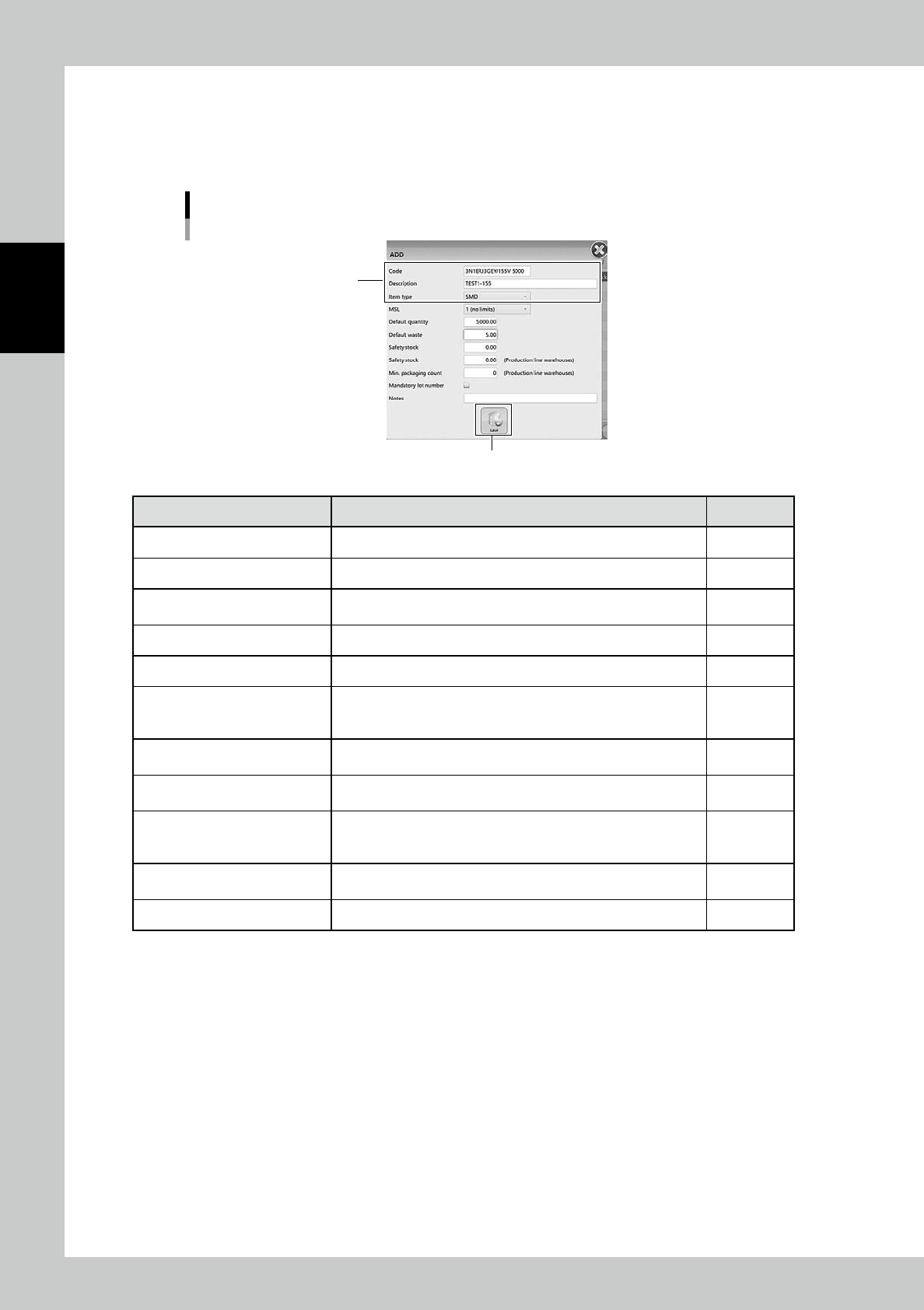
Input necessary contents.
Input necessary contents. The mandatory contents are Code, Description, and Item type.
The contents filled here are automatically input for same contents based on each item code in the
other registration such as packaging.
ADD (Item registration) screen
[Save] button
Mandatory contents
24217-KMS-00
Content Detail Mandatory
Code Input its item name Yes
Description Input detailed explanation of it Yes
Item type
Select its item type
SMD (Surface mount device) or TH (Through hole part)
Yes
MSL Select its moisture sensitive level based on IPC/JEDEC’s J-STD-20 -
Default quantity Input the basic quantity as a packaging -
Default waste
Input the quantity of the items which are not used for production but
are wasted, such as the items which are disposed when a reel is set
on a feeder.
-
Safety stock
*1
Input the safety stock for the entire factory, including places other
than YST15.
-
Safety stock
(Production line warehouses)
*1
Input the safety stock in YST15. -
Min. packaging count (Production
line warehouses)
Input the minimum quantity of the required packaging for a
production line. (If the packaging stock is below this value, the
production can't keep on working.)
-
Mandatory lot number
Ticking this box allows operators to register only packagings which
have its lot number as a packaging.
-
Notes Note -
*1
"Safety stock" and "Min.packaging count" are used for operation with external software.
2-21
2
Operation
TIP
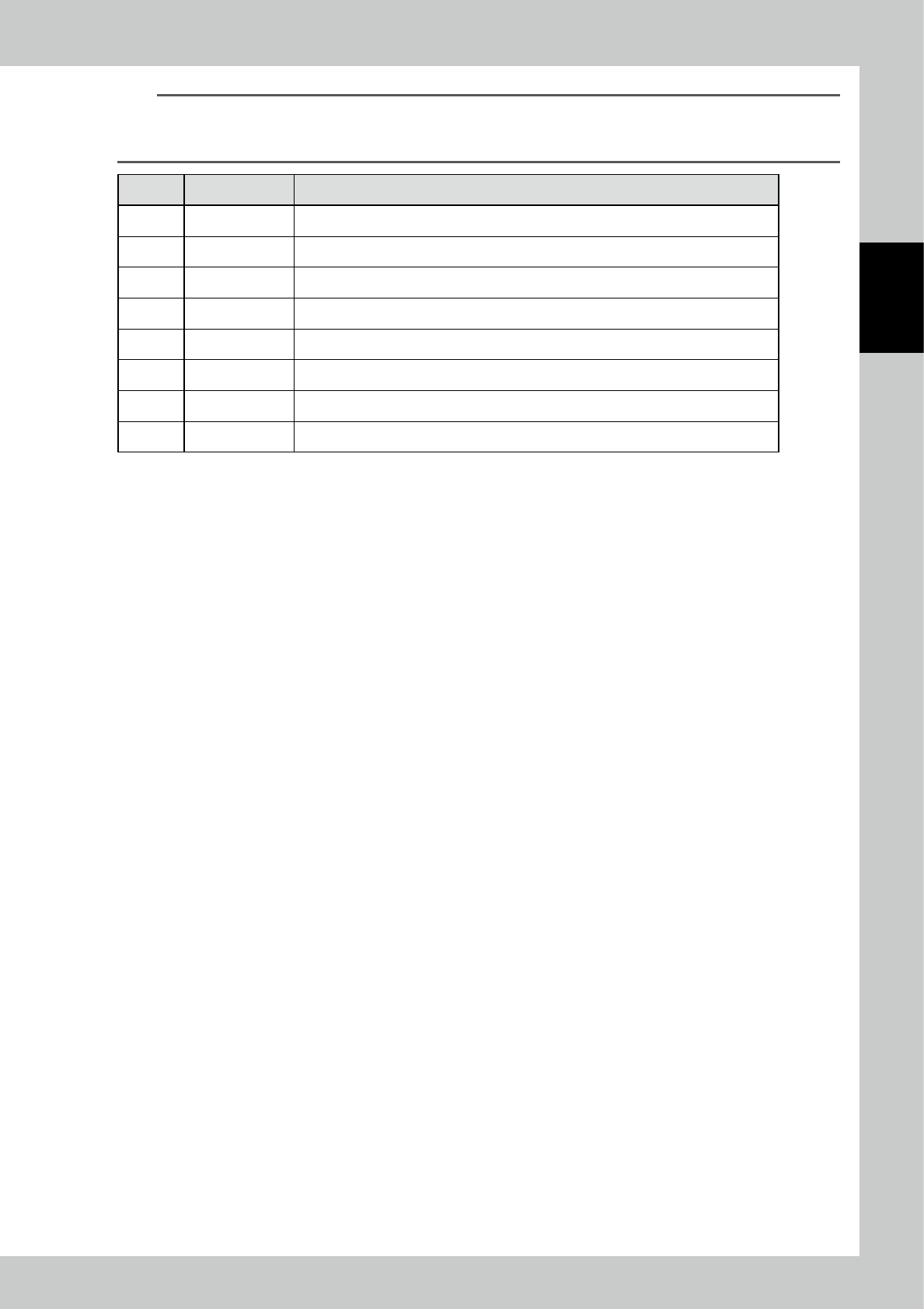
Moisture Sensitive Level
"IPC/JEDEC’s J-STD-20" defines the life time of items when they are stored in air.
If a packaging has this level, input it.
Level Expiration hours Note
1 no Limit No limit in less than temperature 30°C and humidity 85%
2 8760hours
2A 672hours
3 168hours
4 72hours
5 48hours
5A 24hours
6 no Limit Baking is required. basically.
4
Press [Save] button to register the item.
2-22
2
Operation
3.2.3 Register items by import function
Registering items at once by import function is described.
1
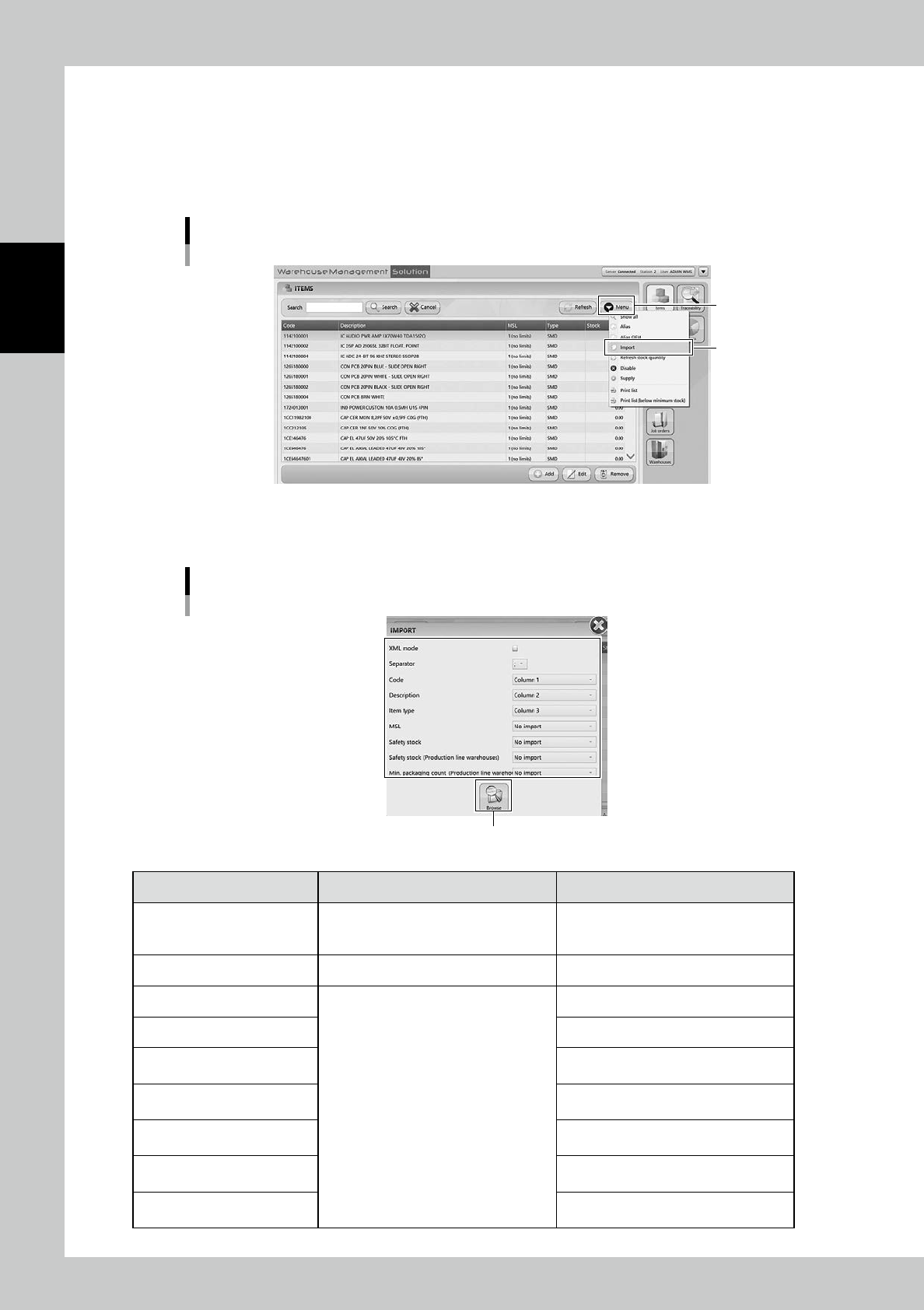
Open "IMPORT" screen.
Select "Import" in Menu, then "IMPORT" screen appears.
Import menu
“Import”
[Menu] button
24218-KMS-00
2
Select the file format in "IMPORT" screen.
"IMPORT" screen
[Browse] buton
24219-KMS-00
Content Setting Description
XML Mode
If the import file is XML format, tick here
although normally import files are TXT or
CSV format.
Separator Set separator, in ";", ":", "," or ".".
Code
Select which column is corresponded to
each content for registration.
Input its item name.
Description Input detailed explanation of it.
Item Type
Select its item type SMD (Surface mount
device) or TH (Through hole part)
.
MSL
Select its moisture sensitive level based
on IPC/JEDEC’s J-STD-20.
Safety Stock
Input the safety stock for the entire
factory.
Safety stock
(Production line warehouses)
Input the safety stock for YST15.
Min. packaging count
(Production line warehouses)
Input the minimum quantity of the required
packaging for a production line.