YST15_Users_E.pdf - 第39页
2-11 2 Operation 2.2 Loading/Unloading flow W ork flow of YST15 is described in the following. • Loading flow First register items, then register pac kagings related to the items. After that, the label printer creates th…
2-10
2
Operation
Job Order
Production plan
Unload
23207-KMS-00
2-11
2
Operation
2.2 Loading/Unloading flow
Work flow of YST15 is described in the following.
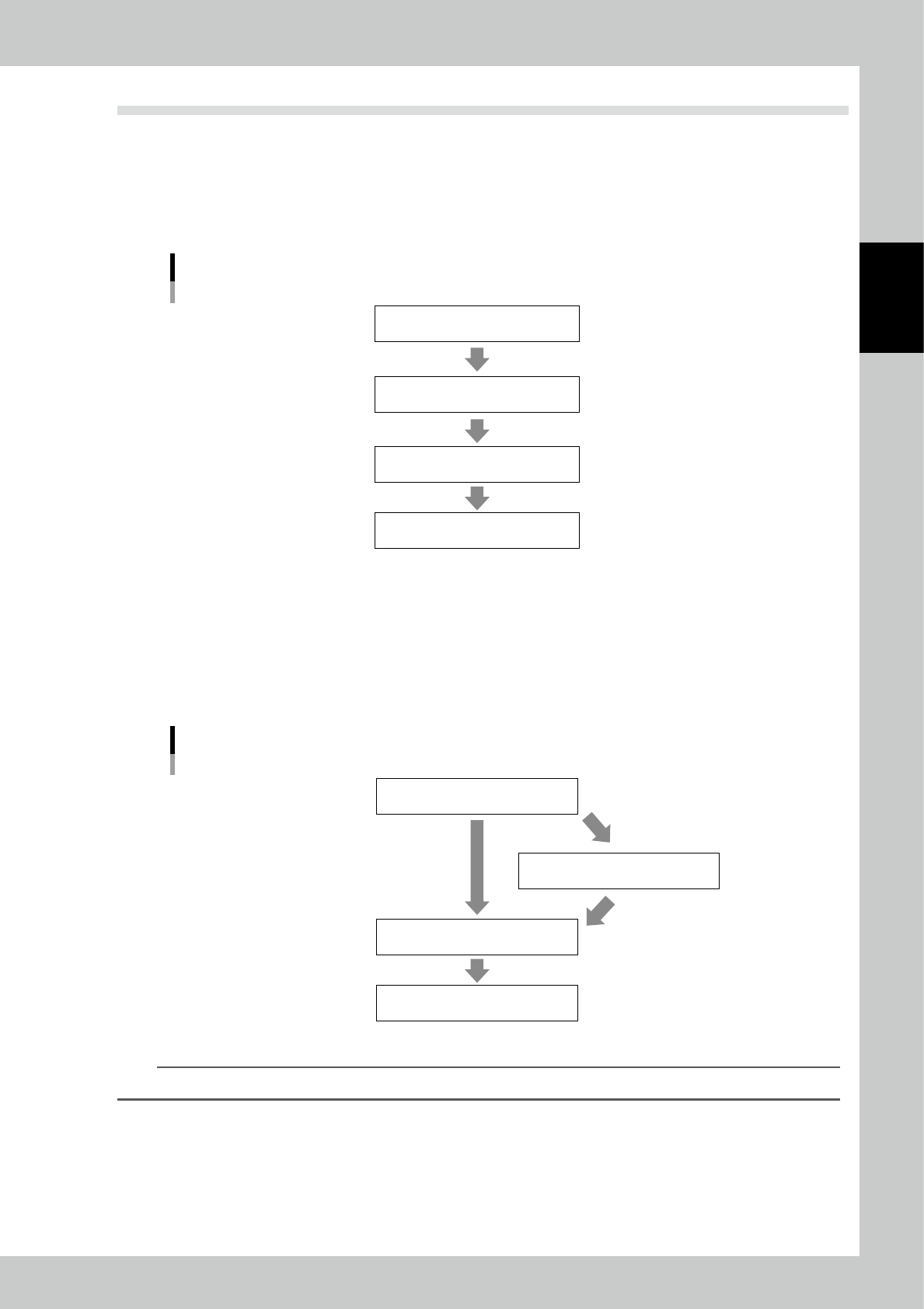
• Loading flow
First register items, then register packagings related to the items. After that, the label printer creates the labels for the
packagings. Then paste them on the packagings.
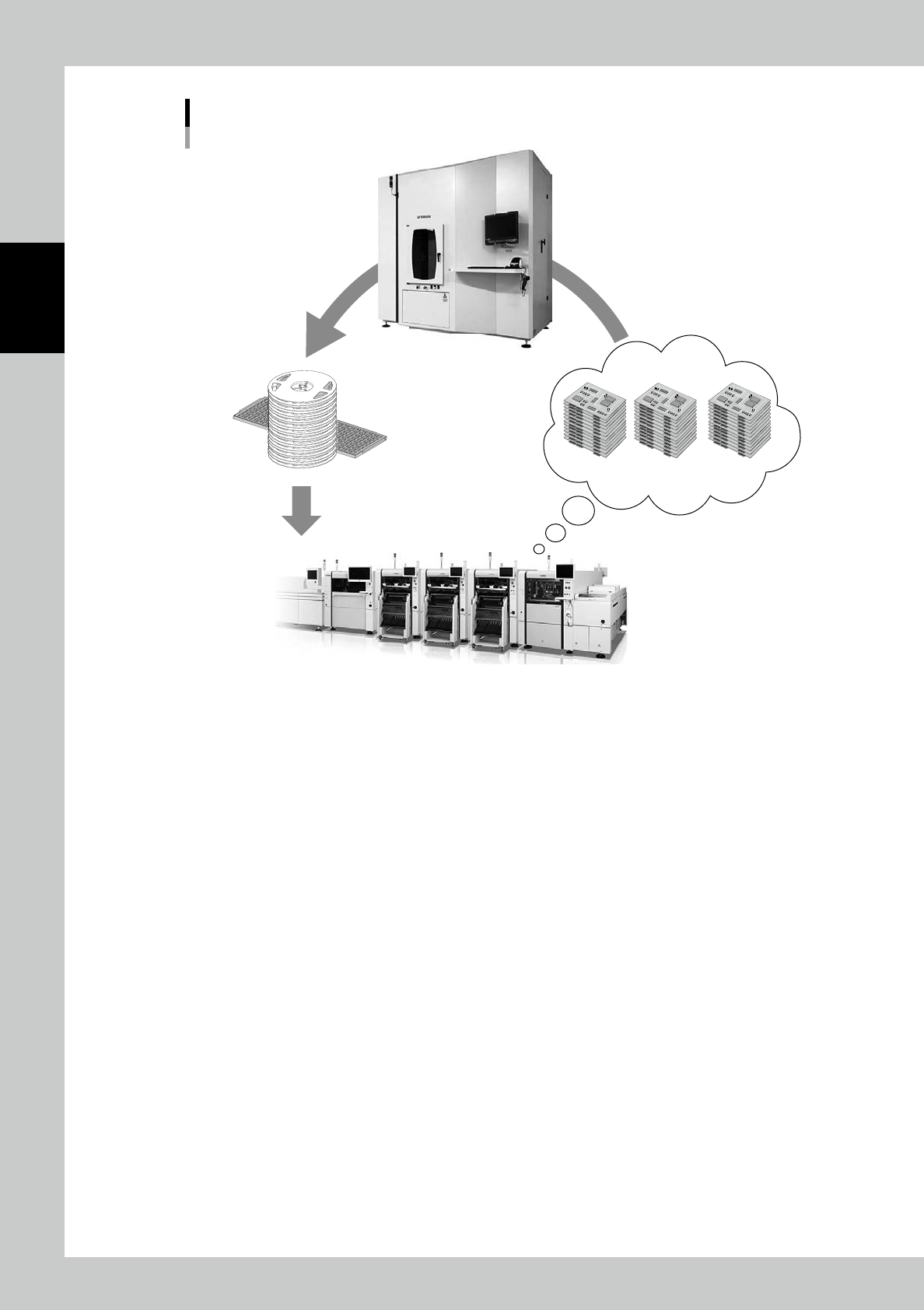
Put packagings on shelves of Loading/Unloading area, and press [Insert], then the machine loads them automatically.
Loading flow
Register items
Register packagings
Paste barcode labels
Load packagings
23208-KMS-00
• Unloading flow
First, create B.O.M., which lists the required items and the required quantities of them to produce a board.
Create Job orders, which list the required items and the required quantities of them for production plans, then unload the
packagings.
Planner function is able to judge if the production is available or not based on the inventory in YST15 before packagings
are unloaded.
Unloading flow
Register B.O.M.
Analyze by Planner
Create and analyze Job Order
Unload packagings
23209-KMS-00
TIP
Job order registration is also able to judge the production possibility, but Planner is easier to do it.
2-12
2
Operation
3. Operation screen and operation buttons
The screen overview and operation are described here.
3.1 Overview
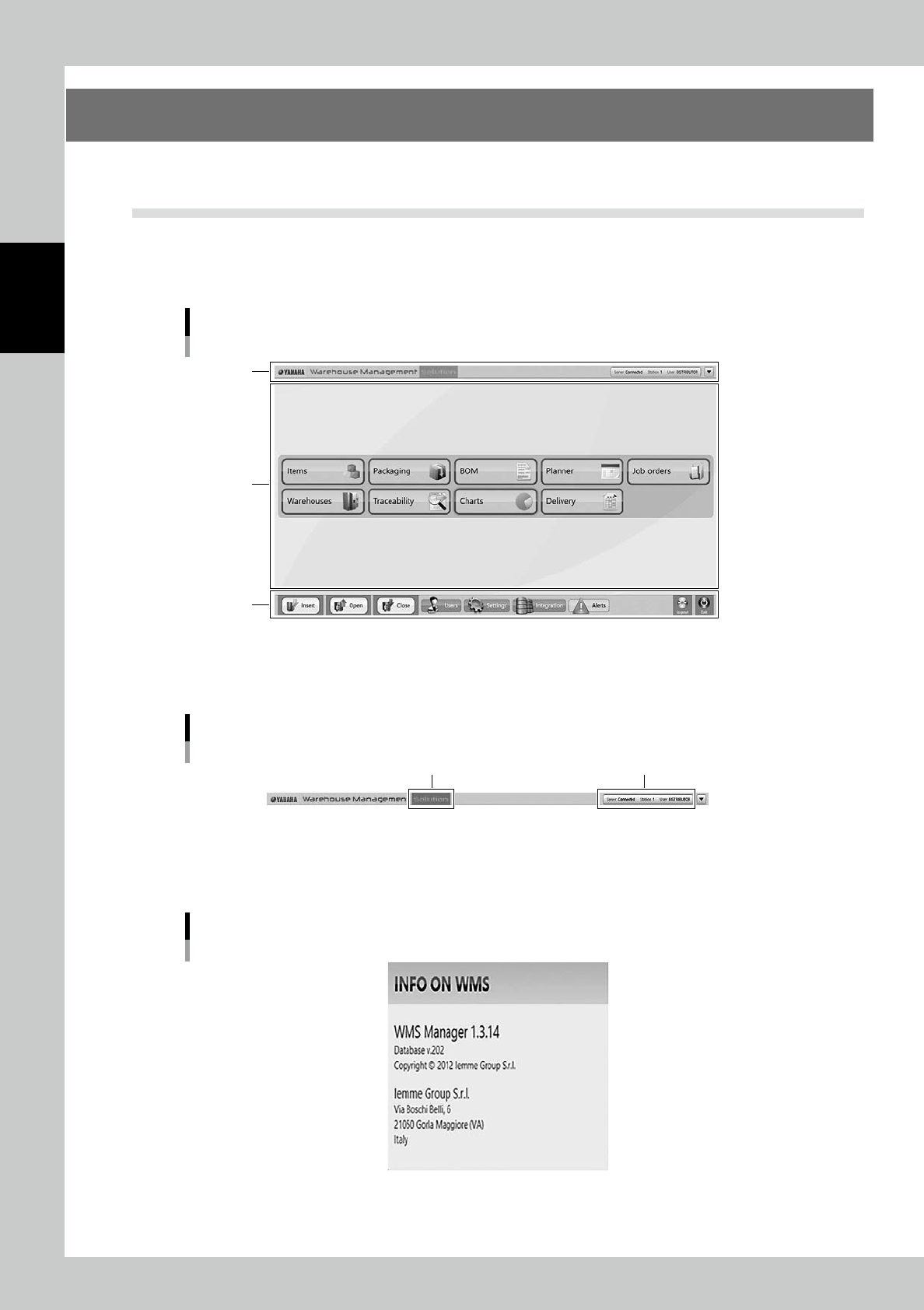
There are three areas of the screen.
Upper area and lower area are always displayed wherever the screen moves.
Middle area displays contents depending on the work.
Main screen
Upper area
Middle area
Lower area
24206-KMS-00
3.1.1 Upper area
Upper area
[Solution] button Log-in Status
24207-KMS-00
• [Solution] button
This button displays the software version.
[Solution] button
24208-KMS-00