YST15_Users_E.pdf - 第27页
Chapter 2 Operation Contents 1. T ur ning on/of f the machine 2-1 1.1 T urning on the machine 2-1 1.2 Initialization 2-5 1.3 T urning of f the machine. 2-7 2. Managing item packagings in YST15 2-9 2.1 Overview of Items/P…
1-10
1
Unit names and functions
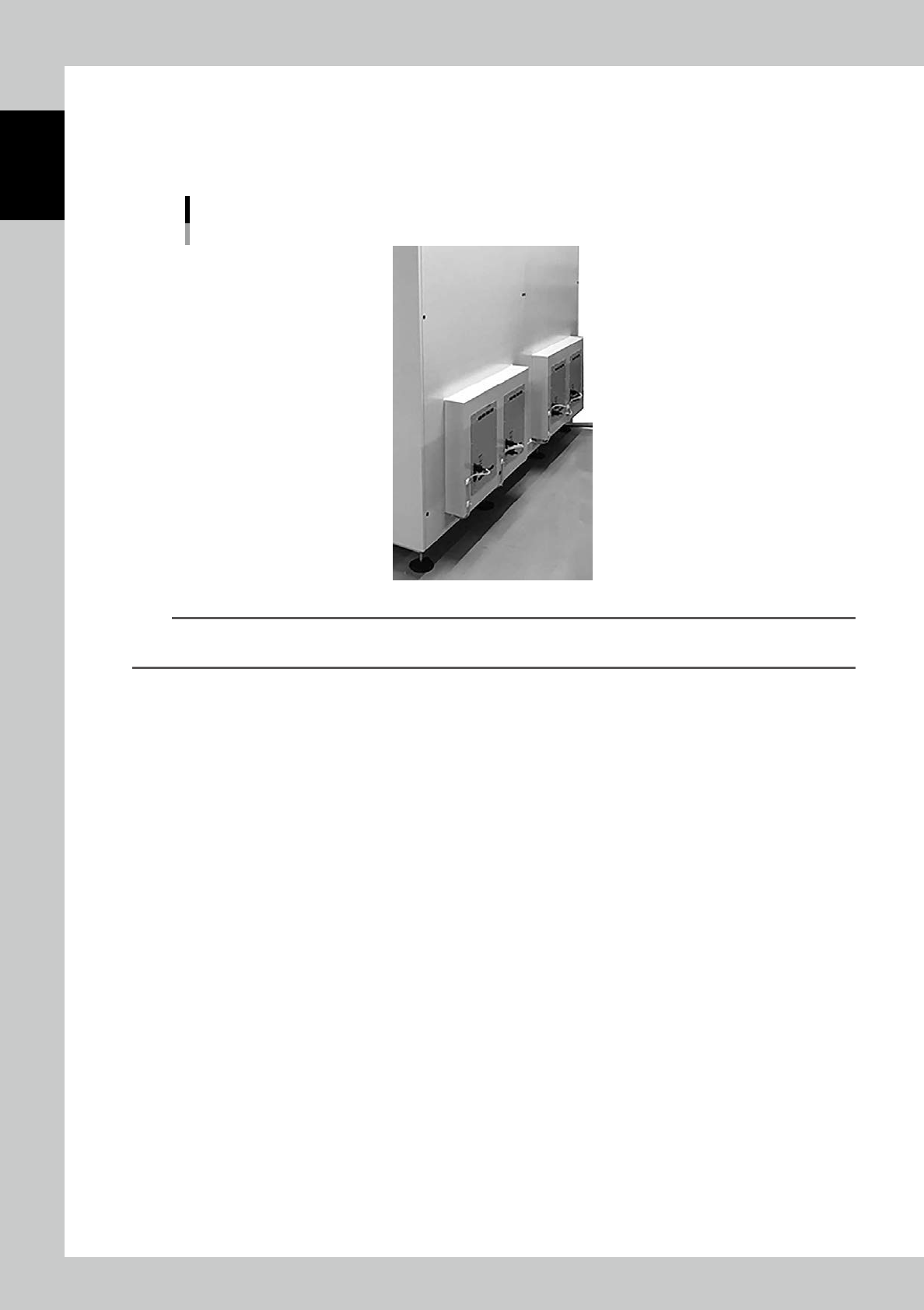
Dehumidifier
Dehumidifiers on the machine back dehumidify inside the machine.
There are four dehumidifiers. Since two of them work for “dehumidification” and the others work for “releasing moisture
to the air” alternately at 140 minutes intervals, it is not required to deal with water.
Dehumidifier
23113-KMS-00
TIP
The performance of the dehumidifier depends on its surrounding environment such as the place where the machine
is.

Chapter 2 Operation
Contents
1. Turning on/off the machine 2-1
1.1 Turning on the machine 2-1
1.2 Initialization 2-5
1.3 Turning off the machine. 2-7
2. Managing item packagings in YST15 2-9
2.1 Overview of Items/Packaging/B.O.M/Job Orders 2-9
2.2 Loading/Unloading flow 2-11
3. Operation screen and operation buttons 2-12
3.1 Overview 2-12
3.1.1 Upper area 2-12
3.1.2 Middle area 2-14
3.1.3 Lower area 2-15
3.2 ITEMS 2-16
3.2.1 ITEMS screen 2-16
3.2.2 Register an item manually 2-19
3.2.3 Register items by import function 2-22
3.2.4 Disable and remove items 2-24
3.2.5 Make a setting of Alias 2-26
3.3 Packaging 2-27
3.3.1 PACKAGING screen 2-27
3.3.2 Register a packaging manually 2-32
3.3.3 Register packagings by import function. 2-36
3.3.4 Disable and remove packagings 2-40
3.4 Loading/Unloading packagings 2-42
3.4.1 Loading packagings 2-42
3.4.2 Unload packagings manually 2-44
3.5 BOM 2-45
3.5.1 B.O.M 2-45
3.5.2 Register a BOM manually 2-48
3.5.3 Register a BOM by import function. 2-52
3.5.4 Disable and remove BOMs 2-55
3.6 Job Orders 2-57
3.6.1 JOB ORDERS screen 2-57
3.6.2 Create a job order manually 2-59
3.6.3 Create a job order by import function 2-62
3.6.4 Unload packagings by a job order 2-65

3.7 Planner 2-74
3.7.1 PLANNNER screen 2-74
3.7.2 Create a job order in PLANNER 2-77
3.7.3 Create a job order by import function in PLANNER 2-78
3.7.4 Analyze in PLANNNER 2-79
3.8 Warehouses 2-84
3.8.1 WAREHOUSE screen 2-84
3.9 Traceability 2-87
3.9.1 Packaging traceability 2-87
3.9.2 Job Order traceability 2-88
3.9.3 Item traceability 2-88
3.9.4 Lots Traceability 2-89
3.10 Charts 2-90
3.10.1 ENVIRONMENTAL CONDITIONS screen 2-90
3.11 DELIVERY ORDERS 2-91
3.11.1 DELIVERY ORDERS screen 2-91
3.11.2 Delivery orders setting 2-93
3.12 Others 2-94
3.12.1 USERS 2-94
3.12.2 SETTINGS screen 2-97
3.12.3 INTEGRATION screen 2-97
3.12.4 ALERTS screen 2-98
3.12.5 Logout 2-98