YST15_Users_E.pdf - 第44页
2-16 2 Operation 3.2 ITEMS All components stored in YST15 requires to be registered as items. T here are two wa ys for registration. One is to register single item one by one. T he other is to register some items at once…
2-15
2
Operation
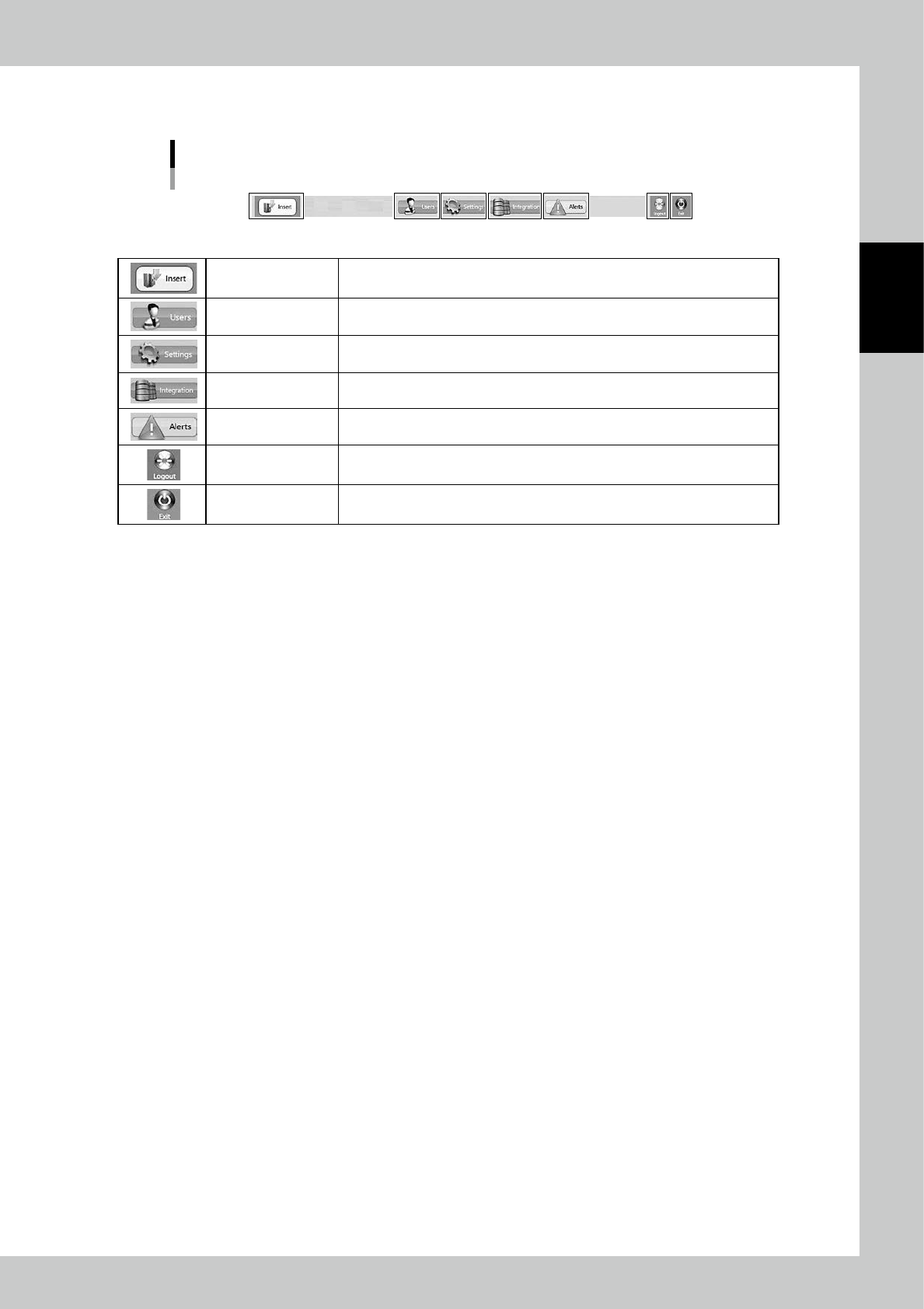
3.1.3 Lower area
Lower area
24211-KMS-00
Insert (Loading) Able to load packagings.
Users User management screen appears.See "3.12.1 USERS" for details.
Settings The settings of the machine appears.See "3.12.2 SETTINGS screen" for details.
Integration
If the other software is associated with this machine, the specified screen
appears.Normally NOT used.See "3.12.3 INTEGRATION screen" for details.
Alerts Errors are displayed.See "3.12.4 ALERTS screen" for details.
Logout
Able to log out.After logging out, user name and its password is required to log
in again.See "3.12.5 Logout" for details.
Exit Able to close WMS MANAGER.
2-16
2
Operation
3.2 ITEMS
All components stored in YST15 requires to be registered as items. There are two ways for registration.
One is to register single item one by one. The other is to register some items at once by import function.
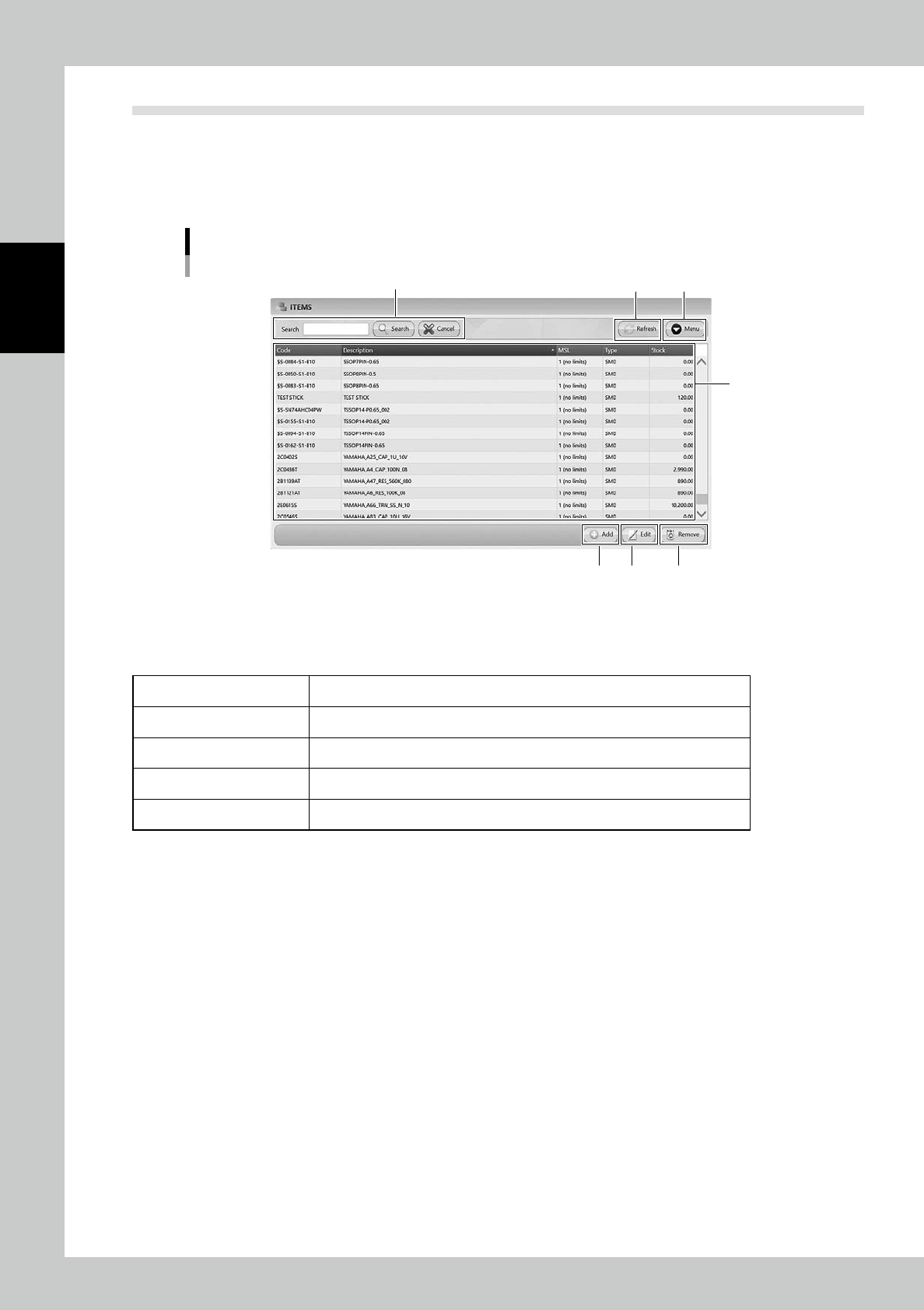
3.2.1 ITEMS screen
"ITEMS" screen
2
3 4
1
5 6 7
24212-KMS-00
1. Item list
Registered items are listed. Pressing a content in the top line sorts items.
The details of contents are described in the following page, too.
Code Names of items.
Description Details of items.
MSL Moisture Sensitive Level.
Type SMD, surface mount device, or TH, through hole, is selected.
Stock The total quantities of items in packagings stored in the machine.
2. Search bar
Able to search based on Code or Description. Pressing [Search] button with words starts searching related items.
Pressing [Cancel] button stop searching.
3. [Refresh] button
Able to update stocks manually after production and re-loading packagings which includes remaining items.
2-17
2
Operation
4. [Menu] button
Able to go to each function.
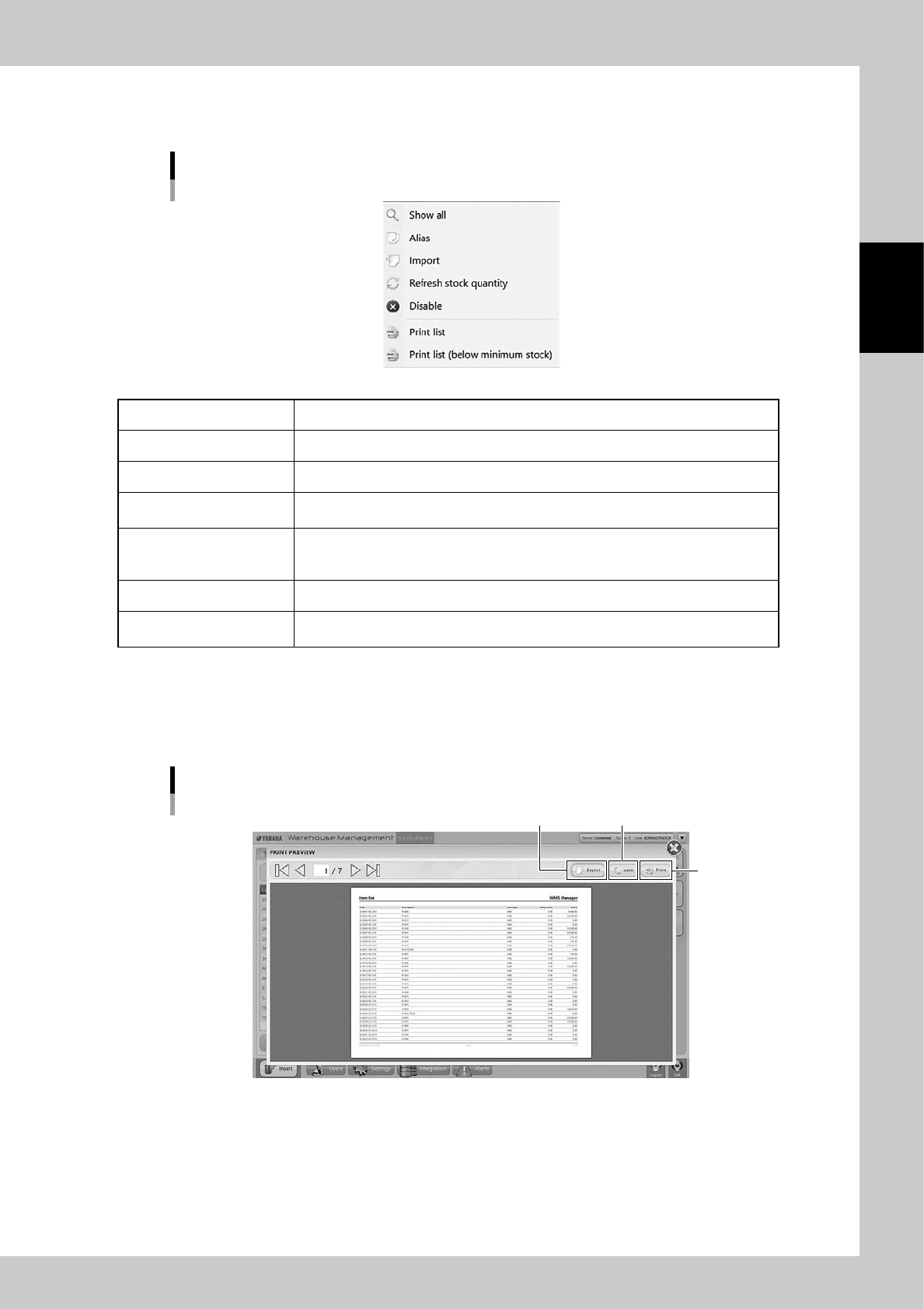
Menu list
24213-KMS-00
Show All All items are displayed.
Alias Able to make the alias setting for the selected item.
Import Able to register items at once by importing files such as txt and csv format.
Refresh Stock Quantity
After production and re-loading packagings which includes remaining items, stocks are
updated manually
Disable/Enable
Able to set the selected items not to be used. Disabled items are not available for
analyze in Job order. Set disabled items back to "Enable" if it is required to use the
items.
Print list Items are listed.
Print list
(below minimum stock)
The items whose quantities are below minimum stock of them are listed.
n
Print list
Select [Print List], then the item list is displayed in "PRINT PREVIEW" screen.
Press [Save] button to save it as a PDF file, or press [Export] button to save it as a XML file.
If a printer is connected to the machine through an external network, [Print] button is able to print lists.
"PRINT PREVIEW" screen
[Print] button
[Save] button[Export] button
24214-KMS-00