YST15_Users_E.pdf - 第154页
3-4 3 Y early maintenance items 1.2 Cleaning reel detection sensors in loading/unloading area 1 T urn the machine off. 2 Clean the reel detection sensors Open a side door and enter the machine. Use dry soft cloth to clea…
3-3
3
Yearly maintenance items
1. Machine main unit
1.1 Cleaning in the machine
1
Turn the machine off.
2
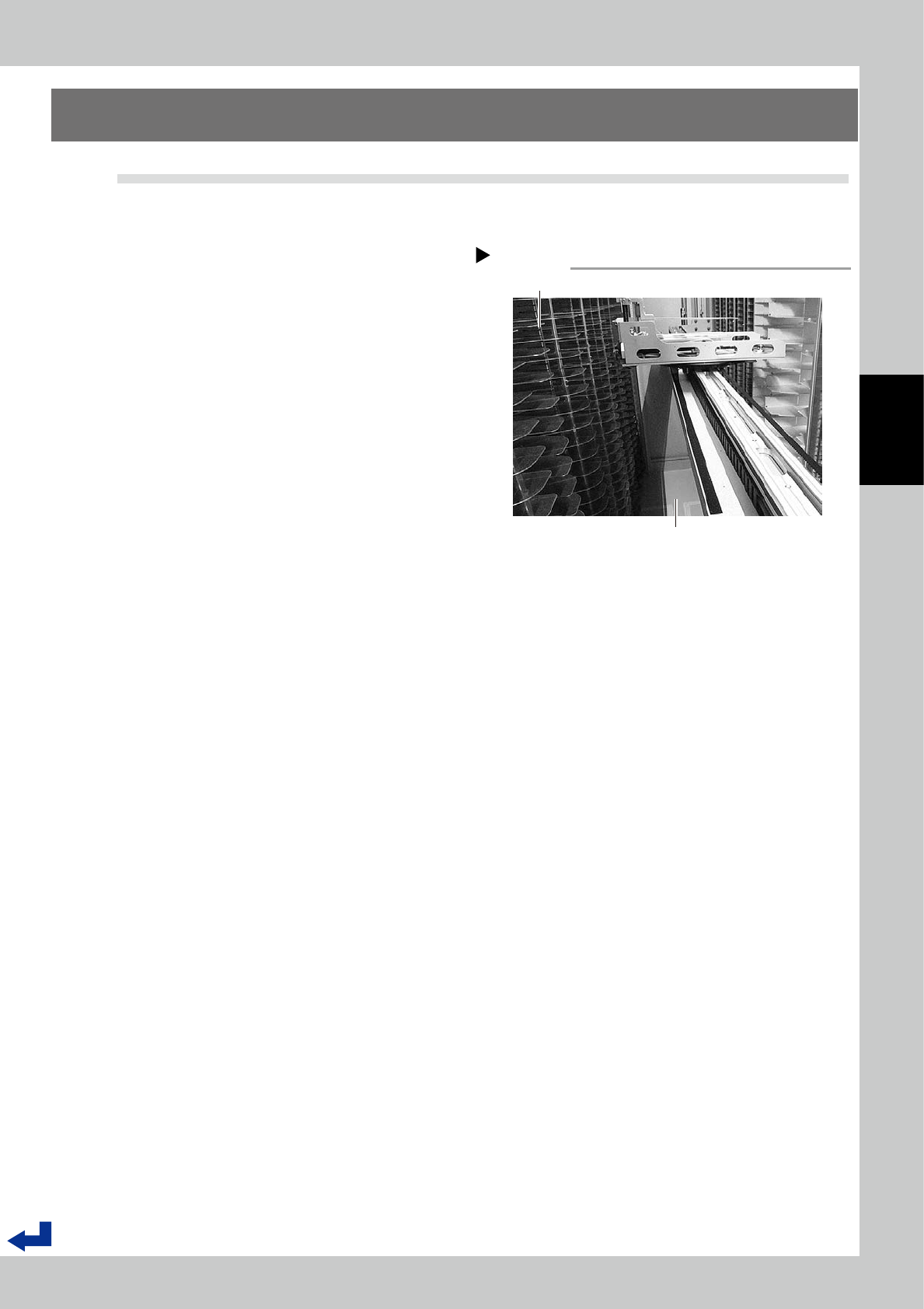
Visually check inside the machine.
Open a side door and enter the machine
inside. Visually check the shelves and floor in
the machine.
3
Clean inside the machine
Use vacuum cleaner to clean inside the
machine.
Inside the machine
Step 2
Shelves
Floor
53303-KMS-00
3-4
3
Yearly maintenance items
1.2 Cleaning reel detection sensors in loading/unloading area
1
Turn the machine off.
2
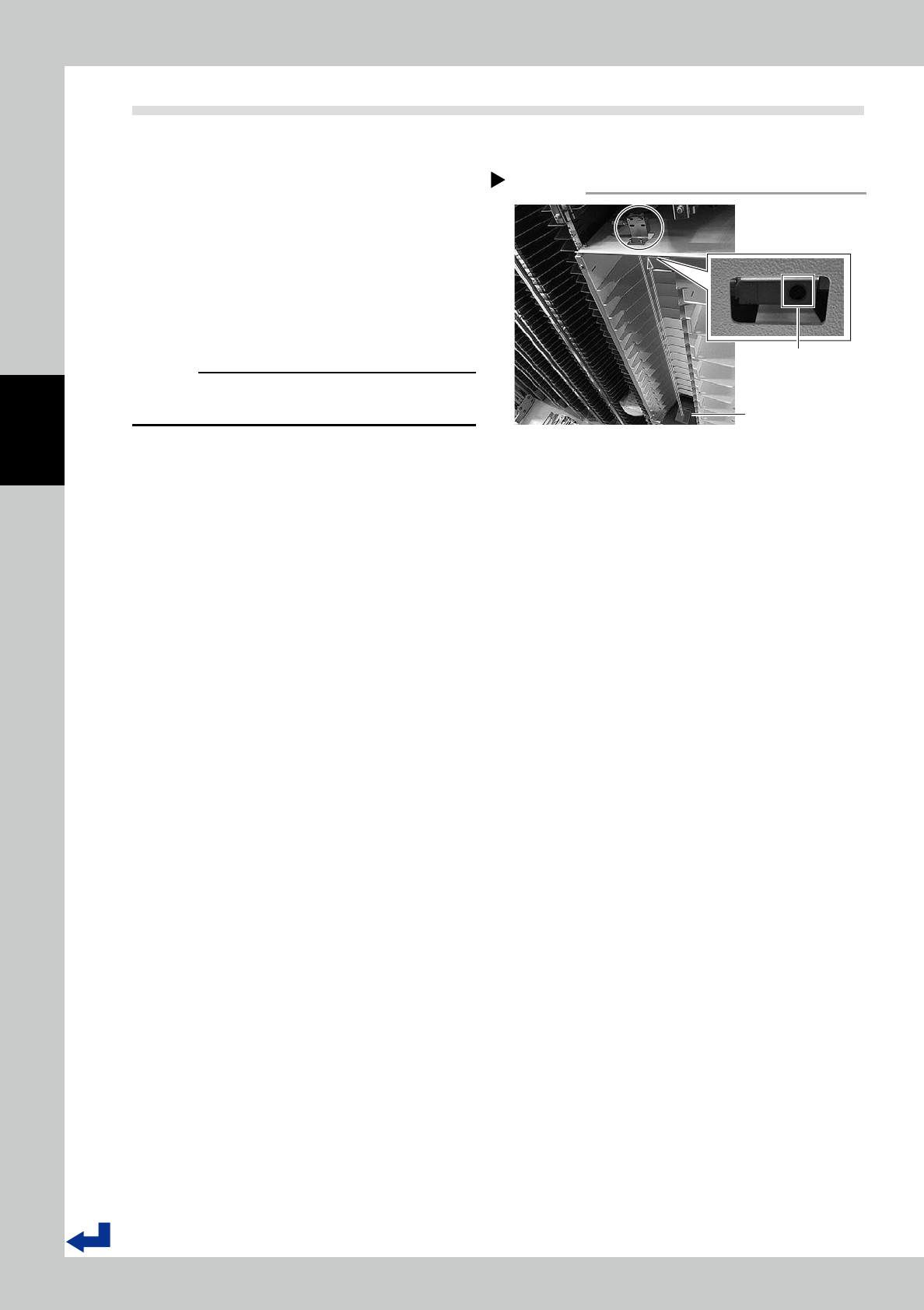
Clean the reel detection sensors
Open a side door and enter the machine.
Use dry soft cloth to clean two reel detec-
tion sensors at top of loading/unloading
area.
3
Clean reflectors.
Use dry soft cloth to clean two reflectors at
bottom of loading/unloading area.
c
CAUTION
Do not use alcohol for cleaning sensors and reflectors.
Using alcohol may damage sensors and reflectors.
Step 2,3
Reel detection sensors and reflectors
Two reflectors
To be cleaned
Two reel detection sensors
53304-KMS-00
3-5
3
Yearly maintenance items
1.3 Check the cables in the main control panel
1
Turn the machine off.
2
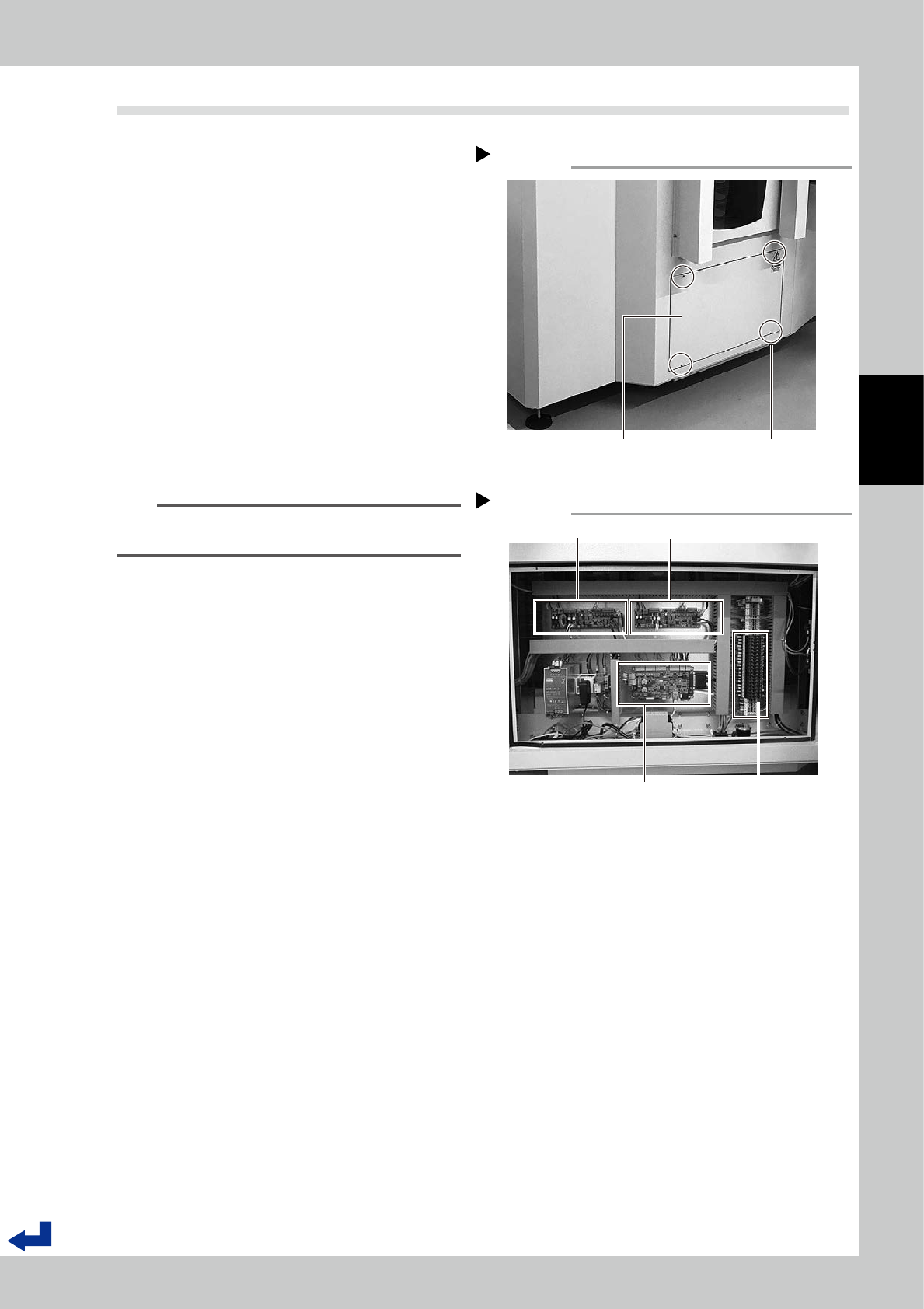
Detach the cover of the main
control panel.
Use a hex wrench (3mm) to remove four
bolts fixing the cover.
3
Check if connectors for all boards
are connected properly.
Check if connectors of the cables for Y-axis
control board, X-axis control board, and the
main control board.
4
Check fuses.
Visually check if fuses are not cut out.
5
Reattach the cover of the main
control panel.
n
NOTE
There is a ground cable on the cover.
Be careful not to pinch it when the cover reattached.
Main control cover
Step 2
Four bolts fixing coverCover
53305-KMS-00
Main control panel
Step 3
FusesMain control board
Y-axis control board
X-axis control board
53306-KMS-00