YST15_Users_E.pdf - 第24页
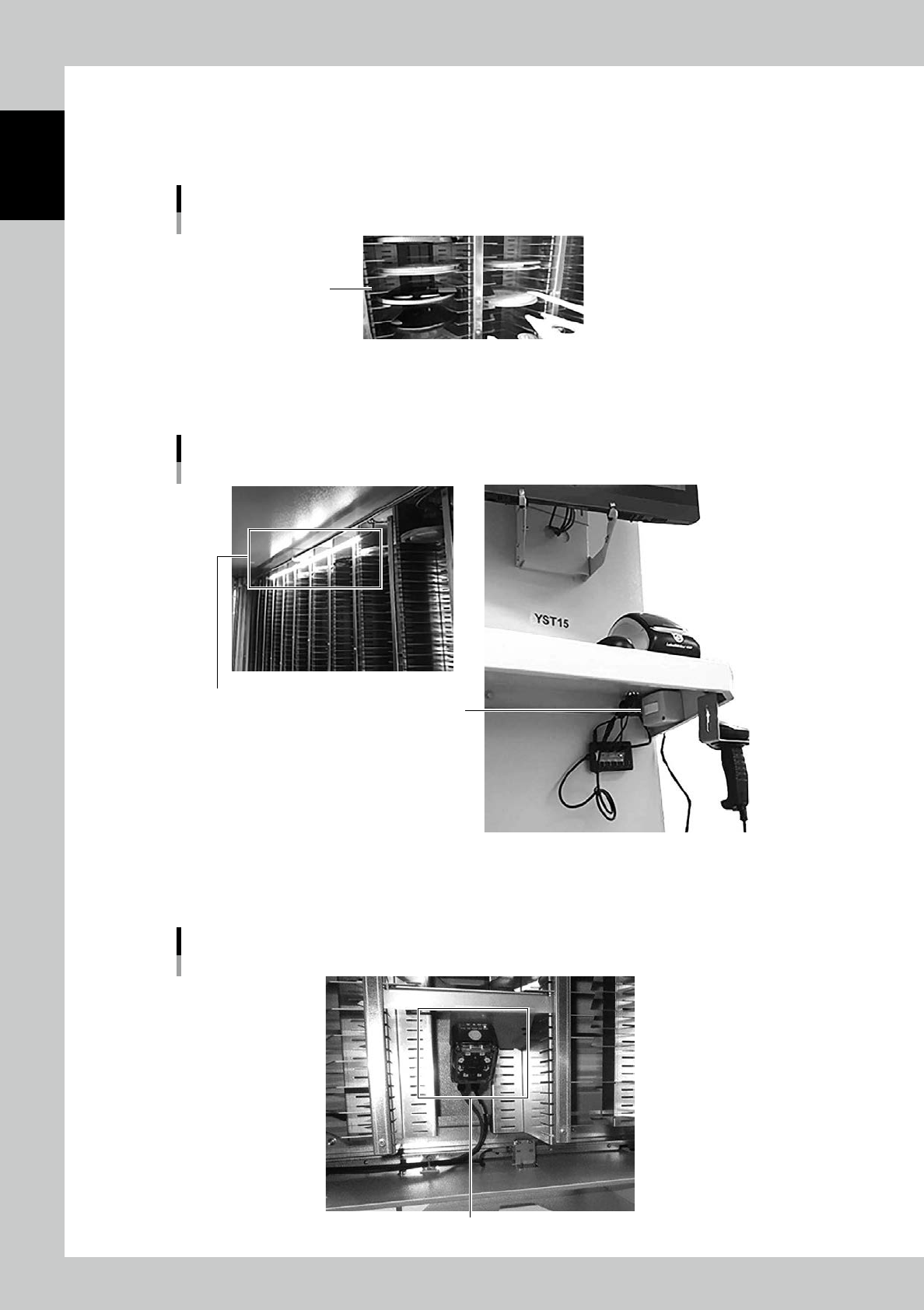
1-8 1 Unit names and functions Storage shelf T he position where eac h component in the storage shelf is stored is called “cell”. T he machine controls automatically w hich cell a component should be stored in, and store…
1-7
1
Unit names and functions
1.3 Inside
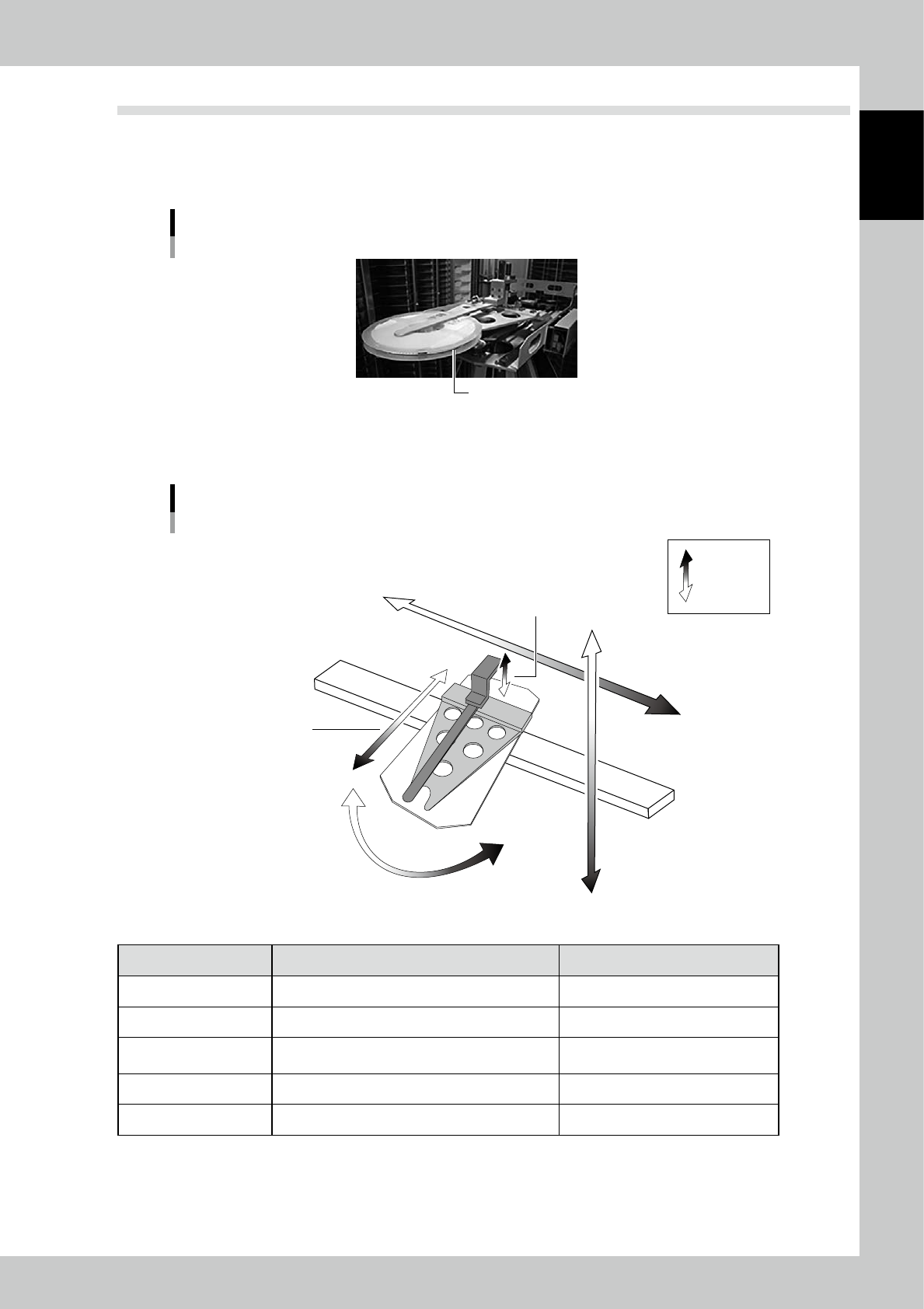
Handler
The handler can carry several sizes of reels.
Handler
Reel
23107-KMS-00
Axis
X-axis
Axis
Viewed from the machine front
Positive
Negative
Y-axis
Open/Close-axis
Delta-axis
(Rotation-axis)
Forward/Backward-axis
(Z-axis)
23108-KMS-00
Axis Handler movement Positive direction (+)
X Move horizontally to go to a cell. Rightward from the machine front.
Y Move vertically to go to a cell. Downward.
Forward/Backward (Z)
Move forward/backward to pick/place a component
to a cell.
Forward.
Open/Close Open/Close to grip/release a component on a cell. Open.
Delta (Rotation) Rotate to change direction of the handler. Counter clockwise viewed from upside.
1-8
1
Unit names and functions
Storage shelf
The position where each component in the storage shelf is stored is called “cell”.
The machine controls automatically which cell a component should be stored in, and store the component in the
specified cell.
Storage shelf
Cell
23109-KMS-00
Interior lighting
This is the lighting inside the machine. The switch of it is at right below the table of the machine front.
Interior lighting
Switch for lighting
Interior lighting
23110-KMS-00
Barcode reader
This scans barcodes attached to reels for management in the warehouse.
Barcode reader
Barcode reader
23111-KMS-00
1-9
1
Unit names and functions
1.4 Hygrometer and dehumidifier
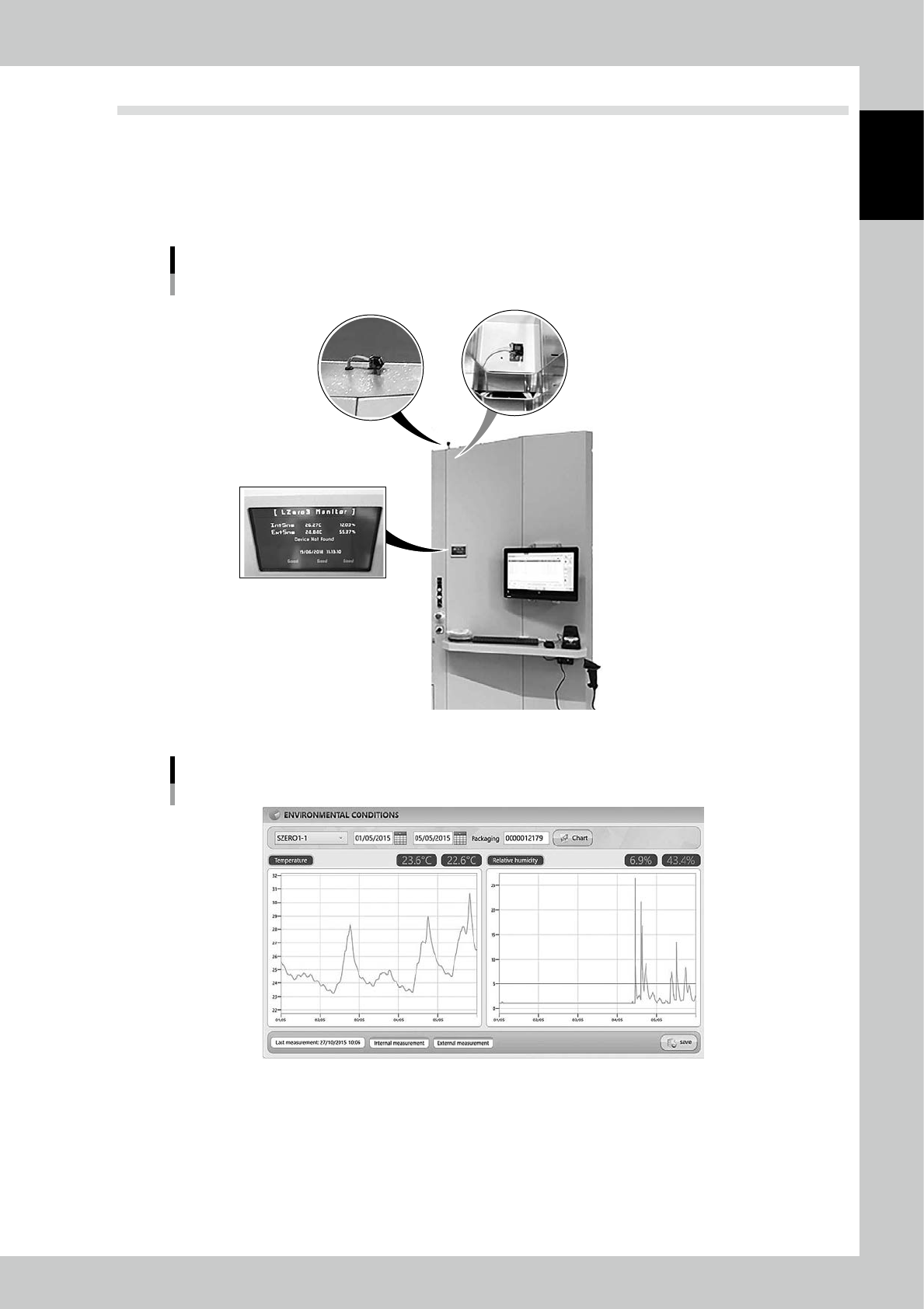
Hygrometer
The hygrometers, which are located the machine top and inside, monitors humidity inside/outside the machine.
The current value can be checked on the LCD monitor.
The history is shown as a graph in “CHART” function.
Hygrometer
Outside hygrometer Inside hygrometer
Hygrometer monitor
23112-KMS-00
"Chart" screen
24101-KMS-00