YST15_Users_E.pdf - 第130页
3-2 3 Replacing consumables 3 T ake out the paper roll. T ake out the roll holder by pulling it out, then take out the paper roll. 4 Put a ne w paper roll, 1. Put a new paper roll on the roll holder . Follow the arrow sh…
3-1
3
Replacing consumables
1. Replacing consumables
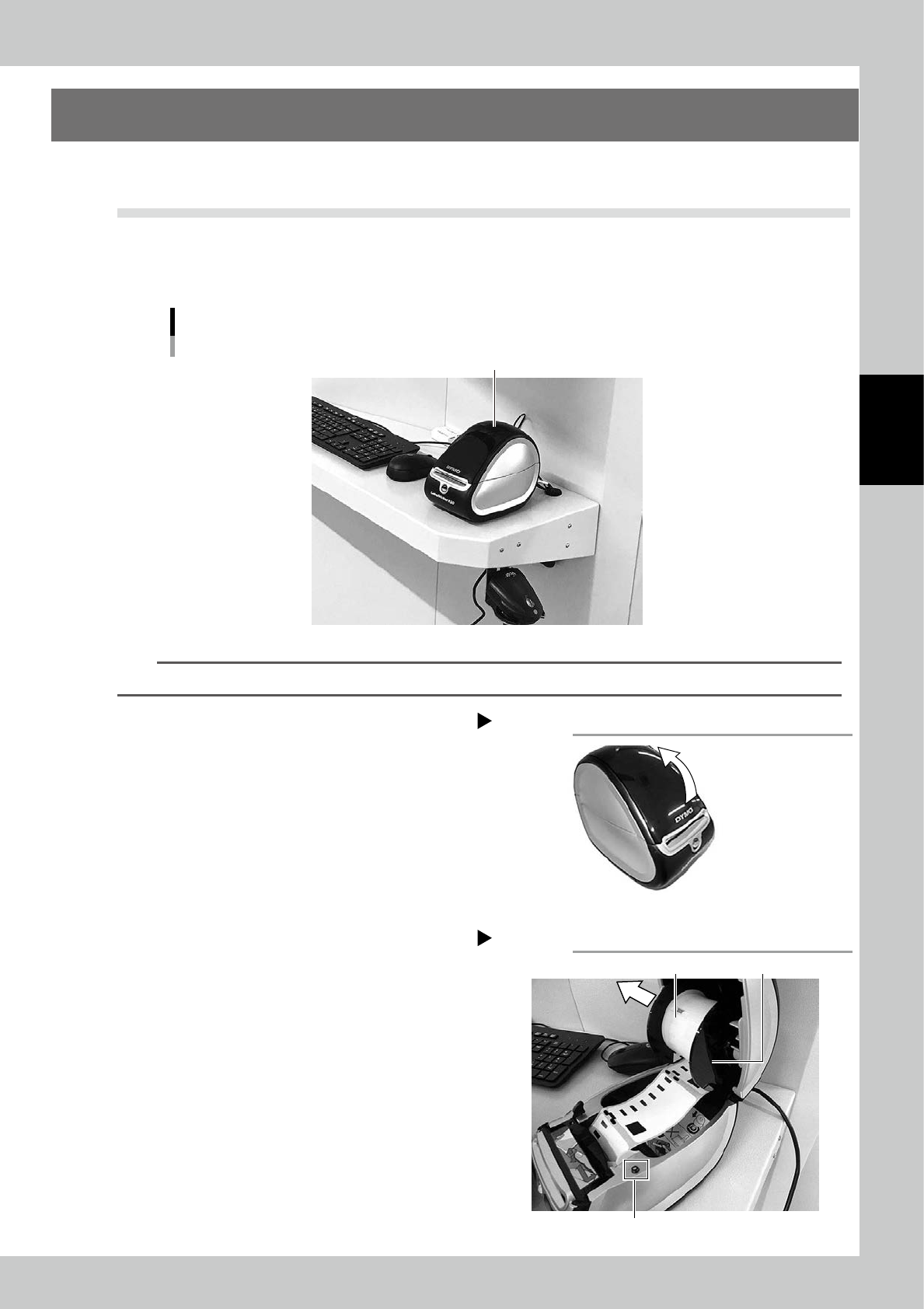
The procedure to refill the roll paper for the label printer is described.
1.1 Replacing the label printer paper
When packagings are loaded to the machine, it is required to register them and put the specified labels on
them.
The machine is equipped with the label printer.
Label printer
Label printer
23301-KMS-00
TIP
A roll paper can be used for approx. 300 labels.
1
Open the cover of the label printer.
2
Take out the empty roll.
1. If paper is pinched in exit with remained,
press "Roll-back" button to take paper
out..
2. Take out the roll.
Label printer cover
Step 1
23302-KMS-00
Take out the empty roll
Step 2
Roll holder
Roll-back button
Paper roll
23303-KMS-00
3-2
3
Replacing consumables
3
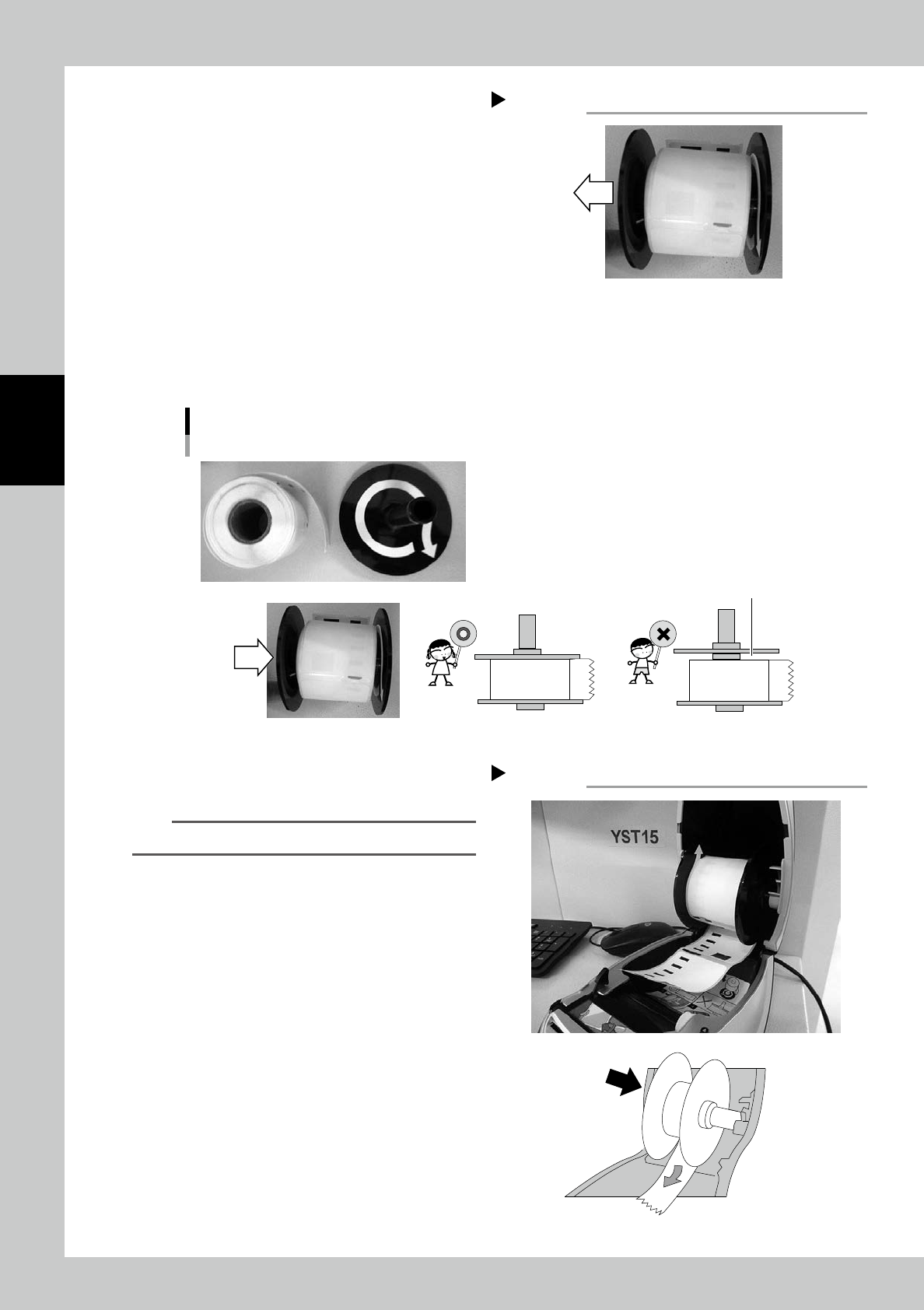
Take out the paper roll.
Take out the roll holder by pulling it out, then
take out the paper roll.
4
Put a new paper roll,
1. Put a new paper roll on the roll holder. Follow the arrow shown in the roll as its direction.
2. Put the roll holder back. Put it fully so that the roll can't rattle.
Put a new paper roll.
Put a new roll so that
the roll can't rattle.
23305-KMS-00
5
Put the roll back to the label
printer
n
Note
Be careful not to loose the roll paper.
Take out the paper roll
Step 3
23304-KMS-00
Put the roll back to the label printer
Step 5
23306-KMS-00
3-3
3
Replacing consumables
6
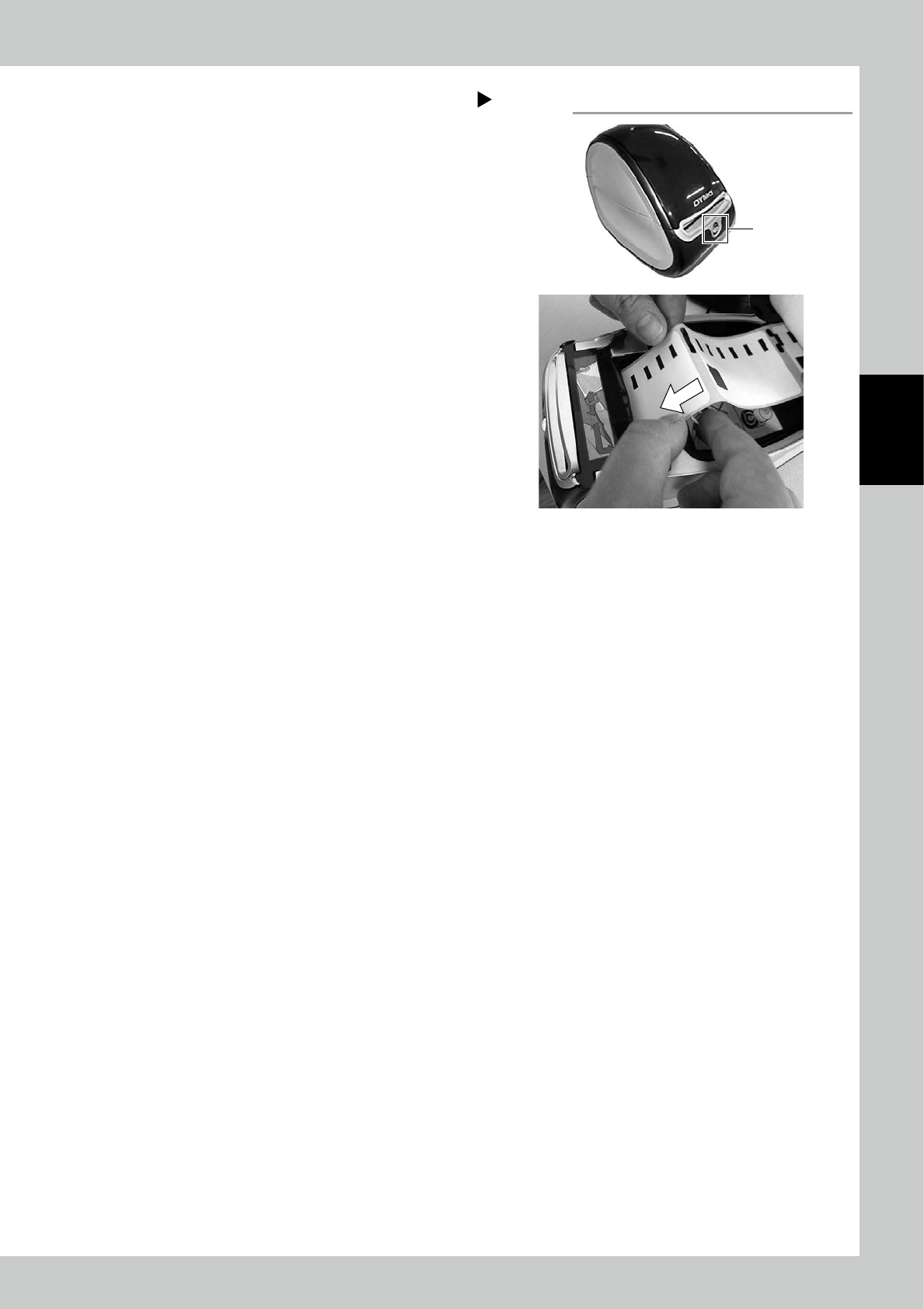
Adjust the position of the roll paper
end.
1. Press "Roll-out" button once and release
soon, then the indicator blinks blue.
2. Put the roll paper into exit, then the
paper automatically goes in.
The end of the roll paper are set on the
print waiting position.
Adjust the end of the roll paper
Roll-out button
Step 6
23307-KMS-00