YST15_Users_E.pdf - 第68页
2-40 2 Operation 3.3.4 Disable and remove packagings Setting "Disable" on packagings prev ents the machine from unloading the pac kagings. 1 Select the packaging. Select the packaging to be disabled. 2 Select &…
2-39
2
Operation
TIP
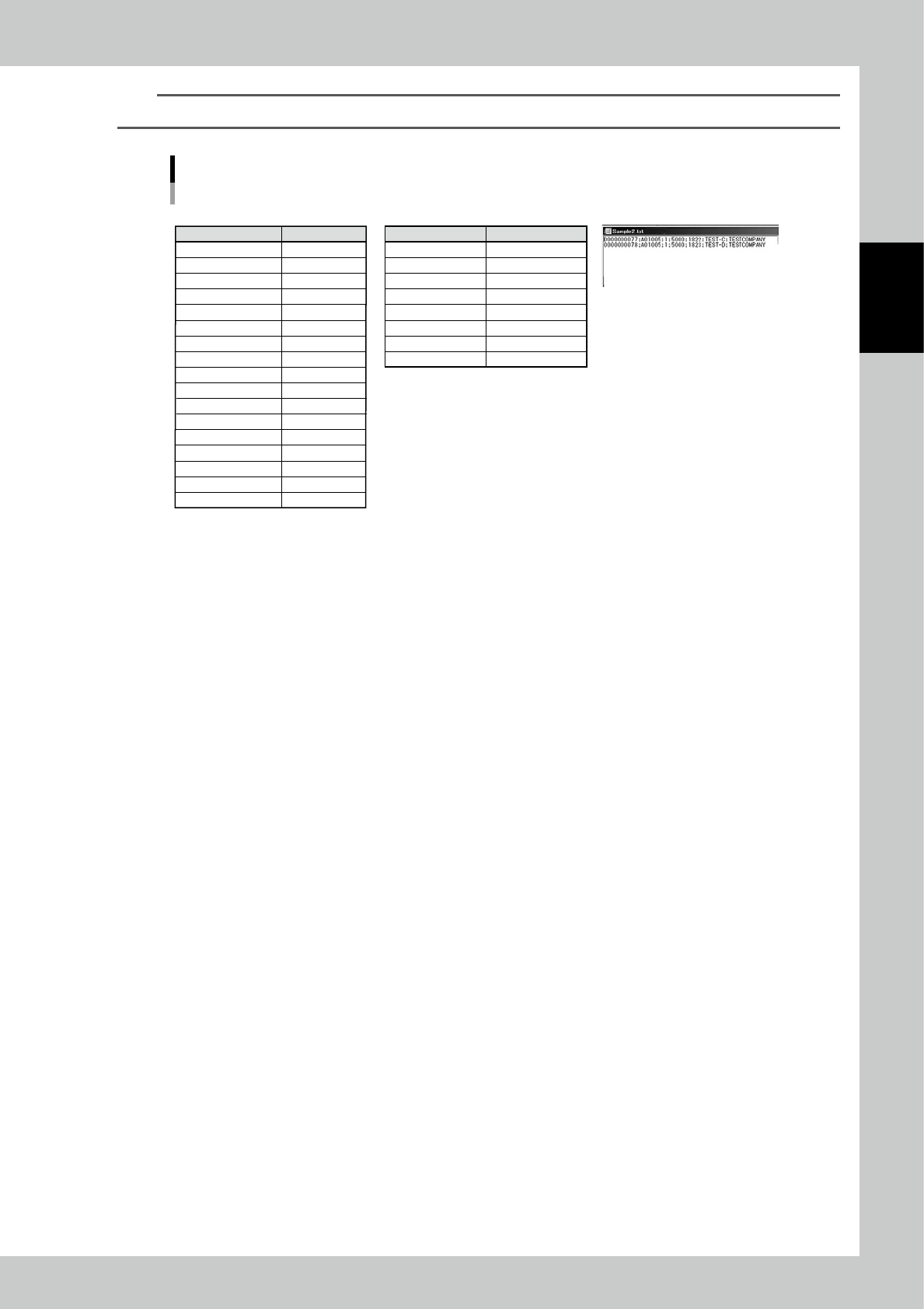
For example, two packagings are registered at once by importing the following file.
e.g. Two packagings are registered at once by importing the following file.
• IMPORT screen setting • Packagings to be registered • Import file in txt format
Content
Separator
Code
Item code
Packaging type
Quantity
Datecode
Partnumber
Manufacturer
Waste quantity
Lot number
Customer
Supplier
Delivery note
Phachase Order
Manufacturing
Expiration(months)
Packaging format
Column setting
;
Column 1
Column 2
Column 3
Column 4
Column 5
Column 6
Column 7
No import
No import
No import
No import
No import
No import
No import
No import
No import
Packaging A
;
0000000077
A01005
1
5000
1822
TEST-C
TESTCOMPANY
Packaging B
;
0000000078
A01005
1
5000
1823
TEST-D
TESTCOMPANY
23214-KMS-00
2-40
2
Operation
3.3.4 Disable and remove packagings
Setting "Disable" on packagings prevents the machine from unloading the packagings.
1
Select the packaging.
Select the packaging to be disabled.
2
Select "Disable".
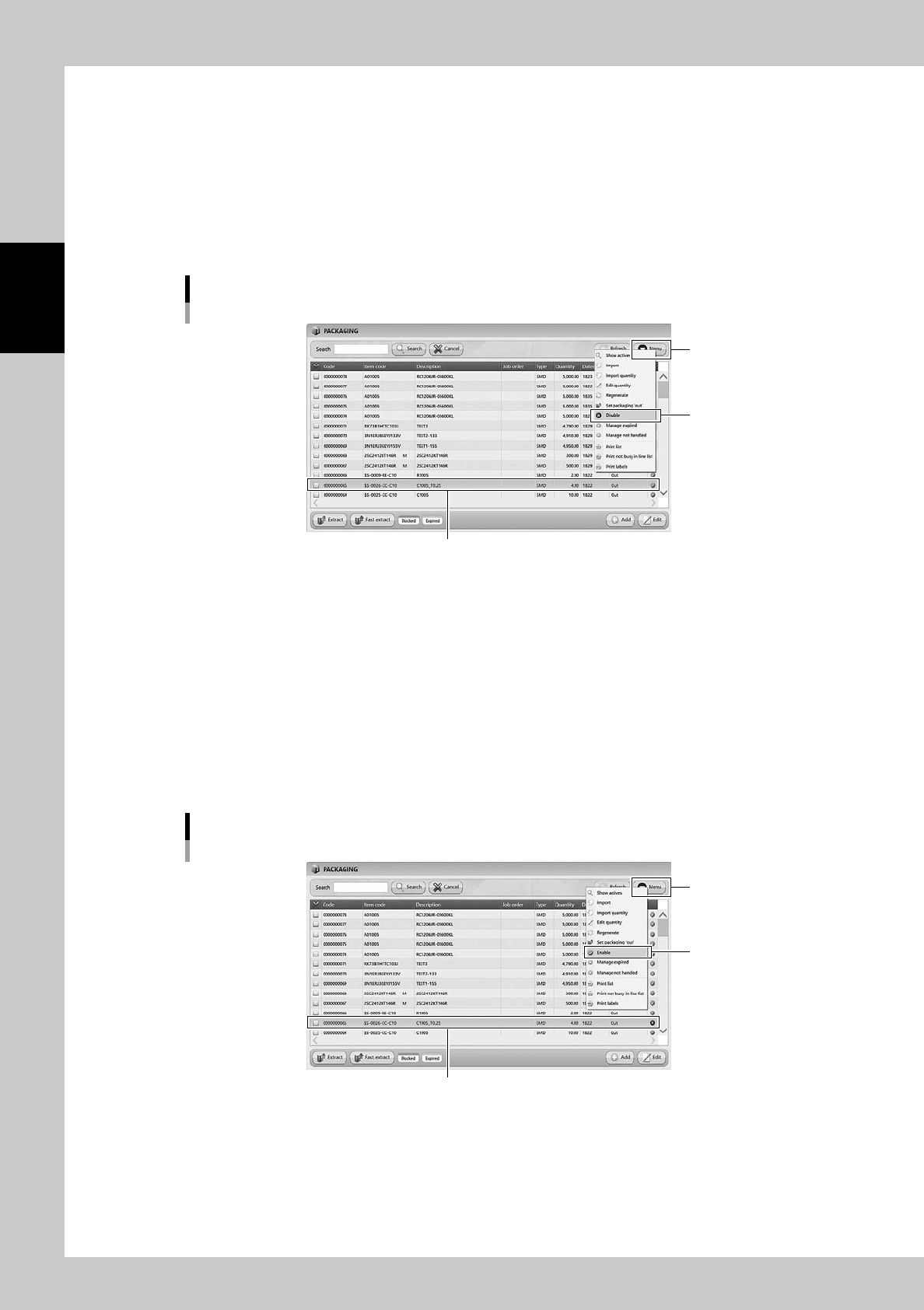
Select "Disable" in Menu, then the selected packaging becomes "Disable" and hidden from the list.
Disable setting for packagings
[Menu] button
Select the packaging
“Disable”
24243-KMS-00
n
The case it is required to use the disabled packaging.
1
Display all the packagings.
Select "Show All" in Menu, then all the packagings including disabled packagings are displayed.
2
Select the packaging.
Select the required packaging.
3
Select "Enable".
Select "Enable" in Menu, then the selected packaging becomes enabled.
Enable setting for packagings
[Menu] button
Select the packaging
“Enable”
24244-KMS-00
2-41
2
Operation
TIP
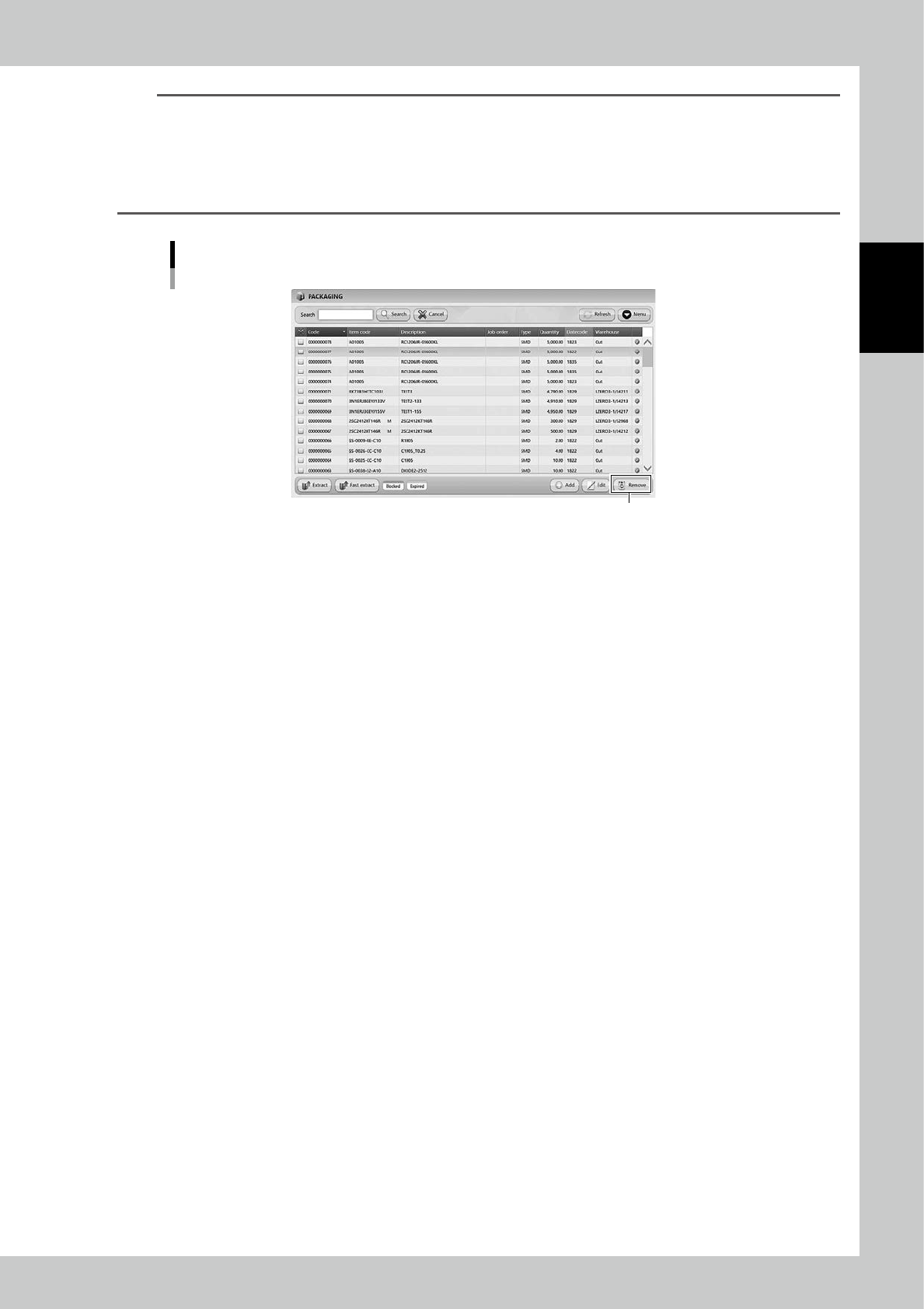
[Remove] button
[Remove] button is displayed only for engineer authority.
Select a packaging and press [Remove], then the packaging is removed.
Packagings which are removed once are not able to be registered again, and the histories of them are also removed
in traceability.
DO NOT remove any registered packagings basically.
[Remove] button
[Remove] button
24245-KMS-00