YST15_Users_E.pdf - 第51页
2-23 2 Operation 3 Pr ess [Browse] button to select the import file. Select the import file Select the import file [Open] button [Browse] button 24220-KMS-00 n NOTE Select the format from txt, csv or xml, depending on th…
2-22
2
Operation
3.2.3 Register items by import function
Registering items at once by import function is described.
1
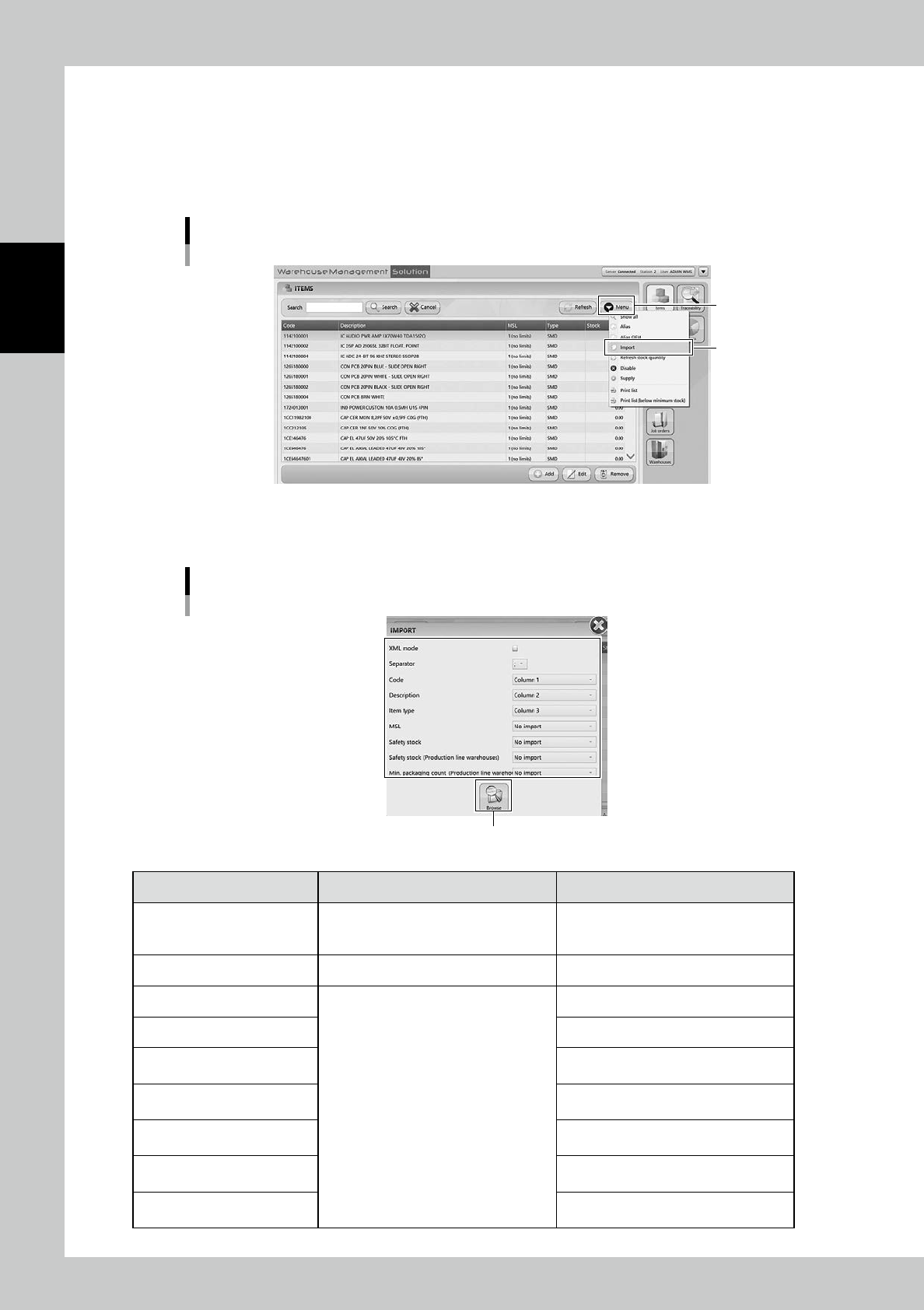
Open "IMPORT" screen.
Select "Import" in Menu, then "IMPORT" screen appears.
Import menu
“Import”
[Menu] button
24218-KMS-00
2
Select the file format in "IMPORT" screen.
"IMPORT" screen
[Browse] buton
24219-KMS-00
Content Setting Description
XML Mode
If the import file is XML format, tick here
although normally import files are TXT or
CSV format.
Separator Set separator, in ";", ":", "," or ".".
Code
Select which column is corresponded to
each content for registration.
Input its item name.
Description Input detailed explanation of it.
Item Type
Select its item type SMD (Surface mount
device) or TH (Through hole part)
.
MSL
Select its moisture sensitive level based
on IPC/JEDEC’s J-STD-20.
Safety Stock
Input the safety stock for the entire
factory.
Safety stock
(Production line warehouses)
Input the safety stock for YST15.
Min. packaging count
(Production line warehouses)
Input the minimum quantity of the required
packaging for a production line.
2-23
2
Operation
3
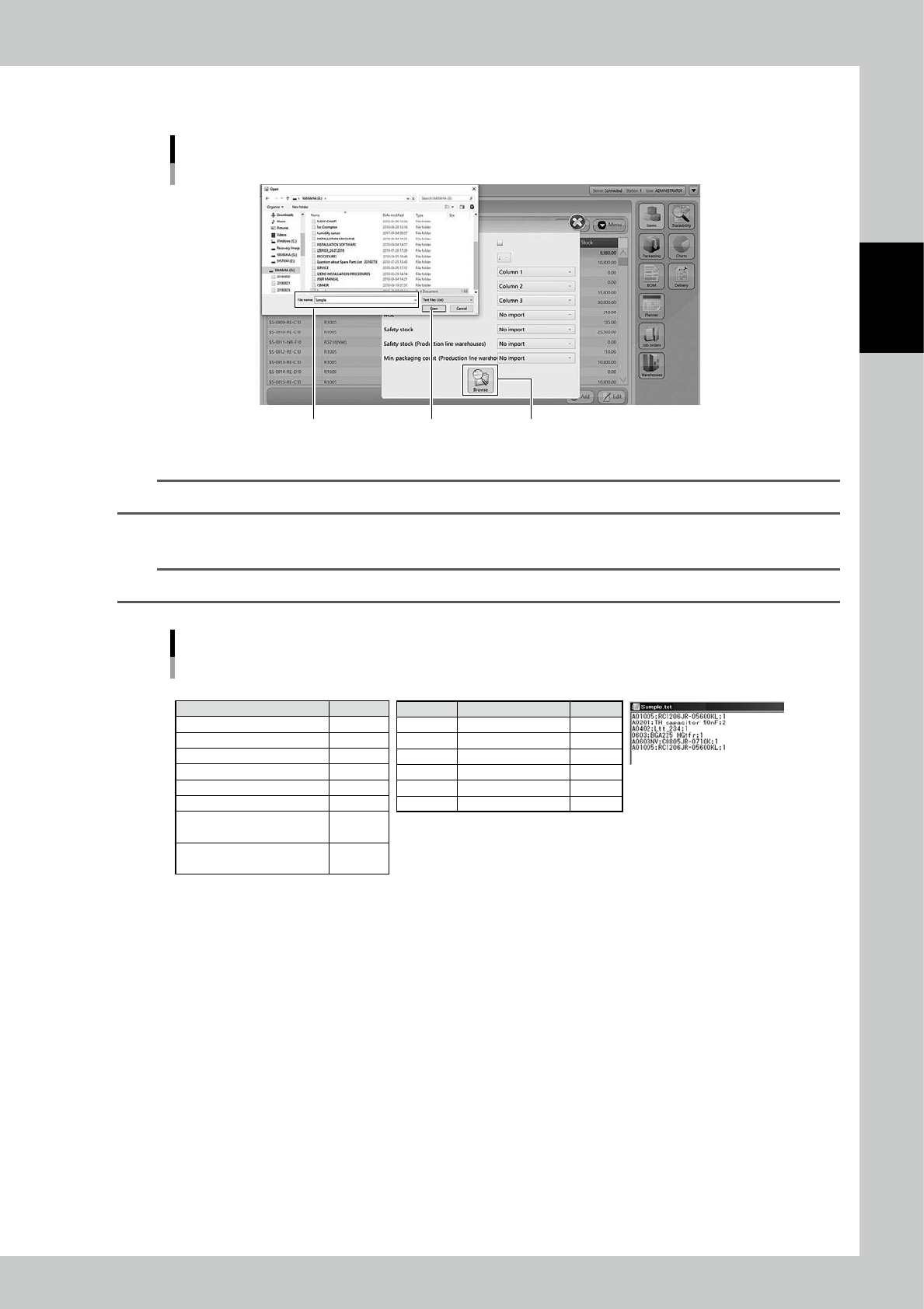
Press [Browse] button to select the import file.
Select the import file
Select the import file
[Open] button [Browse] button
24220-KMS-00
n
NOTE
Select the format from txt, csv or xml, depending on the import file format.
4
Press [Open] button to register items.
TIP
For example, six items are registered by the the following file.
e.g. Six items are registered by the the following file.
• Setting for "IMPORT" screen • The details of items • Import file in txt format
XML Mode
Separator
Code
Description
Item Type
MSL
Safety Stock
"Safety stock
(Production line warehouses)"
"Min. packaging count
(Production line warehouses)"
N/A
;
Column 1
Column 2
Column 3
No import
No import
No import
No import
Code
A01005
A0201
A0402
A0603
A0603NV
A01005
Description
RC1206JR-05600KL
TH capacitor 50nF
Ltt_234
BGA225 HGtfr
RC0805JR-0710K
RC1206JR-05600KL
Item type
1
2
1
1
1
1
23210-KMS-00
2-24
2
Operation
3.2.4 Disable and remove items
Set "Disable"on items so that the machine can't unload the items.
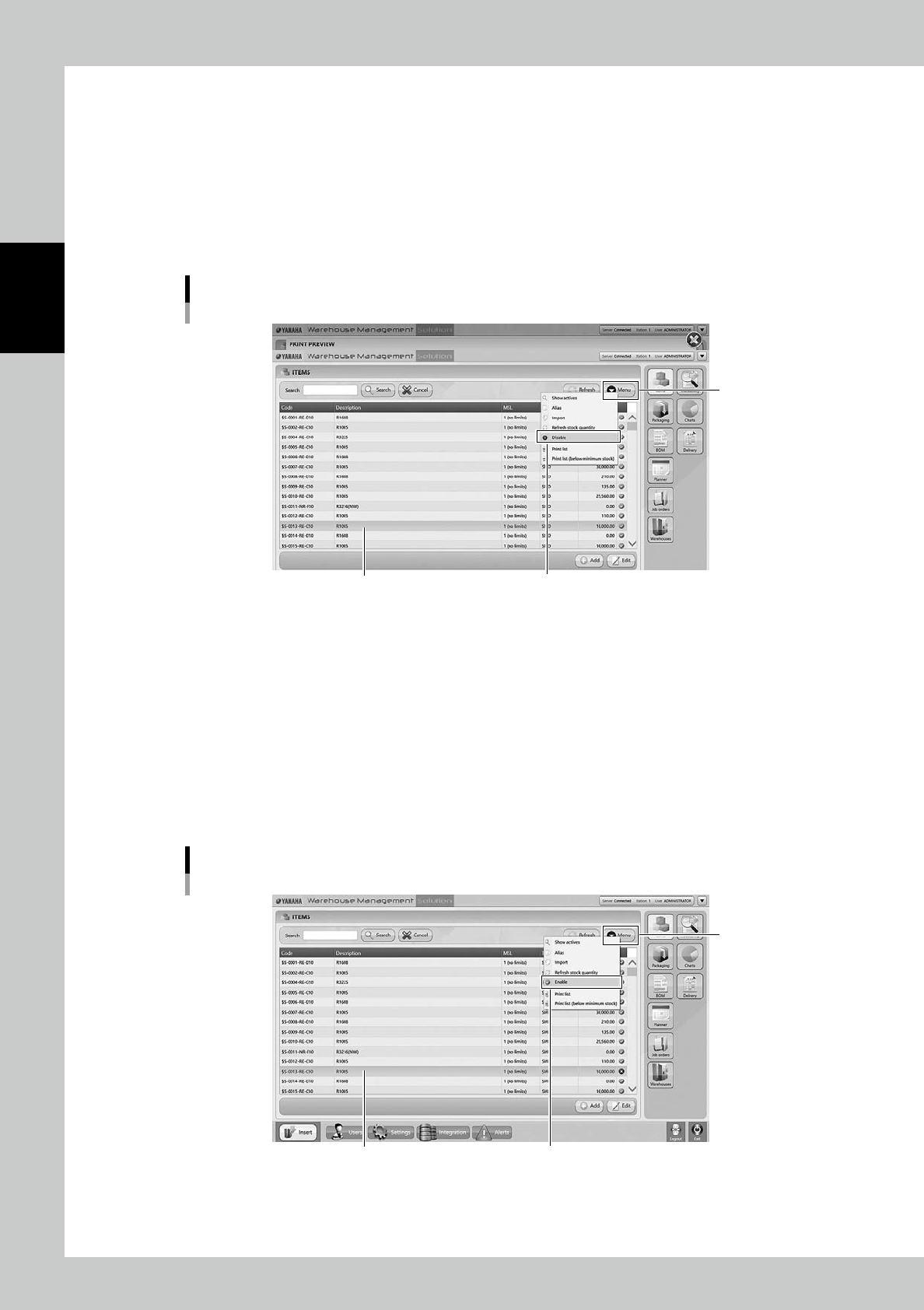
1
Select the item.
Select the item to be disabled.
2
Select "Disable".
Select "Disable" in Menu, then the selected item becomes disabled and hidden from the list.
Disable setting for items
Select the item
“Disable”
[Menu] button
24221-KMS-00
n
The case it is required to use the disabled item.
1
Show all items.
Select "Show All" in Menu, then all items including disabled items are displayed.
2
Select the item.
Select the required item.
3
Select "Enable".
Select "Enable" in Menu, then the selected item becomes enabled.
Enable setting for items
Select the item
“Enable”
[Menu] button
24222-KMS-00