YST15_Users_E.pdf - 第117页
2-89 2 Operation 3.9.4 Lots T raceability Lots traceability can be used if lot numbers are input w hen packagings are registered. F or example, it is possible to search packagings based on the lot number in the case suc …
2-88
2
Operation
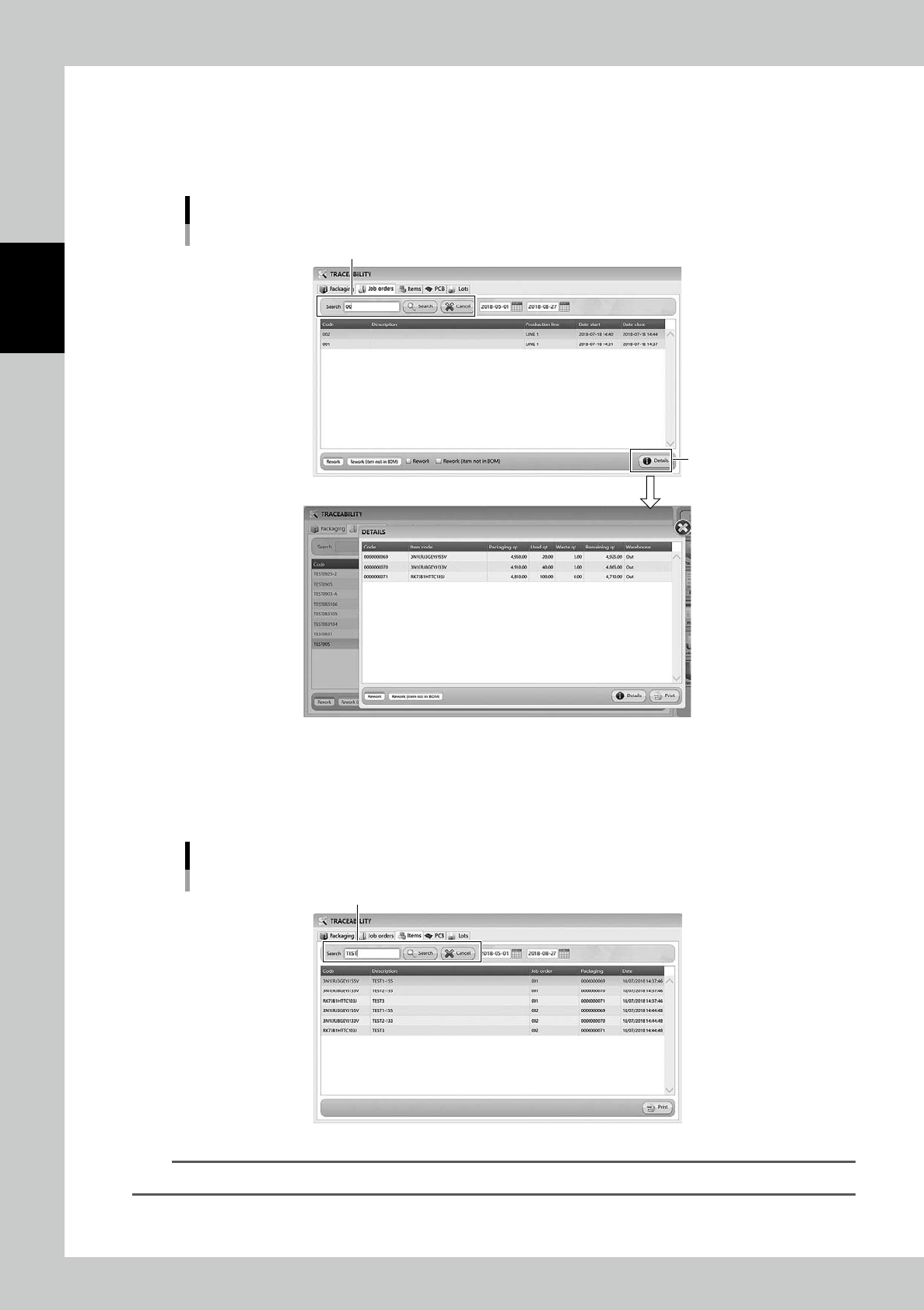
3.9.2 Job Order traceability
Input the closed job order code and press [Search] button, then the history of loading/unloading the packaging
in the specified period is displayed.
[Details] button shows the details of the selected packaging.
"Job Orders" tab
Details
[Detail] button
Input Job order code
242B0-KMS-00
3.9.3 Item traceability
Input Code or Description of an item to display the history of Item associated with the item in the specified
period.
"Item" tab
Input Code or Description.
242B1-KMS-00
TIP
[Print] button list the history.
2-89
2
Operation
3.9.4 Lots Traceability
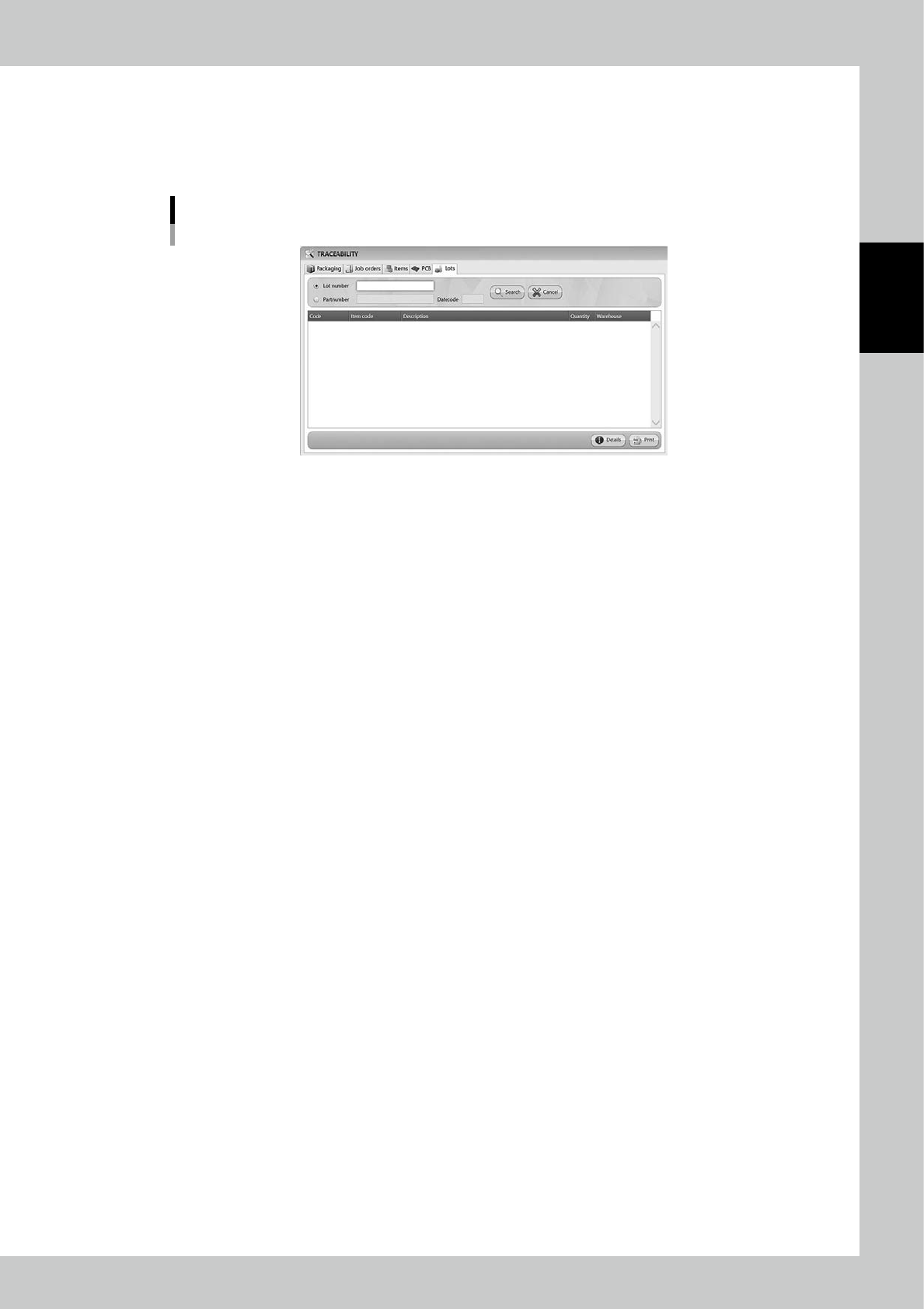
Lots traceability can be used if lot numbers are input when packagings are registered.
For example, it is possible to search packagings based on the lot number in the case such as some items are
found being malfunction.
Lots Traceability
242C5-KMS-00
2-90
2
Operation
3.10 Charts
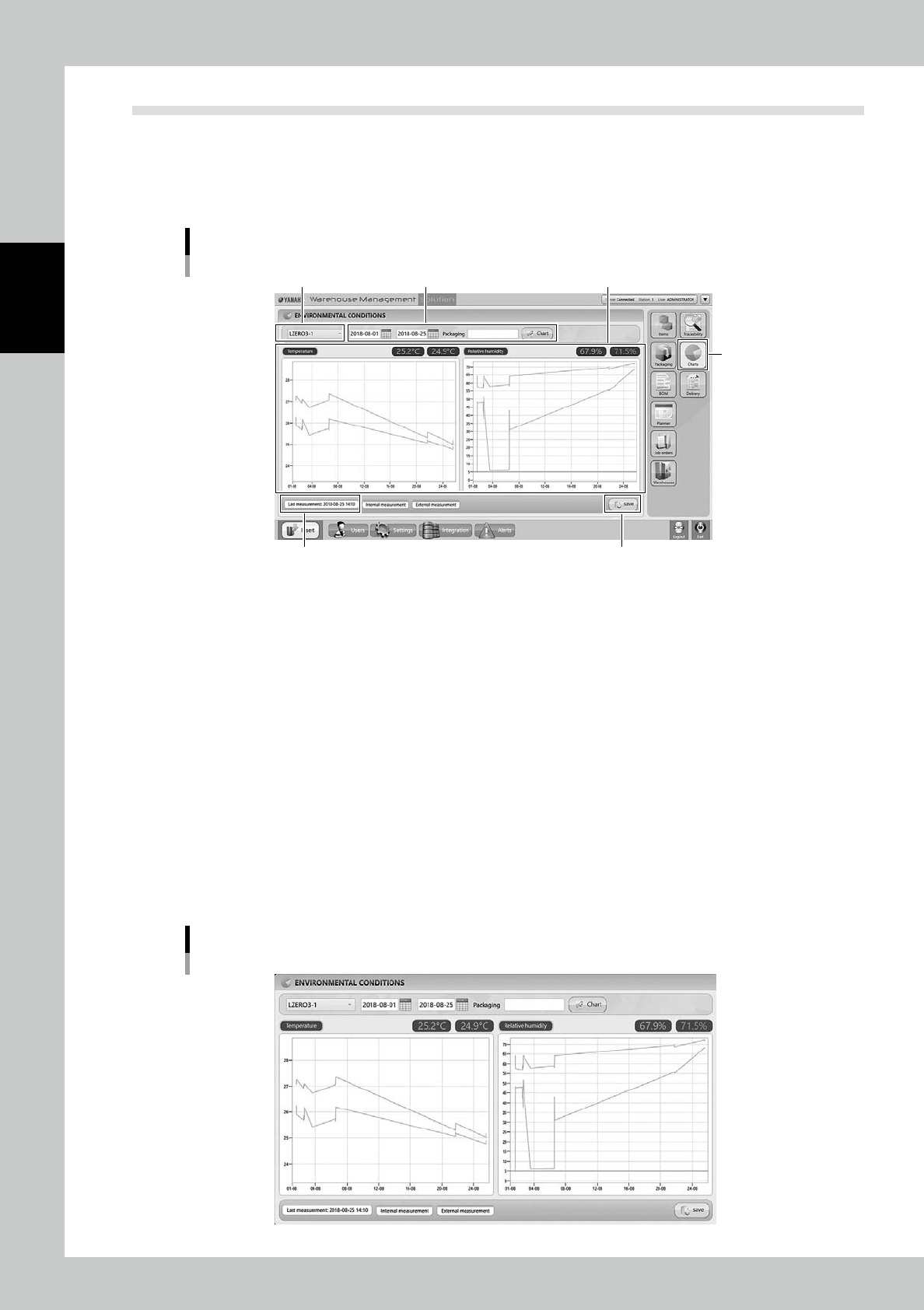
[Charts] button opens "ENVIRONMENTAL CONDITIONS" screen which shows the temperature and the humid-
ity inside/outside of the machine.
3.10.1 ENVIRONMENTAL CONDITIONS screen
"ENVIRONMENTAL CONDITIONS" screen
[Save] button
[Charts] button
Last Measurement
Machine Chart setting Charts
242B2-KMS-00
Temperature and humidity charts
The temperature chart is on left, and the humidity chart is on right.Green line is for inside the machine, gray line is for
outside.
Machine
If there are multiple YST15s, it is possible to switch the machine shown here.
Chart setting
It is possible to show charts in the specified period.
Input the start time in left and the end time in right, then press [Chart] button to show the charts for the duration.
Input a packaging number into "Packaging" column, and press [Chart], then the chart shows about the packaging from
loaded to unloaded.
Last Measurement
It shows the time when the temperature and the humidity are monitored last.
[Save] button
This button captures the present screen and saves it in jpg format. Specify the file name and the folder to be saved.
Captured screen
242B3-KMS-00