YST15_Users_E.pdf - 第37页
2-9 2 Operation 2. Managing item packagings in YST15 2.1 Over view of Items/Packaging/B.O.M/Job Orders YST15 manages the inventory for eac h item packaging-by-packaging. P ackagings can be unloaded one b y one manually ,…
2-8
2
Operation
4
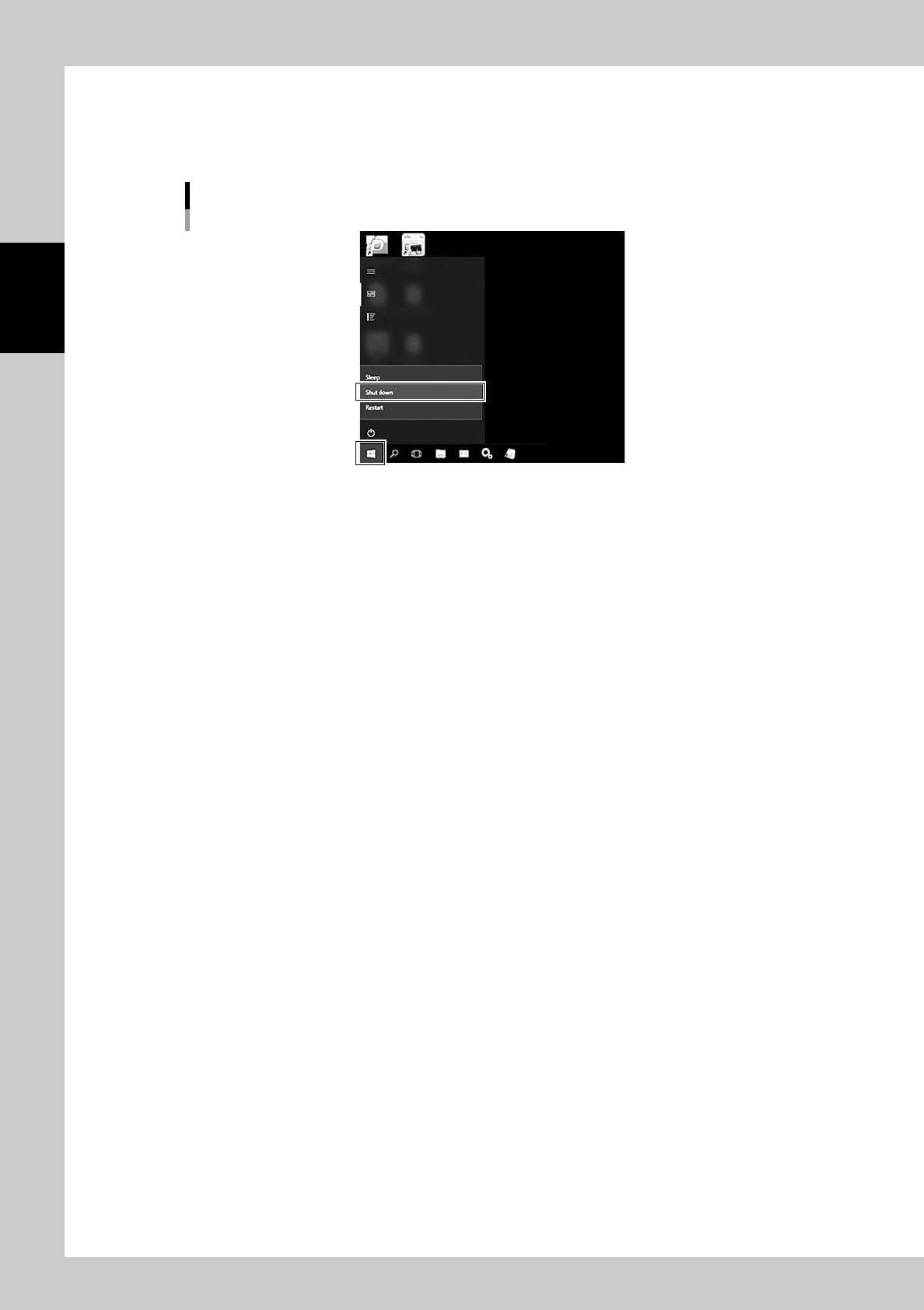
Shut down the touch screen monitor.
1. Left click Menu button at bottom left in the screen.
2. Select "Shut Down", then touch screen monitor closes its operating system and it is turned off.
Shutdown menu
24205-KMS-00
5
Turn off Main switch.
Confirm the touch screen monitor is powered off, turn the main switch to 0 from 1.
2-9
2
Operation
2. Managing item packagings in YST15
2.1 Overview of Items/Packaging/B.O.M/Job Orders
YST15 manages the inventory for each item packaging-by-packaging.
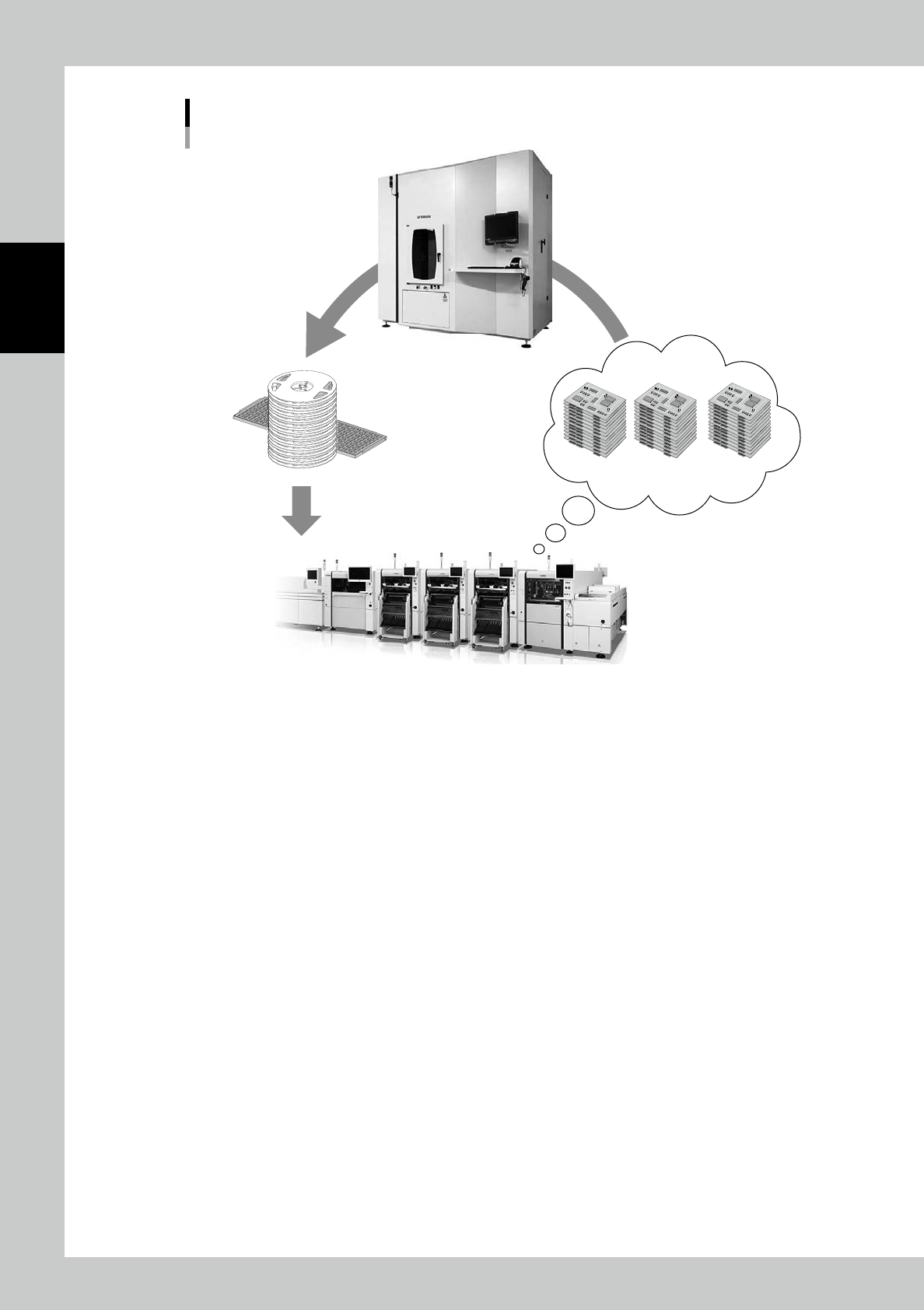
Packagings can be unloaded one by one manually, and they can also be unloaded according to Job order
which has information about required items and their quantities to produce some quantities of boards.
Item Contents
Item Details of items are registered.
Packaging Item quantities and types of packagings stored in YST15 are registered.
BOM (Bill of Materials)
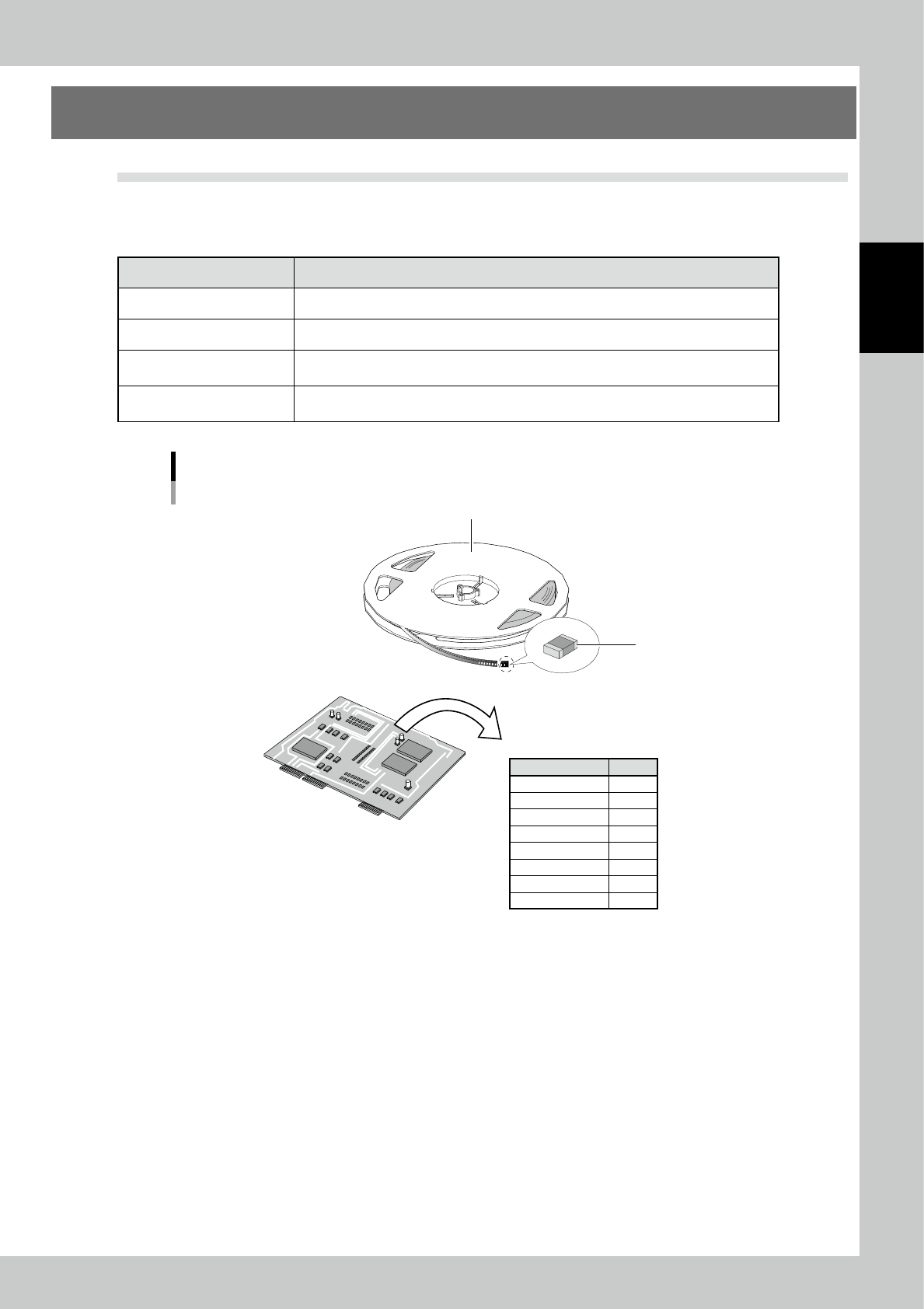
The items and their quantities, which are required to produce a board as a product, are
registered.
Job Order
The quantities of boards to be produced, the required types of packagings, and the
required quantities of packagings are listed in according to production plans.
Items, Packagings and B.O.M
Item
Items
Components A
Components B
Components C
Components D
Components E
Components F
Components G
Components H
Qty
5
10
1
22
5
2
3
4
B.O.M
Packaging
23206-KMS-00
2-10
2
Operation
Job Order
Production plan
Unload
23207-KMS-00