YST15_Users_E.pdf - 第93页
2-65 2 Operation 3.6.4 Unload packagings by a job order T he following work flow is the procedure to unload pac kagings by a job order . First, judge the production feasibility about the selected job order based on the s…
2-64
2
Operation
4
Press [Open] button to create the job order.
TIP
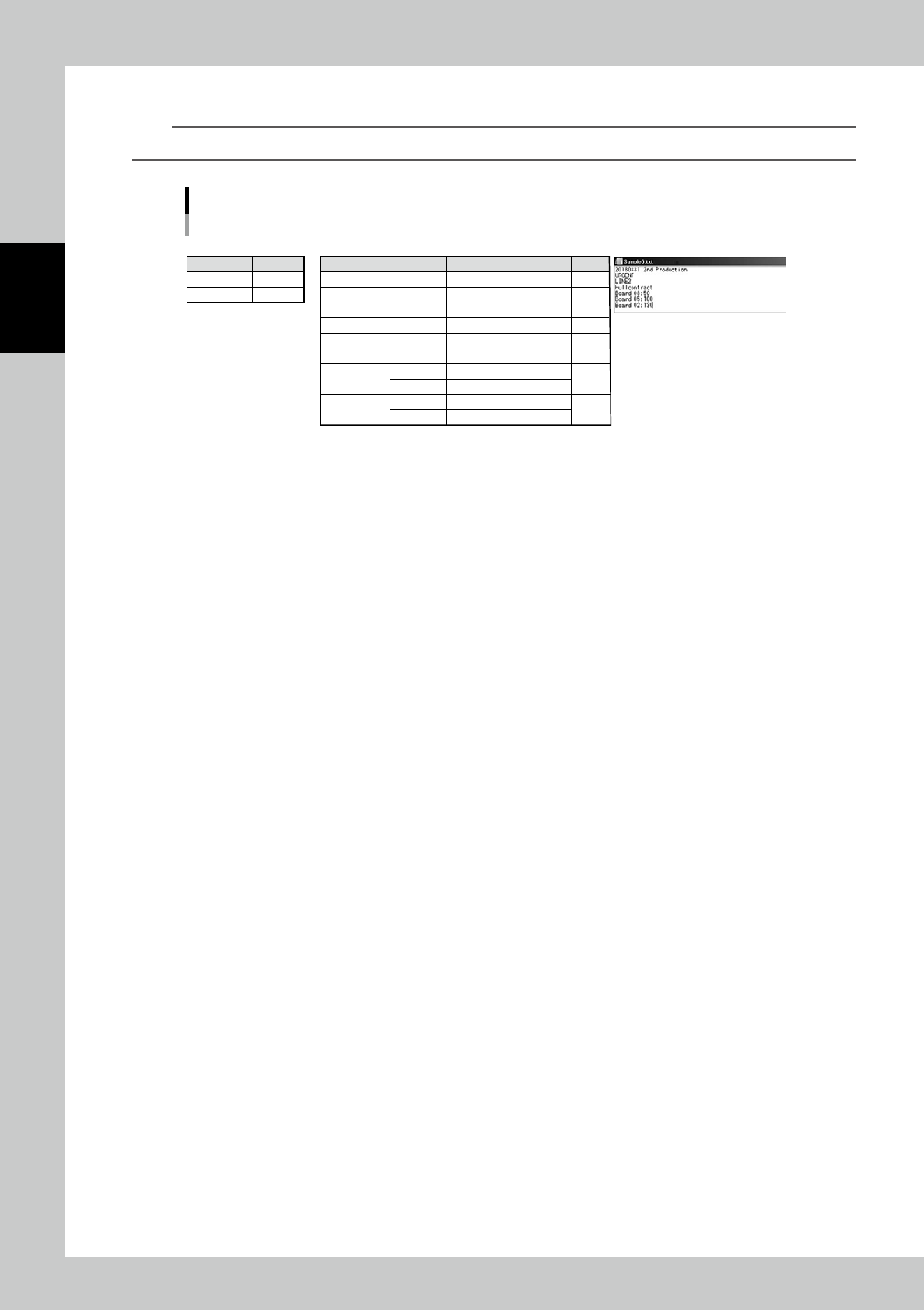
For example, a job order, which includes three types of BOMs, is registered by importing the following file.
e.g. Job order which includes three types of BOMs is registered by importing the following file.
• Setting in "IMPORT" screen
• Job order to be created • Import file in txt format
Contents
XML files
Separator
Contents
N/A
;
Contents
Code
DESCRIPTION
PRODCTION LINE
MANUFACTURING
"BOM
information1"
"BOM
information2"
"BOM
information3"
BOM Code
Quantity
BOM Code
Quantity
BOM Code
Quantity
Setting
20180831 2nd Production
URGENT
LINE2
Fullcontract
Board 08
50
Board 05
100
Board 02
130
Line
Line1
Line2
Line3
Line4
Line5
Line6
Line7
23220-KMS-00
2-65
2
Operation
3.6.4 Unload packagings by a job order
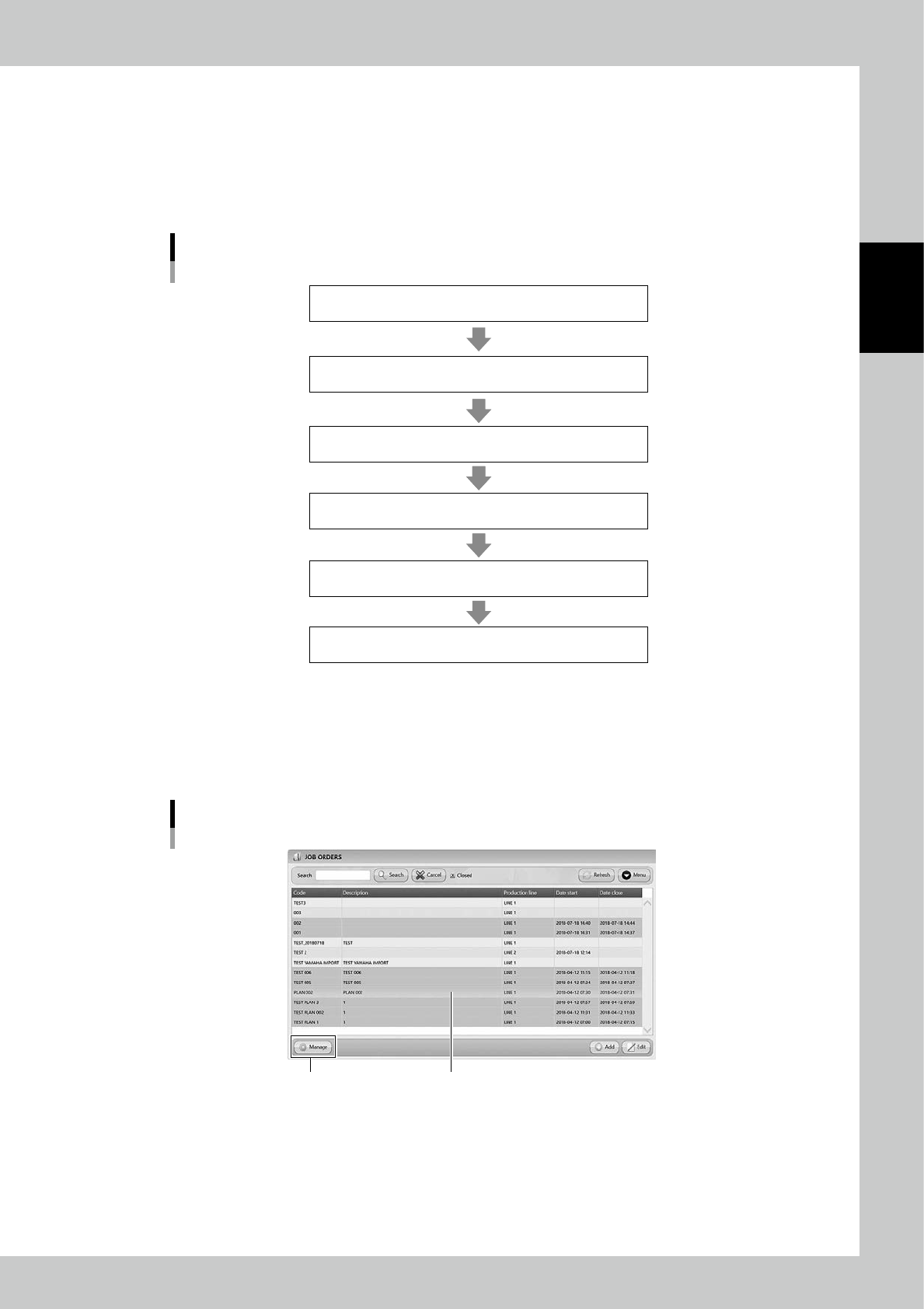
The following work flow is the procedure to unload packagings by a job order.
First, judge the production feasibility about the selected job order based on the stock in YST15.
Then, start the job order to unload the packagings.
Finally, after the production, closing the job order manages the quantities of packagings with reducing the
quantities of those which are used in the production.
Work flow
Create the job order based on the BOMs and the Production plan.
1. [Analyze] Analyze the production feasibility
by the stock of the machine.
2. [Start] Start the job order
3. [Extract] Unload the packagings
4. Production
5. [Close] Close the job order
23221-KMS-00
1
Open "MANAGE" screen.
1. Select the job order.
2. Press [Manage] at bottom lefr to open "MANAGE" screen.
"JOB ORDERS" screen
[Manage] button
Select the job order
24275-KMS-00
2-66
2
Operation
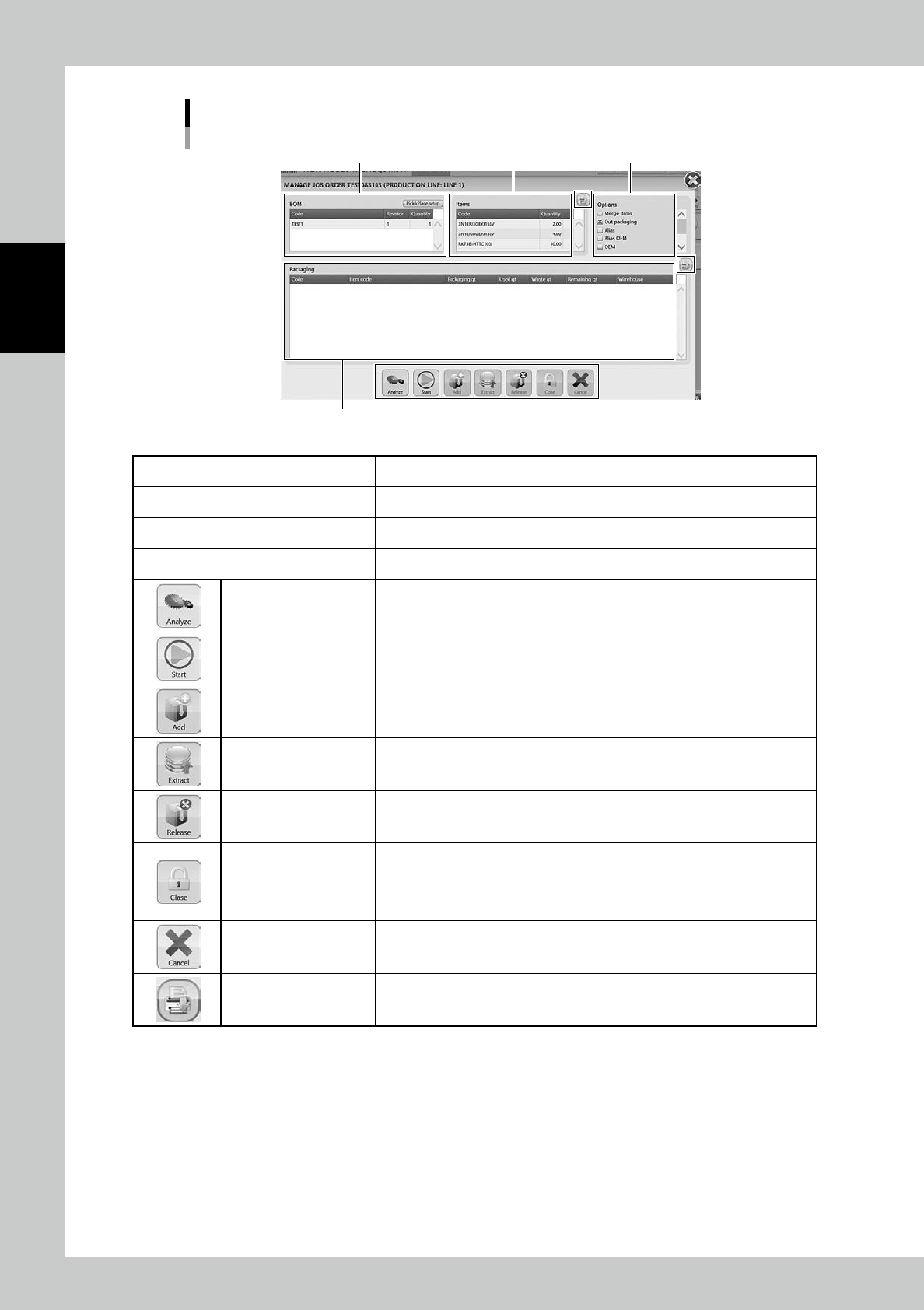
"MANAGE" screen
"BOM" table Analysis options
"Packaging " table
"Items" table
24276-KMS-00
BOM table BOMs registered in the job otder and the product quantities of the prudocts.
Items table Items and their quantities registered in BOMs.
Analysis options Specify the analysis options. See the following step for details.
Packaging table Packagings to be unloaded. This is empty before analyze.
Analyze
Able to analyze the production feasibility based on the selected job order and
the stock in the machine.
Start
Able to approve the machine to get ready to unload the packagings. Pressing
start enables the five buttons on right.
Add Able to register packagings additionaly.
Extract Able to unload the packagings in "Packaging" table.
Release Able to disable unloading the selected packagings in "Packaging" table.
Close
Able to close the job order.
Do it after the unloaded items are used for the production.
Closing the job order manages the quantities of packagings with reducing the
quantities of those which are used in the production.
Cancel Able to cancel the approval to unload packagings.
Print List The items or the packagings are listed in "PRINT PREVIEW" screen.