YST15_Users_E.pdf - 第64页
2-36 2 Operation 3.3.3 Register packagings by impor t function. Registering packagings at once b y import function is described. 1 Open "IMPORT" scr een. Select "Import" in Menu, then "IMPORT&quo…
2-35
2
Operation
TIP
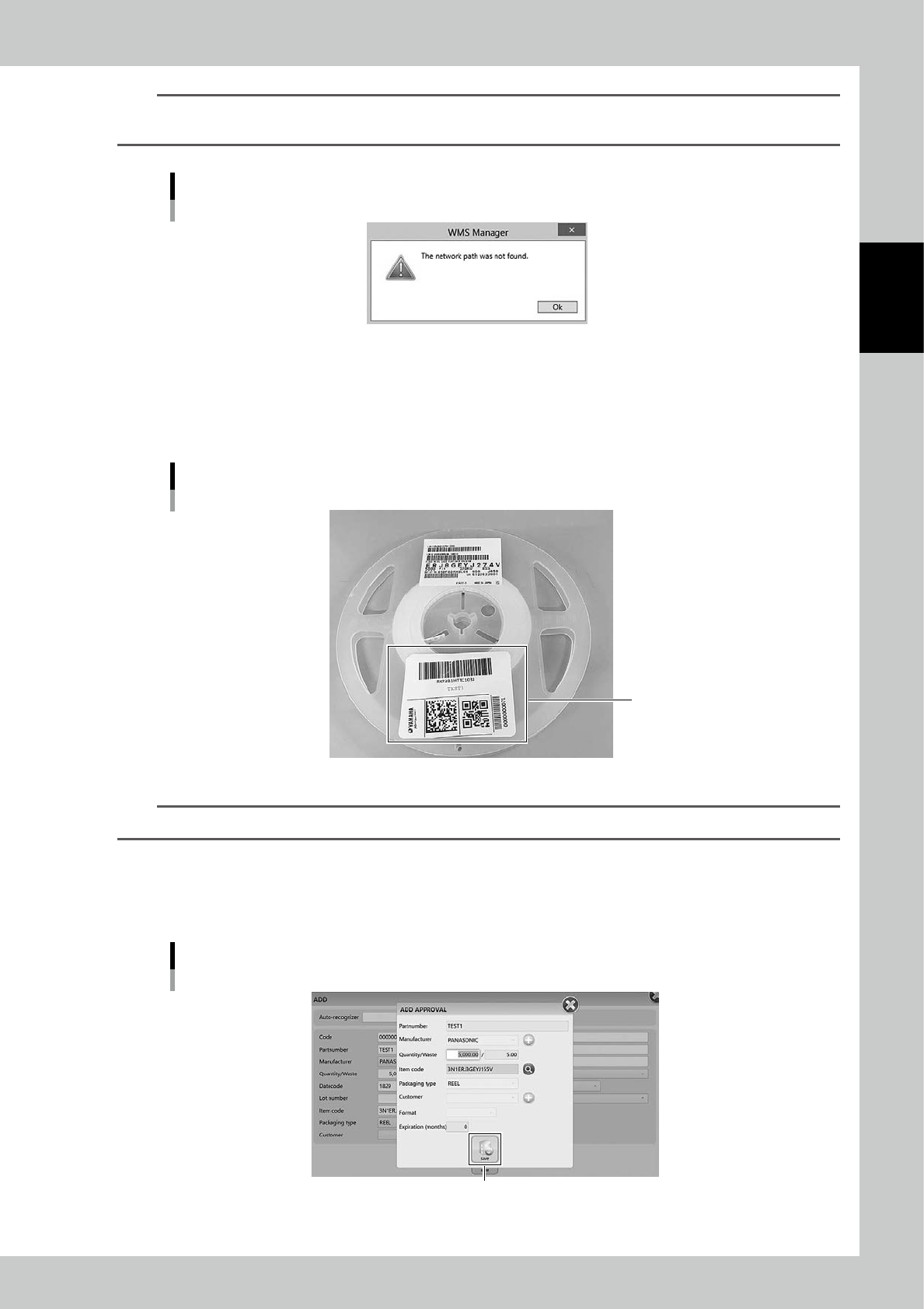
Sometime the following message appears such as when the label is printed first time after machine is started.
In that case, wait a seconds and press [OK], then the label is printed.
Message screen
24236-KMS-00
5
Paste the label on the packaging.
A bar code label requires to be close to outer circumference of the reel like the following figure.
If the label is too close to the center, the inner bar code reader of YST15 may fail to recognize the
packaging.
Where to paste a bar code label on a packaging
Label position
23213-KMS-00
n
NOTE
Do not paste the label printed here on a label existing on the packaging.
6
Check the registered contents.
Check the contents in "ADD APPROVAL" screen.
Check the packaging information, and press [Save] button, then registering the packaging completes.
"ADD APPROVAL" screen
[Save] button
24237-KMS-00
2-36
2
Operation
3.3.3 Register packagings by import function.
Registering packagings at once by import function is described.
1
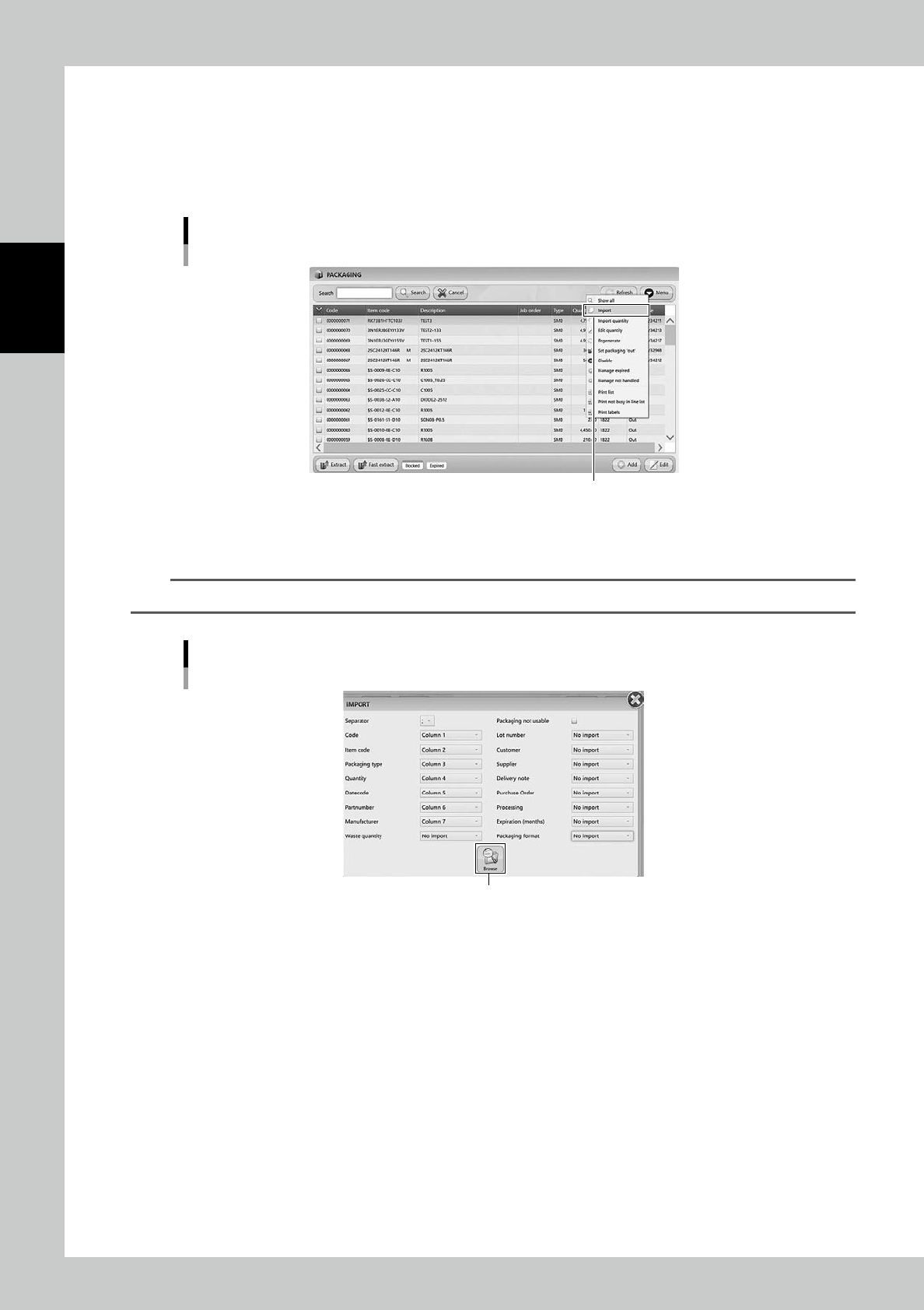
Open "IMPORT" screen.
Select "Import" in Menu, then "IMPORT" screen appears.
Import menu
“Import”
24238-KMS-00
2
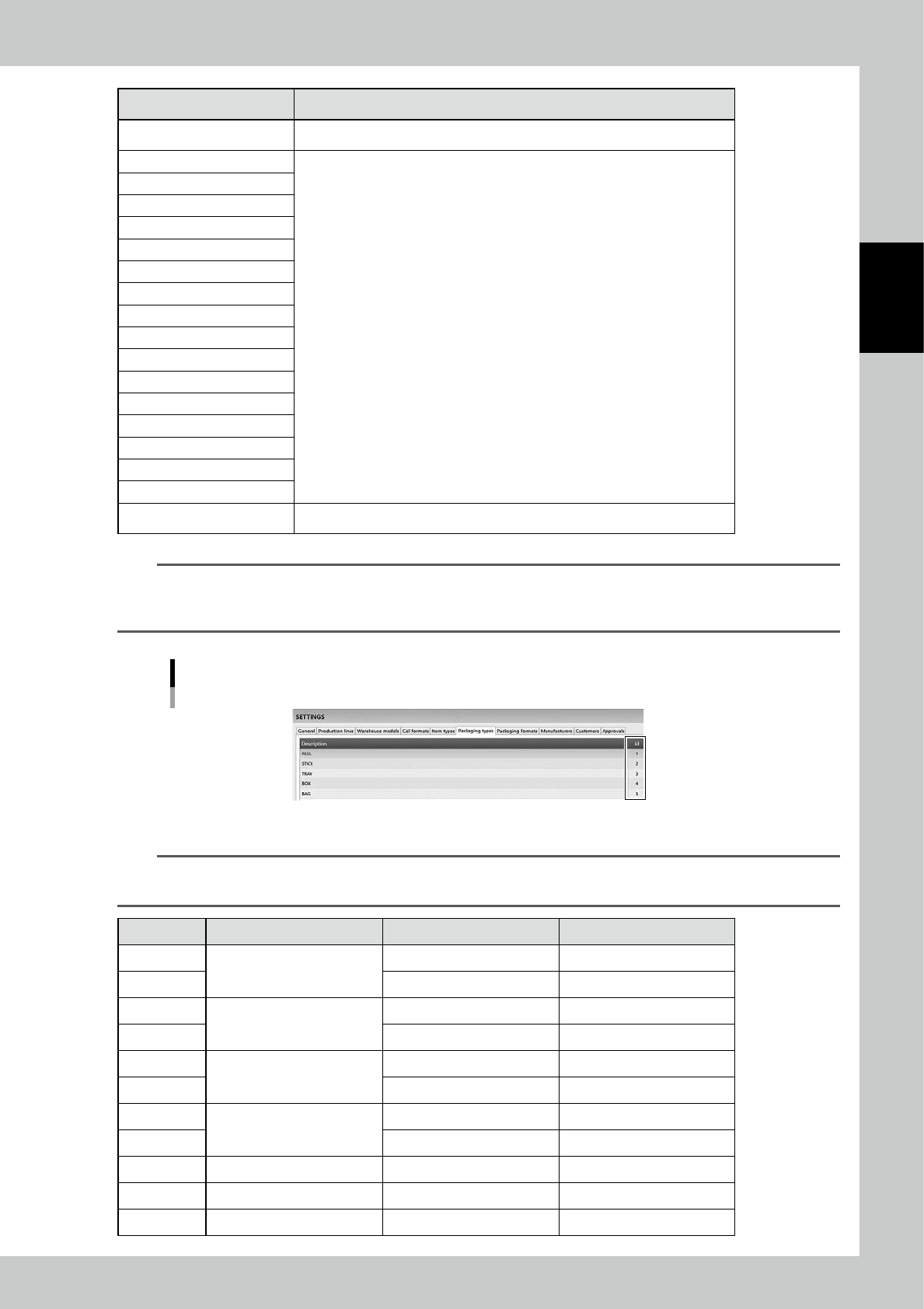
Select the file format in "IMPORT" screen.
n
NOTE
See "3.3.2
Register a packaging manually" for details of contents.
"IMPORT" screen
[Browse] button
24239-KMS-00
2-37
2
Operation
Content Setting
Separator Set separator, in ";", ":", "," or ".".
Code
Select which column is corresponded to each content for registration.
Item code
Packaging type
Quantity
Datecode
Partnumber
Manufacturer
Waste quantity
Lot number
Customer
Supplier
Delivery note
Phachase Order
Manufacturing
Expiration(months)
Packaging format
Packaging not usable If this is ticked, the packagings are registered with setting "Disable".
n
NOTE
"Packaging type" of import files
Input 1 to 5 in "Packaging type". Input 1 for reel components, input 3 for tray components.
ID number can be checked in "SETTINGS" screen.
"SETTINGS" screen - "Packaging types"
24240-KMS-00
n
NOTE
"Packaging format" of import files
Input ID number for "Packaging format" depending on the reel size. See the table below.
Format Tape width Reel size ID number
H08S
8mm
7 inch 22
H08W 13-15 inch 2
H12S
12mm
7 inch 27
H12W 13-15 inch 29
H16S
16mm
7 inch 28
H16W 13-15 inch 30
H24S
24mm
7 inch 6
H24W 13-15 inch 32
H32W 32mm 13-15 inch 33
H44W 44mm 13-15 inch 25
H52W 52mm 13-15 inch 26