YST15_Users_E.pdf - 第31页
2-3 2 Operation 6 L og in "WMS W AREHOUSE MANA GER". The software starts, then log-in screen appears. Use either one below with its "Username" and "Password". Log-in screen-2 24201-KMS-00 Us…
2-2
2
Operation
4
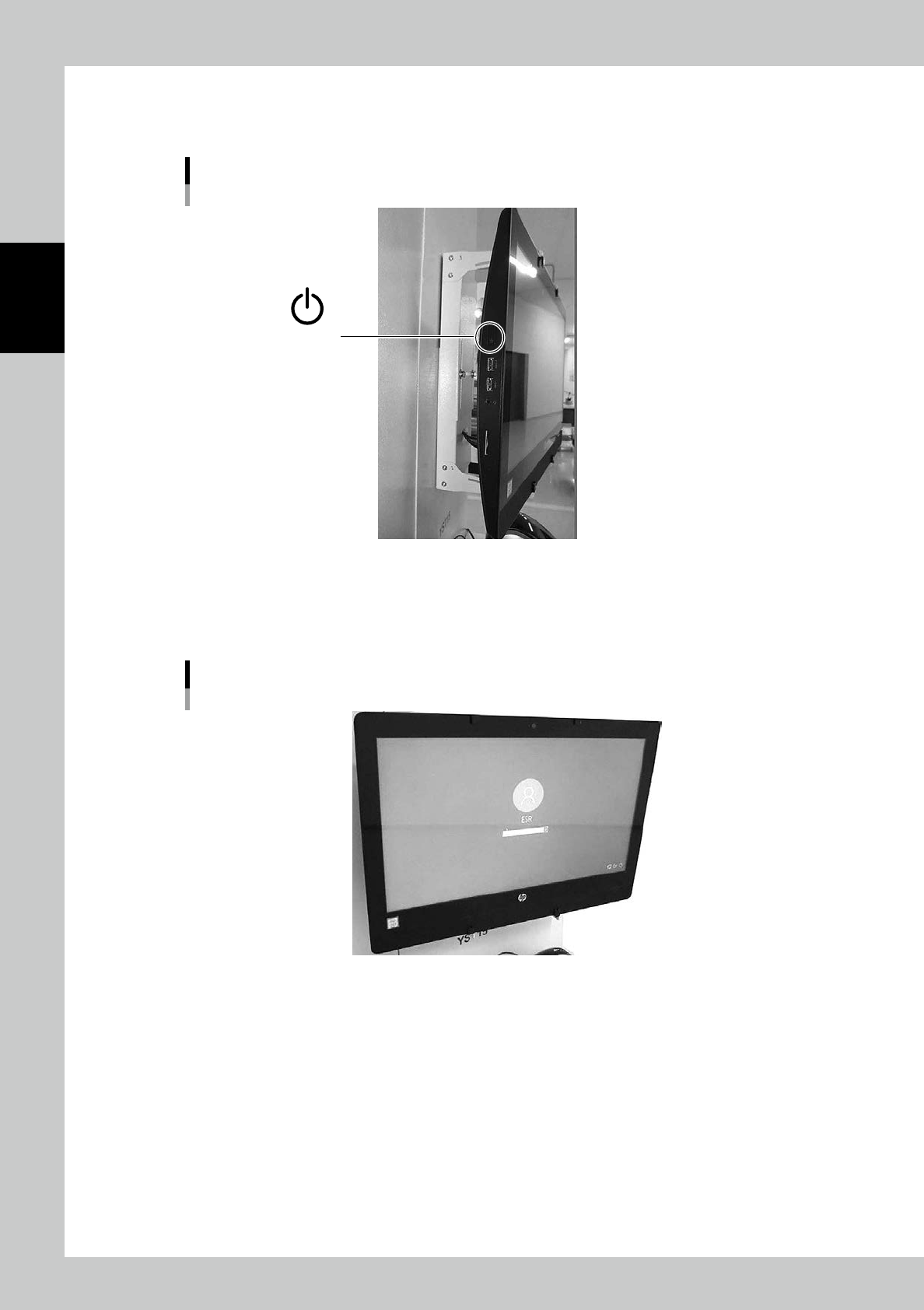
Turn on the touch screen monitor.
Press Power button at left of the touch screen monitor.
Power button of touch screen monitor
Power button
23202-KMS-00
5
Log in the computer.
Windows starts, then log-in screen appears.(User name: ESR)
Log in with the password "LZERO3", then "WMS MANAGER" starts automatically.
Log-in screen-1
23203-KMS-00
2-3
2
Operation
6
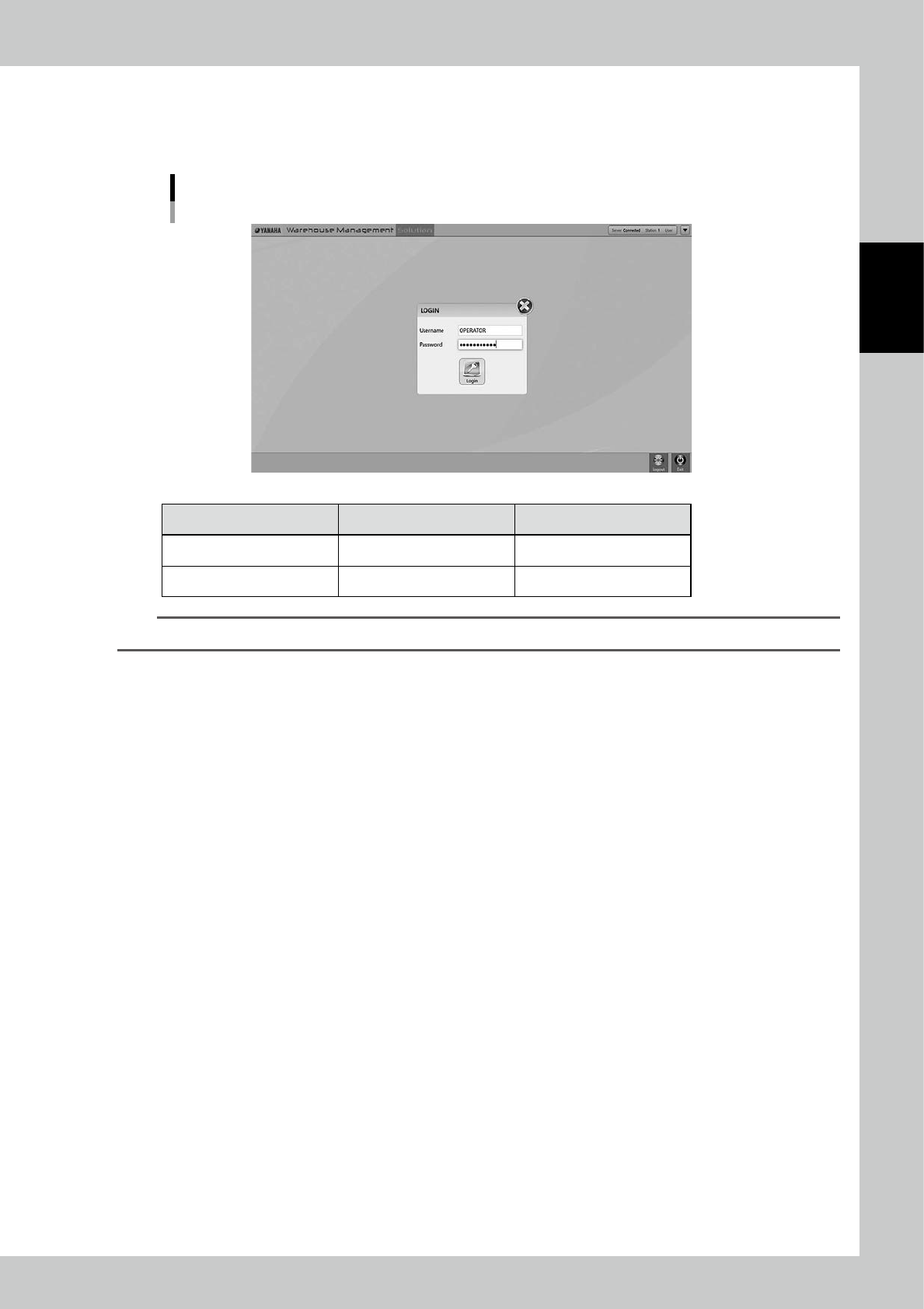
Log in "WMS WAREHOUSE MANAGER".
The software starts, then log-in screen appears.
Use either one below with its "Username" and "Password".
Log-in screen-2
24201-KMS-00
Username Password
Operator OPERATOR OPERATOR000
Administrator ADMIN Admin123
TIP
"Operator" can't use some function in Item/Packaging in according to authorization setting.
2-4
2
Operation
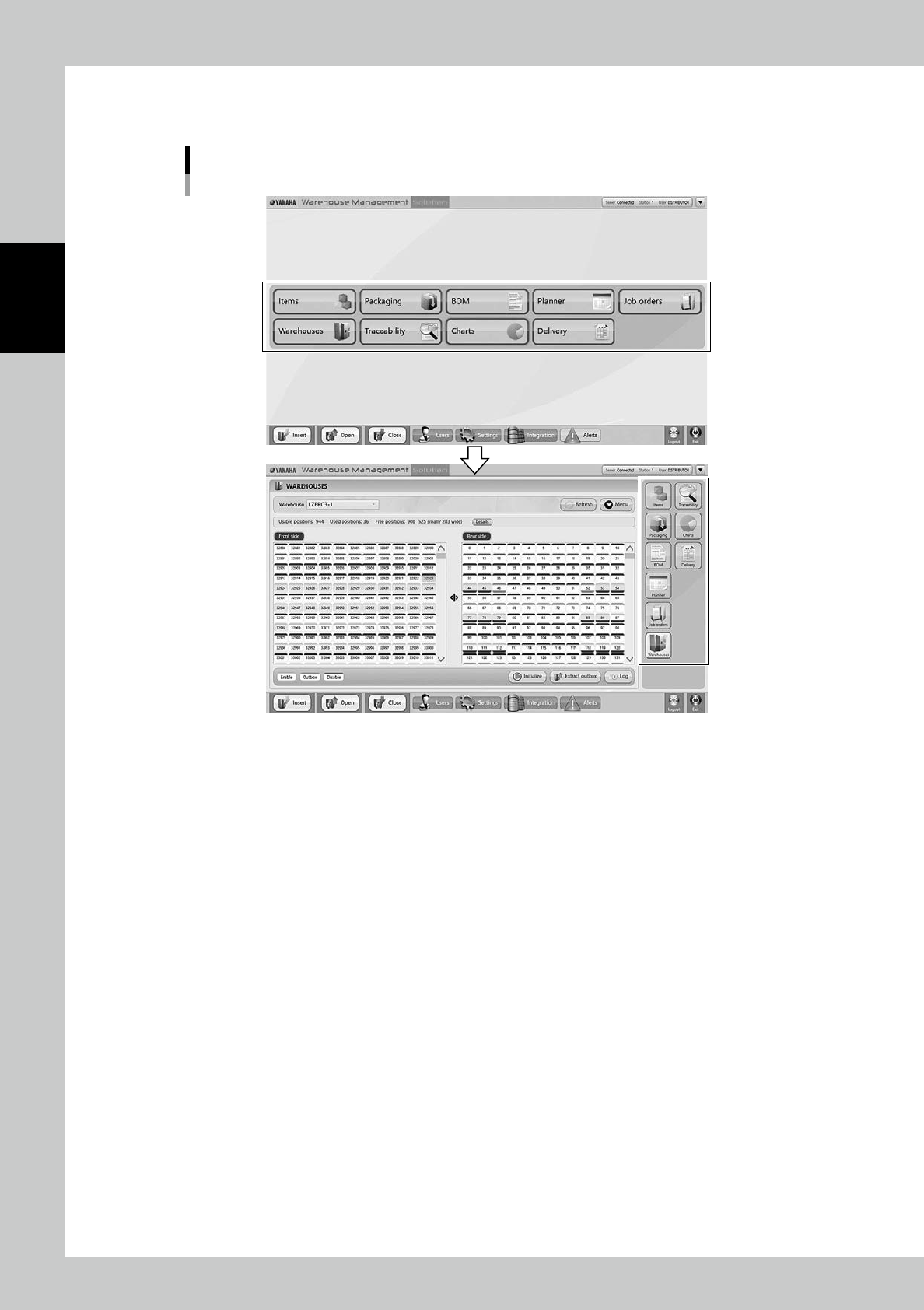
Once log-in completes, Main screen appears.
Press a button in middle area of Main screen, all buttons move to right section.
Main screen
24202-KMS-00