YST15_Users_E.pdf - 第124页
2-96 2 Operation 6. [Authorization] button Select a user and press [Authorizations] button, then "A UTHORIZA TIONS" screen appears. Able to select Enable/Disable for functions. "AUTHORIZA TIONS" scree…
2-95
2
Operation
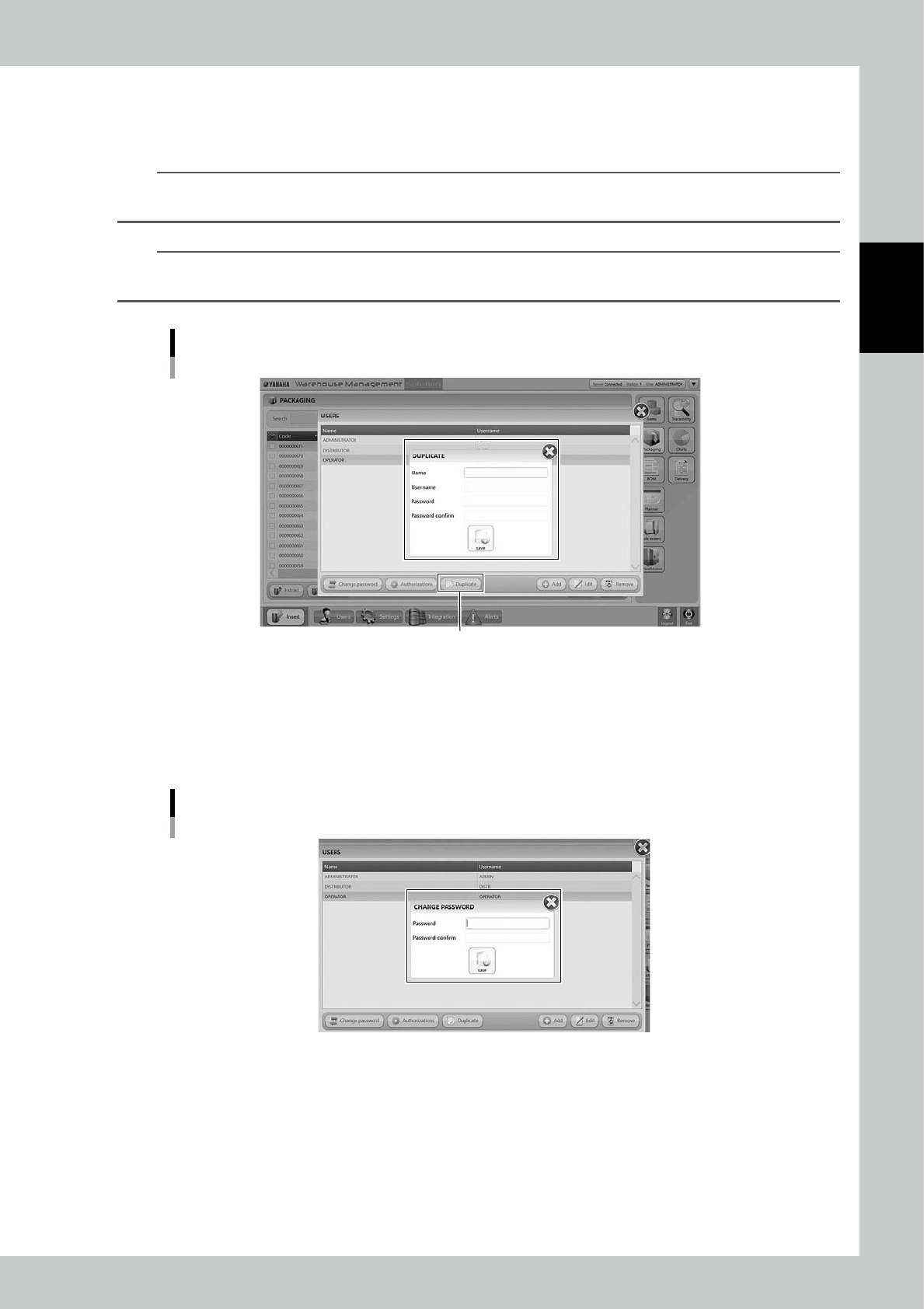
3. [Duplicate] button
Select a user from the users list and press this button, then the user who has same authorities is created.Set its name,
username, and password, then press [Save] button to register a new user.
n
NOTE
Use [Duplicate] button basically to create a new user so that it is possible to go through the settings of all authorization
without filling them.
n
NOTE
The ADMINISTRATOR authority is able to register and edit ADMINISTRATOR and OPERATOR.
The OPERATOR authority is able to register and edit only OPERATOR.
"DUPLICATE" screen
[Duplicate] button
242B6-KMS-00
4. [Add] button
Able to register new users. All authorization settings requires to be filled in.
5. [Change Password] button
Select a user and press [Change password] button, then "CHANGE PASSWORD" screen appears.
"CHANGE PASSWORD" screen
242B7-KMS-00
2-96
2
Operation
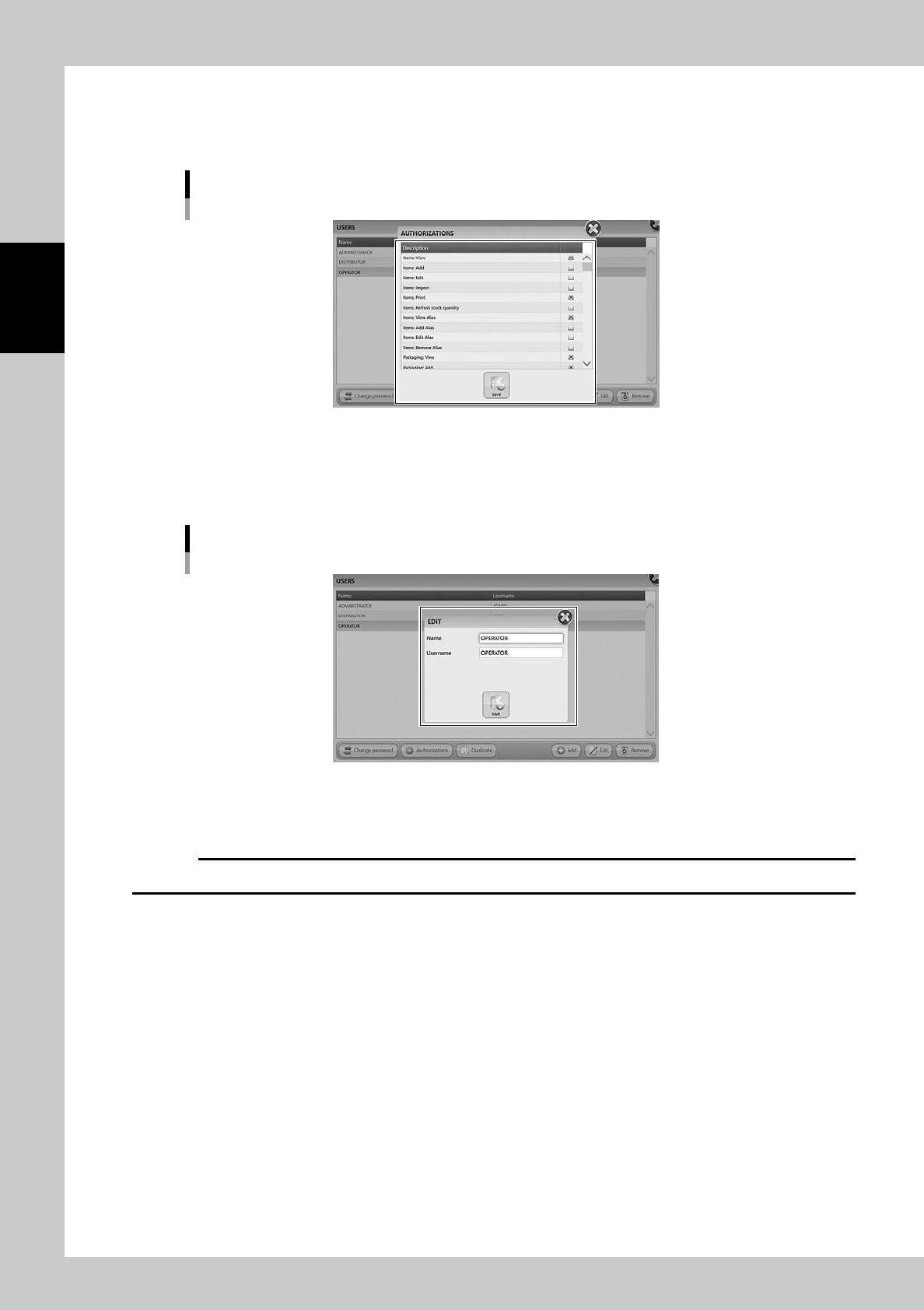
6. [Authorization] button
Select a user and press [Authorizations] button, then "AUTHORIZATIONS" screen appears.
Able to select Enable/Disable for functions.
"AUTHORIZATIONS" screen
242B8-KMS-00
7. [Edit] button
Select a user and press [Edit] button then "EDIT" screen appears.
Able to change "Name" as its identification and "Username" which is log-in account.
"EDIT" screen
242B9-KMS-00
8. [Remove] button
Select a user and press [Remove] button to delete the user.
c
CAUTION
DO NOT edit or remove OPERATOR, ADMINISTRATOR, and DISTRIBUTOR which exist as default.
2-97
2
Operation
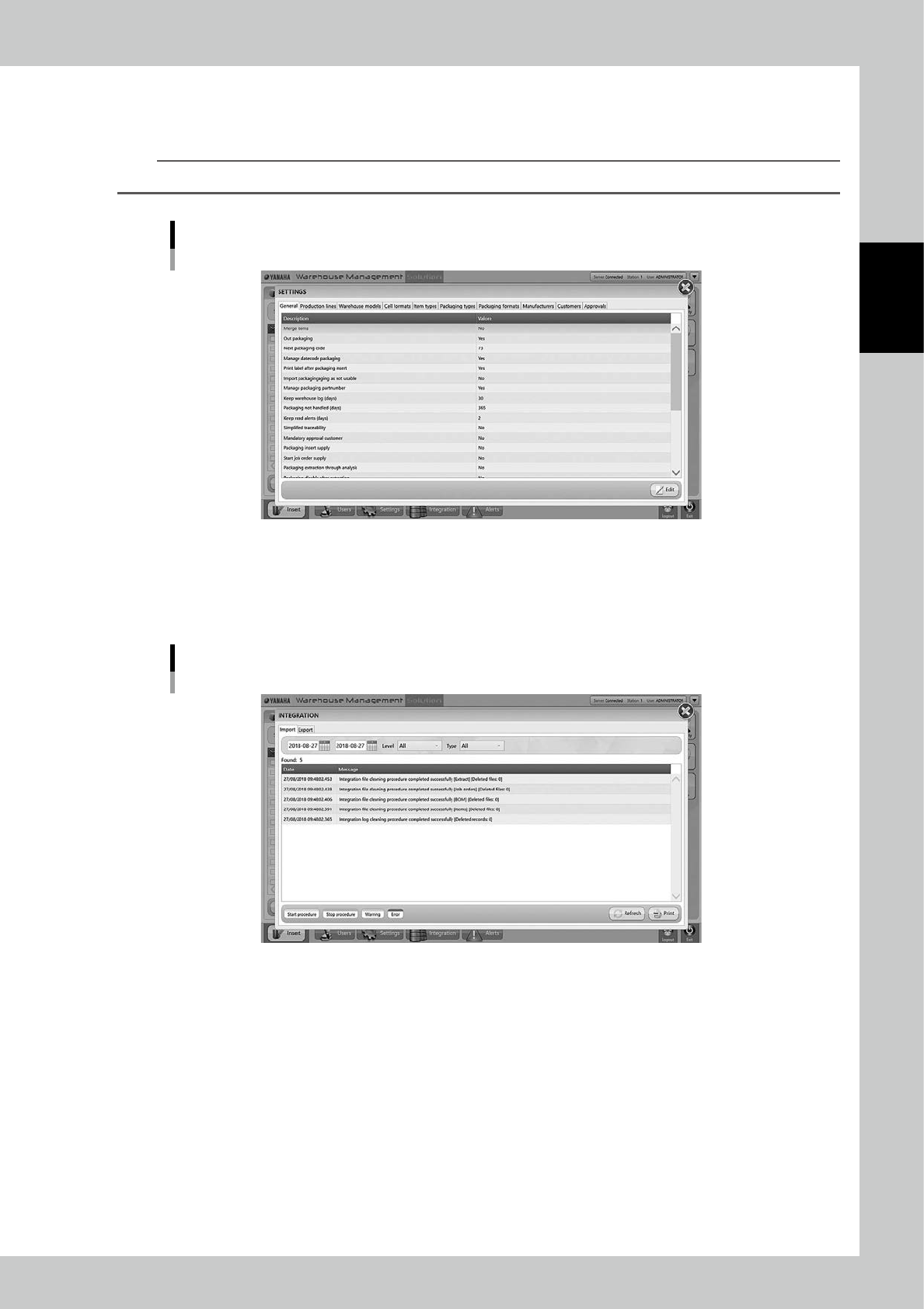
3.12.2 SETTINGS screen
Detailed settings can be edited in this screen.
n
NOTE
The setting values in this screen are not edited basically except for edited at the machine installation.
"SETTINGS" screen
242C0-KMS-00
3.12.3 INTEGRATION screen
The history of information and warning are recorded if the machine communicates with external systems.
Normally this is not used.
"INTEGRATION" screen
242C1-KMS-00