YST15_Users_E.pdf - 第70页
2-42 2 Operation 3.4 Loading/Unloading packagings T he process of loading/unloading packagings is described as the standard operation of YST15. See "3.2 ITEMS" and "3.3 P ackaging" for details of regi…
2-41
2
Operation
TIP
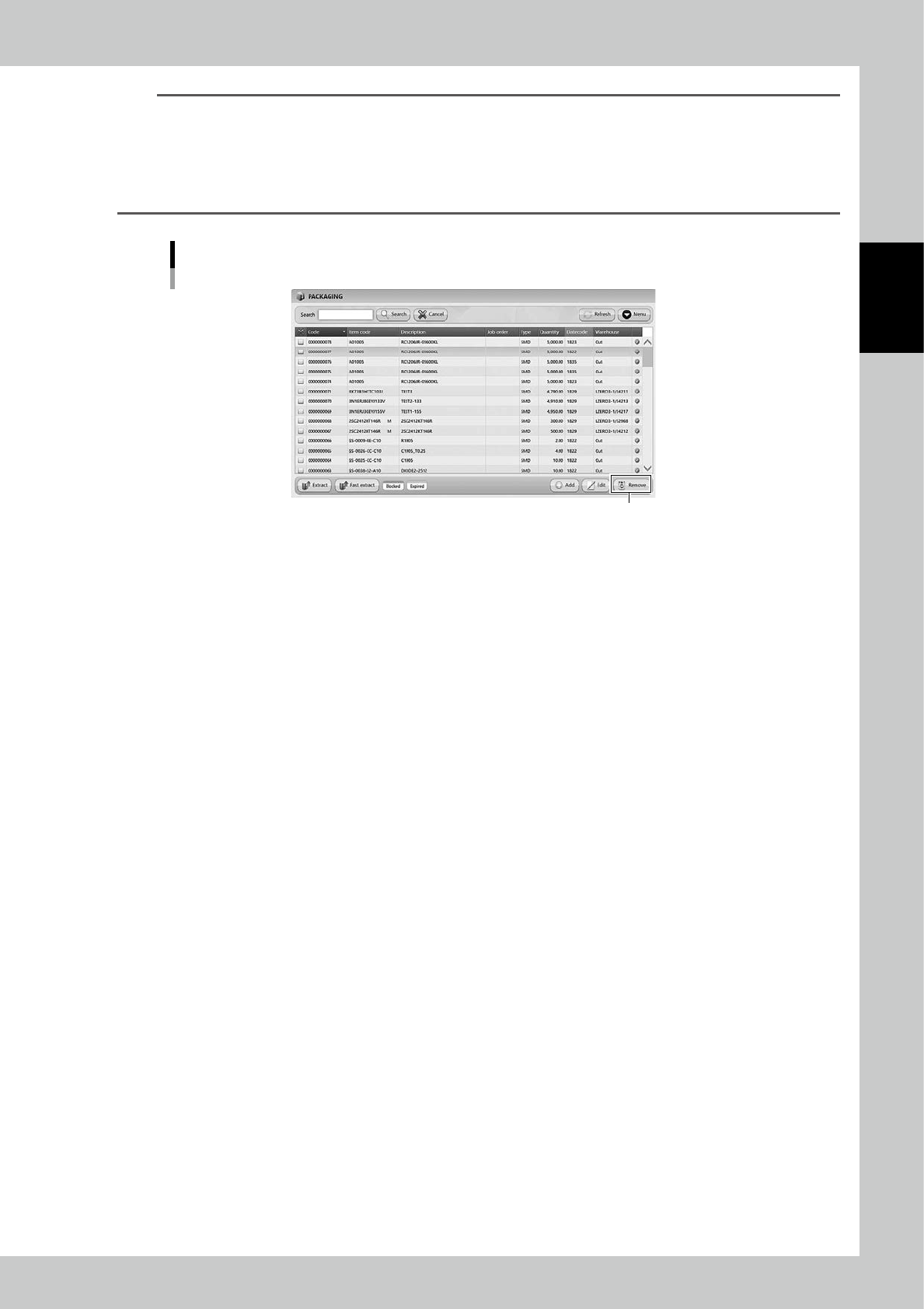
[Remove] button
[Remove] button is displayed only for engineer authority.
Select a packaging and press [Remove], then the packaging is removed.
Packagings which are removed once are not able to be registered again, and the histories of them are also removed
in traceability.
DO NOT remove any registered packagings basically.
[Remove] button
[Remove] button
24245-KMS-00
2-42
2
Operation
3.4 Loading/Unloading packagings
The process of loading/unloading packagings is described as the standard operation of YST15.
See "3.2 ITEMS" and "3.3 Packaging" for details of registering items and packagings.
n
NOTE
Only the packagings with bar code labels registered to the machine in advance can be loaded.
3.4.1 Loading packagings
1
Open the front door.
TIP
Front door can not open with locked while Handler is in operation.
2
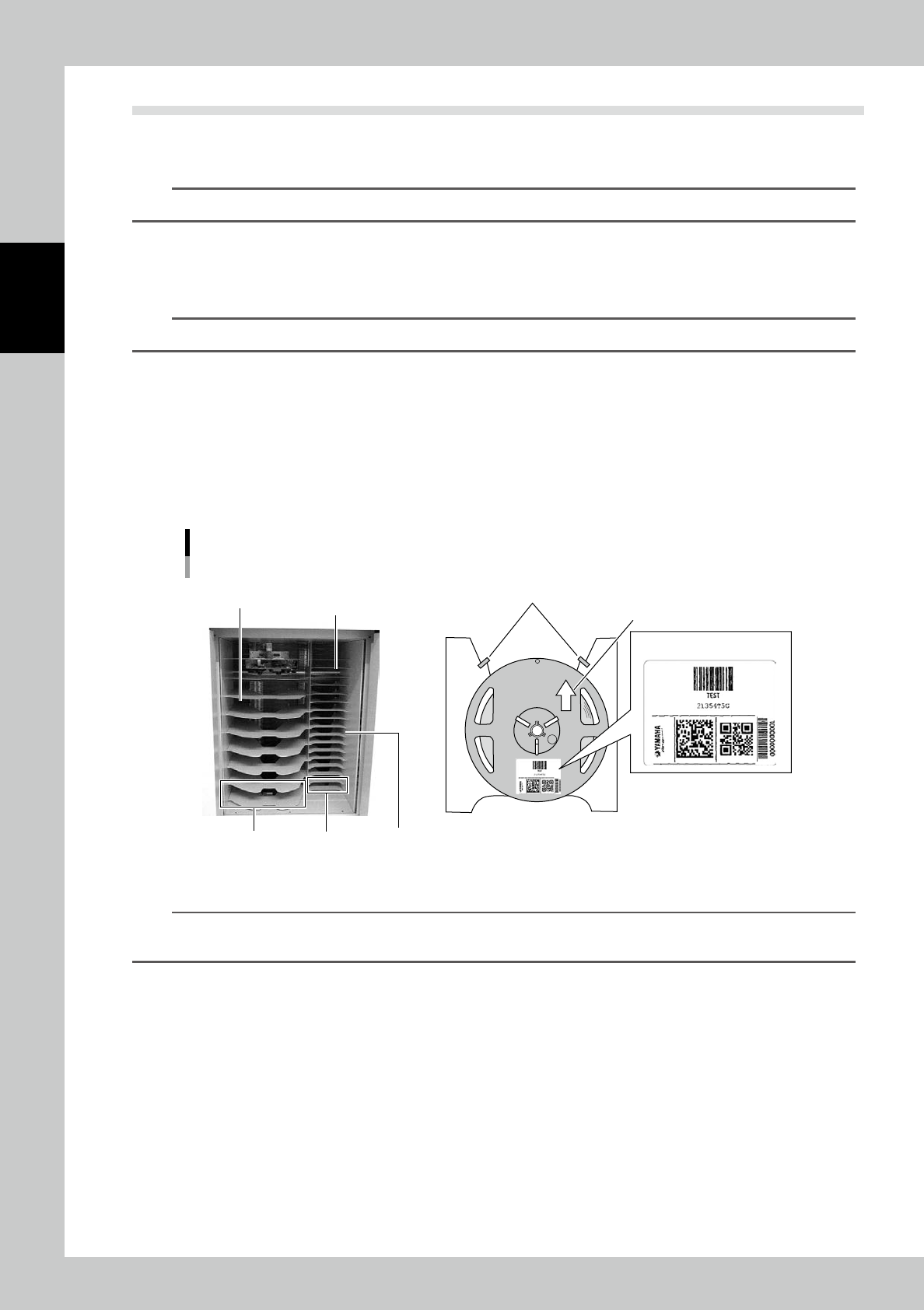
Set packagings on Loading/Unloading area.
Follow the rules below to set packagings.
1. Set packagings from the top to down not to leave any empty shelf between packages.
2. Set packagings to let their barcodes be placed in front side (operator side).
3. Push each packaging until it touches in the rear end stopper of each shelf.
4. Keep the bottom-most shelf always empty because it is used only for Fast extraction.
Rules to set packagings
For 13-15-inch-reels
Set from the top.
Do not leave empty shelf
between packagings.
For 7-inch-reels
Keep the bottom-most shelf always
empty because it is used only
for Fast extraction.
Stopper
Push into the rear end stopper
Bar code label
23215-KMS-00
TIP
Loading/Unloading area of the figure is the type of 7-inch-reels/15-inch-reels combined.
The type depends on the machine specification.
2-43
2
Operation
n
NOTE
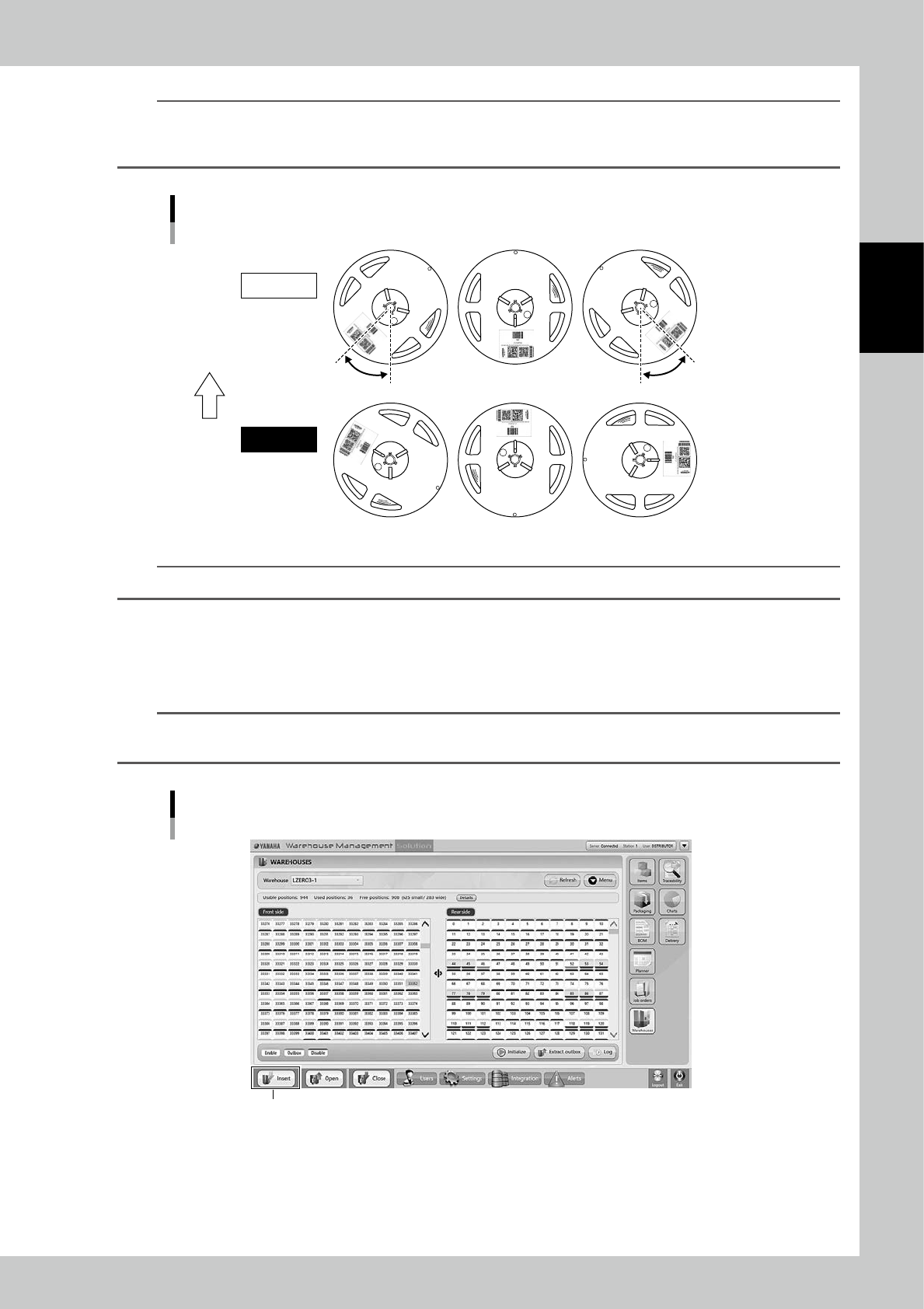
If the barcode is placed in wrong direction due to the packaging direction, the internal barcode reader may fail to
scan it. It can be read within 45 degree, but with more than 45 degree, the barcode can be hidden by the handler or
the barcode can be out of the sight of the barcode reader.
Appropriate position of barcode labels
GOOD
FAILURE
45deg 45deg
Set direction
23216-KMS-00
TIP
When there are reels on Loading/Unloading area, the tower signal lights yellow.
3
Close the front door.
4
Load the packagings.
Press [Insert] at bottom left to load the packagings set in the shelf in order.
TIP
While loading packagings, the tower signal lights green and blue.
Once loading completed, the tower signal lights only green.
Load the packagings
[Insert] button
24246-KMS-00