YST15_Users_E.pdf - 第78页
2-50 2 Operation n Functions of buttons Icon Button name Description Add button Items which are not in "Items" table can be newly registered by this button. See "3.2.2 Register an item manually" for t…
2-49
2
Operation
4
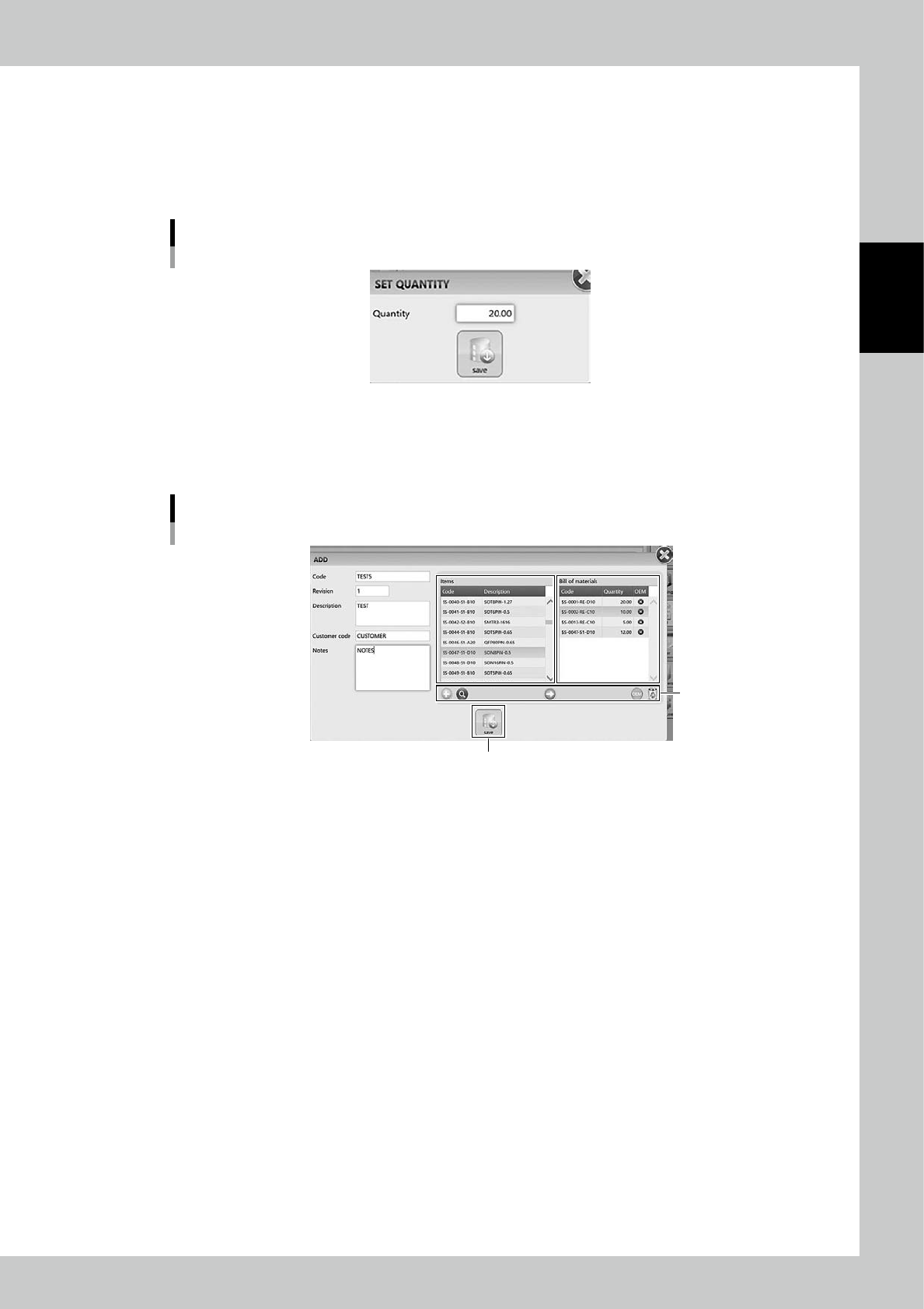
Select the items for the BOM.
1. Select the item, which are required for the product, in Items table in middle of the screen, then press
[Arrow] button.
2. "SET QUANTITY" screen appears, then input the quantity of the item required for one board of the
product.
"SET QUANTITY" screen
24253-KMS-00
3. Press [Save] button, then the selected item and its quantity are registered in "Bill of materials" table in
right of the screen.
4. Repeat 1 to 3 to register all the items required for the product.
BOM registration screen 2
[Save] button
Buttons
24254-KMS-00
5
Press [Save] to register the BOM.
2-50
2
Operation
n
Functions of buttons
Icon Button name Description
Add button
Items which are not in "Items" table can be newly registered by this button.
See "3.2.2 Register an item manually" for the process for registering items.
Zoom button Able to zoom in "Items" table.
Arrow button Able to register the selected item into "Bill of materials" table.
OEM button
OEM: Original Equipment Manufacturer
Able to make a limit of manufacturer of items. See below for the details.
Remove button Remove the items registered in "Bill of materials" table.
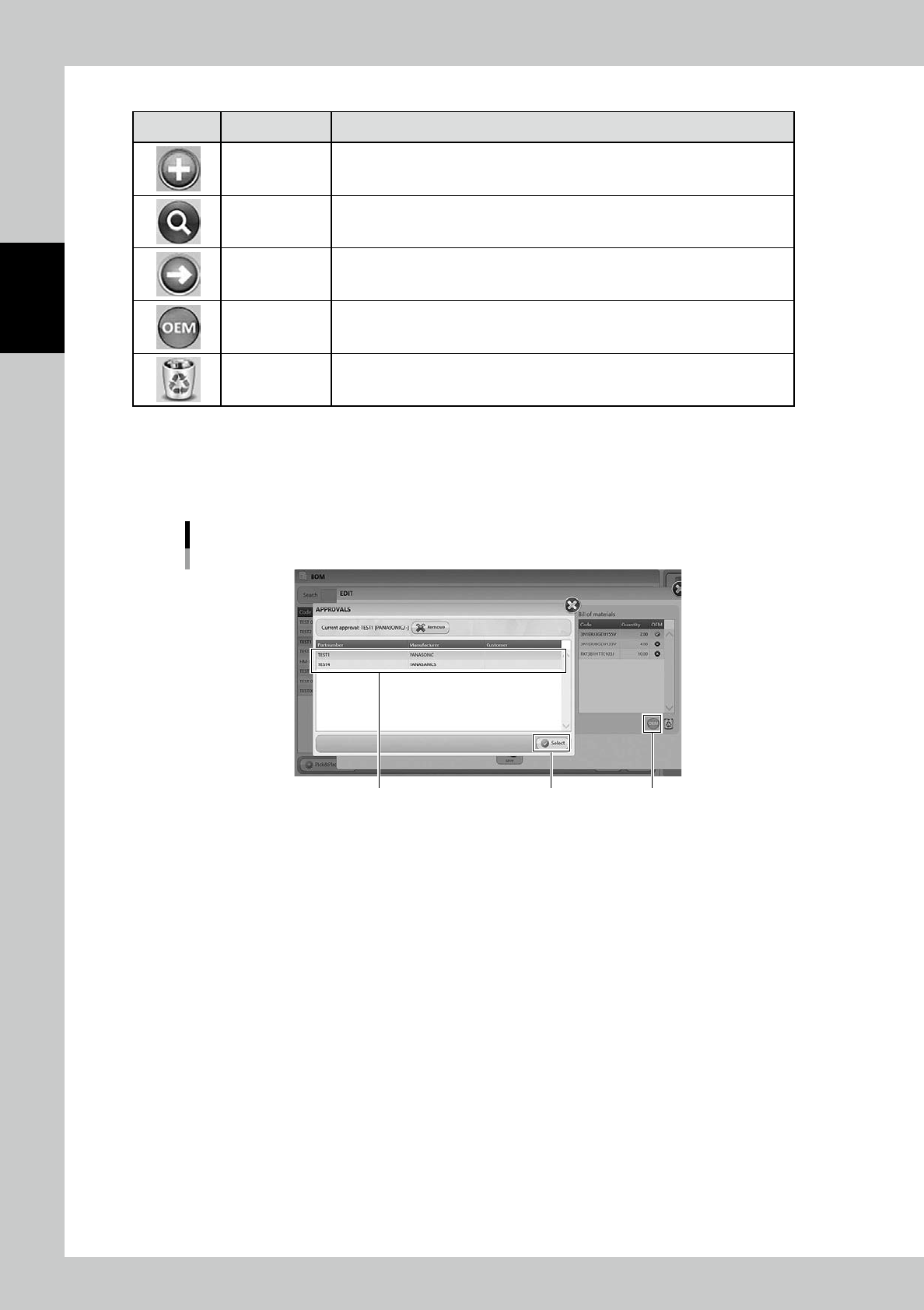
• [OEM] button
Select the item in "Bill of materials" and press [OEM] button, then "OEM-APPROVALS" screen appears.
The manufacturer of the selected item can be specified in this screen.
Select a specified manufacturer and press [Select] button, then the manufacturer is specified as OEM item for Job orders.
"OEM - APPROVAL" screen
[Select] button [OEM] buttonSelect Manufacturer
24255-KMS-00
2-51
2
Operation
n
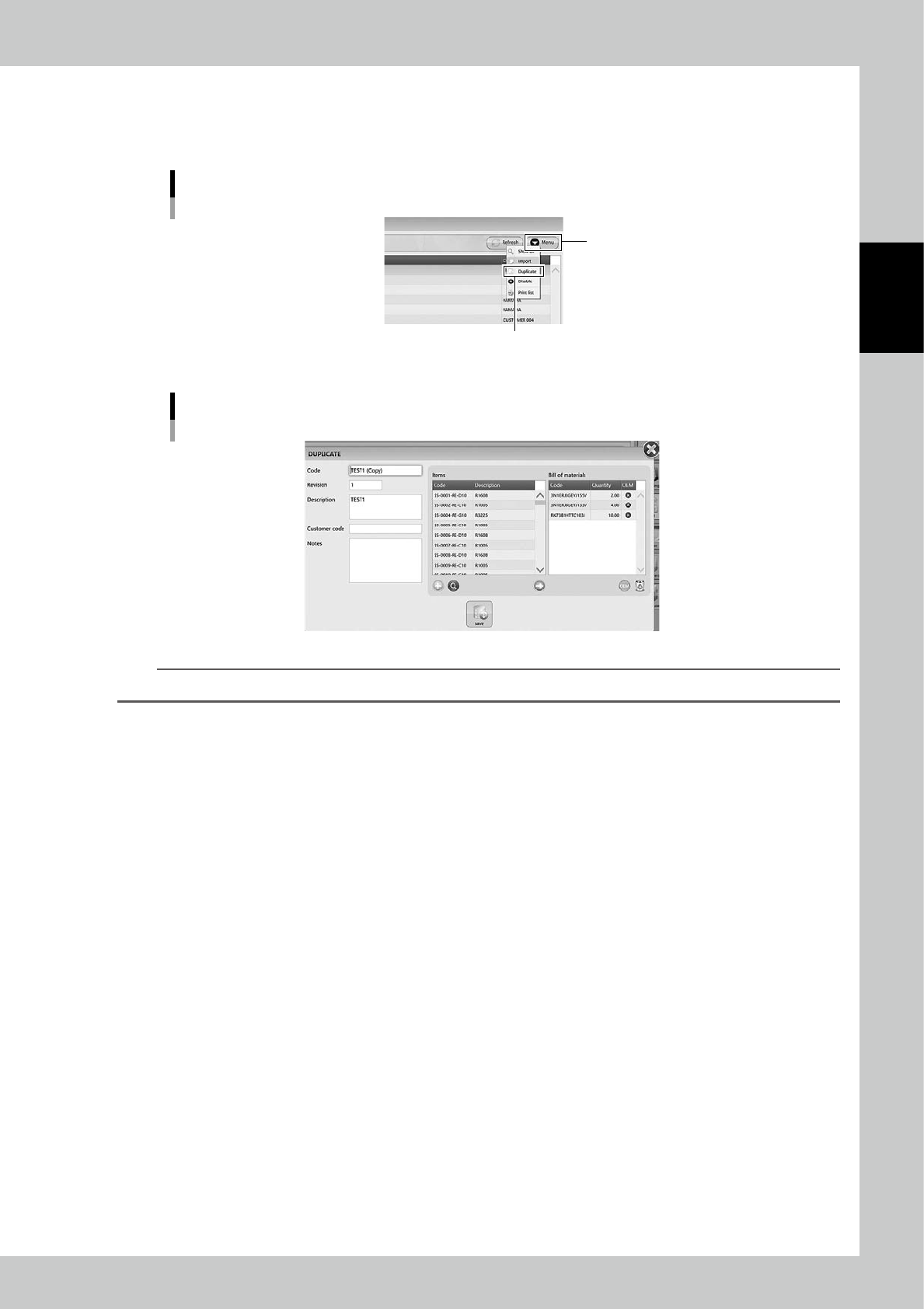
"Duplicate" function to register a BOM
Select a BOM in "BOM" screen and select "Duplicate" in Menu, then "DUPLICATE" screen appears
A new BOM is registered by duplicating the selected BOM in this screen.
[Menu] button - "Duplicate"
[Menu] button
“Duplicate”
24256-KMS-00
"DUPLICATE" screen
24257-KMS-00
TIP
BOMs which are registered by "Duplicate" function have thier BOM codes with "Copy" indication.