YST15_Users_E.pdf - 第69页
2-41 2 Operation TIP [Remove] button [Remove] button is displayed only for engineer authority. Select a packaging and press [Remove], then the packaging is removed. Packagings which are removed once are not able to be re…
2-40
2
Operation
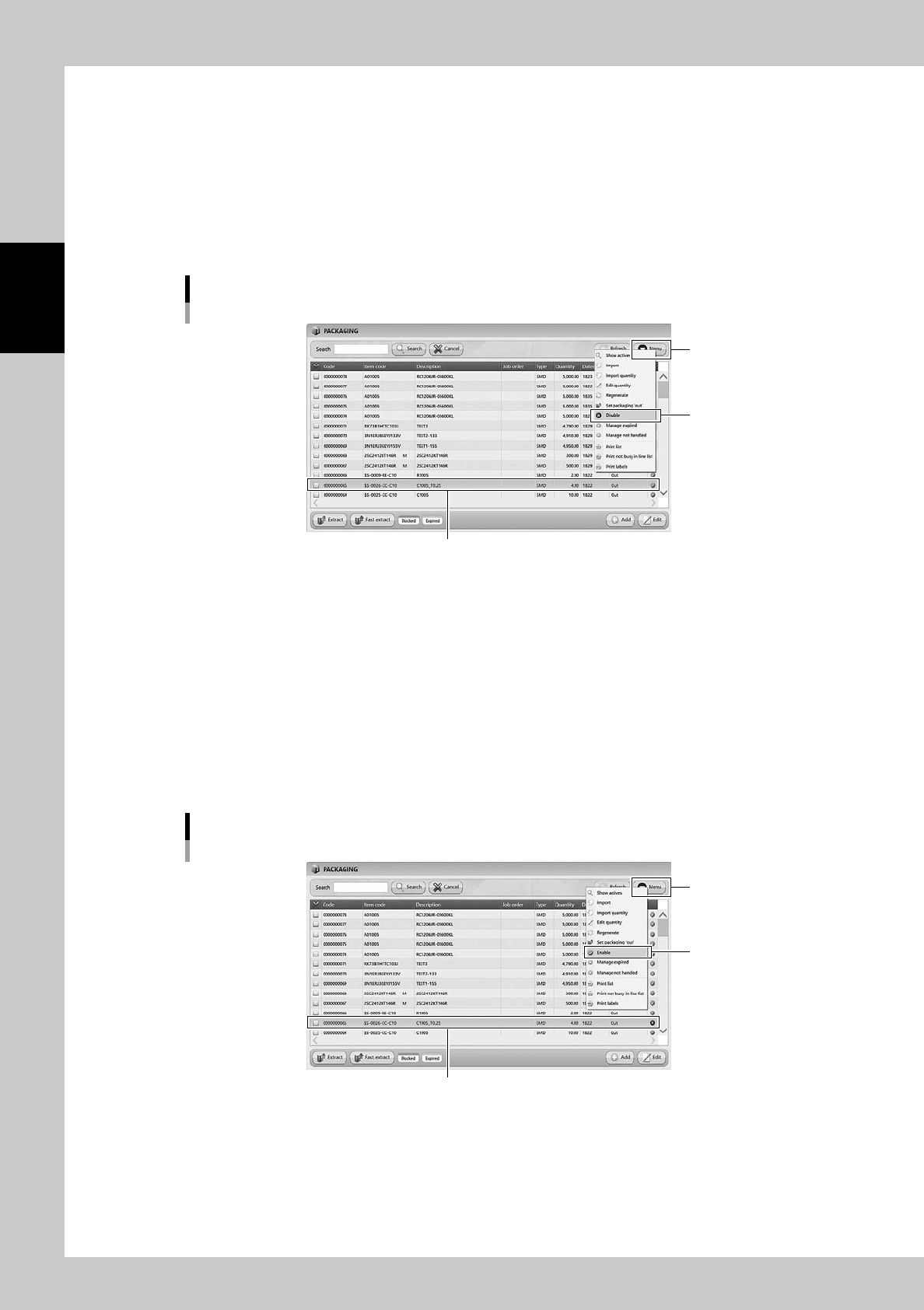
3.3.4 Disable and remove packagings
Setting "Disable" on packagings prevents the machine from unloading the packagings.
1
Select the packaging.
Select the packaging to be disabled.
2
Select "Disable".
Select "Disable" in Menu, then the selected packaging becomes "Disable" and hidden from the list.
Disable setting for packagings
[Menu] button
Select the packaging
“Disable”
24243-KMS-00
n
The case it is required to use the disabled packaging.
1
Display all the packagings.
Select "Show All" in Menu, then all the packagings including disabled packagings are displayed.
2
Select the packaging.
Select the required packaging.
3
Select "Enable".
Select "Enable" in Menu, then the selected packaging becomes enabled.
Enable setting for packagings
[Menu] button
Select the packaging
“Enable”
24244-KMS-00
2-41
2
Operation
TIP
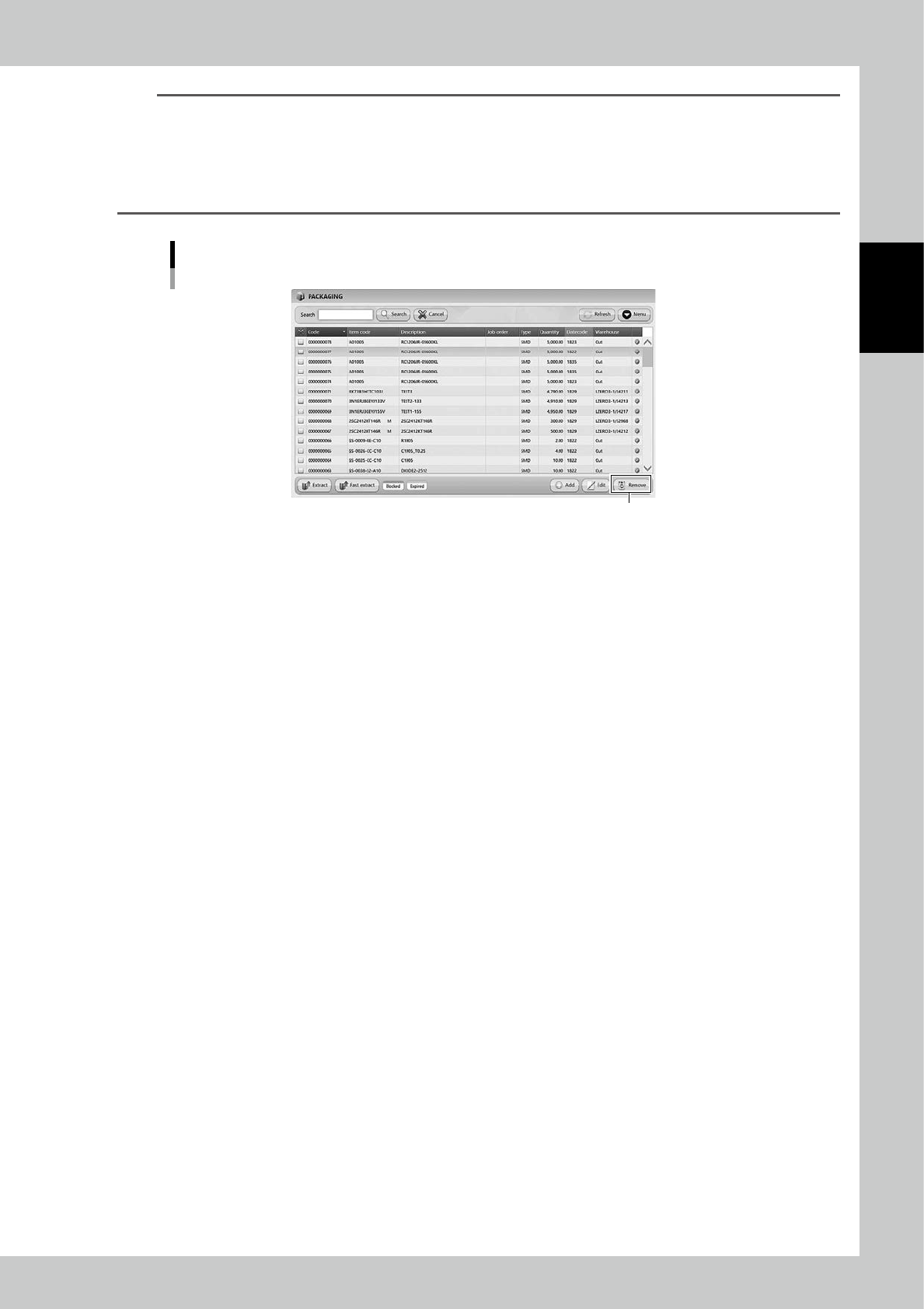
[Remove] button
[Remove] button is displayed only for engineer authority.
Select a packaging and press [Remove], then the packaging is removed.
Packagings which are removed once are not able to be registered again, and the histories of them are also removed
in traceability.
DO NOT remove any registered packagings basically.
[Remove] button
[Remove] button
24245-KMS-00
2-42
2
Operation
3.4 Loading/Unloading packagings
The process of loading/unloading packagings is described as the standard operation of YST15.
See "3.2 ITEMS" and "3.3 Packaging" for details of registering items and packagings.
n
NOTE
Only the packagings with bar code labels registered to the machine in advance can be loaded.
3.4.1 Loading packagings
1
Open the front door.
TIP
Front door can not open with locked while Handler is in operation.
2
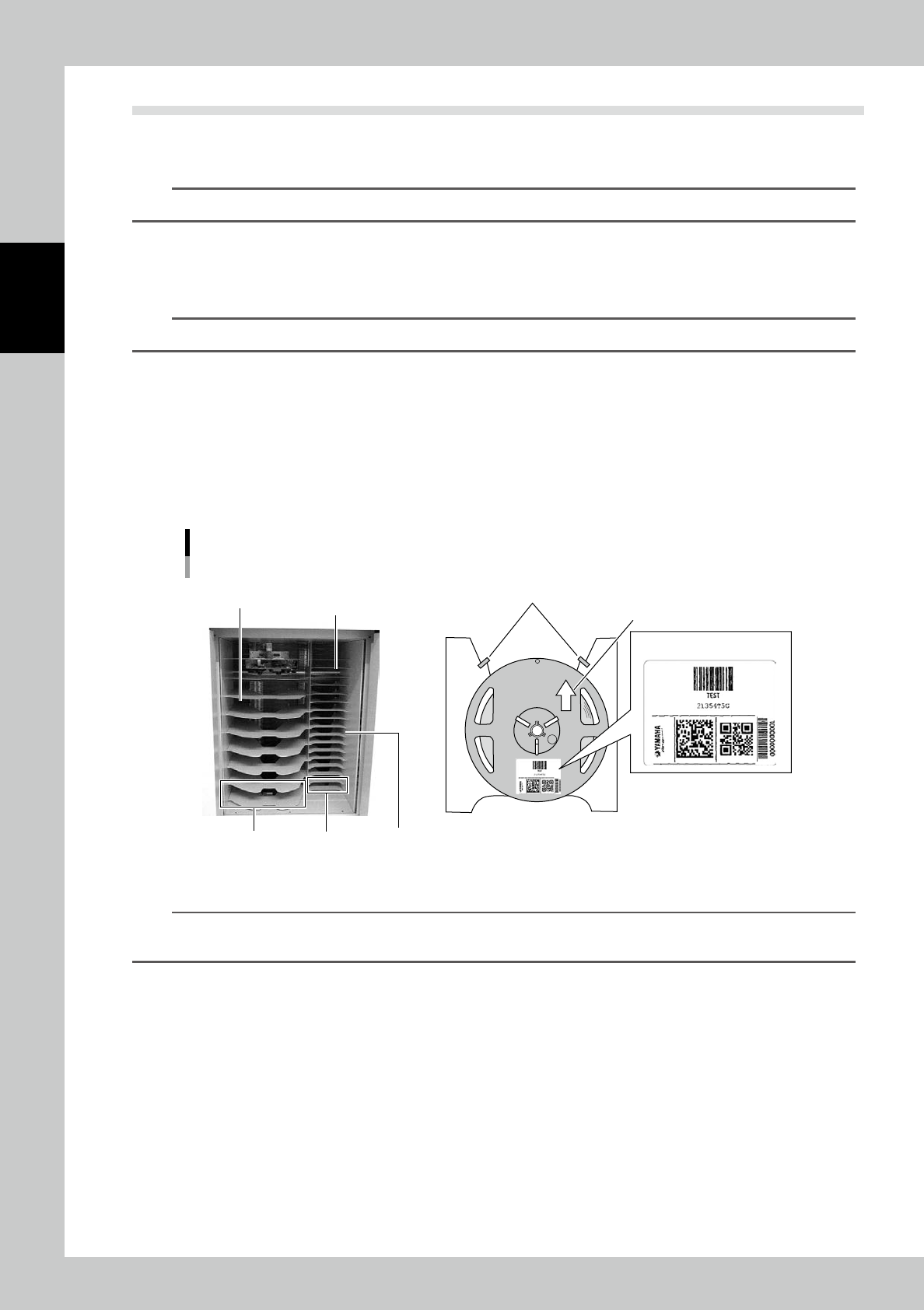
Set packagings on Loading/Unloading area.
Follow the rules below to set packagings.
1. Set packagings from the top to down not to leave any empty shelf between packages.
2. Set packagings to let their barcodes be placed in front side (operator side).
3. Push each packaging until it touches in the rear end stopper of each shelf.
4. Keep the bottom-most shelf always empty because it is used only for Fast extraction.
Rules to set packagings
For 13-15-inch-reels
Set from the top.
Do not leave empty shelf
between packagings.
For 7-inch-reels
Keep the bottom-most shelf always
empty because it is used only
for Fast extraction.
Stopper
Push into the rear end stopper
Bar code label
23215-KMS-00
TIP
Loading/Unloading area of the figure is the type of 7-inch-reels/15-inch-reels combined.
The type depends on the machine specification.