YST15_Users_E.pdf - 第97页
2-69 2 Operation Reserve the packagings Packagings are reserved with colored pink 24281-KMS-00 TIP It is possible to approve the machine to unload the packagings even if there are no enough quantities of items in step3. …
2-68
2
Operation
3
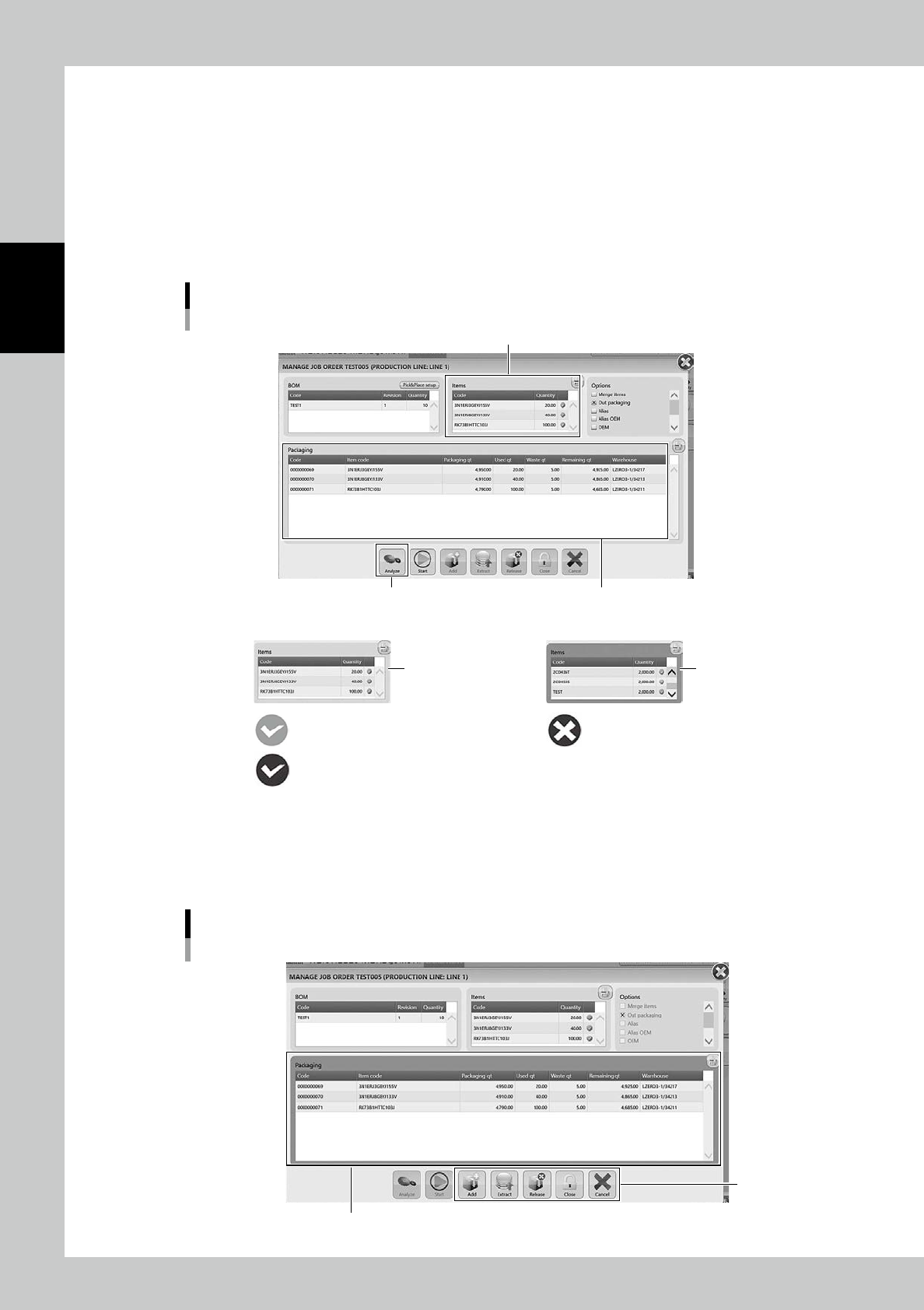
Analyze the production.
Press [Analyze] button at botton left to judge the production feasibility based on the selected job order
and the stock in the machine.
• The case there are enough quantities of packagings
"Items" table gets colored green, then "Packaging" table lists the packagings to be unloaded.
• The case there are no enough quantities of packagings
"Items" table gets colored pink, then "Packaging" table lists only the packagings able to be unload-
ed.
Production analysis
"Packaging" table
[Analyze] button
"Items" table
Back ground : PinkBack ground : Green
• There are enough quantities of the packagings. • There are no enough quantities of the packagings.
OK (Green)
OK with options (Blue)
No packagings
24279-KMS-00
4
Approve the machine to unload the packagings.
Press [Start], then "Packaging" table gets colored pink, which means they are reserved.
Then five buttons at bottom become active.
Approve unloading the packagings
Packagings are reserved. Back ground : Pink
Active
24280-KMS-00
2-69
2
Operation
Reserve the packagings
Packagings are reserved with colored pink
24281-KMS-00
TIP
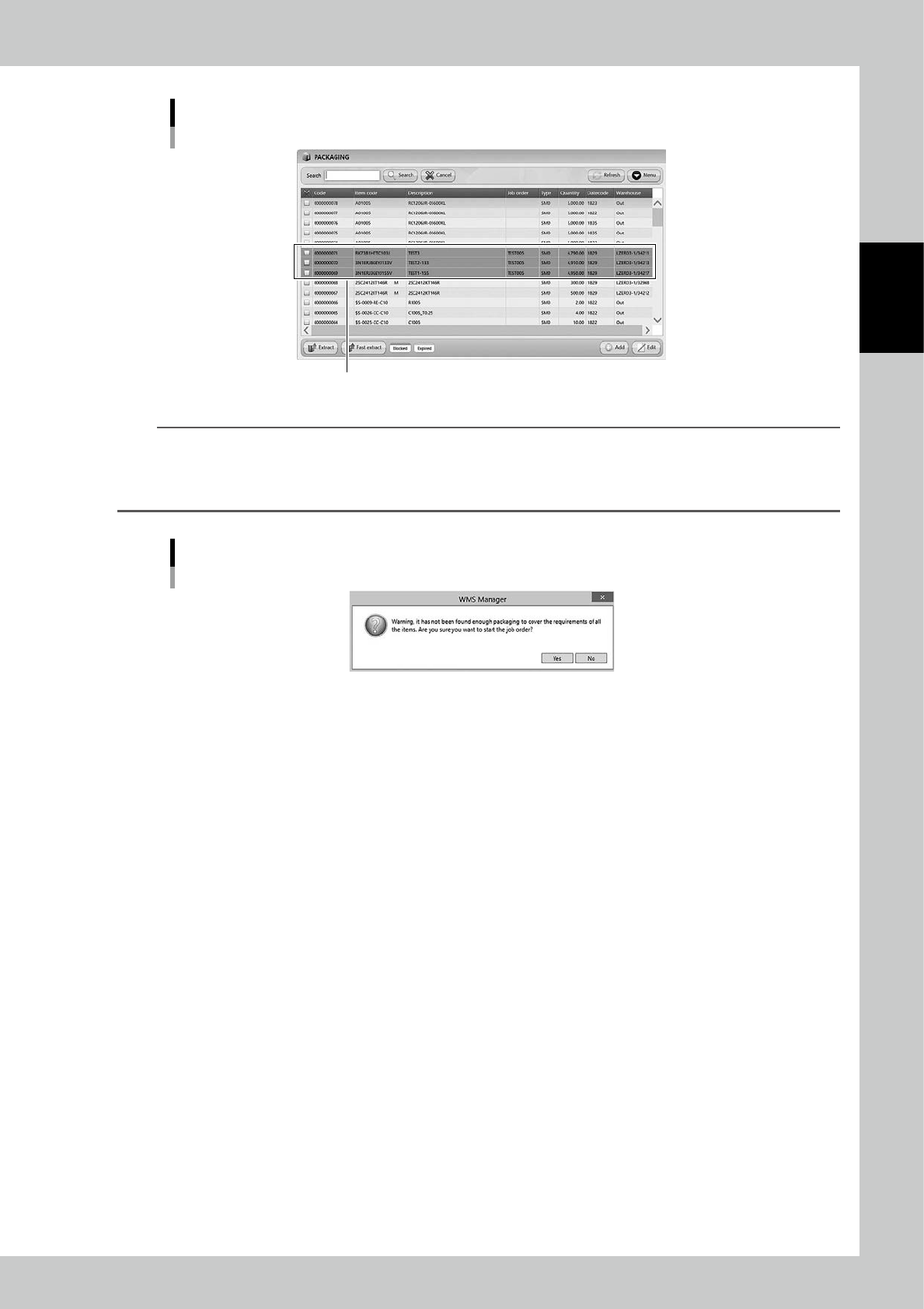
It is possible to approve the machine to unload the packagings even if there are no enough quantities of items in
step3.
The message "Warning: it had not been found enough packaging to cover the requirements of all the items…"
appears. Read the message and select [Yes] if OK.
Warning message of no enough packagings
24282-KMS-00
5
Press [Extract] button.
Press [Extra
ct
] button to display "EXTRACT" screen.
2-70
2
Operation
6
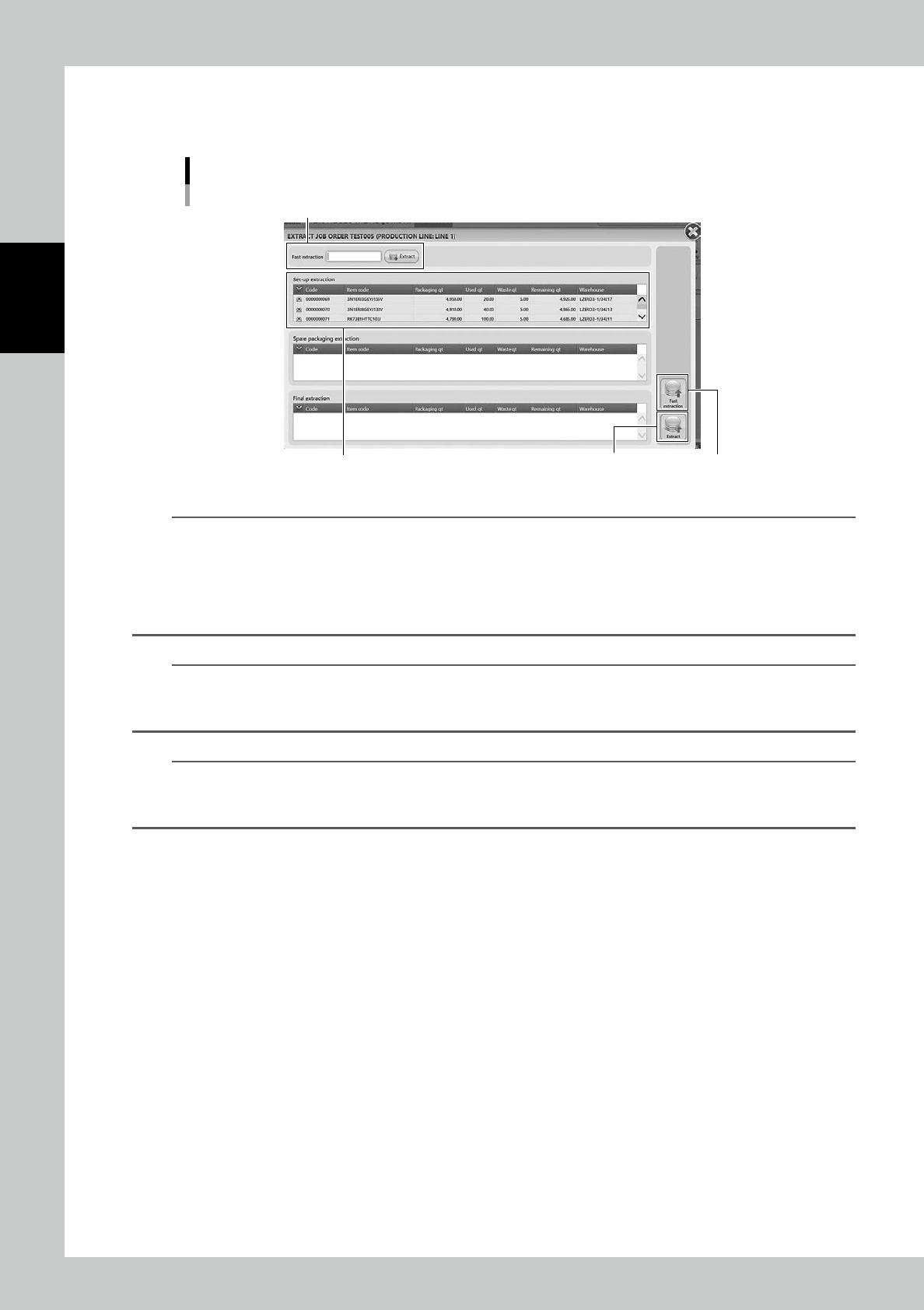
Unload the packagings.
Press [Extract] in "EXTRACT" screen, then the packagings are unloaded onto Loading/Unloading area.
EXTRACT JOB ORDER screen
Set-up extraction for initial unloading
“Fast extraction” bar
[Fast extraction] button[Extract] button
24283-KMS-00
n
NOTE
If the machine unloads many packagings, the packagings are divided three groups, "1: [Set-up extraction]", "2: [Spare
packing extraction]", and "3: [Final extraction]".
Then the packagings are unloaded in order of 1 to 3. 1: [Set-up extraction group] prioritizes to supply items on a
mounter to start its production.
Therefore, for example, even if 10 packagings are required, they can be divided into like 1st group with one packag-
ing and 2nd group with nine packagings.
n
NOTE
Pressing [Extract] button starts unloading packagings, but if a production requires a packaging earlier than them,
input its packaging code into "Fast Extraction" bar, or select the packaging and press [Fast extraction] at bottom right
in the screen, then the packaging is unloaded earlier than the others.
n
NOTE
Once unloading packagings completes, "EXTRACT" screen automatically closes, then "MANAGE" screens appears
back.
Once packagings are unloaded, they are released from reserved.