YST15_Users_E.pdf - 第22页
1-6 1 Unit names and functions Interface • T ouch screen monitor (PC) • Keyboard • Mouse • Bar code reader T his is used to register the components by scanning. • Label printer Print barcodes for managing components in t…
1-5
1
Unit names and functions
1.2 Operator area
Operators use the touch screen, the keyboard, and the mouse to load/unload components.
Operator area
• Front door
• Safety door lock
The door is used for loading/unloading components.
The door is locked and can’t be opened during the axis operation for loading/unloading.
While the door opens, it is not possible to operate loading/unloading, initialization, and so on which are associated with
the axis operation.
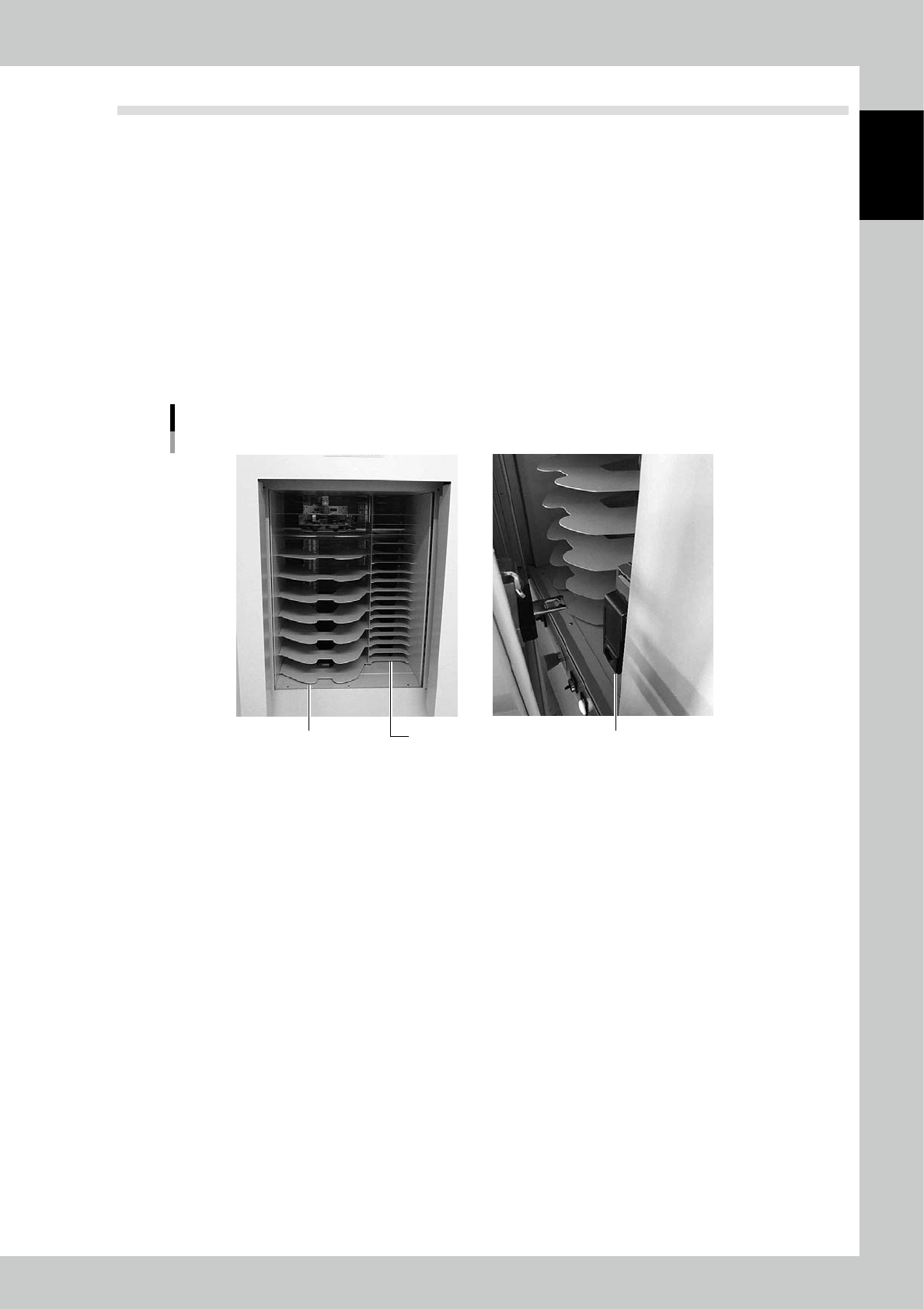
• Loading/unloading area
The shelf is used to load/unload components.The right side is for 7 inches reels and the left side is for 13-15 inches reels.
* Depending on the machine type.
Loading/unloading area
Door lockFor 7 inch reelsFor 13-15 inch reels
23104-KMS-00
1-6
1
Unit names and functions
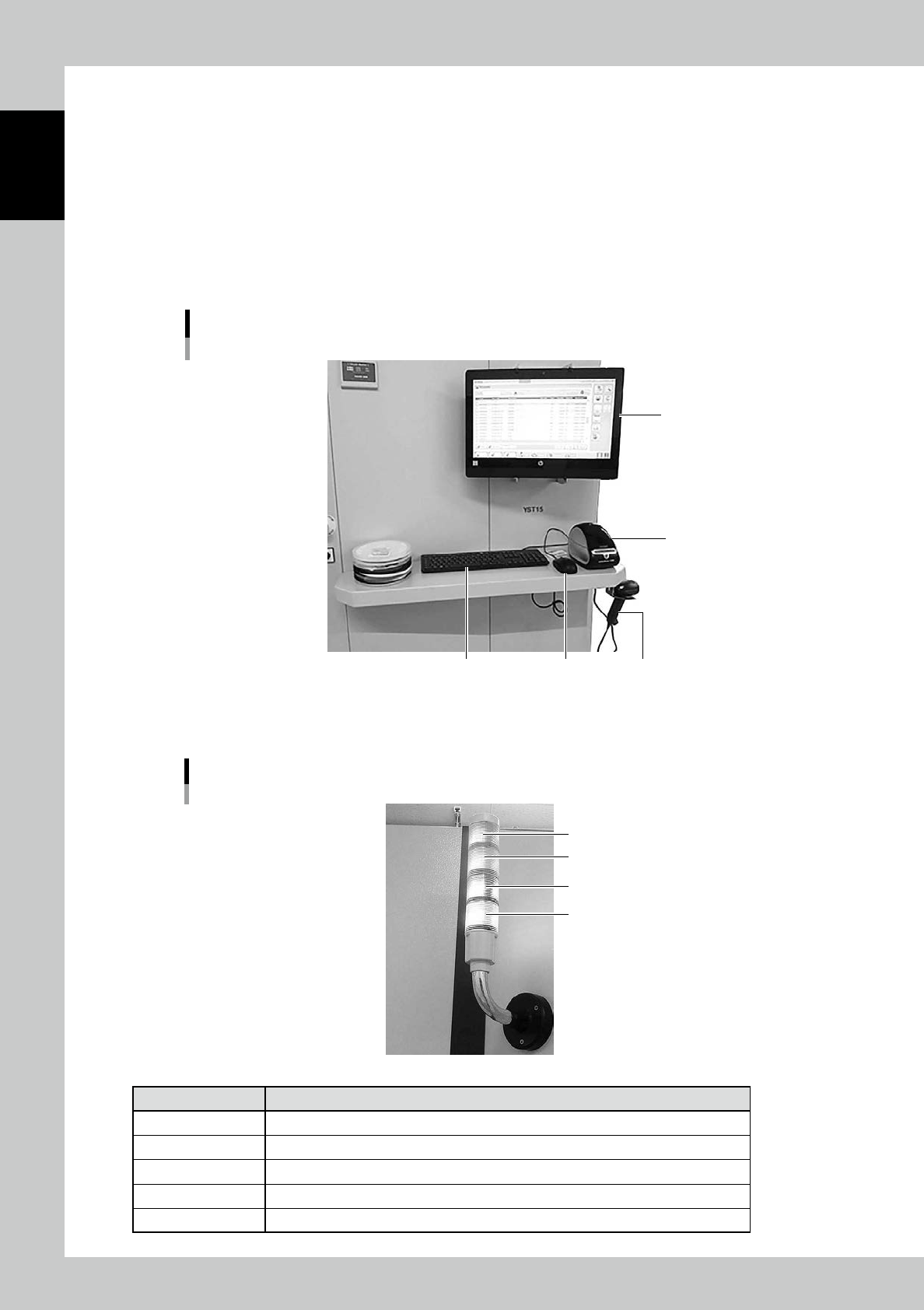
Interface
• Touch screen monitor (PC)
• Keyboard
• Mouse
• Bar code reader
This is used to register the components by scanning.
• Label printer
Print barcodes for managing components in the warehouse.
Interface
Mouse
Label printer
Bar code readerKeyboard
Touch screen monitor
23105-KMS-00
Tower signal
Tower signal
Red
Yellow
White
Green
23106-KMS-00
Color Status
Red Emergency stop, when errors occur
green During automatic operation
Yellow & Green While unloading components
White & Green While loading components
Yellow When there are components on the loading/unloading area
1-7
1
Unit names and functions
1.3 Inside
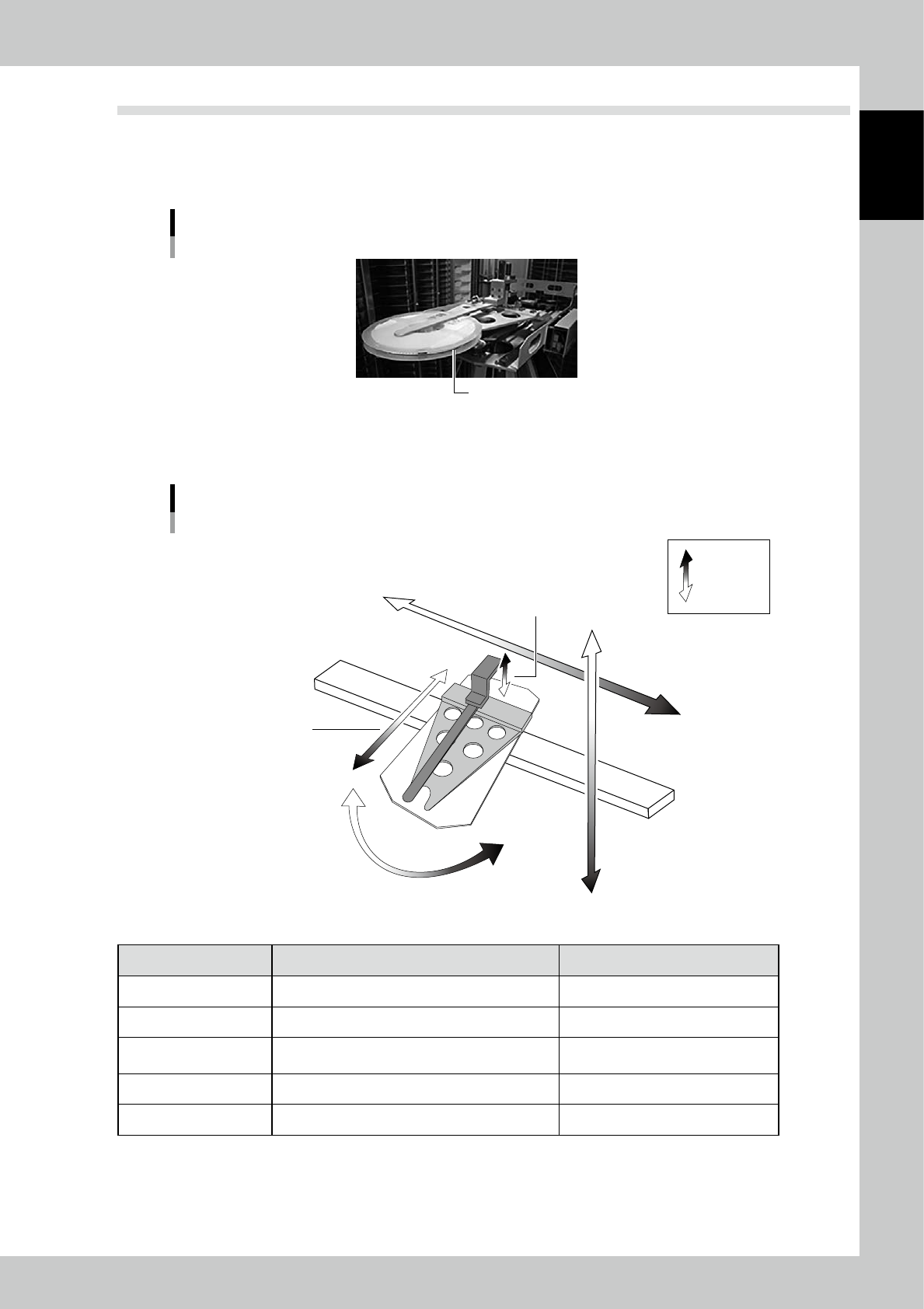
Handler
The handler can carry several sizes of reels.
Handler
Reel
23107-KMS-00
Axis
X-axis
Axis
Viewed from the machine front
Positive
Negative
Y-axis
Open/Close-axis
Delta-axis
(Rotation-axis)
Forward/Backward-axis
(Z-axis)
23108-KMS-00
Axis Handler movement Positive direction (+)
X Move horizontally to go to a cell. Rightward from the machine front.
Y Move vertically to go to a cell. Downward.
Forward/Backward (Z)
Move forward/backward to pick/place a component
to a cell.
Forward.
Open/Close Open/Close to grip/release a component on a cell. Open.
Delta (Rotation) Rotate to change direction of the handler. Counter clockwise viewed from upside.