YST15_Users_E.pdf - 第126页
2-98 2 Operation 3.12.4 ALERTS screen When warning occurs, [Alerts] button at bottom blinks with colored red. Press [Alerts] button, then "ALER TS" screen appears. "ALERTS" screen [Alerts] button [Ref…
2-97
2
Operation
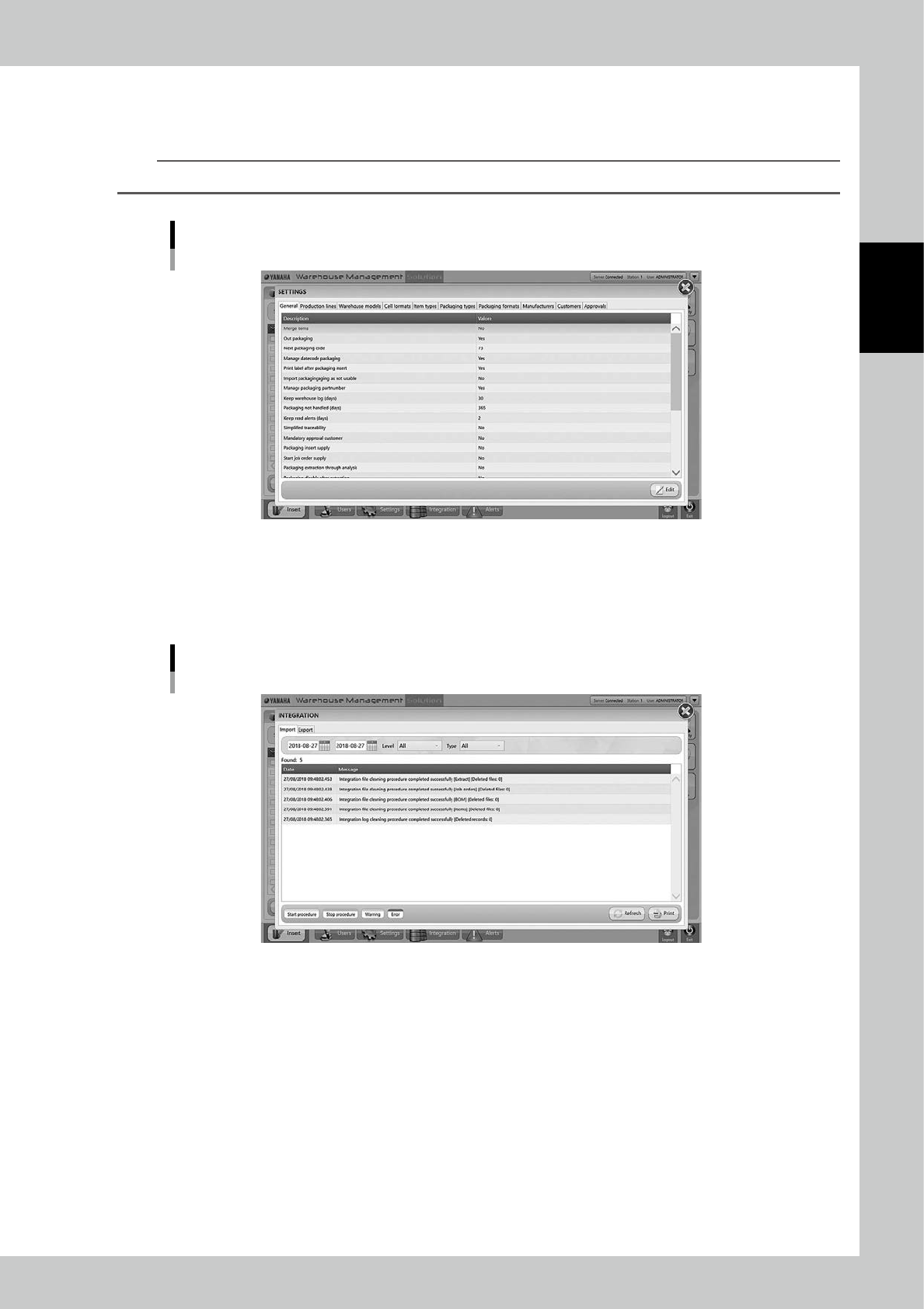
3.12.2 SETTINGS screen
Detailed settings can be edited in this screen.
n
NOTE
The setting values in this screen are not edited basically except for edited at the machine installation.
"SETTINGS" screen
242C0-KMS-00
3.12.3 INTEGRATION screen
The history of information and warning are recorded if the machine communicates with external systems.
Normally this is not used.
"INTEGRATION" screen
242C1-KMS-00
2-98
2
Operation
3.12.4 ALERTS screen
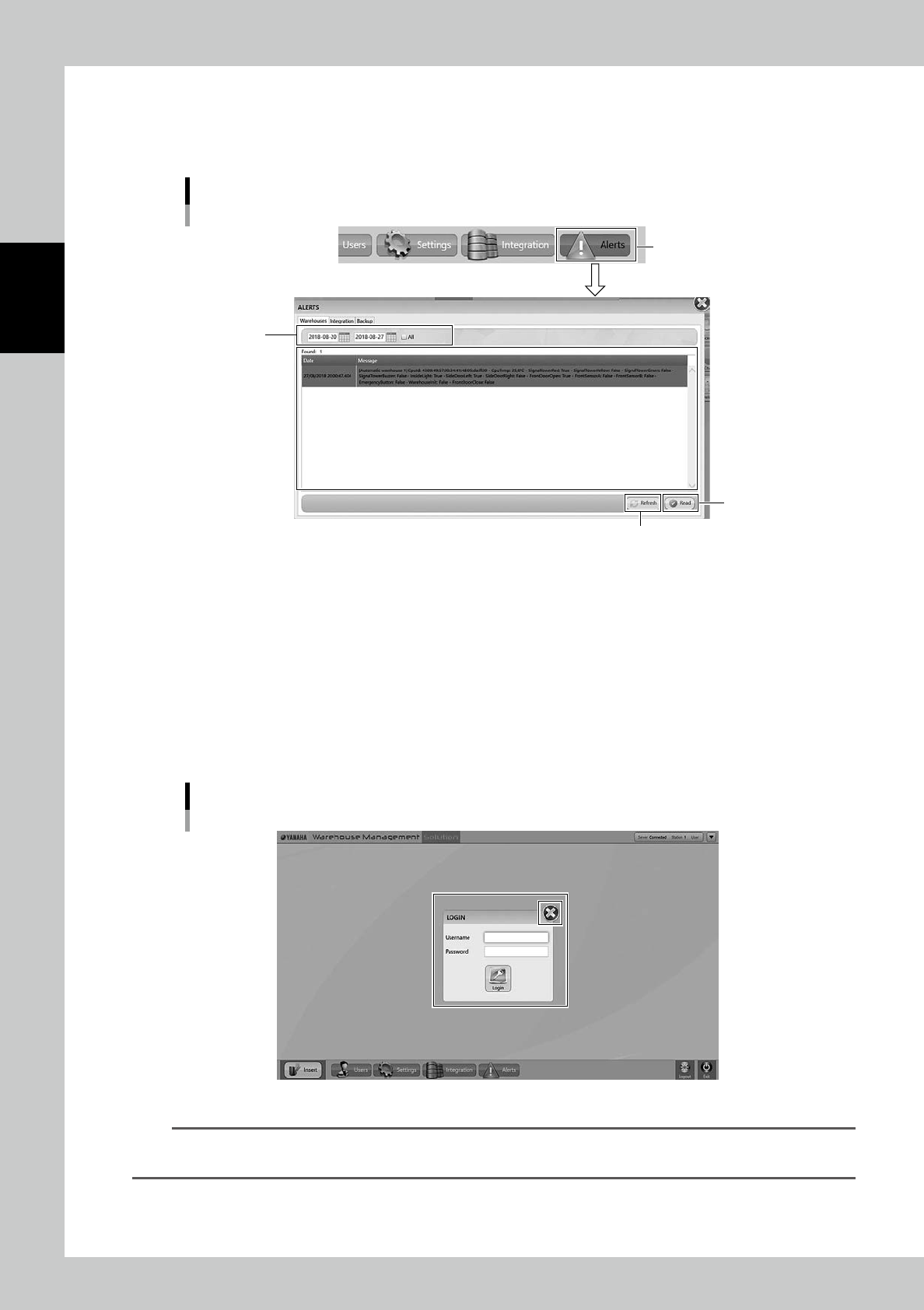
When warning occurs, [Alerts] button at bottom blinks with colored red. Press [Alerts] button, then "ALERTS"
screen appears.
"ALERTS" screen
[Alerts] button
[Refresh] button
[Read] button
Input date
242C2-KMS-00
[Refresh] button
Able to update the alarm display.
[Read] button
After solving alarm issues, select the alarm and press [Read] button, then the machine resets the alarm and the alarm
disappears from the list.
3.12.5 Logout
Press [Logout] button, then the user logs out and "LOGIN" screen appears.
Input "Username" with its "Password", then log in again.
"LOGIN" screen
242C3-KMS-00
n
NOTE
Press "X" at top right in LOGIN screen, then the message "Do you want to shut down?" appears.
Select [OK], then the application shuts down.