YST15_Users_E.pdf - 第89页
2-61 2 Operation 5 Pr ess [Sav e] button to create the job order . JOB ORDER creating screen 2 [Save] button Buttons 24270-KMS-00 n Functions of buttons Icon Button name Description Add button BOMs which are not in "…
2-60
2
Operation
TIP
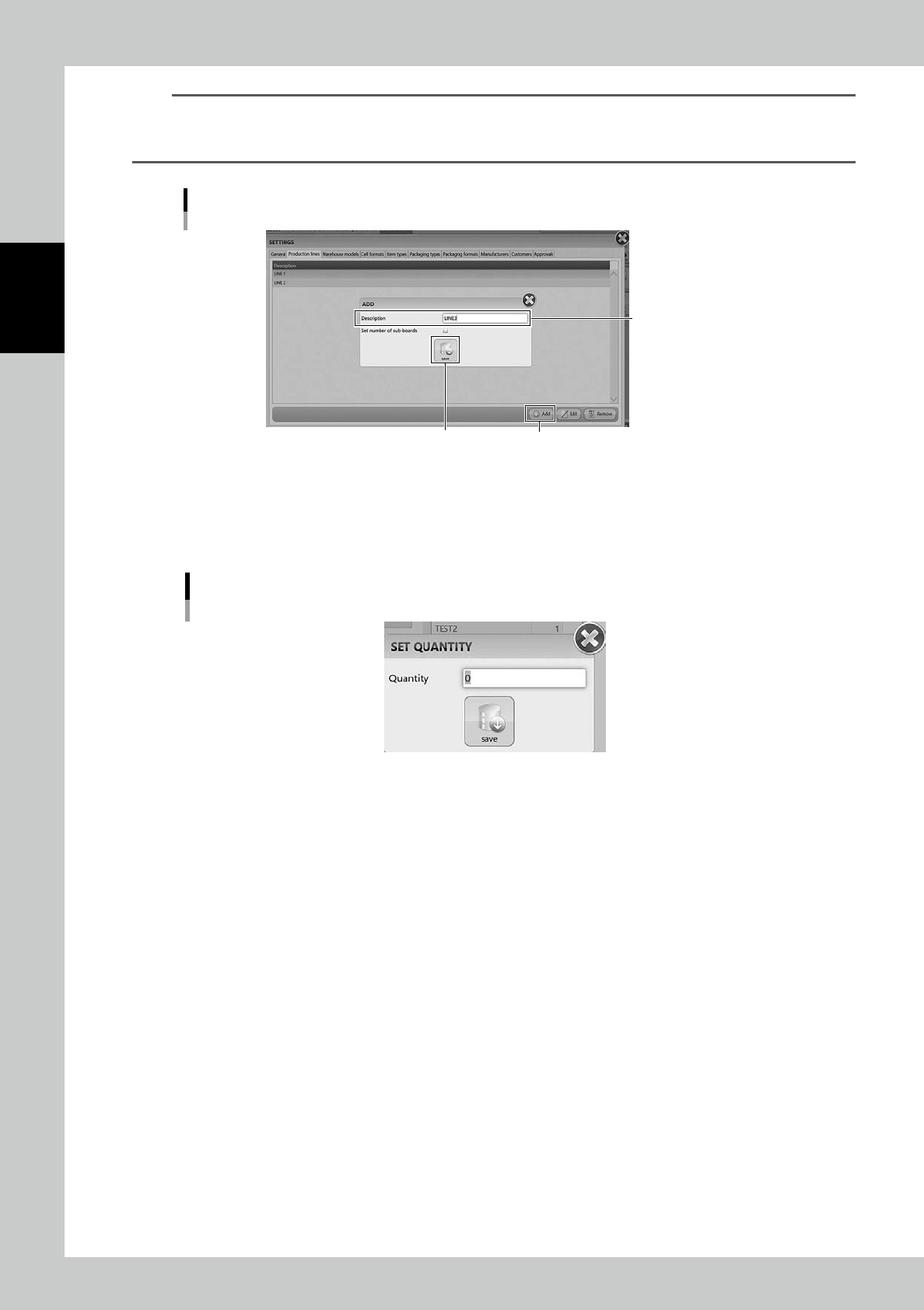
Production Line
Production line is registered in "SETTINGS" screen.
Select the line name of the factory, then press[Add] to register it.
Register Production line
[Add] button[Save] button
Input the line name
24271-KMS-00
4
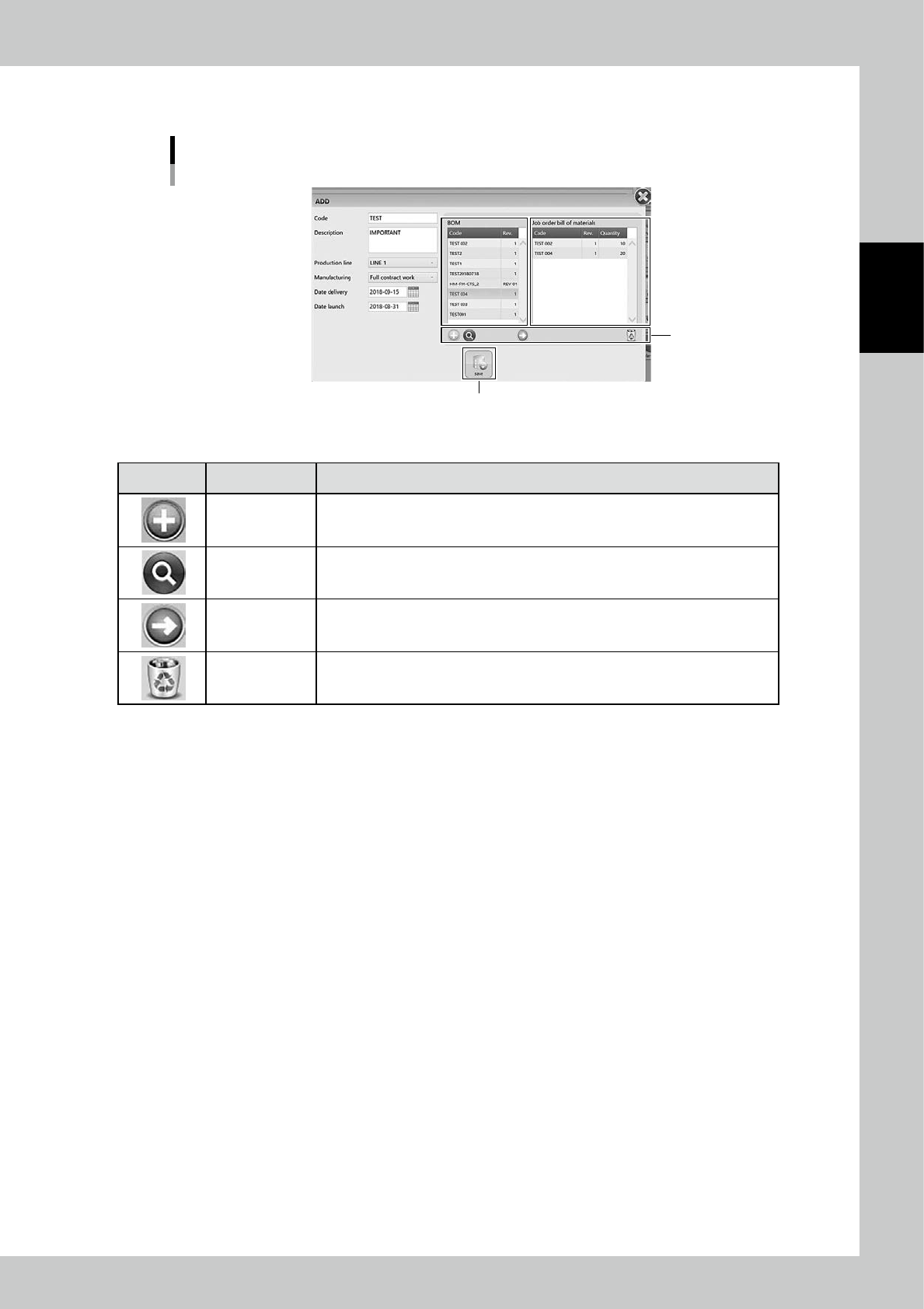
Select the BOMs to be registered in the job order.
1. Select the BOM to be registered in the job order, then press [Arrow] button.
2. "SET QUANTITY" screen appears, then input the production quantity of the product by the BOM.
"SET QUANTITY" screen
24269-KMS-00
3. Press [save] button to register the BOM and its quantity into "Job order bill of materials" table at right
of the screen.
4. Repeat 1 to 3 to register all the BOMs required for the job order.
2-61
2
Operation
5
Press [Save] button to create the job order.
JOB ORDER creating screen 2
[Save] button
Buttons
24270-KMS-00
n
Functions of buttons
Icon Button name Description
Add button
BOMs which are not in "BOM" table can be newly registered in this screen.
See "3.5 BOM" for the process for registering BOMs.
Zoom button Able to zoom in "BOM" table.
Arrow button Able to register the selected BOM into "Job order bill of materials" table.
Remove button Remove the BOM registered in "Job order bill of materials" table.
2-62
2
Operation
3.6.3 Create a job order by import function
Registering a job order by import function.
n
NOTE
The import function for job orders can't register multiple joborders at once but can register only a job order one by
one.
1
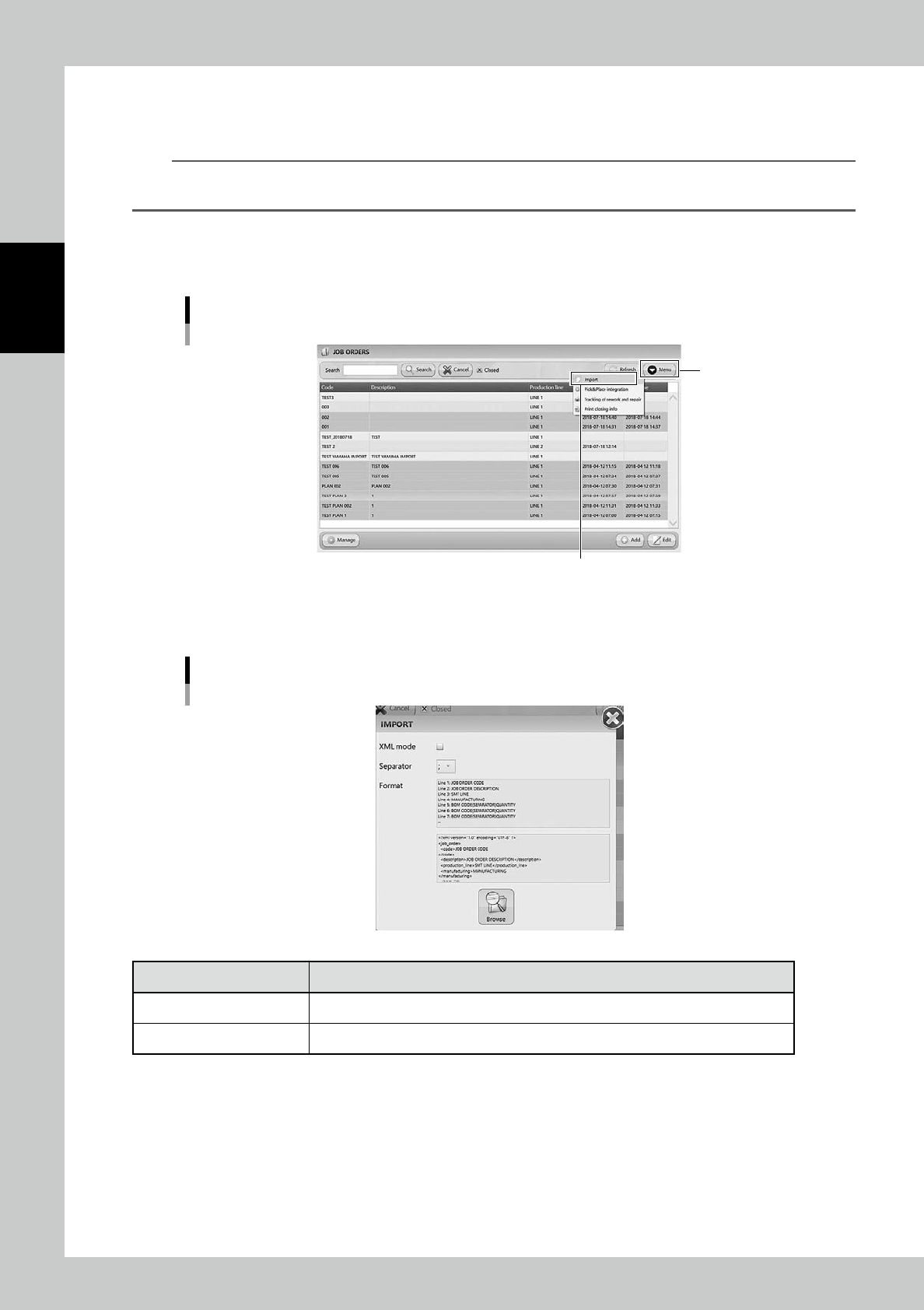
Open "IMPORT" screen.
Select "Import" in Menu, then "IMPORT" screen appears.
Import menu
“Import”
[Menu] button
24272-KMS-00
2
Select the file format in "IMPORT" screen.
"IMPORT" screen
24273-KMS-00
Contents Description
XML Mode Normally import files are txt or csv format. If the import file is xml format, tick this.
Separator Select the separator from " ; ", " : ", " , ", or " . ".