YST15_Users_E.pdf - 第19页
1-3 1 Unit names and functions Machine main unit Extension specification Front n : Standard units : Options Extension unit 23102-KMS-00
1-2
1
Unit names and functions
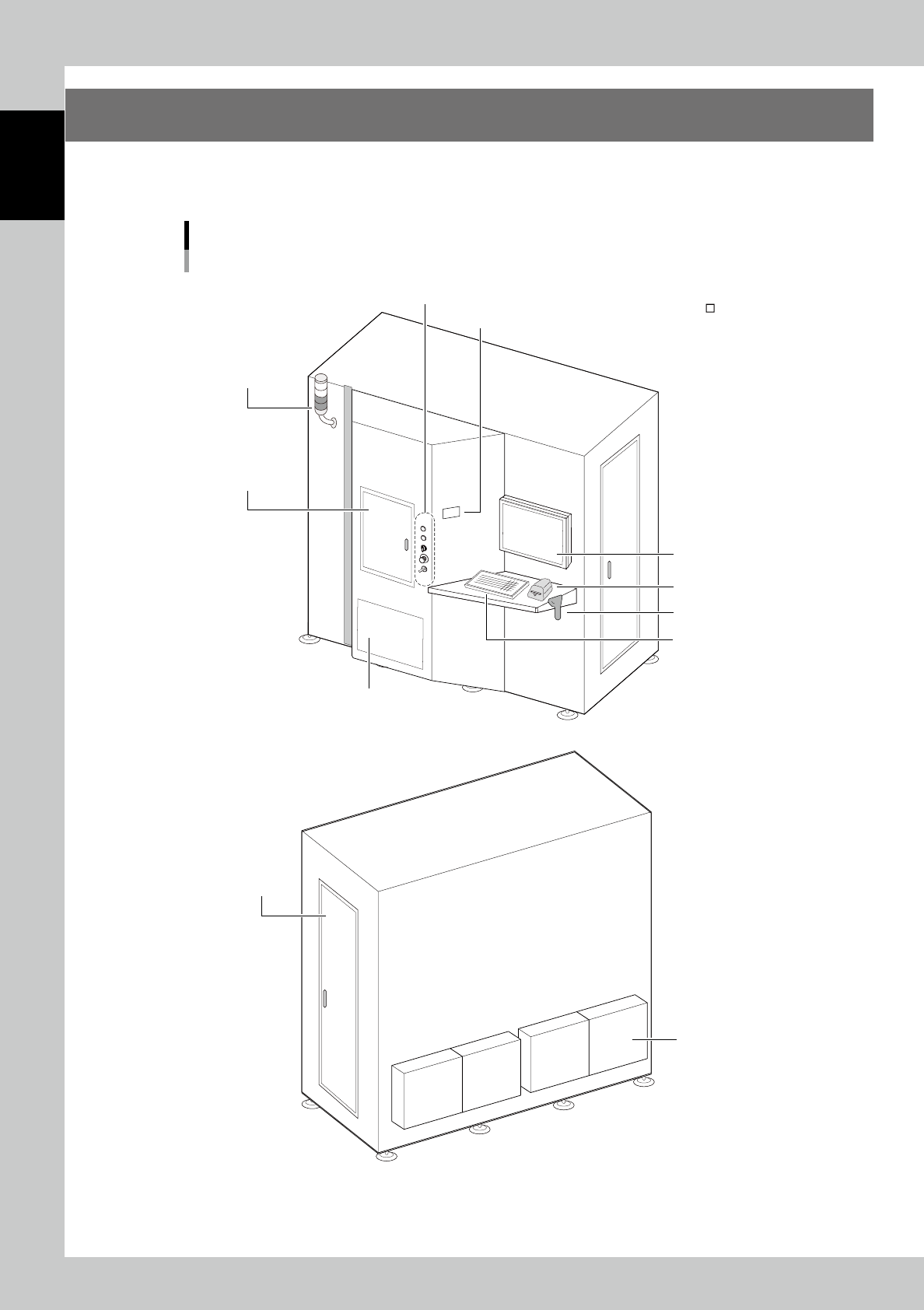
1. Machine main unit
A standard machine has the following configurations after installation is complete.
Names and functions of major parts of the main unit are illustrated below.
Front
Rear
n Keyboard
n Tower signal
n : Standard units
: Options
Machine main unit
Standard specification
n Main control panel
n Dehumidifier
n Label printer
n Operation buttons
n Front door
n Bar code reader
n Touch screen monitor
n Side door
n Humidity monitor
23101-KMS-00
1-3
1
Unit names and functions
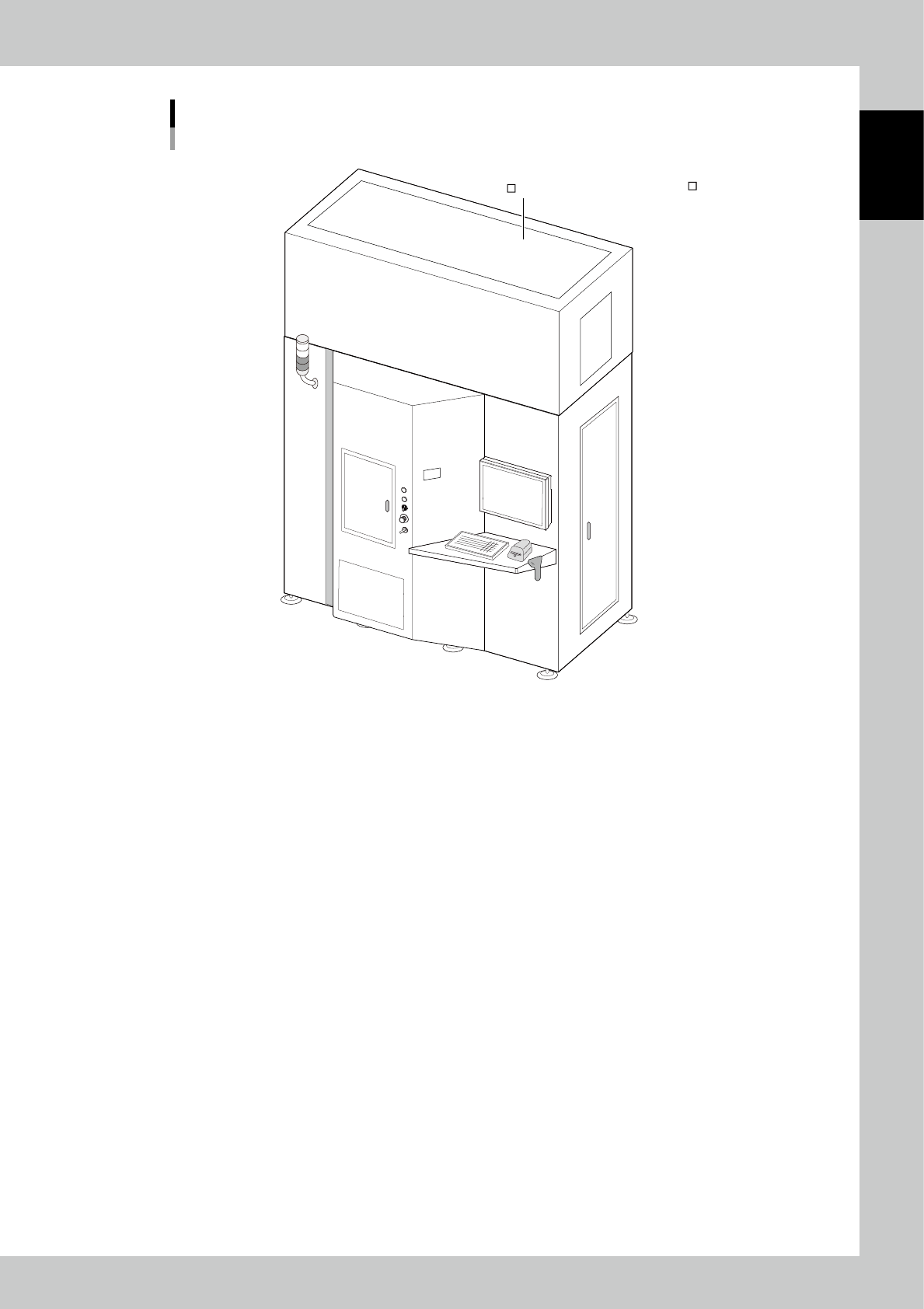
Machine main unit
Extension specification
Front
n : Standard units
: Options
Extension unit
23102-KMS-00
1-4
1
Unit names and functions
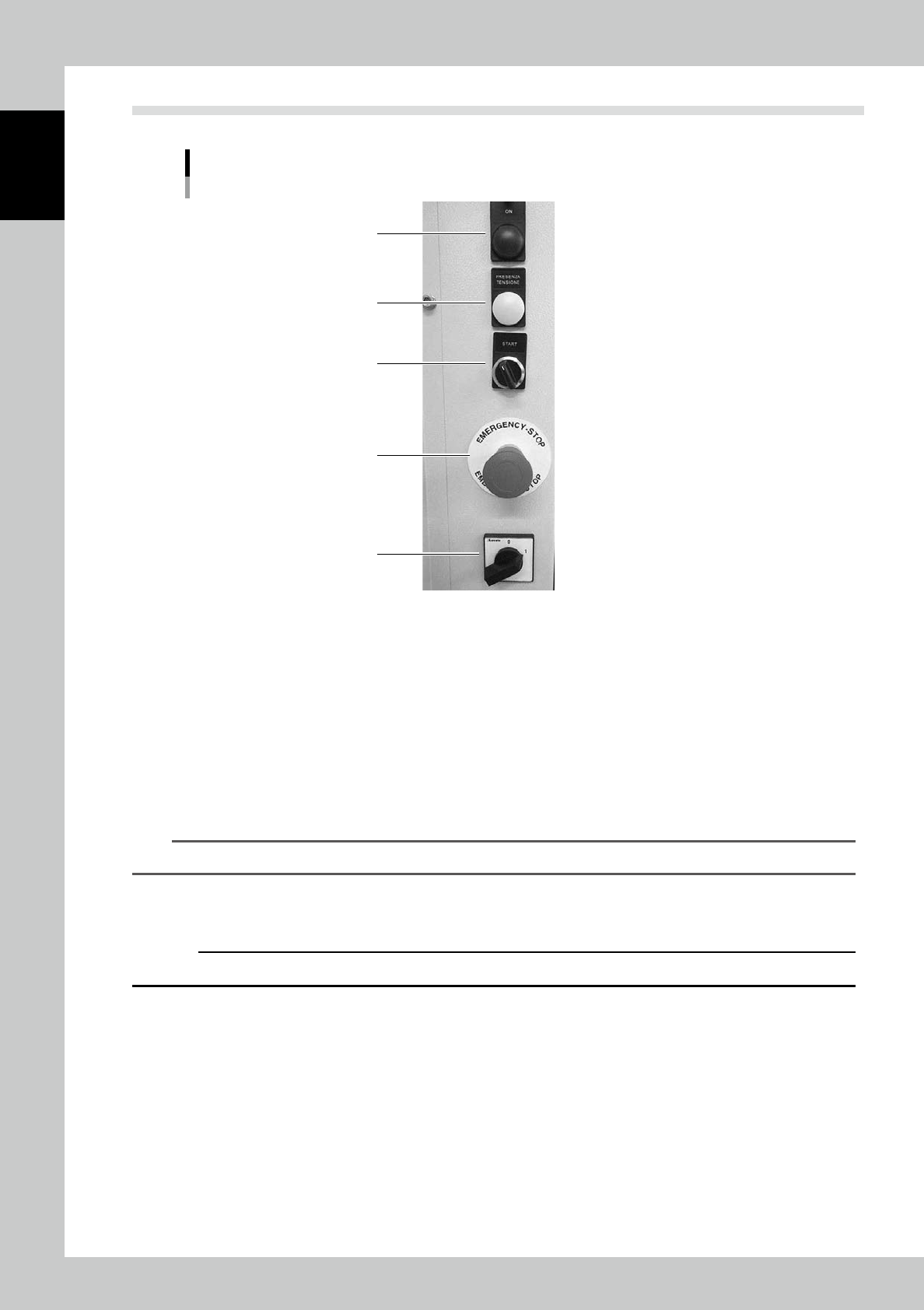
1.1 Operation buttons
4
3
2
5
1
Operation buttons
23103-KMS-00
1. Main switch
This switch turn the machine power supply on/off. Turn “0” to “1” to turn on the machine.
2. Operation switch
This button starts the machine operation. Turning it right turns on the control board, axes boards, motors, sensors,
dehumidifiers, and so on.
3. Power indicator (Green: Boot OK)
This lamp lights on when the operation switch is on.
4. Operation indicator
This lamp lights on when the operation is ready after all the boards are on by turning the operation switch.
TIP
The boards are powered on approximately 5 seconds after turning the switch on.
5. Emergency stop button
This button turns off the power supply for controlling all axes. Turn the button left to cancel the emergency stop.
c
CAUTION
Do not use emergency stop button except for emergency.