YST15_Users_E.pdf - 第43页
2-15 2 Operation 3.1.3 Lower area Lower area 24211-KMS-00 Insert (Loading) Able to load packagings. Users User management screen appears.See "3.12.1 USERS" for details. Settings The settings of the machine appe…
2-14
2
Operation
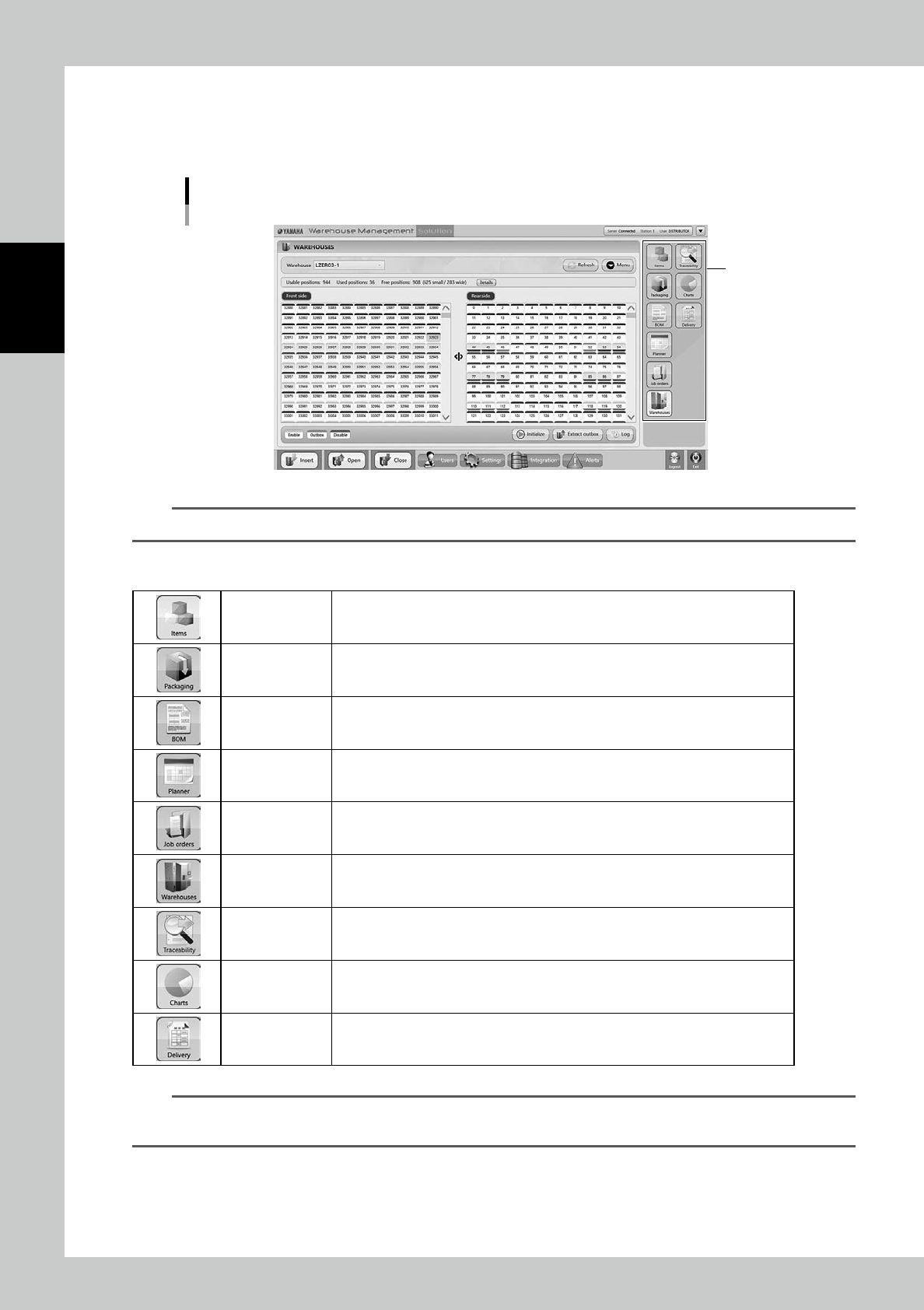
3.1.2 Middle area
Middle area is the main section of this software.
Pressing the buttons in right section displays their function screens. The selected button is colored with white.
Middle area
Buttons
24210-KMS-00
TIP
Once the software starts, these buttons are displayed in middle area.
The buttons are described in the following.
The screen of each button is described in the following pages.
Items Able to register details of items to be stored in the machine.
Packaging
Able to register types and quantities of packagings, which are related to registered
items, to be stored in the machine.
BOM Able to register the types and quantities of items required to product each product.
Planner
Able to judge the production feasibility based on the information of BOM and the
stocks of items and packagings.
Job orders
Able to create Job order which works for unloading packagings based on the
production plan and the BOM of its products
Warehouses The storage statuses of packagings in the machine are displayed.
Traceability Able to check the history of such as packagings loaded/unloaded.
Charts
The timeline charts of temperature and humidity inside/outside the machine are
displayed.
Delivery Able to check delivery orders and their history
n
NOTE
YST15 has a function to unload packagings according to external orders, if an external system manages remaining
item quantities and traceability. This function is called "Delivery order".
2-15
2
Operation
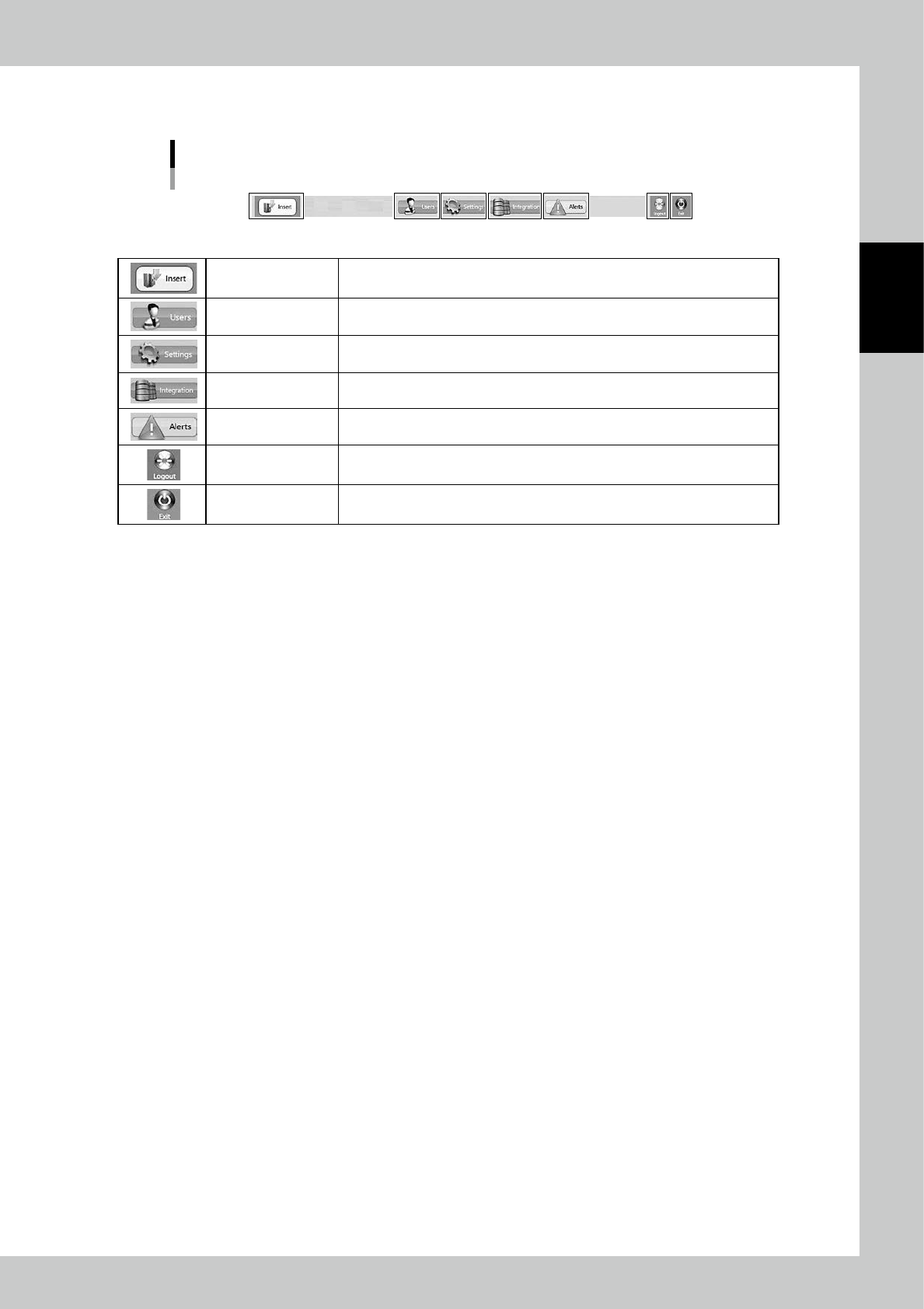
3.1.3 Lower area
Lower area
24211-KMS-00
Insert (Loading) Able to load packagings.
Users User management screen appears.See "3.12.1 USERS" for details.
Settings The settings of the machine appears.See "3.12.2 SETTINGS screen" for details.
Integration
If the other software is associated with this machine, the specified screen
appears.Normally NOT used.See "3.12.3 INTEGRATION screen" for details.
Alerts Errors are displayed.See "3.12.4 ALERTS screen" for details.
Logout
Able to log out.After logging out, user name and its password is required to log
in again.See "3.12.5 Logout" for details.
Exit Able to close WMS MANAGER.
2-16
2
Operation
3.2 ITEMS
All components stored in YST15 requires to be registered as items. There are two ways for registration.
One is to register single item one by one. The other is to register some items at once by import function.
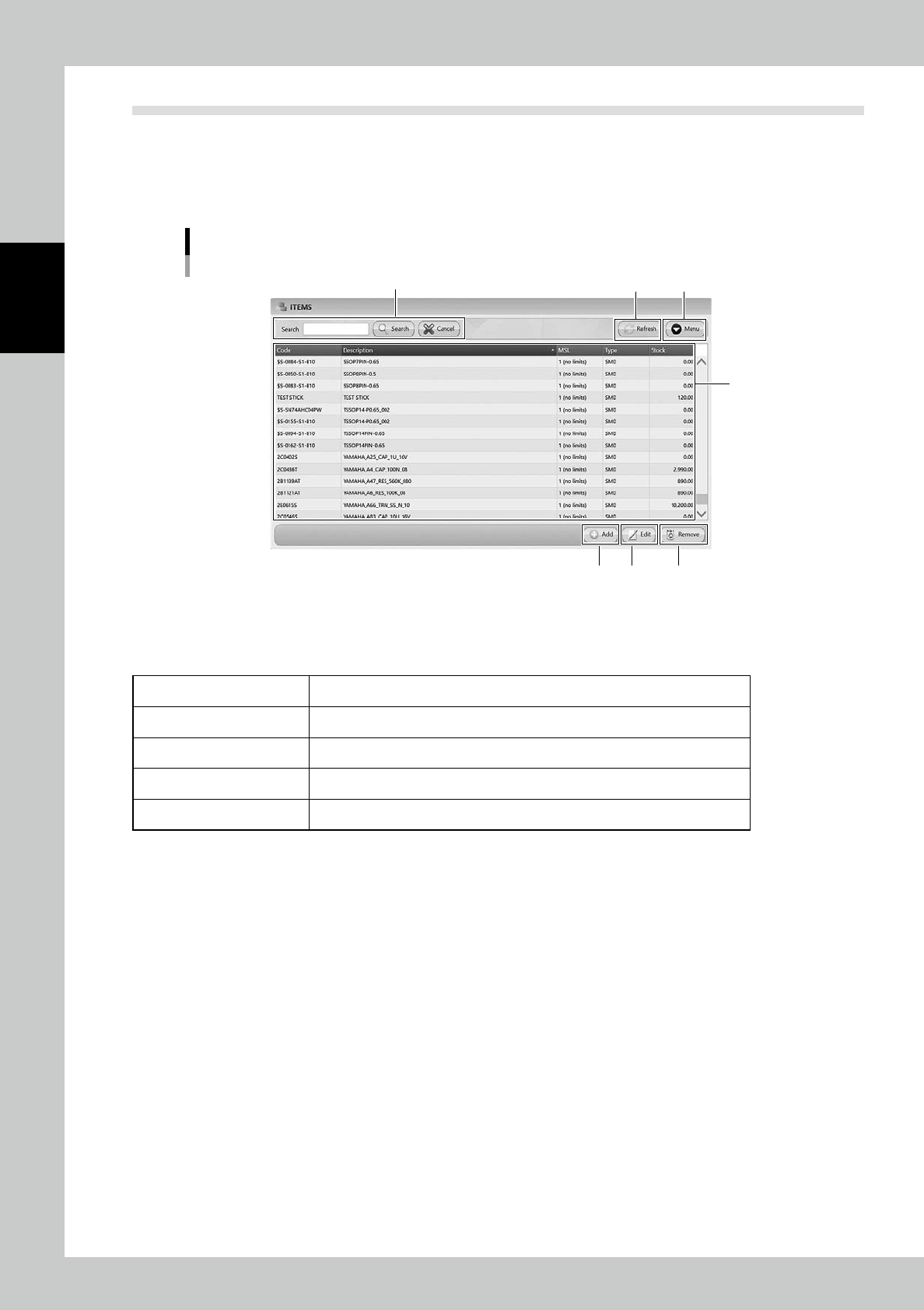
3.2.1 ITEMS screen
"ITEMS" screen
2
3 4
1
5 6 7
24212-KMS-00
1. Item list
Registered items are listed. Pressing a content in the top line sorts items.
The details of contents are described in the following page, too.
Code Names of items.
Description Details of items.
MSL Moisture Sensitive Level.
Type SMD, surface mount device, or TH, through hole, is selected.
Stock The total quantities of items in packagings stored in the machine.
2. Search bar
Able to search based on Code or Description. Pressing [Search] button with words starts searching related items.
Pressing [Cancel] button stop searching.
3. [Refresh] button
Able to update stocks manually after production and re-loading packagings which includes remaining items.