00198829-01_SM_X-Series-S_Hxxxx_EN.pdf - 第120页
6 Gantries 6.4 Trailing cable and printed circuit boards 120 Service Manual SIPLACE X-Series S (from Hxxxx) 01/2021 Overview Fig.151: Overview of trailing cable 1 Boards on the gantry (under the cover, see below) 2 Trai…
6 Gantries
6.4 Trailing cable and printed circuit boards
Service Manual SIPLACE X-Series S (from Hxxxx) 01/2021 119
Installation
► Follow the removal instructions in reverse order for installation. Also observe the following
instructions:
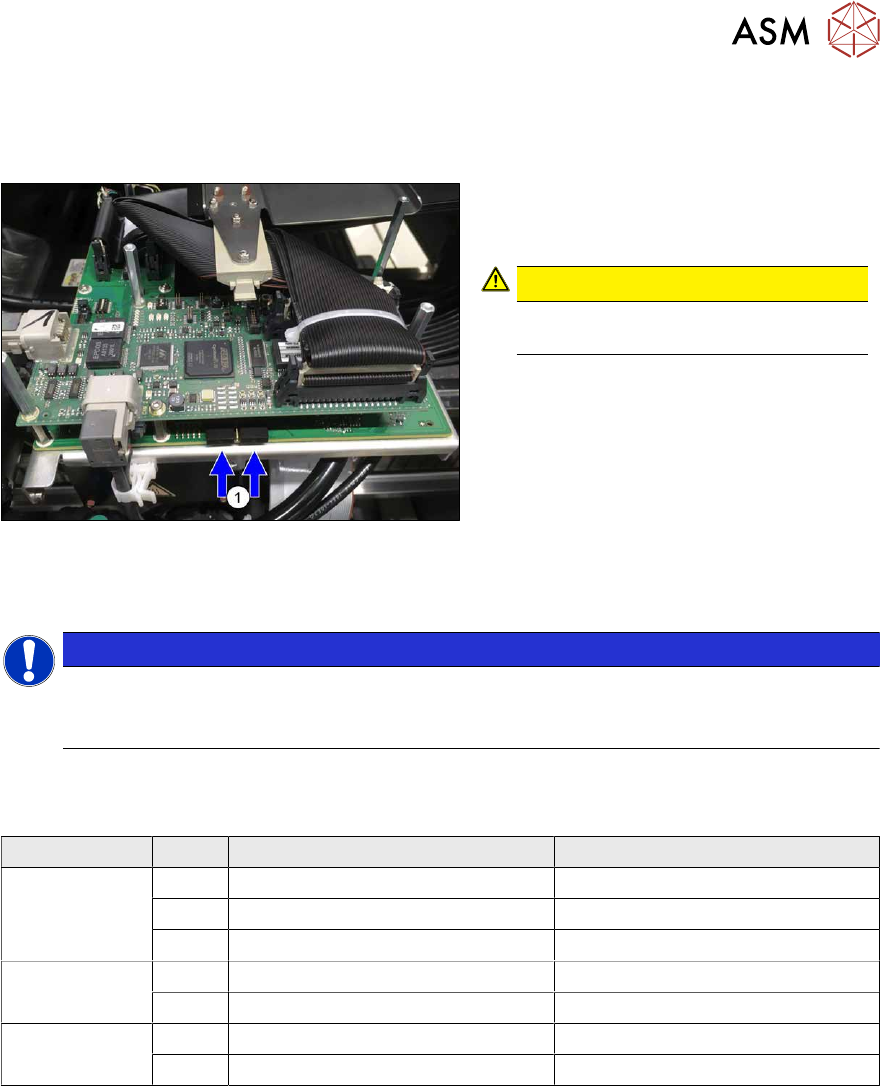
Fig.150: Dummy plug
► Secure the connector X1on the head
interface, if present, with two dummy
plugs(1)
.
CAUTION!
Without the dummy plugs, there is a
risk of short circuit at the board cover!
.
6.4.2 Replacing the Trailing Cable
NOTICE
Example shown as diagram
Replacement of the trailing cable is described using the example of gantry 3. The replace-
ment procedure is the same for the other gantries.
Select the applicable trailing cable:
Machines with serial numbers from Hxxxx
Machine type Gantry Trailing cable Y SIPLACE Trailing cable X SIPLACE
X3 S 1 X4S GigE 2P U [03104774-xx] X4S GigE 2P U [03104776-xx]
4 X4S GigE 2P G [03104780-xx] X4S GigE 2P U [03104776-xx]
3 X3S GigE [03104777-xx] X4S GigE 2P U [03104776-xx]
X4 S 1+3 X4S GigE 2P U [03104774-xx] X4S GigE 2P U [03104776-xx]
4+2 X4S GigE 2P G [03104780-xx] X4S GigE 2P U [03104776-xx]
X4i S 1+3 X4S GigE 2P U [03104774-xx] X4S GigE 2P U [03104776-xx]
4+2 X4iS GigE 2P G [03104773-xx] X4iS GigE 2P G [03104768-xx]
6 Gantries
6.4 Trailing cable and printed circuit boards
120 Service Manual SIPLACE X-Series S (from Hxxxx) 01/2021
Overview
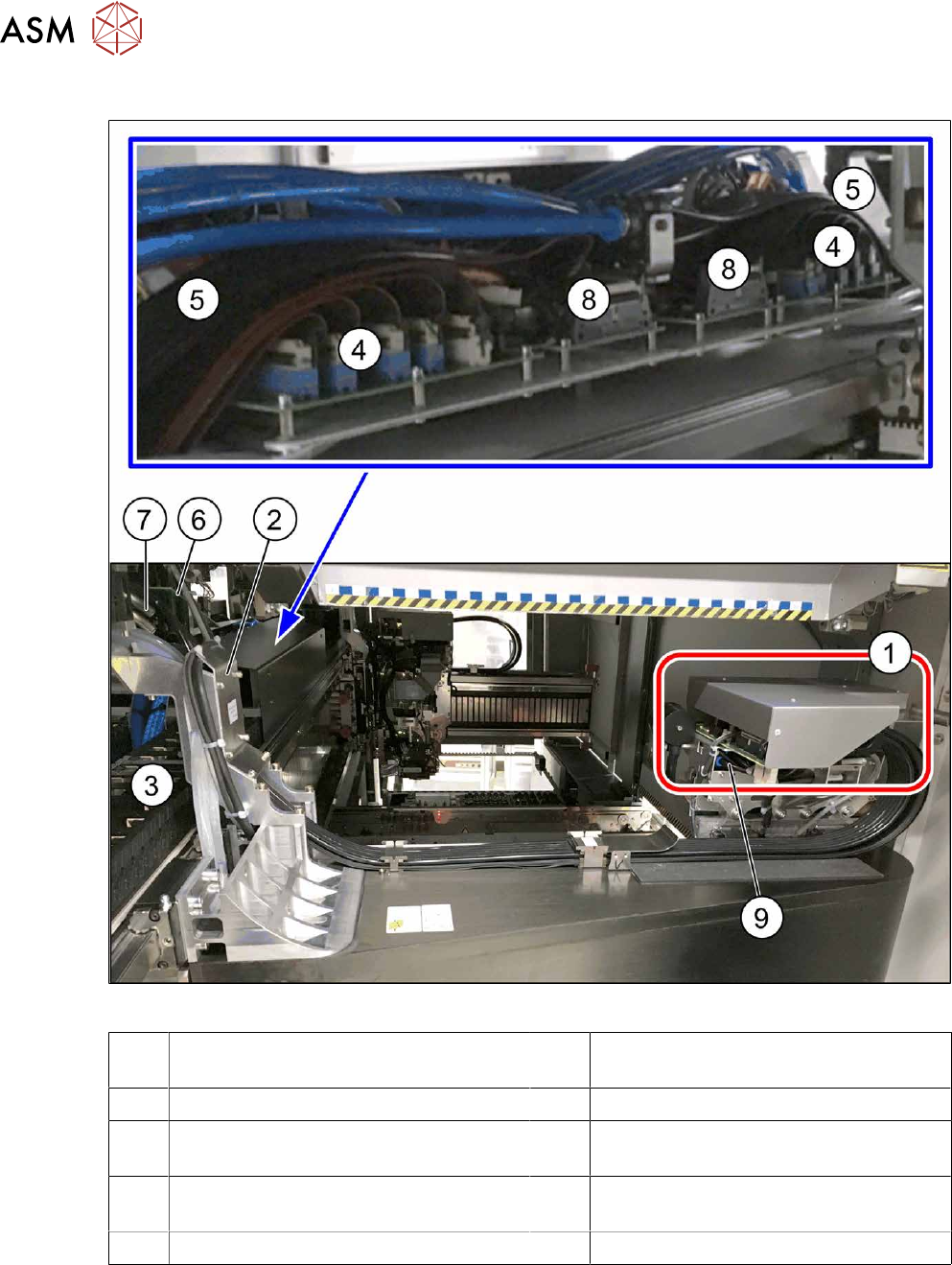
Fig.151: Overview of trailing cable
1 Boards on the gantry (under the cover,
see below)
2 Trailing cable console
3 Power track chain 4 Trailing interface gantry
5 Pneumatic hoses to the pneumatic dis-
tributor (in the machine base)
6 Gantry interface
7 Connection piece for cooling tubes to Y
motor
8 Vision Base Interface
9 Pneumatic distributor
6 Gantries
6.4 Trailing cable and printed circuit boards
Service Manual SIPLACE X-Series S (from Hxxxx) 01/2021 121
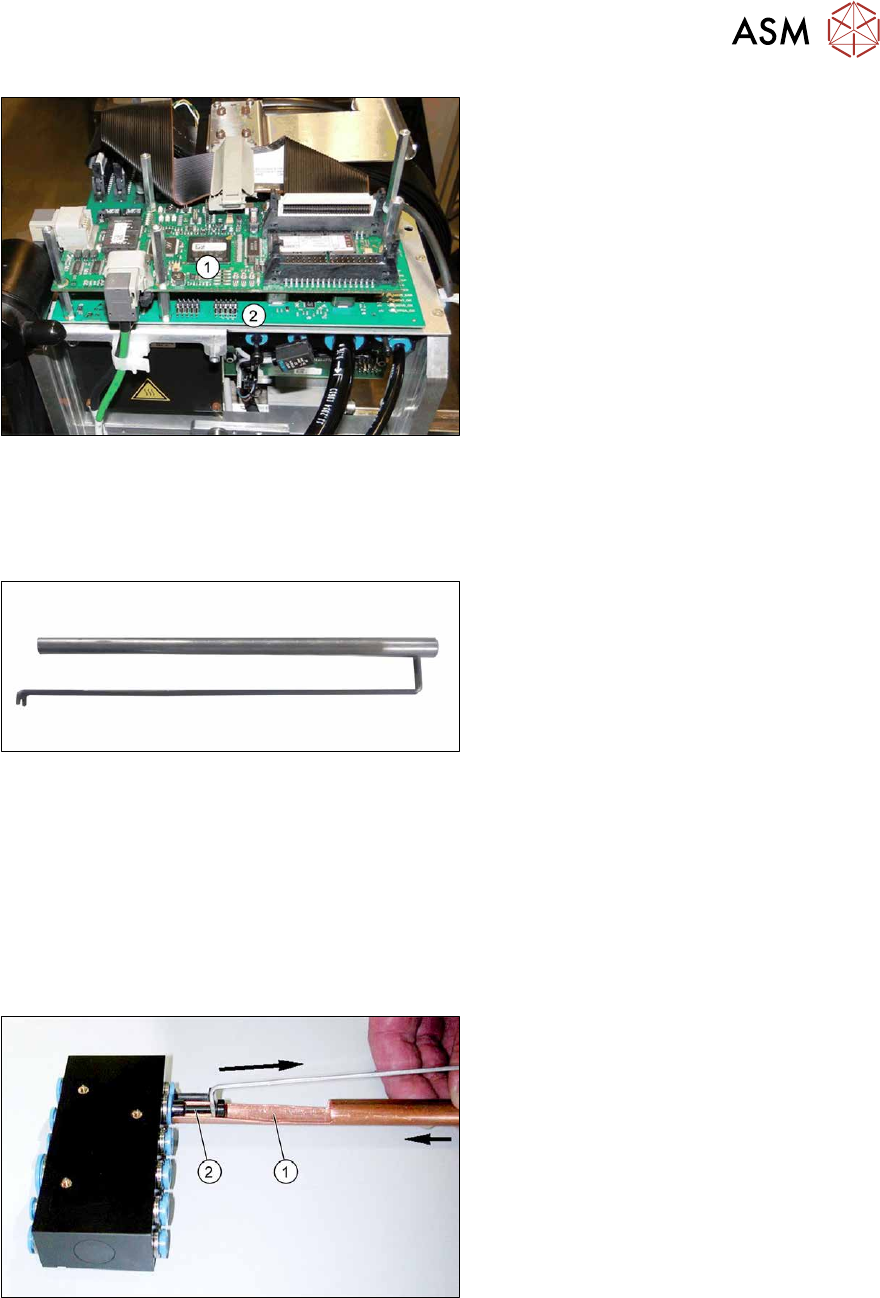
Fig.152: Boards on the gantry
1. Vision Head Interface (VHI)
2. Head interface
6.4.2.1 Handling the hose unlocking tool
Equipment and tools
Fig.153: Unlocking tool
●
Tool set vacuum connection X-Series
(unlocking tool) [03051867‑xx]
Consists of:
– Hose unlocking tool [03047090-xx]
– Unlocking tool for QSC-10H
[03051853-xx]
Usage
► Switch off the compressed air supply
5.2 "Disabling the compressed air supply" [}86]
Due to the poor access to the pneumatic distributor, we recommend using the unlocking tool.
With the help of the hose unlocking tool, you can open the unlocking ring for the compressed air
connection. This enables you to remove both the hoses and the blanking plugs (additional tool "Un-
locking tool for QSC-10H" [03051853-xx]).
Fig.154: Handling the unlocking tool
► Use the pipe-shaped tool (1) to open
the unlocking ring (blue here).
► Carefully pull the hose or the blanking
plug(2)
out of the compressed air con-
nection.