00198829-01_SM_X-Series-S_Hxxxx_EN.pdf - 第206页
7 Conveyor 7.6 Conveyor Belt, Belt Drive and Hexagonal Shaft 206 Service Manual SIPLACE X-Series S (from Hxxxx) 01/2021 Fig.269: Hexagonal shaft mount The hexagonal shafts (1) are fixed on both sides of the conveyor wit…
7 Conveyor
7.6 Conveyor Belt, Belt Drive and Hexagonal Shaft
Service Manual SIPLACE X-Series S (from Hxxxx) 01/2021 205
NOTICE
Replacing a movable idler pulley
The idlers are fitted onto a clamping device [00360422-xx]. When you fit the new movable
idler pulley, this clamping device needs to be pushed towards the movable idler pulley. You
therefore need to perform the following additional steps when replacing a movable idler pul-
ley:
► Dismantle the clamping or guide rail via the movable idler pulley.
Secure the clamping piece in the conveyor side with adhesive tape. The lack of room
means that subsequent insertion and fixture involves much time and work.
► Remove the fastening screw on the idler pulley to be replaced.
CAUTION
Spacer, spacer disk
The fastening screw for some idler pulleys also holds the spacers or spacer disks in place.
► Make sure that you do not loose these.
► Unthread the idler pulley from the conveyor toothed belt and remove it.
Installation
Follow the removal instructions in reverse order for installation. Also observe the following instruc-
tions:
► Make sure you use the correct fastening screw.
Tighten this fastening screw with a torque of 1.8Nm
. Make sure that you do not tighten the
screws too much. This could cause irreparable damage to the conveyor!
► Use any spacer disks or spacers available.
► Make sure that you do not fold or otherwise damage the toothed belt.
► Make sure that the toothed belt is positioned accurately in the guidance on the motor shaft/in
the belt drive.
► Remove the adhesive tape, if necessary.
► While you tighten the movable idler pulley, set the tension of the toothed belt correctly
7.6.2 "Setting the belt tension (conveyor belt)" [}200]
7.6.6 Replacing the hexagonal shaft
Parts, equipment and tools
●
Hexagonal shaft SX14 [03094721-xx]
●
Bearing for hexagonal shaft SXa (plastic bearing) – pack of 10 [03092024-xx]
●
Adhesive tape
Removal
CAUTION
Do not damage the hexagonal shafts
Make sure that you do not damage the hexagonal shafts. If you do, this will impair the width
adjustment.
► Damaged hexagonal shafts must be replaced.
► Use the software to move the conveyor sides into a position which allows you best access. As
an alternative, you can loosen the clamps for the relevant sides in dual conveyors.
7.2 "Loosening the Conveyor Side Clamps" [}162]
► Switch off the machine, disconnect it from the power supply and secure it to prevent
unauthorized reactivation.
1.2 "Preparatory work..." [}16]
7 Conveyor
7.6 Conveyor Belt, Belt Drive and Hexagonal Shaft
206 Service Manual SIPLACE X-Series S (from Hxxxx) 01/2021
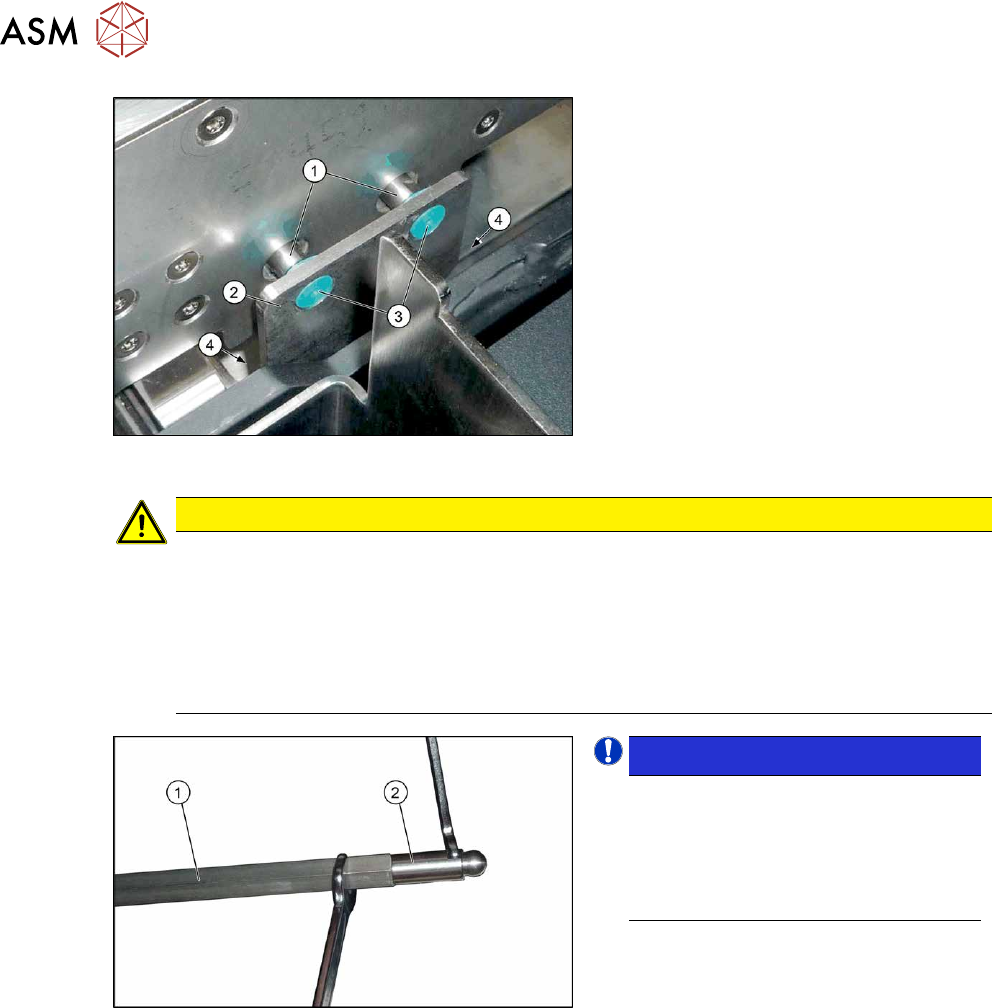
Fig.269: Hexagonal shaft mount
The hexagonal shafts (1) are fixed on both
sides of the conveyor with brackets. When
you dismantle the hexagonal shaft, you only
need to take off one of these brackets.
► Remove the screws (4) fastening the
hexagonal shaft mount (2)
(Allen key 3)
and remove the plastic bearings (3)
on
both sides of the conveyor.
CAUTION
Plastic bearing
Make sure that you do not lose the plastic bearings when dismantling the bracket. When
you dismantle a bracket, always remove all the plastic bearings on this bracket and the op-
posite bracket. These would otherwise obstruct the movement of the hexagonal shafts and
could easily fall out.
► In order to prevent a plastic bearing from falling out and to make subsequent fitting
easier, these can be fixed in place with adhesive tape.
Fig.270: Ball studs on the hexagonal shafts
NOTICE!
Many tasks on the conveyor require
you to simply move the hexagonal
shafts instead of removing them. In
these cases, you generally do not
need to dismantle the ball studs on the
ends of the hexagonal shafts.
.
► Unscrew the two ball studs (2) from the
two ends of the hexagonal shaft (1)
(fork wrench size 8 and10). This
shortens the shaft and makes it easier
to handle.
► Unthread the hexagonal shaft.
Installation
Follow the removal instructions in reverse order for installation. Also observe the following instruc-
tions:
► Once you have loosened the ball studs of the hexagonal shafts, tighten these with a torque of
14 Nm.
► Make sure that the hexagonal shafts are not damaged by the tool.
► Do not tighten the screws fastening the hexagonal shaft holder too much yet.
► Check whether the tape drive and the drive unit are aligned correctly to one another.
To do this, push the conveyor sides together until you can still just reach the fastening screws.
Check the conveyor drive for ease of movement by turning the hexagonal shaft. You may
need to loosen the conveyor drive again and then reset it.
7 Conveyor
7.7 Clamping Plate, Clamping Rails and Belt Guidance
Service Manual SIPLACE X-Series S (from Hxxxx) 01/2021 207
7.7 Clamping Plate, Clamping Rails and Belt Guidance
7.7.1 Replacing the clamping unit (clamping plate), spacer disks and tension
spring
Parts, equipment and tools
Select the clamping unit needed:
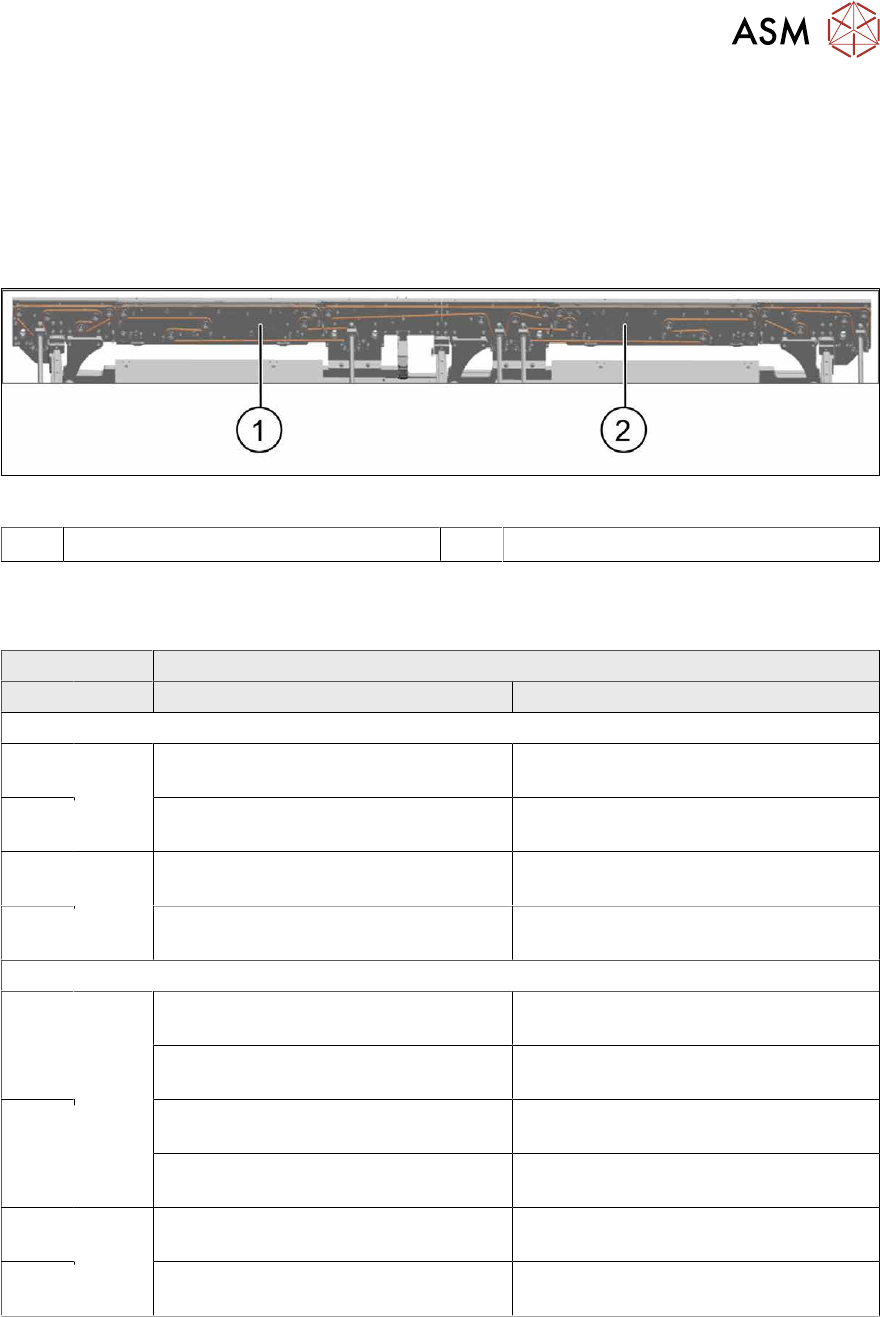
Fig.271: Clamping units
1 Placement area 1 (PA 1) 2 Placement area 2 (PA 2)
(DC = Dual conveyor, SC = Single conveyor)
Pay attention to the item numbers for the "single conveyor, heavy board 8 kg", which may vary.
Side panel Placement area
DC SC PA1 PA2
SIPLACE X4i S, X4i S micron
A Fixed,
right
Clamping unit A/C PA1 assembly
SX4a [03094044-xx]
Clamping unit PA A/C assembly SXa
[03098833-xx]
B Clamping unit B/D PA1 assembly
SX4a [03094093-xx]
Clamping unit PA B/D assembly SXa
[03098837-xx]
C Fixed,
left
Clamping unit A/C PA1 assembly
SX4a [03094044-xx]
Clamping unit PA A/C assembly SX1a
[03092002-xx]
D Clamping unit B/D PA1 assembly
SX4a [03094093-xx]
Clamping unit PA B/D assembly SX1a
[03092222-xx]
SIPLACE X4 S, X3 S, X2 S, X4 S micron
A Fixed,
right
Clamping unit PA B/D assembly SXa
[03098837-xx]
Clamping unit PA A/C assembly SXa
[03098833-xx]
Heavy board: clamping unit A PA1
assembly [03239655‑xx]
Heavy board: clamping unit A PA2
assembly [03239661‑xx]
B Clamping unit PA A/C assembly SXa
[03098833-xx]
Clamping unit PA B/D assembly SXa
[03098837-xx]
Heavy board: clamping unit B PA1
assembly [03239662‑xx]
Heavy board: clamping unit B PA2
assembly [03239663‑xx]
C Fixed,
left
Clamping unit PA B/D assembly SXa
[03098837-xx]
Clamping unit PA A/C assembly SX1a
[03092002-xx]
D Clamping unit PA A/C assembly SXa
[03098833-xx]
Clamping unit PA B/D assembly SX1a
[03092222-xx]
●
Lubricant Unisilikon L 250 L 60g tube [00310259Sxx]
●
Flashlight, if needed
●
If needed, tension spring (2x per clamping plate):
These can be replaced separately from the clamping plate.
– Spring PA assembly with bushings and screws SXa. [03088949-xx] or
– Tension spring RZ-057KI [03088940-xx] (without bushings and screws)