00198829-01_SM_X-Series-S_Hxxxx_EN.pdf - 第356页
9 Component feeding 9.6 Smart Pin Support 356 Service Manual SIPLACE X-Series S (from Hxxxx) 01/2021 Fig.509: Adapter 1. Adapter for SIPLACE JTF-S, SIPLACE JTF-M – Adapter for SIPLACE JTF-M [03110216-xx] – Adapter for S…
9 Component feeding
9.5 Manual Table and JEDEC Tray Feeder
Service Manual SIPLACE X-Series S (from Hxxxx) 01/2021 355
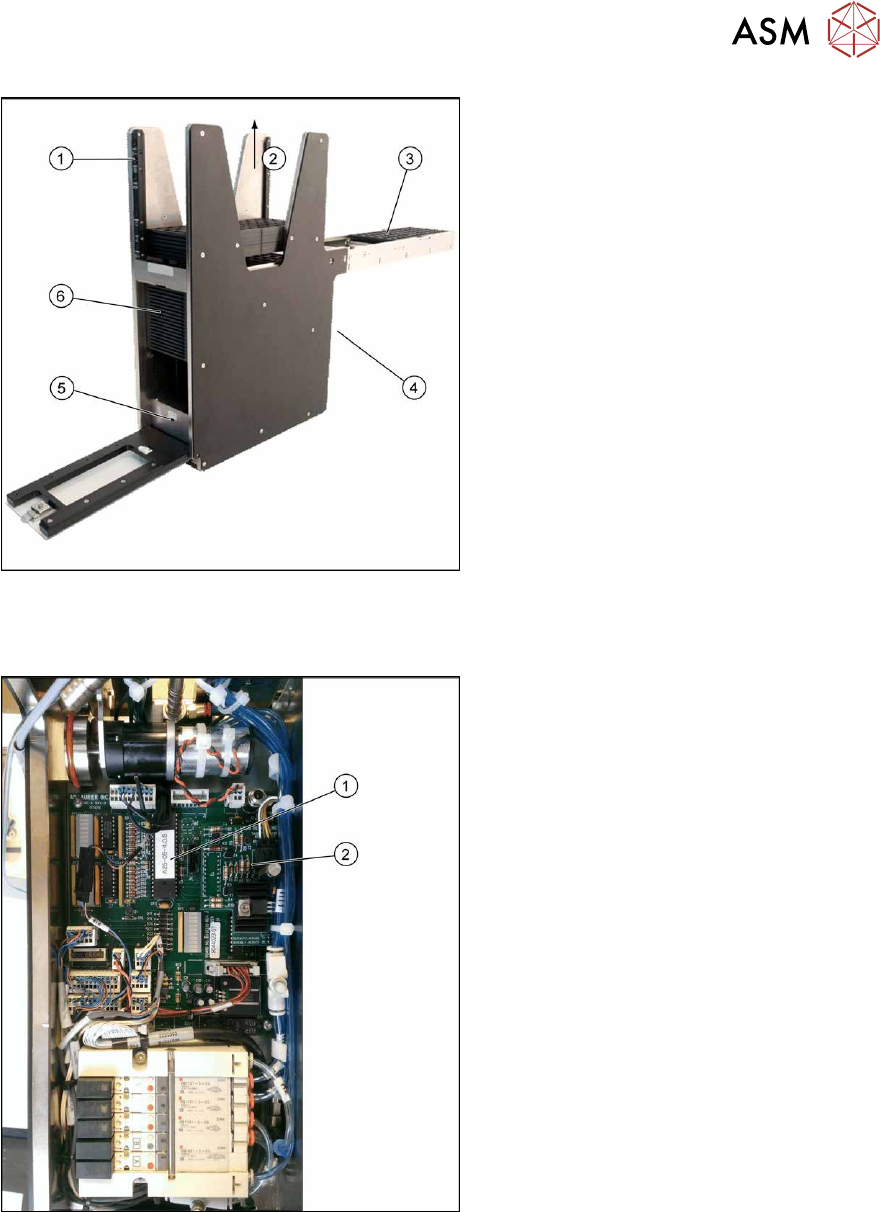
Fig.507: SIPLACE JTF-S – back
1. Manual operation / Manual panel
2. Loading direction for empty JEDEC
trays
3. Tray pick position
4. Feeder control (back)
5. Tray switch thick/thin
6. Tray lift
9.5.3 Adapter
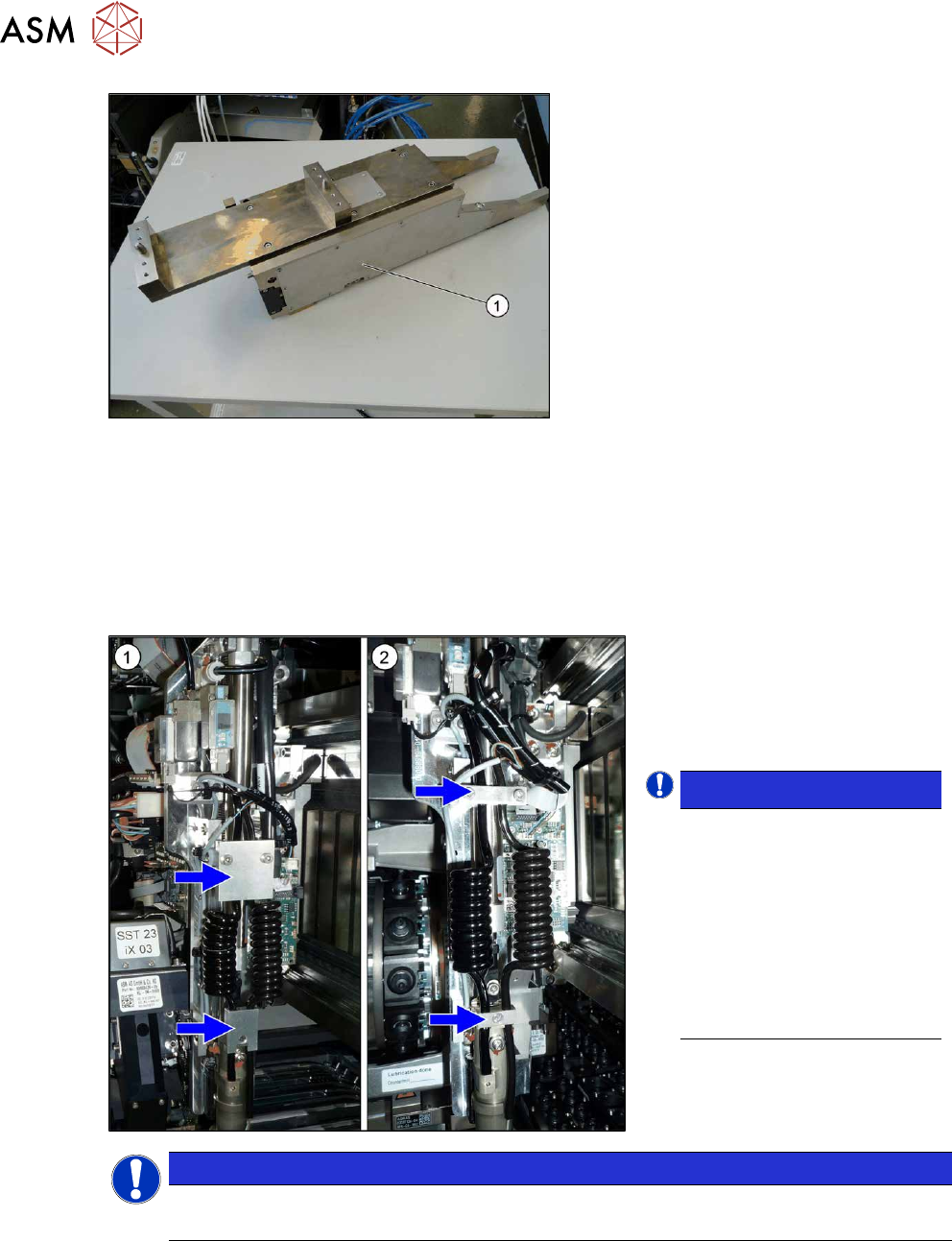
Fig.508: EEPROM and adapter board 30V
1. EEPROM
2. Adapter board 30 V
9 Component feeding
9.6 Smart Pin Support
356 Service Manual SIPLACE X-Series S (from Hxxxx) 01/2021
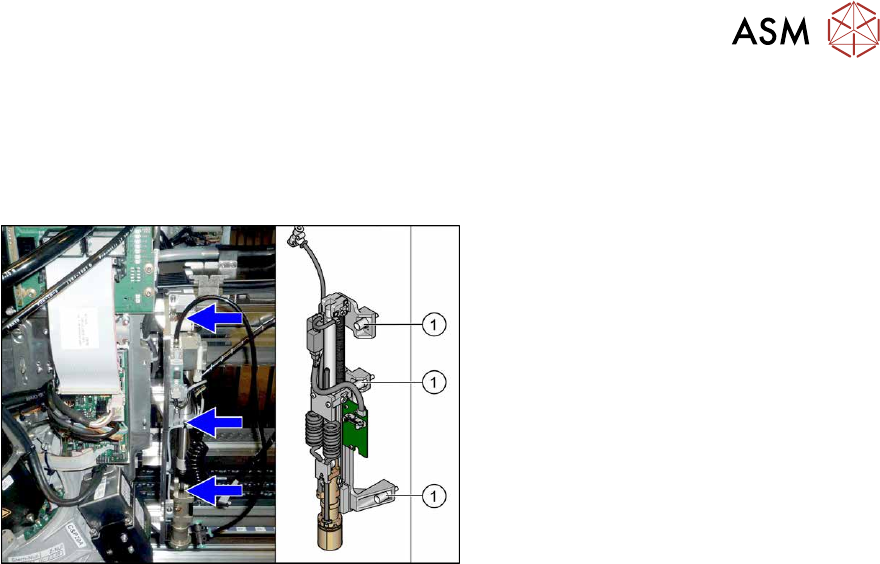
Fig.509: Adapter
1. Adapter for SIPLACE JTF-S, SIPLACE
JTF-M
– Adapter for SIPLACE JTF-M
[03110216-xx]
– Adapter for SIPLACE JTF-S
[03110552-xx]
The two adapters are mechanically identical
and differ only in their eSW.
9.6 Smart Pin Support
Follow the instructions in the assembly guide for all work to the Smart Pin Support:
●
Assembly instructions "Smart Pin Support" for SIPLACE X‑SeriesS [DEEN:00197394‑xx]
Comparison
1. Pin picker on the SIPLACE X-
Series with new strain reliefs
2. Pin picker on the SIPLACE X-
Series with old strain reliefs
NOTICE!
Exemplary description
The service work is described
using the example of a Pin
Picker for the SIPLACE SX1/
SX2 V2 with old strain reliefs.
The procedure is the same
for other machines or other
Pin Picker versions. Any rel-
evant differences will be men-
tioned explicitly.
.
NOTICE
Fastening screws
The screws fastening the Pin Picker are captive screws in the SIPLACE X-Series S.
9 Component feeding
9.6 Smart Pin Support
Service Manual SIPLACE X-Series S (from Hxxxx) 01/2021 357
9.6.1 Replacing the Pin Picker Assembly
For replacing the Pin Picker, read the assembly instructions:
●
Assembly instructions "Smart Pin Support" for SIPLACE X‑SeriesS [DEEN:00197394‑xx]
Observe the following instructions:
Fig.510: Fastening screws
► Make sure that you note the different
fastening screws for the pin picker.
► When assembling the pin picker, make
sure that you do not damage the
screwdrivers on the screw locks.
► After assembly, check the screw locks
to see whether they are loose. If this is
the case, remove the pin picker and re-
place the screw fastening the screw
lock.
► Make sure that the cables are run correctly.
► Replace any opened cable ties.
► Perform a complete calibration after the installation.