00198829-01_SM_X-Series-S_Hxxxx_EN.pdf - 第253页
8 Head exchange 8.1 Fast Hardware Exchange Service Manual SIPLACE X-Series S (from Hxxxx) 01/2021 253 8 Head exchange DANGER Observe User Manual ► Please observe the safety instructions in the user manual for all work! S…
7 Conveyor
7.11 Mapping
252 Service Manual SIPLACE X-Series S (from Hxxxx) 01/2021
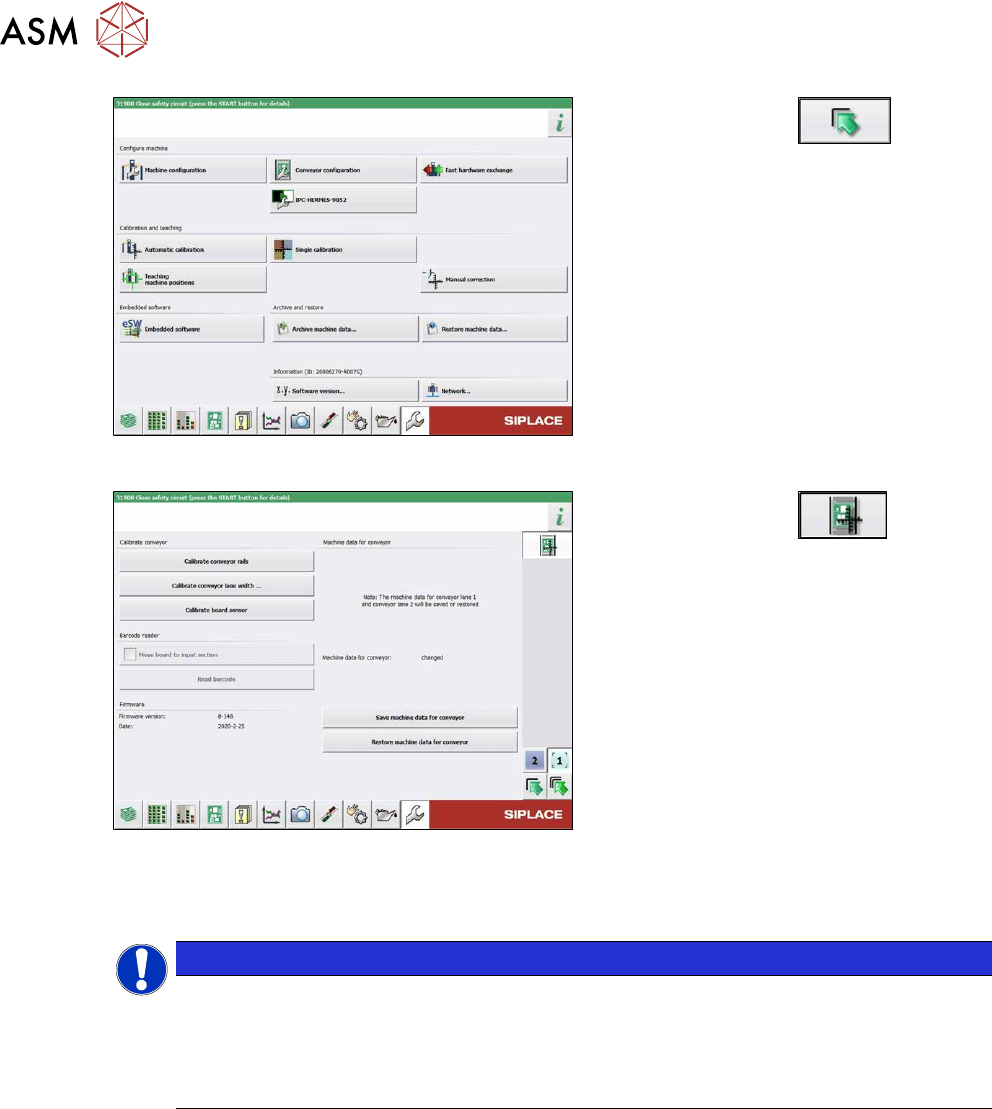
Fig.335: Service menu
► Click on this button .
► Select Single calibration.
Fig.336: Calibrating the conveyor sides
► Click on this button .
► Select Calibrate conveyor sides.
7.10.4 Fixed Side Right/Left
NOTICE
No conversion possible
The SIPLACE X-Series S single conveyor is available in the variants "fixed side right" and
"fixed side left".
Conversion from a fixed side right to a fixed side left or vice versa is not possible. In this
case, the conveyor must be replaced by your SIPLACE service team.
7.11 Mapping
For information about mapping, refer to the technical information "Overview of all mapping plates
and allocation to the machines" [DE:TI2017‑10D04] [EN:TI2017‑10E04].
8 Head exchange
8.1 Fast Hardware Exchange
Service Manual SIPLACE X-Series S (from Hxxxx) 01/2021 253
8 Head exchange
DANGER
Observe User Manual
► Please observe the safety instructions in the user manual for all work!
See also
2 8.2 "Differentiation of the SIPLACE C&P20 head variants" [}257]
8.1 Fast Hardware Exchange
Fast Hardware Exchange (FHE) enables you to change a placement head within 15minutes.
NOTICE
Only SIPLACE CPPx and SIPLACE C&P20x
FHE is only possible with SIPLACE CPPx and SIPLACE C&P20x.
SIPLACE Twin needs to be manually processed and calibrated.
Equipment and tools
The head exchange kits contain all the tools required for replacing the relevant head:
●
Head Exchange Kit option for SIPLACE CPx [03109694‑xx]
●
Head Exchange Kit option for SIPLACE CPP [03109570‑xx]
●
Head Exchange Kit option for SIPLACE C&P20P [03114808‑xx]
●
Head Exchange Kit option for SIPLACE C&P20P2 [03172724‑xx]
8.1.1 Preparing the FHE in the Software
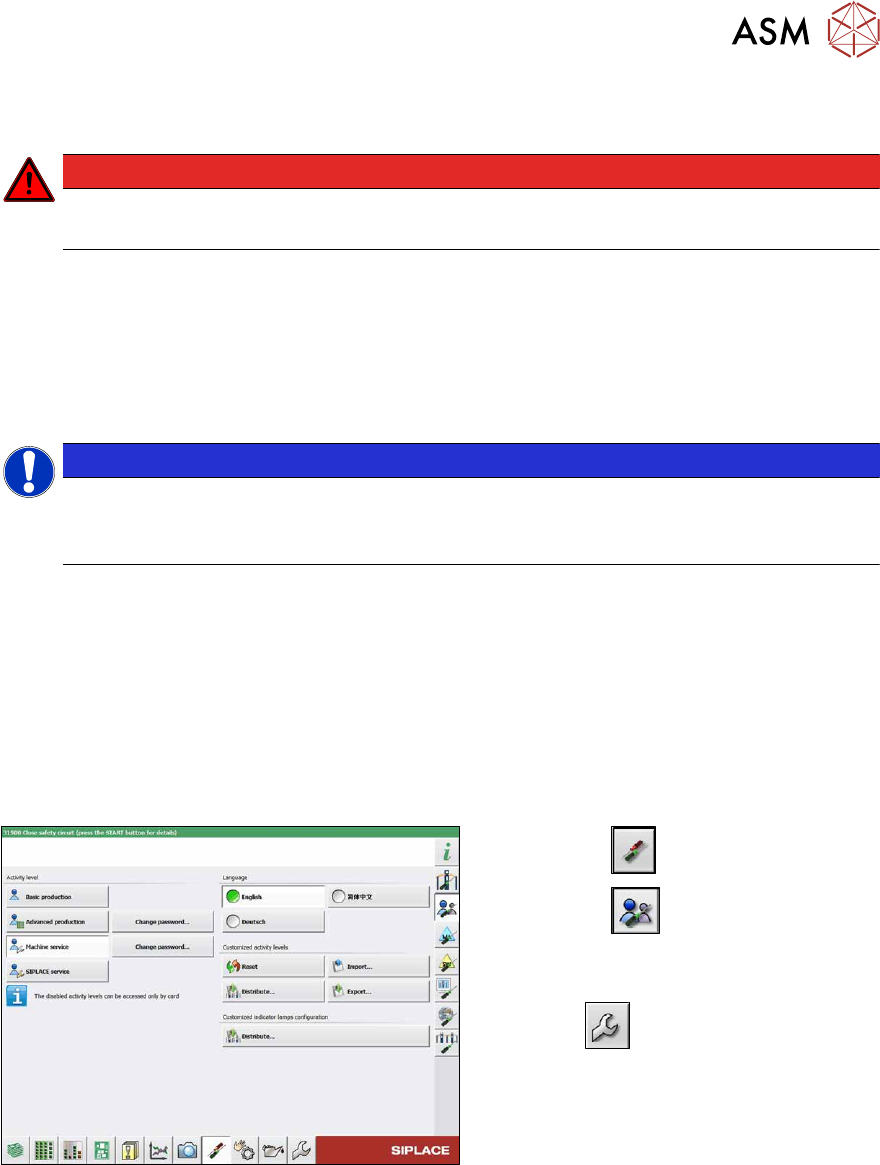
Fig.337: Select operator level
► Select the button.
► Select the button.
► Switch over to the operator level Ma-
chine service.
ð The button will be shown.
8 Head exchange
8.1 Fast Hardware Exchange
254 Service Manual SIPLACE X-Series S (from Hxxxx) 01/2021
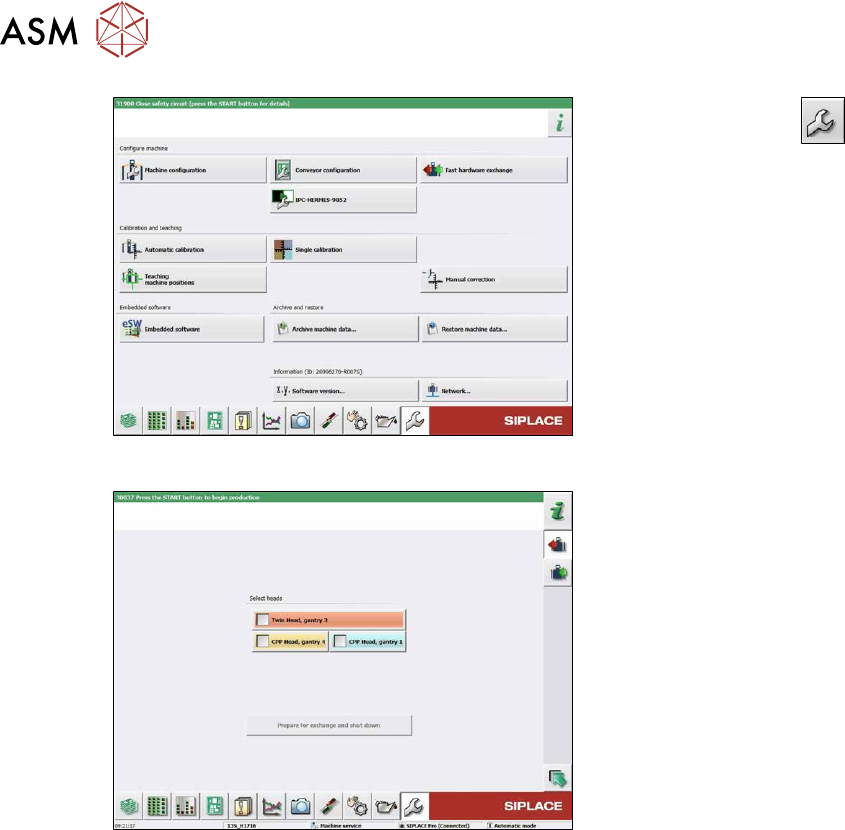
Fig.338: Service menu
► Select the Service button.
► Select the Fast hardware exchange
button.
Fig.339: Fast Hardware Exchange – select head
► Highlight the heads to be replaced.
► Select the Prepare for exchange and
shutdown button.
The following actions will be carried out
automatically:
●
The current nozzles will be returned
and calibration nozzles will be picked
up, if present.
●
A nozzle and height reference run will
be carried out.
●
The machine will be shut down.
In a next step you can dismantle the heads.