00198829-01_SM_X-Series-S_Hxxxx_EN.pdf - 第171页
7 Conveyor 7.3 Lifting Table Service Manual SIPLACE X-Series S (from Hxxxx) 01/2021 171 7.3.4 Calibrating the lifting table motor After completing the work on the lifting table, this will need to be calibrated. Procedure…
7 Conveyor
7.3 Lifting Table
170 Service Manual SIPLACE X-Series S (from Hxxxx) 01/2021
Removal
CAUTION
Washers
There are washers at various points, for example between the lifting table motor and the rods.
► Make a note of the number of washers and their positions. These will need to be fitted
again in the same places later on!
► Dismantle the lifting table plate.
7.3.1
"Replacing the lifting table plate" [}167]
► Remove the two screws fastening the fixture bracket.
► Dismantle the cover over the conveyor control board.
► Unthread the cable up to the conveyor control and then unplug it. In this case, make a note of
the positions, to make clear assignment easier later on (see also 7.9.1.1
"Conveyor control
TSP420" [}242]).
► Remove the lifting table motor from the machine.
Installation
Follow the removal instructions in reverse order for installation. Also observe the following instructions:
► The motor crank and the brackets needs to be removed and refitted on the new lifting table
motor. You may have to fit the stopper on the other side.
Use the old lifting table motor as a reference.
Observe the position and number of washers used.
► Tighten the clamping screw on the motor crank.
► Make sure that the motor connection cables do not rub against any parts.
► Set the lifting table height.
7.3.5
"Setting the Parallelism and Height of the Lifting Table Plate" [}172]
► Calibrate the lifting table motor and then perform a reference run.
7.3.4
"Calibrating the lifting table motor" [}171]
► For more information about the conveyor control refer to section 7.9.1.1 "Conveyor control
TSP420" [}242].
7.3.3 Deep-groove ball bearing on lifting table
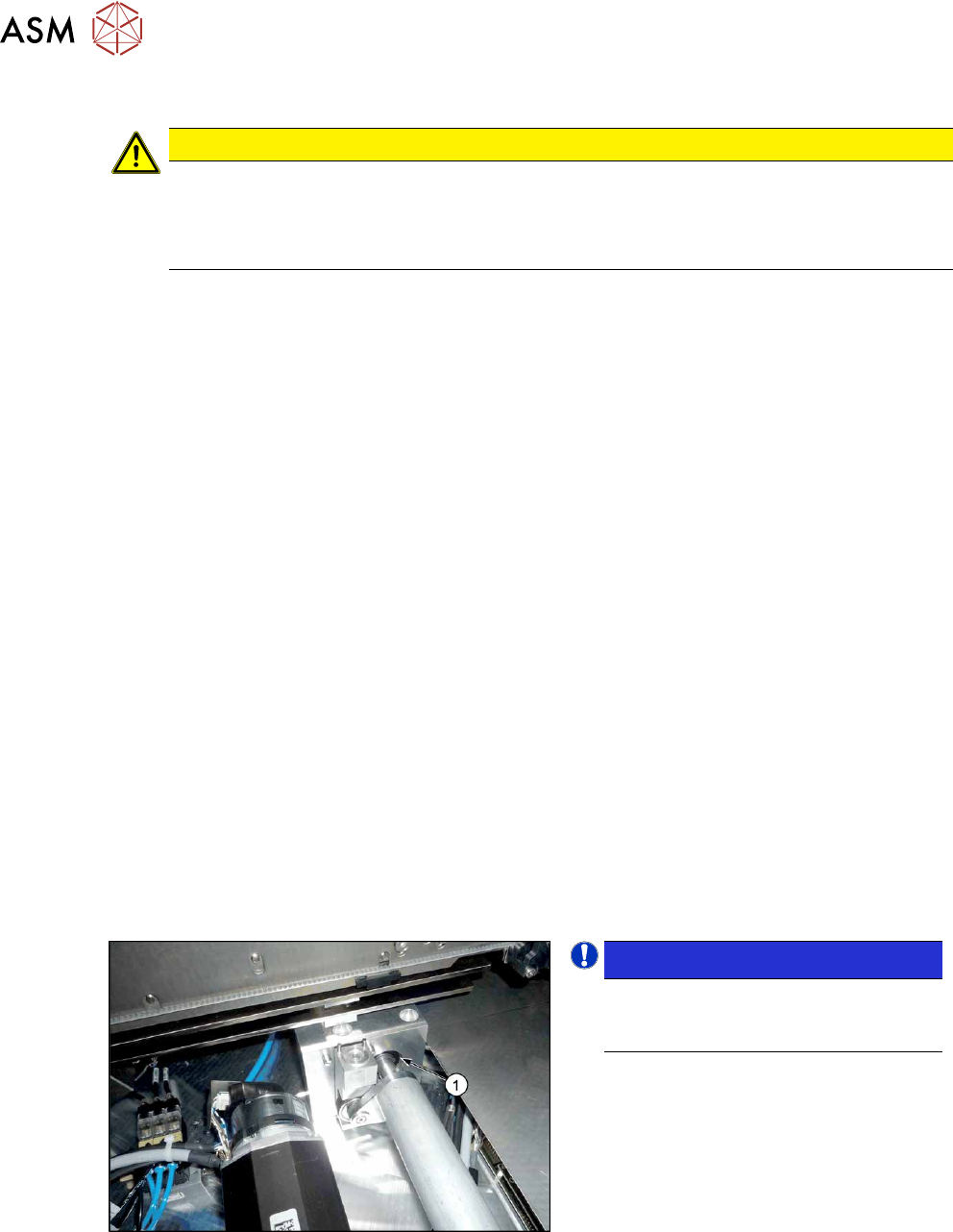
Fig.222: Deep-groove ball bearings
NOTICE!
The deep-groove ball bearing (1) is not
a spare part for X-Series S lifting
tables.
.
7 Conveyor
7.3 Lifting Table
Service Manual SIPLACE X-Series S (from Hxxxx) 01/2021 171
7.3.4 Calibrating the lifting table motor
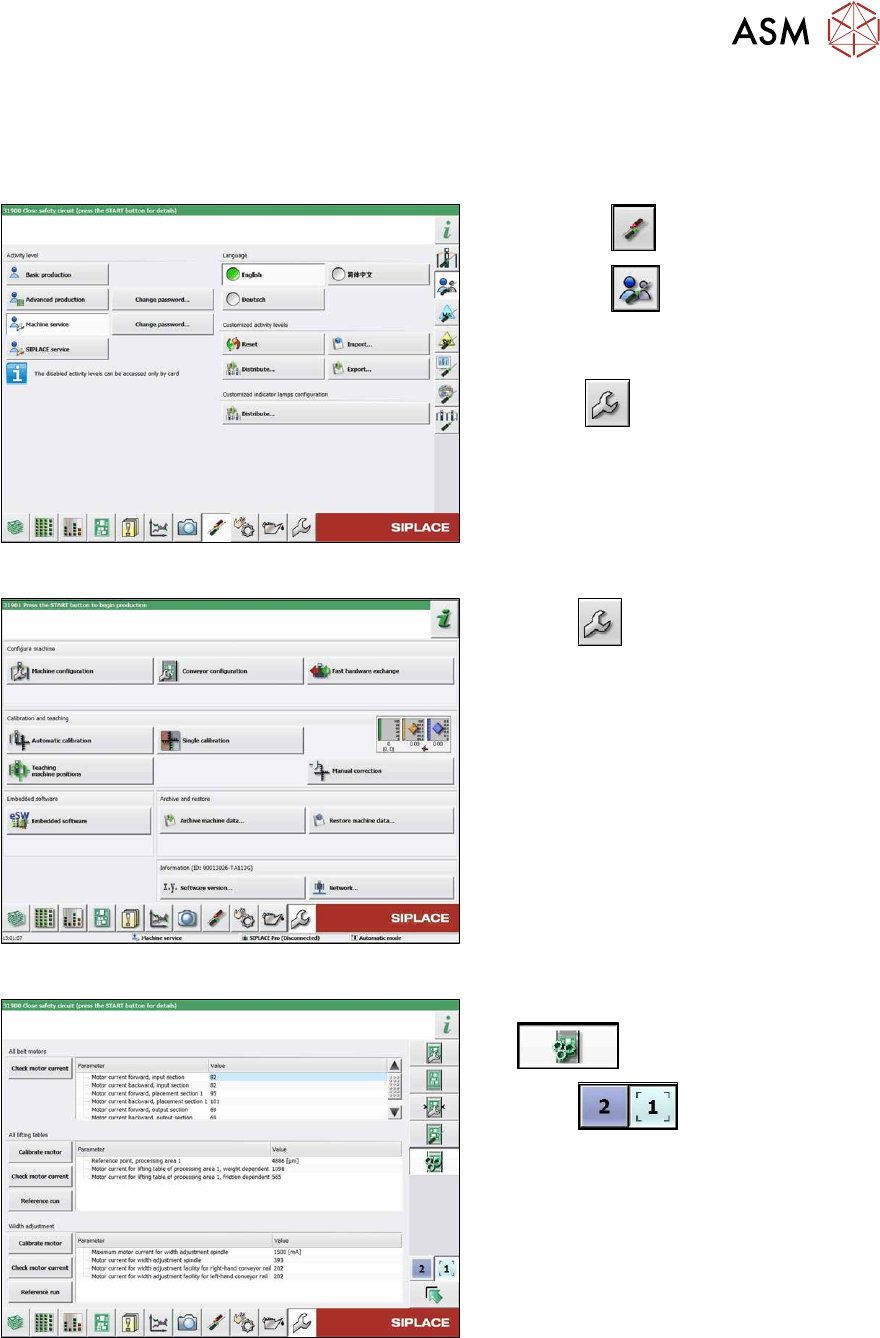
After completing the work on the lifting table, this will need to be calibrated.
Procedure
Fig.223: Select operator level
► Select the button.
► Select the button.
► Switch over to the operator level Ma-
chine service.
ð The button will be shown.
Fig.224: Service menu
► Select .
► Select Conveyor configuration.
Fig.225: Conveyor menu
► Select Initiate conveyor parameters
.
► Select to choose the re-
quired conveyor lane.
► In the relevant section, select the Cali-
brate motor button.
► Check the clamps (distance between
clamping plate and clamping rail) and
adjust if necessary.
► Check the clamps (distance between clamping plate and clamping rail) and adjust if neces-
sary.
7.3.5
"Setting the Parallelism and Height of the Lifting Table Plate" [}172]
7 Conveyor
7.3 Lifting Table
172 Service Manual SIPLACE X-Series S (from Hxxxx) 01/2021
7.3.5 Setting the Parallelism and Height of the Lifting Table Plate
DANGER
Press the EMERGENCY STOP!
Before performing adjustment work you must ensure that the lifting table has been secured
against movement!
Overview
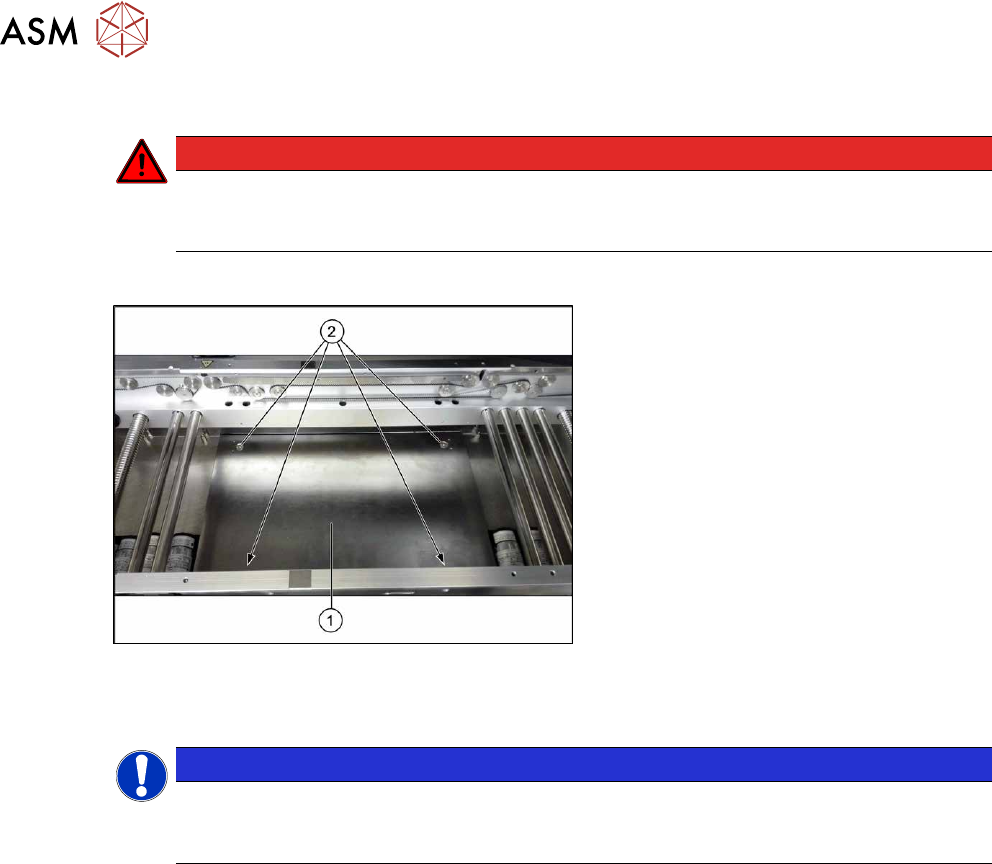
Fig.226: Lifting table plate
1. Lifting table plate
2. Fastening screws for lifting table plate
Setting
NOTICE
Single, dual conveyor
The setting is shown in the diagram using the example of a lifting table unit for the dual con-
veyor (DC). Setting the single conveyor (SC) follows the same procedure.
► Use the software to move the conveyor sides to maximum width.
7.2 "Loosening the Conveyor Side Clamps" [}162]
► Remove the screws fastening the lifting table plate (countersunk screws) but do not remove
the lifting table plate.
► Use the software to clamp the lifting table (without board).
► Underneath the fastening screws, there are setting screws (Allen key5).
Use these setting screws to set the lifting table plate so that it has no play between it and the
clamping edge.
► Check all four corners of the lifting table for any play.
► Check the setting by clamping a board into place. Check all corners to see whether there is
any play.
► Insert and tighten the four screws fastening the lifting table plate.
► Calibrate the zero position of the lifting table motor.