00198829-01_SM_X-Series-S_Hxxxx_EN.pdf - 第18页
1 Introduction 1.3 Other instructions 18 Service Manual SIPLACE X-Series S (from Hxxxx) 01/2021 The following steps must be taken to restore the machine to operation. ► Check the workspace. Authorized employees should re…
1 Introduction
1.2 Preparatory work...
Service Manual SIPLACE X-Series S (from Hxxxx) 01/2021 17
Description
Whenever it becomes necessary to isolate, control and release energy, the following procedure is
to be followed.
► Notify all affected employees.
► Switch off the machine and all additional devices. Carry out all normal stopping procedures:
ð Press the stop button.
ð Shut down the station computer.
ð Switch off the machine using the main switch.
► Isolate the machine from all its energy sources:
ð Shut off the compressed air supply.
ð Shut off the main power supply.
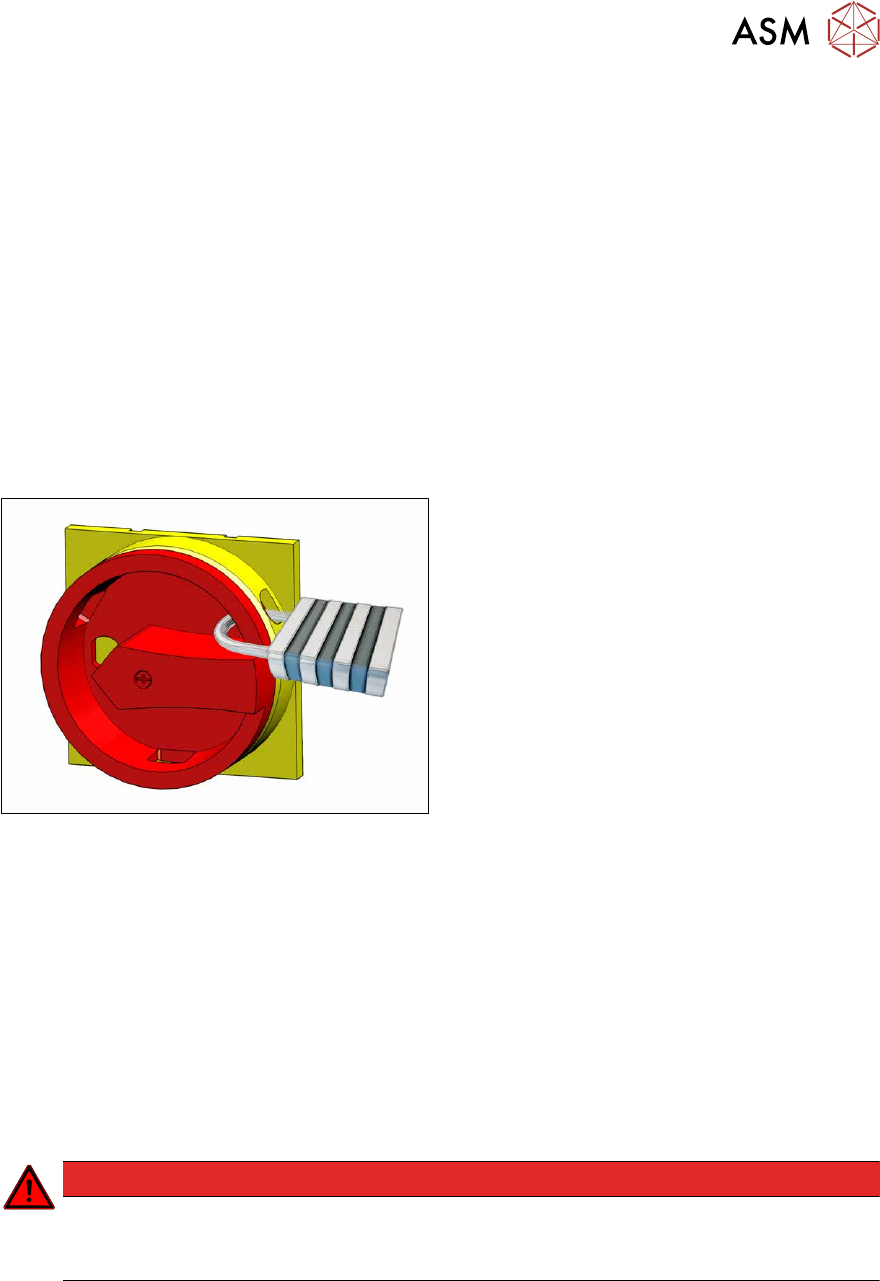
► Lock out the machine.
ð Attach a lock wherever possible.
Fig.3: Attaching a padlock to the main power switch
Secure main switch
► Secure the main switch with a padlock.
► Attaching warning signs:
If a machine can be locked, it must be.
However, there are situations where energy isolating devices cannot accommodate locks. In
these cases, the energy isolating devices must be tagged appropriately to warn employees
that the machine is currently de-energized for service purposes. The tag or label must be se-
curely fastened, it must be placed in a position visible to all and it may only be removed by the
person who attached it.
► Release of stored energy:
Energy stored as compressed air in the compressed air supply or electrical energy stored in
electrolytic capacitors must be released by appropriate means.
After switching off the machine, wait until the voltages have discharged and the compressed
air has released, so that work can be performed without any risk.
DANGER
Checking for absence of voltage!
► Before you start working, check the power supply for absence of voltage and observe
the waiting times!
► Testing the lock out:
The lock can be easily tested by pressing the Start button.

1 Introduction
1.3 Other instructions
18 Service Manual SIPLACE X-Series S (from Hxxxx) 01/2021
The following steps must be taken to restore the machine to operation.
► Check the workspace. Authorized employees should remove all of their tools and reinstall all
safety features.
► Notify all affected employees.
► Before removing even one lock or tag, inform all workers in the affected area that the machine
is going to be restarted.
► Remove all locks/tags.
Every authorized employee must remove his own lock and shut it away.
► Switch on the machine. Make sure that authorized staff check the equipment in operation to
ensure that all repairs were performed correctly.
Testing
Service personnel may test circuits by energizing them briefly without suspending the lock out / tag
out procedure. This may only be done when no other work is being performed by any other person
on the equipment being tested.
It is extremely important that all remote Start switches are tagged with the "Do Not Operate" tag to
prevent inadvertent operation of the equipment during these periods.
Responsibilities
●
It shall be the responsibility of the maintenance and service personnel to make sure this pro-
cedure is adhered to.
●
It shall be the responsibility of the maintenance and service personnel's immediate supervisor
to instruct their personnel on this procedure.
●
It shall be the responsibility of the Safety Officer to administer the lock out / tag out procedure.
1.3 Other instructions
1.3.1 Environmentally-friendly disposal of materials and components
Our products are manufactured using only materials and parts that can be easily separated and
disposed of in an environmentally-friendly way.
NOTICE
Observe the applicable regulations
The company operating the system has sole responsibility for the proper, environmentally-
friendly disposal of machines, working materials, consumable materials and wear parts.
► Please observe your national statutory provisions for waste disposal and environ-
mental protection.
1.3.2 Use of original accessories and spare parts
Only use original spare parts and authorized accessories. The use of other parts will affect safety
and will invalidate the liability for any consequential damage.
1.3.3 Information about this service manual
WARNING
Additional qualifications required
The service work described in this manual may only be performed by specially trained ser-
vice technicians, with appropriate qualifications and expertise.
If you should have any questions during the service work, please contact the SIPLACE customer
hotline directly or send an e-mail to hotline.siplace@asmpt.com.
1 Introduction
1.3 Other instructions
Service Manual SIPLACE X-Series S (from Hxxxx) 01/2021 19
1.3.4 ESD guidelines
1.3.4.1 What does ESD mean?
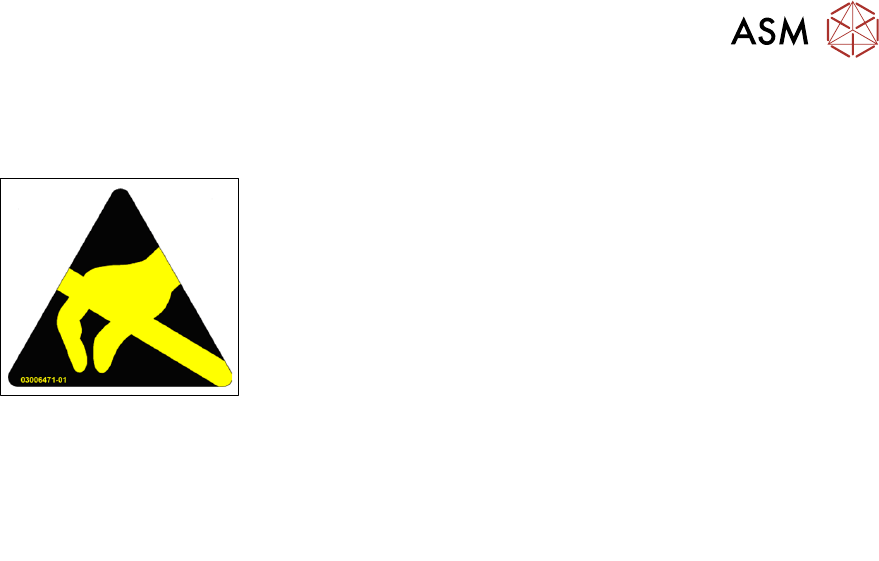
Fig.4: ESD label
Almost all of the modules in use today are equipped with highly integ-
rated Metal-Oxide-Semiconductor (MOS) blocks and components.
The manufacturing techniques used mean that these electronic com-
ponents are extremely sensitive to overvoltage and thus to electro-
static discharge.
The abbreviation for such modules is "ESD" (Electrostatic Sensitive
Device). "ESD" is used internationally. The following symbol on cab-
inet rating plates, racks or packaging indicates that components
which are sensitive to electrostatic discharge have been used and
thus that the modules concerned are also touch-sensitive.
ESDs can be destroyed by voltages and power levels that are far below the level that can be per-
ceived by humans. Such voltages occur if a person touches a component or module without
earthing themselves. Components that are exposed to such overvoltages do not generally appear
to be defective immediately - incorrect behavior starts after the component or module has been in
operation for some time.
1.3.4.2 Important measures to protect against static charging
► Most plastics can easily become charged and must therefore be kept away from at-risk com-
ponents.
► Always ensure that people, the workplace and packaging are safely earthed when handling
electrostatic sensitive components.
1.3.4.3 Handling ESD modules
As a general rule: Only touch electronic modules if you must carry out work on the modules. In that
case, make sure that you do not touch the pins or printed conductors when you pick up flat mod-
ules.
Only touch components if you are earthed by one of the following measures:
●
You are wearing an ESD wristband.
●
You are wearing ESD shoes.
●
You are wearing ESD shoe earthing strips on an ESD floor.
Immediately before you touch an electronic module, discharge your own body by touching a con-
ductive and earthed object (such as unpainted parts of a switch cabinet, a water pipe, etc.).
Do not allow modules with chargeable and highly insulating materials to touch one another, e.g.
plastic films, insulating table surfaces or items of clothing made from synthetic fibers.
Always place the modules on a conductive surface (table with an ESD coating, conductive ESD
foam, ESD bag or container).
Do not move the assemblies near to data view devices, monitors or television units. Keep a min-
imum distance of 10 cm to monitors.
1.3.4.4 Measurements and modifications to ESD modules
Only perform measurements on modules if one of the following conditions is fulfilled:
●
You are using an earthed measuring device (e.g. via PE conductors).
●
You are using a potential-free measuring device and discharge the measuring head before
the measurement (e.g.by touching an unpainted metal part of the controller casing).
► Always use an earthed soldering iron if you carry out any soldering work.