00198829-01_SM_X-Series-S_Hxxxx_EN.pdf - 第29页
2 Basic Machine 2.4 Setting the Covers Service Manual SIPLACE X-Series S (from Hxxxx) 01/2021 29 2.4.4 Setting the Actuator Fig.16: Setting (example of SIPLACE SX2 shown) Actuating bracket B1-2053 for AZ15/16 [00321649‑…
2 Basic Machine
2.4 Setting the Covers
28 Service Manual SIPLACE X-Series S (from Hxxxx) 01/2021
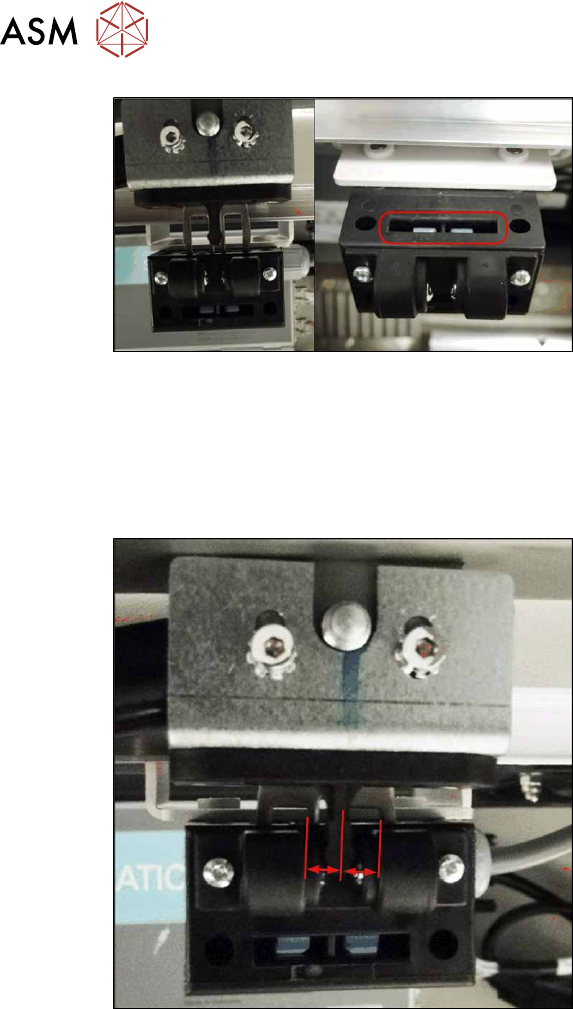
Fig.14: Cover switch (example of SIPLACE SX2 shown)
► Close the cover far enough for the ac-
tuator to be just over the switch. Align
them so that the metal bracket is paral-
lel to the opening in the switch. The
metal bracket may not scrape against
the cover switch.
► Tighten the cover switch screws in this
position.
See also
2 4.4 "Replacing the cover switch" [}72]
2.4.3 Setting the Cover Switch Centering Device
Fig.15: Cover switch (example of SIPLACE SX2 shown)
► Close the cover a little more until the
plastic centering device for the actuator
is against the cover switch centering
device. These two must be centered to-
wards one another.
► Tighten the screws for the cover switch
centering device.
2 Basic Machine
2.4 Setting the Covers
Service Manual SIPLACE X-Series S (from Hxxxx) 01/2021 29
2.4.4 Setting the Actuator
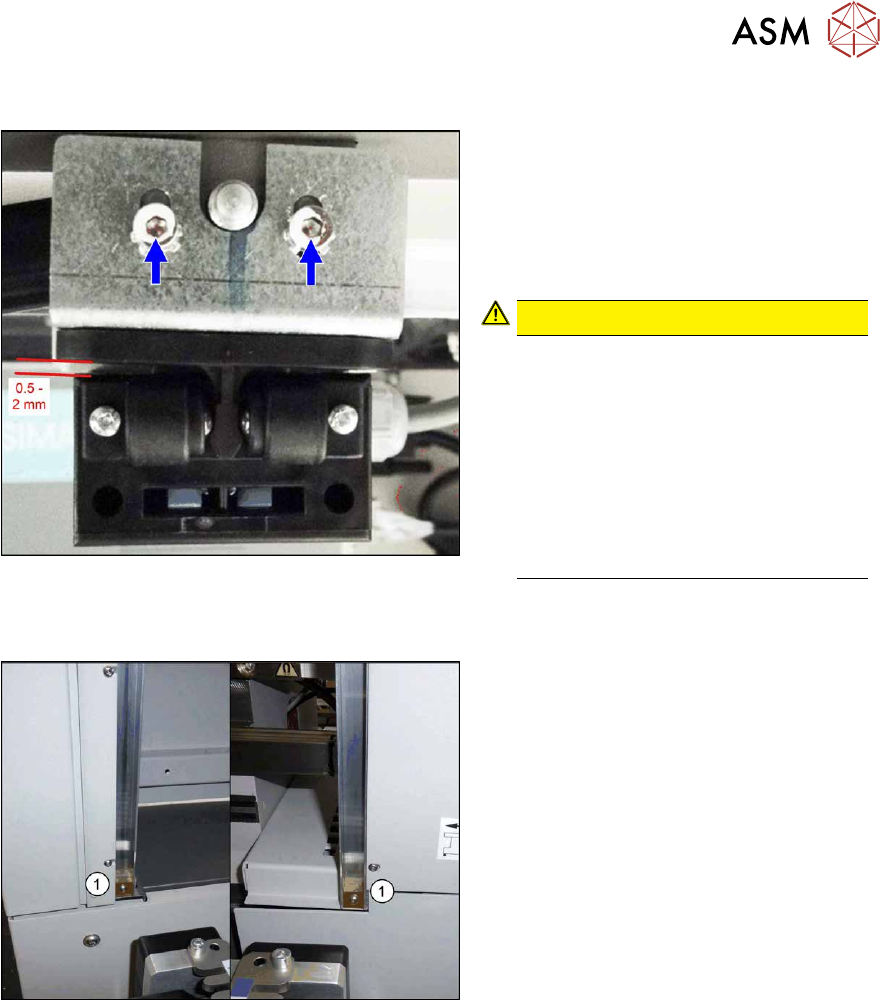
Fig.16: Setting (example of SIPLACE SX2 shown)
Actuating bracket B1-2053 for AZ15/16
[00321649‑xx]
► Close the cover completely.
► Set the actuator so that it stands ap-
prox. 0.5 to 2 mm above the machine
center and tighten the screws.
CAUTION!
The cover switch is not suitable as a
stop.
The cover switch is not a stop or a
support for the cover. Use the bottom
stops of the rollers for this (see next
section).
Neither the cover nor the actuator may
be supported on the cover switch.
There must be a visible gap between
the actuator and the cover switch.
.
2.4.5 Setting the Bottom Stop
Fig.17: Bottom stop
1. 2x buffer cover guidance [03075364‑xx]
1x DIN EN ISO7380-M3 x 25-A2-70
[03045198‑xx]
1x DIN985 - M3 - A2-70 [00328897‑xx]
► Check the settings by opening and carefully closing the cover several times:
– The metal bracket is parallel to the opening and does not scrape against the switch.
– The plastic centering feature is positioned centrally to the centering device and does not
scrape against the switch.
– When the cover is opened, there is no discernable resistance of the cover rollers in the
guidance rails.
– Shortly before the bottom cover position, there is no resistance audible apart from the cen-
tering engaging and the engaging of the metal bracket in the cover switch.
– The cover can be closed completely, so that the cover closes smoothly at the top with the
side covers.
2 Basic Machine
2.4 Setting the Covers
30 Service Manual SIPLACE X-Series S (from Hxxxx) 01/2021
2.4.6 Setting the Cover Rollers
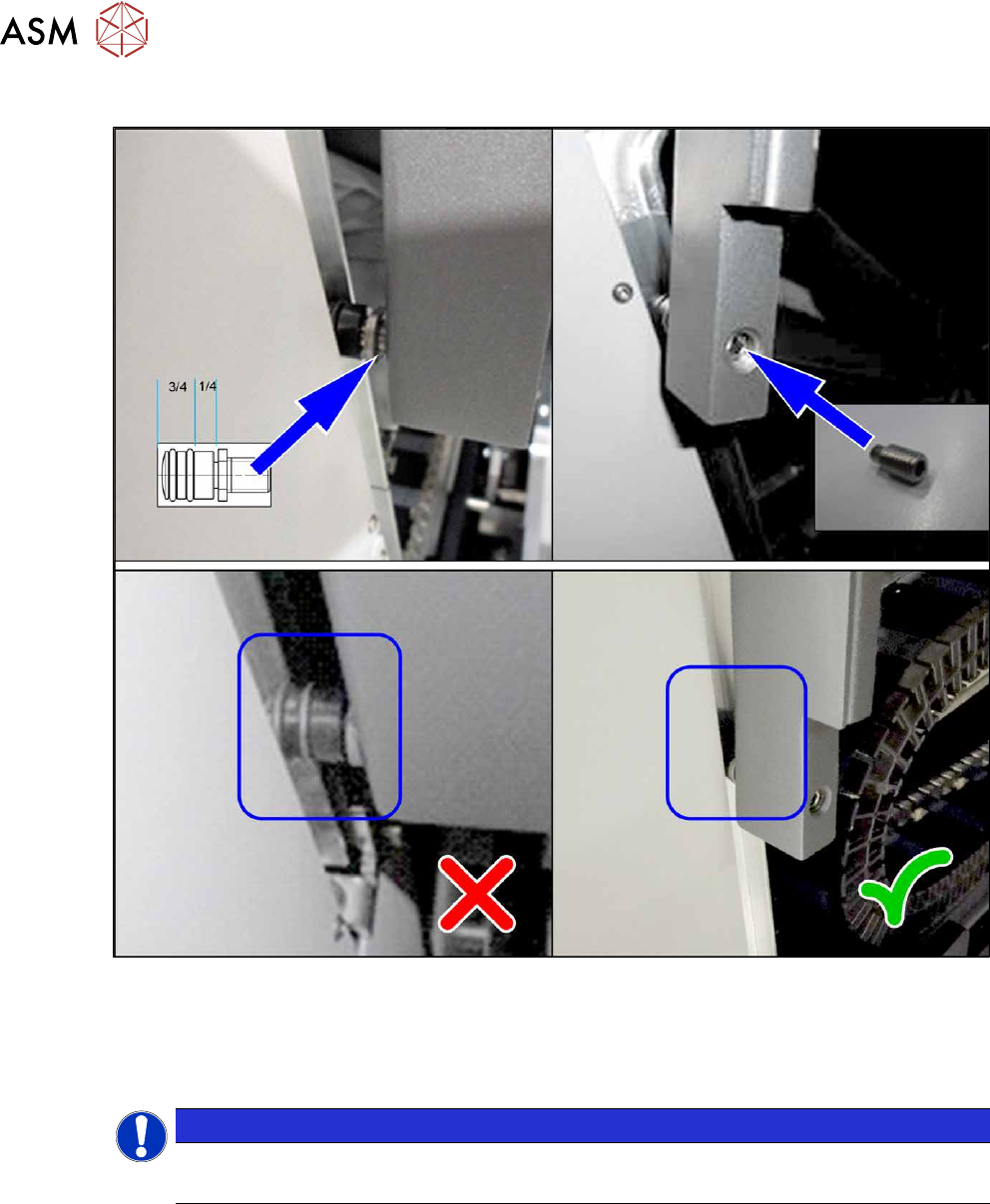
Fig.18: Cover rollers (example of SIPLACE SX2 shown)
► Set the cover roller by using the threaded pin, so that it is inserted by at least 75% into the
guidance, along its whole length. Lock the roller with a threaded pin DIN915-M8x16
[00304354-xx] or DIN-EN-ISO4026-M8x16-A2-21H [03025582-xx].
Place washers between the roller and cover for greater stability.
NOTICE
Missing O-rings
► Replace the following missing O-rings on the roller: O-ring 8.5x1.6 [03078577-xx]