LCX_UserManual_en_08_1.pdf - 第102页
Instrument functions R&S ® LCX Series 102 User Manual 1 179.2260.02 ─ 08 ● The duration for capturing logging data is in the range from 0 s to 3.49*10 5 s at a maximum. ● When running, the instrument indicates a whit…
Instrument functions
R&S
®
LCX Series
101User Manual 1179.2260.02 ─ 08
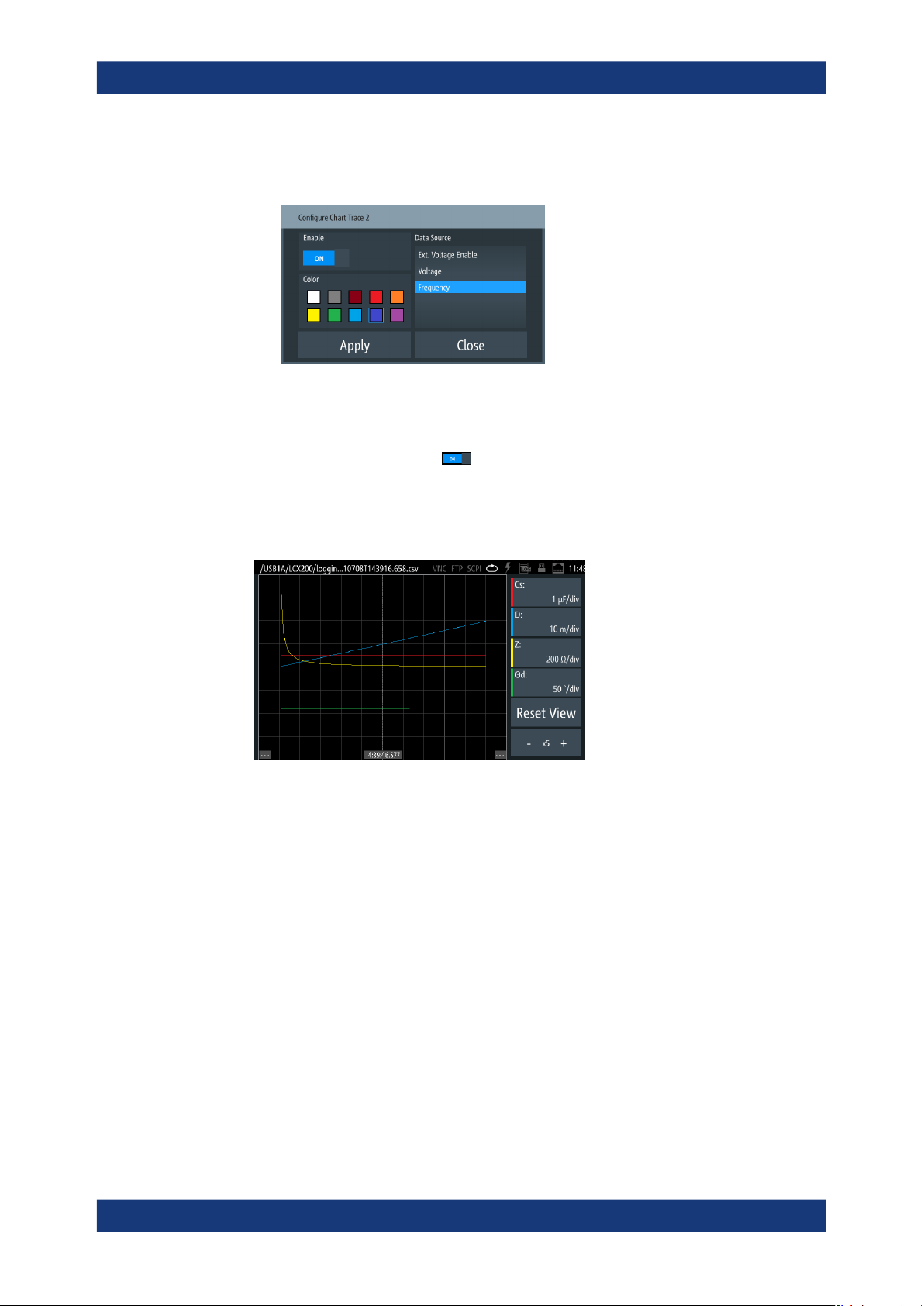
a) Select a parameter softkey on the right of the display.
The "Configure Chart Trace <n>" dialog opens.
Figure 8-21: Configure chart trace dialog
b) In the "Data Source" list, select the measurement parameter, e.g. "Frequency".
c) Select a color for the parameter trace.
d)
To show the trace, turn "Enable".
e) Confirm with "Apply".
4. Repeat step 3 to assign additional traces.
The R&S LCX displays the customized chart accordingly.
Figure 8-22: Customized log chart
5. To return to the initial view, select "Reset View".
8.8.3 Logging
The logging function enables you to record the measurement data. You can save the
readings on the internal memory of the R&S LCX, or on an externally connected mem-
ory device, e.g. a USB flash drive. The function saves the data in a .csv file with a
generically generated filename.
Aspects on the logging function:
●
The R&S LCX does not support external USB hard disk drives (or USB exten-
sions).
We recommend that you use USB flash drives with FAT/FAT32 formatting. The
instrument recognizes the USB device automatically.
Specific instrument functions
Instrument functions
R&S
®
LCX Series
102User Manual 1179.2260.02 ─ 08
●
The duration for capturing logging data is in the range from 0 s to 3.49*10
5
s at a
maximum.
●
When running, the instrument indicates a white "LOG" label in the status bar. When
disabled, the label color is gray.
8.8.3.1 Logging settings
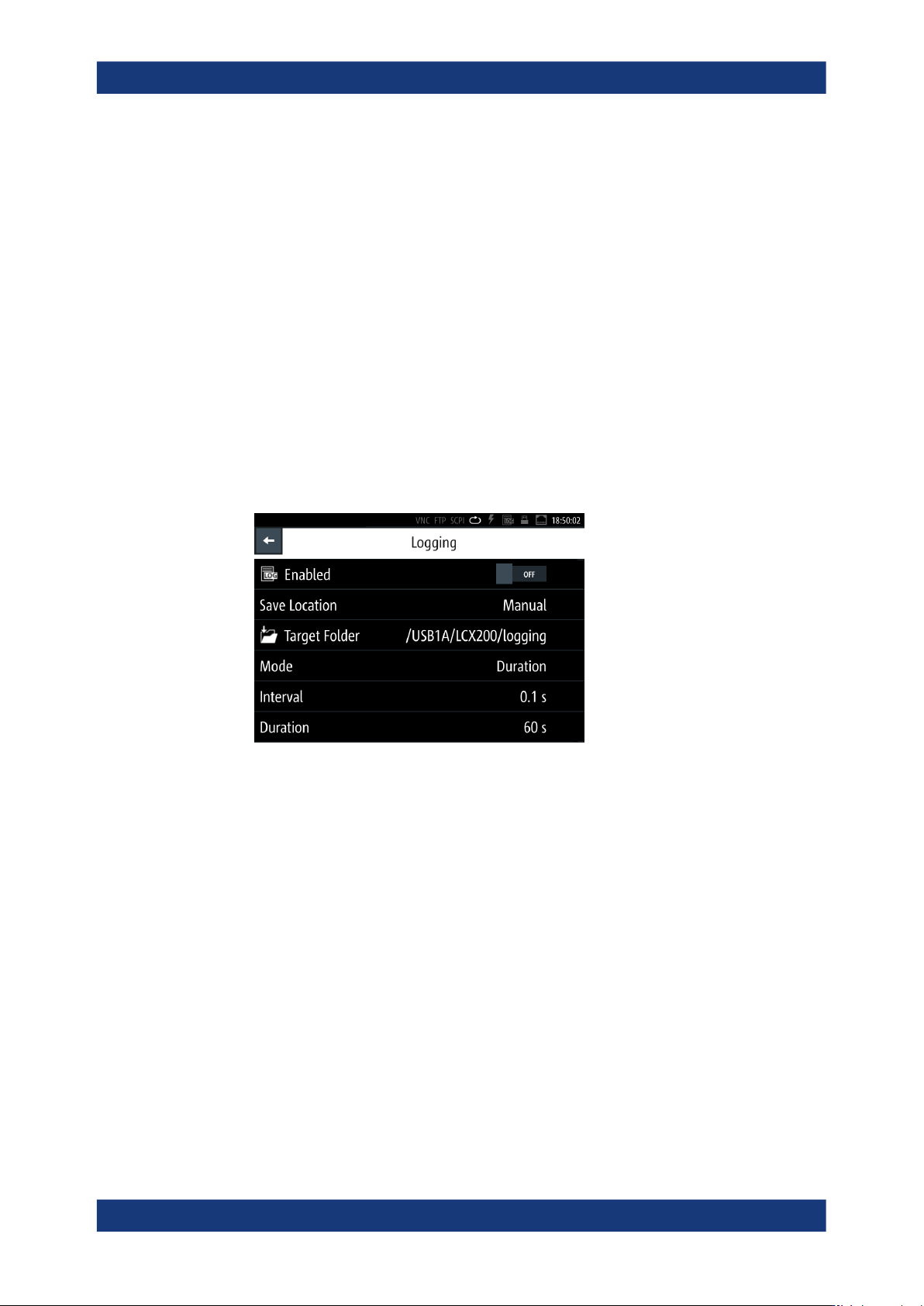
In the "Logging" menu, you can configure the main parameter settings for data logging.
With a USB flash drive connected, you can save the file on either the USB flash drive
or the internal memory, with "USB1A" as default setting. Without USB connected, the
R&S LCX saves the file internally in the file path /int/logging.
Access:
1. Press the [settings] key at the front panel.
2. In the "Functions" tab, select "Logging".
Figure 8-23: Network settings dialog
The settings dialog contains the basic parameters for setting the logging mode,
and provides access to file management parameters.
The required remote commands are described in Section 11.14, "LOG subsystem",
on page 218.
How to: see Section 8.8.3.2, "Using the logging function", on page 105.
Enabled.......................................................................................................................103
Save Location............................................................................................................. 103
Target Folder...............................................................................................................103
Mode........................................................................................................................... 103
Interval........................................................................................................................ 104
Count...........................................................................................................................104
Duration.......................................................................................................................104
Start Time....................................................................................................................104
└ Set Date & Time............................................................................................104
Specific instrument functions
Instrument functions
R&S
®
LCX Series
103User Manual 1179.2260.02 ─ 08
Enabled
Activates data acquisition and saving the readings.
Remote command:
LOG[:STATe] on page 222
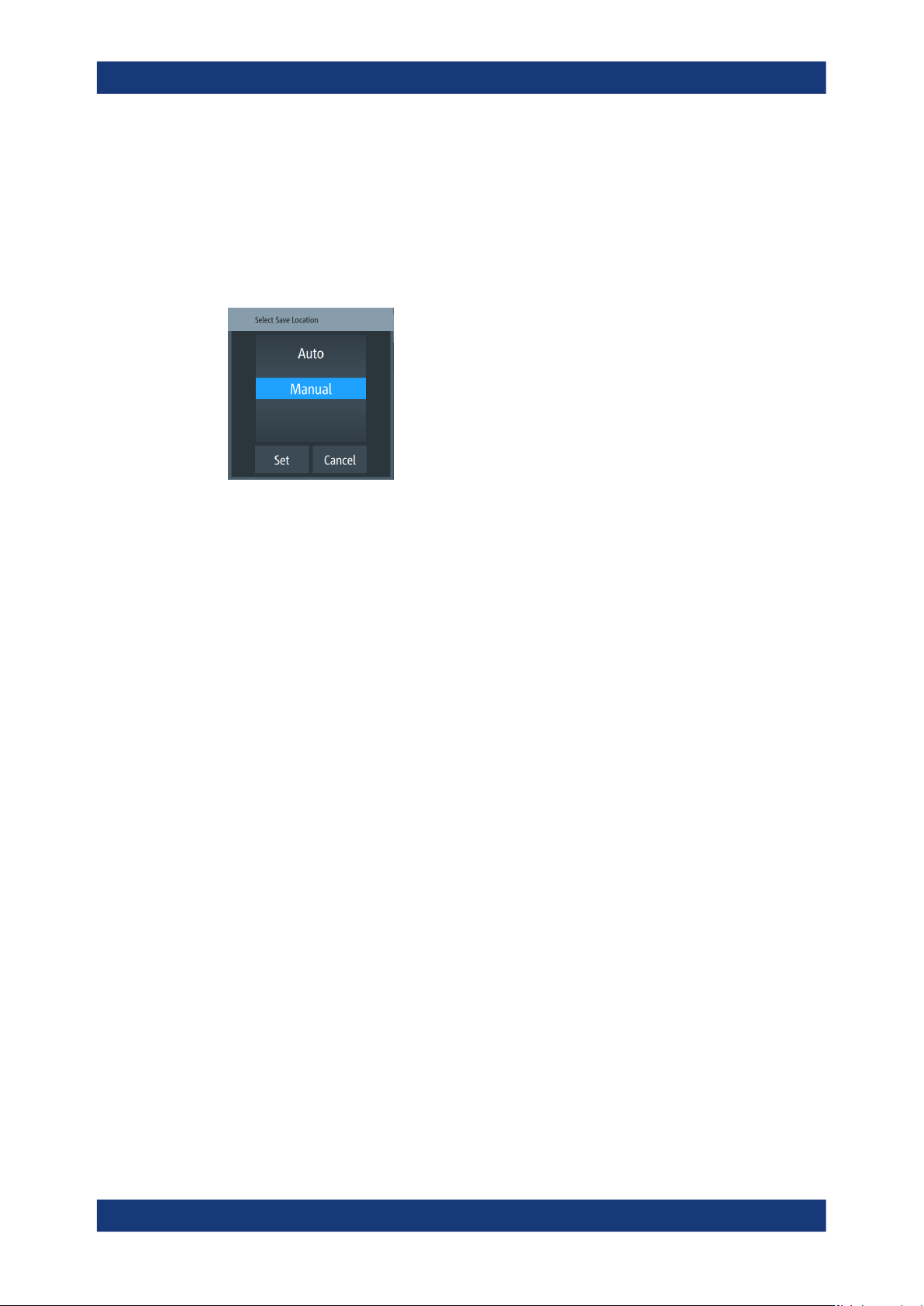
Save Location
Opens a dialog where you can select how to determine the location for the file.
"Auto"
Selects the target folder automatically.
"Manual"
Enables you to select and define the target folder on the USB flash
drive.
Target Folder
With a USB flash drive connected, accesses a dialog to select the memory partition
where you want to save the file.
The R&S LCX sets the path and file folder according to the function used to create and
save the data.
Without the USB flash drive, the R&S LCX saves the file on the internal memory auto-
matically.
"USB1A"
Sets the destination folder on the USB flash drive.
"int"
Sets the destination folder on the internal memory.
Mode
Selects a logging mode.
When enabled, each mode records data at specified intervals, set with "Interval"
on page 104.
The R&S LCX starts recording depending on the selected mode, and if you enable
data logging, see "Enabled" on page 103.
"Unlimited"
Records data continuously.
Data logging starts immediately with Enabled > ON, and continues
until you stop the logging function.
The amount of recorded data is limited by the size of the memory the
data is saved on.
"Count"
Records a defined number of measurement readings.
To determine the number, see "Count" on page 104.
Data logging starts immediately with Enabled > ON. It stops when the
number of readings is reached.
Specific instrument functions