LCX_UserManual_en_08_1.pdf - 第11页
Safety and regulatory information R&S ® LCX Series 1 1 User Manual 1 179.2260.02 ─ 08 Connecting to power The product is an overvoltage category II product. Connect the product to a fixed installation used to supply …

Safety and regulatory information
R&S
®
LCX Series
10User Manual 1179.2260.02 ─ 08
Never open the casing of the product. Only service personnel authorized by
Rohde & Schwarz are allowed to repair the product. If any part of the product is dam-
aged or broken, stop using the product. Contact Rohde & Schwarz customer support at
https://www.rohde-schwarz.com/support.
Lifting and carrying the product
The maximum weight of the product is provided in the specifications document. You
can lift or carry the product by yourself, if you can manage the weight on your own.
Alternatively, you can use lifting or transporting equipment. Follow the instructions pro-
vided by the equipment manufacturer.
Choosing the operating site
Only use the product indoors. The product casing is not waterproof. Water that enters
can electrically connect the casing with live parts, which can lead to electric shock,
serious personal injury or death if you touch the casing.
If Rohde & Schwarz provides accessories designed for outdoor use of your product,
e.g. a protective cover, you can use the product outdoors.
You can operate the product up to an altitude of 2000 m above sea level. If a higher
altitude is permissible, the value is provided in the specifications document. The prod-
uct is suitable for pollution degree 2 environments where nonconductive contamination
can occur. For more information on environmental conditions such as ambient temper-
ature and humidity, see the specifications document.
Setting up the product
Always place the product on a stable, flat and level surface with the bottom of the prod-
uct facing down. If the product is designed for different positions, secure the product so
that it cannot fall over.
If the product has foldable feet, always fold the feet completely in or out to ensure sta-
bility. The feet can collapse if they are not folded out completely or if the product is
moved without lifting it. The foldable feet are designed to carry the weight of the prod-
uct, but not an extra load.
If stacking is possible, keep in mind that a stack of products can fall over and cause
injury.
If you mount products in a rack, ensure that the rack has sufficient load capacity and
stability. Observe the specifications of the rack manufacturer. Always install the prod-
ucts from the bottom shelf to the top shelf so that the rack stands securely. Secure the
product so that it cannot fall off the rack.
Connecting the product
Before connecting the interfaces or measuring inputs of the product to other products
or electrical circuits, make sure that the other products or electrical circuits provide
special protection against electric shock. This protection principle is referred to as
SELV (safety extra-low voltage) and is based on a low voltage level and increased
insulation. Exceptions are indicated by a measurement category on the product and
given in the specifications document.
Safety instructions
Safety and regulatory information
R&S
®
LCX Series
11User Manual 1179.2260.02 ─ 08
Connecting to power
The product is an overvoltage category II product. Connect the product to a fixed
installation used to supply energy-consuming equipment such as household applian-
ces and similar loads. Keep in mind that electrically powered products have risks, such
as electric shock, fire, personal injury or even death. Replace parts that are relevant to
safety only by original parts, e.g. power cables or fuses.
Take the following measures for your safety:
●
Before switching on the product, ensure that the voltage and frequency indicated
on the product match the available power source. If the power adapter does not
adjust automatically, set the correct value and check the rating of the fuse.
●
If a product has an exchangeable fuse, its type and characteristics are indicated
next to the fuse holder. Before changing the fuse, switch off the product and dis-
connect it from the power source. How to change the fuse is described in the prod-
uct documentation.
●
Only use the power cable delivered with the product. It complies with country-spe-
cific safety requirements. Only insert the plug into an outlet with protective conduc-
tor terminal.
●
Only use intact cables and route them carefully so that they cannot be damaged.
Check the power cables regularly to ensure that they are undamaged. Also ensure
that nobody can trip over loose cables.
●
Only connect the product to a power source with a fuse protection of maximum
20 A.
●
Ensure that you can disconnect the product from the power source at any time.
Pull the power plug to disconnect the product. The power plug must be easily
accessible. If the product is integrated into a system that does not meet these
requirements, provide an easily accessible circuit breaker at the system level.
Cleaning the product
Use a dry, lint-free cloth to clean the product. When cleaning, keep in mind that the
casing is not waterproof. Do not use liquid cleaning agents.
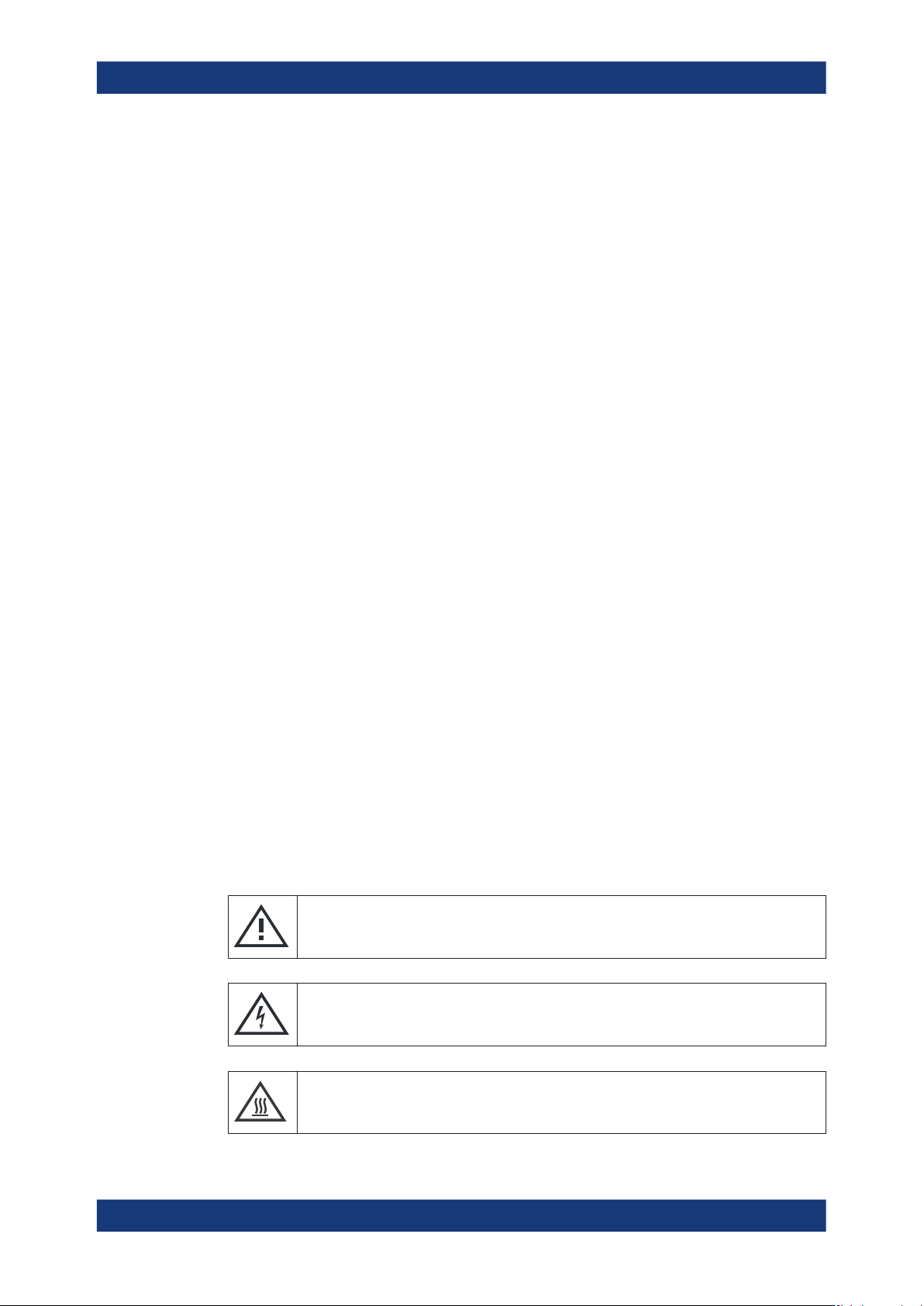
Meaning of safety labels
Safety labels on the product and its accessories warn against potential hazards.
Potential hazard
Read the product documentation to avoid personal injury or product damage.
Electrical hazard
Indicates live parts. Risk of electric shock, fire, personal injury or even death.
Hot surface
Do not touch. Risk of skin burns. Risk of fire.
Safety instructions
Safety and regulatory information
R&S
®
LCX Series
12User Manual 1179.2260.02 ─ 08
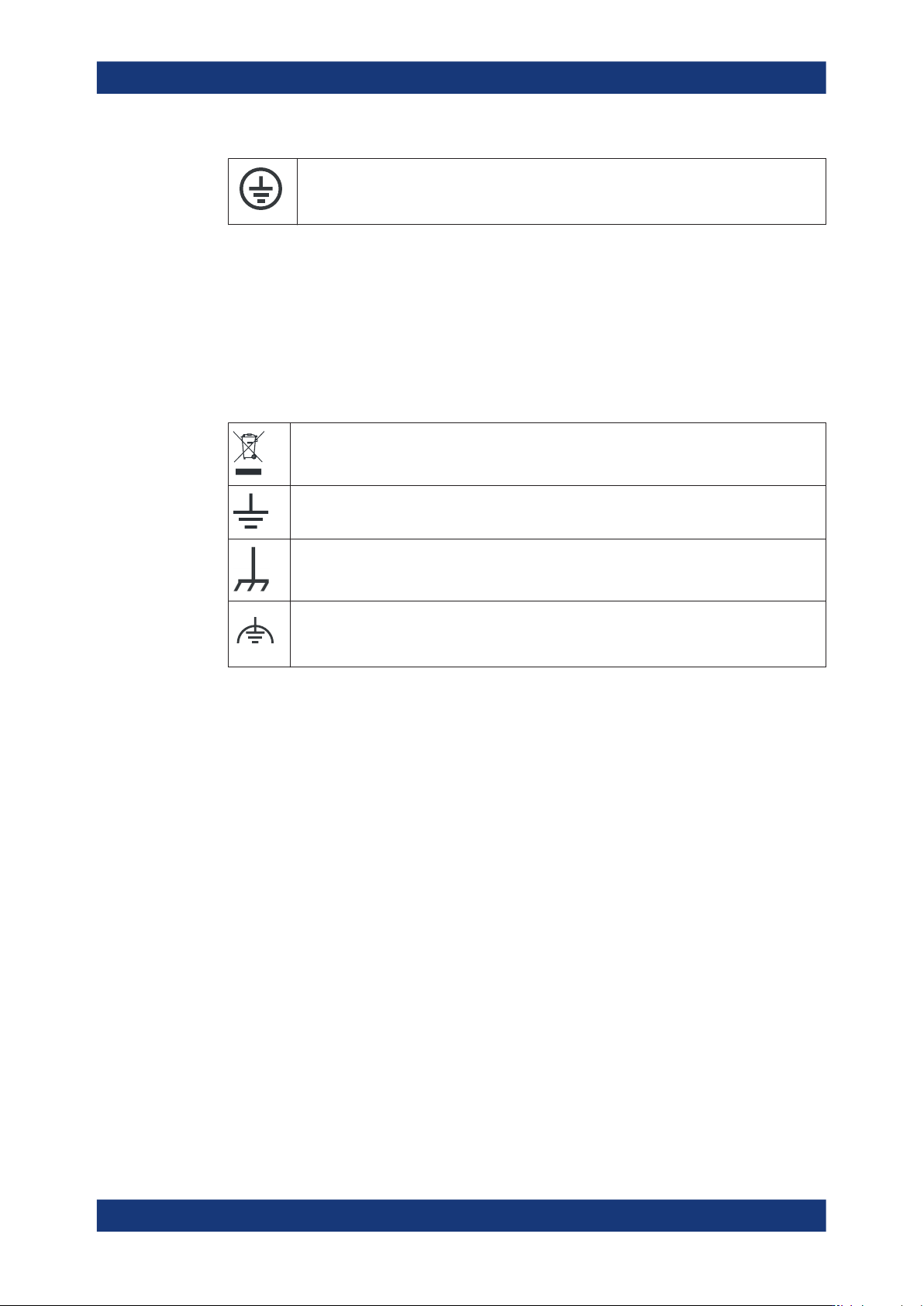
Protective conductor terminal
Connect this terminal to a grounded external conductor or to protective ground. This connec-
tion protects you against electric shock if an electric problem occurs.
1.2 Labels on the R&S LCX
Labels on the casing inform about:
●
Personal safety, see "Meaning of safety labels" on page 11.
●
Product and environment safety, see Table 1-1.
Table 1-1: Labels regarding R&S
LCX and environment safety
Labeling in line with EN 50419 for disposal of electrical and electronic equipment after the prod-
uct has come to the end of its service life. For more information, see "Disposing of electrical and
electronic equipment" on page 248.
Grounding connection
Chassis grounding connection
Noiseless ground.
The input signal at these connectors must be free from external voltages. The measurement
results are otherwise incorrect.
1.3 Warning messages in the documentation
A warning message points out a risk or danger that you need to be aware of. The sig-
nal word indicates the severity of the safety hazard and how likely it will occur if you do
not follow the safety precautions.
WARNING
Potentially hazardous situation. Could result in death or serious injury if not avoided.
CAUTION
Potentially hazardous situation. Could result in minor or moderate injury if not avoided.
NOTICE
Potential risks of damage. Could result in damage to the supported product or to other
property.
Warning messages in the documentation